
About | Privacy Policy | Terms of Use | Support | Contact Us
Copyright © 2026 Tipard Studio. All Rights Reserved.

Windows

Rip your favorite Blu-ray/DVD movies or videos to popular formats

Powerful software to play Blu-ray/DVD videos and audio

Create Blu-ray disc/folder/ISO file with your own video

Backup/Copy your favorite Blu-ray to disc/folder/iso files
Mac

Rip your favorite Blu-ray/DVD movies or videos to popular formats on Mac

Powerful software to play Blu-ray and popular video formats on Mac
Windows

Rip DVD to any popular video format quickly of full quality

Create DVD from videos and burn video to DVD/Blu-ray freely

Copy DVD to DVD disc/folder/ISO files in a 1:1 ratio
Mac

Rip DVD to any popular video format quickly of full quality on Mac

Burn or author a DVD from videos with subtitles and chapters on Mac

Copy DVD to DVD disc/folder/ISO files in a 1:1 ratio on Mac
Windows

Rip DVD, convert 4K video, edit, and upscale videos to 5K/8K

Repair broken videos with high accuracy and support many formats

Convert any video to MP3, MP4, MOV, WAV, and other 350 formats

Upscale resolution, optimize brightness and remove video noise

The easiest tool to capture screen, game, audio, etc. with high quality

Convert any 2D video to 3D video and convert 3D to 2D video

Convert 4K video to 4K/1080P and common videos

Convert TS video to various popular video/audio formats
Mac

Rip DVD, convert 4K video, edit, and upscale videos to 5K/8K on Mac

Repair broken videos with high accuracy and support many formats on Mac

Convert any video to MP3, MP4, MOV, WAV, and other 350 formats on Mac

Upscale resolution, optimize brightness and remove video noise on Mac

The easiest tool to capture screen, game, audio, etc. with high quality on Mac

Convert any 2D video to 3D video and convert 3D to 2D video on Mac

Convert 4K video to 4K/1080P and common videos on Mac

Convert TS video to various popular video/audio formats on Mac
Desktop

Rip and convert DVDs to MP3 and support other audio formats

Reset Windows Admin and Standard user account password in seconds

Accurately Convert any PDF file to Word with OCR

Convert PDF to Word, Excel, HTML and Image with OCR
Online

Easily remove watermarks from many image file formats free online
100% Clean & Safe
100% Clean & Safe
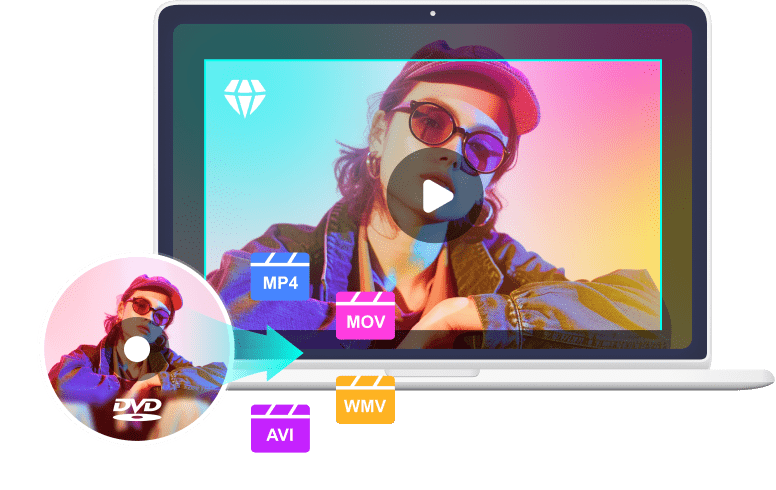
Convert new and old DVDs and 99-title DVDs with scratch or bad sector. This free DVD ripper supports MP4, MKV, WMV, MOV and many other popular or rare video formats. If you want to play the DVD video on your iPhone, Android, PS5, Xbox, Wii, and many other external devices, this free DVD ripper can help you rip your DVD to the video formats that match the devices.
Upgrade to Rip Copy-Protected DVDs> Upgrade to Rip Copy-Protected DVDs>

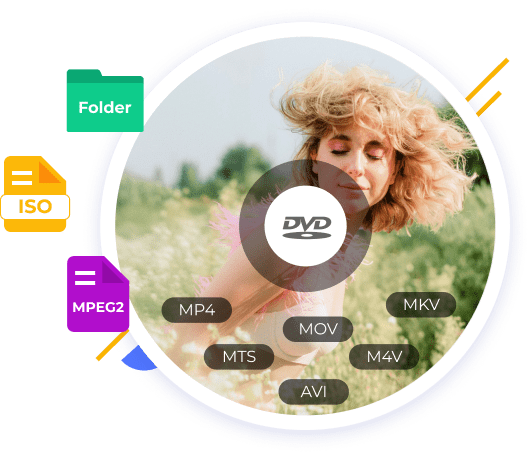
DVD to ISO: Tipard Free DVD Ripper can rip your DVDs to ISO image or DVD folder with original material, video/audio codecs, and menus without video quality loss.
DVD to MPEG2: This free DVD ripper rip your DVDs to original-quality MPEG2 codecs for home theater watching experiences with 5.1 Channel AC3/DTS Dolby audio.
Upscale Your DVDs to 4K Upscale Your DVDs to 4KThis free DVD ripper stands out for its fast ripping speed,defeating 96% of its competitors. It can rip the DVD to get the full movie while maintaining high video quality.
PS: You can upgrade to enjoy GPU-acceleration to rip your DVDs faster with full quality
Upgrade Upgrade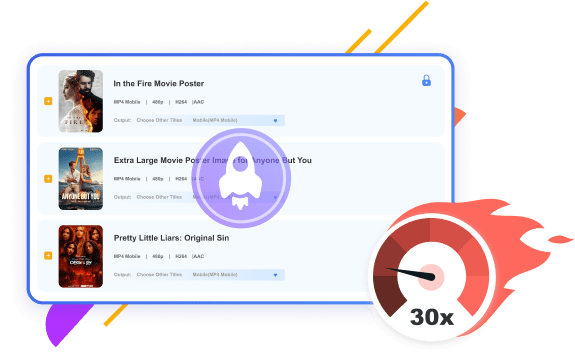
| Upgrade Free DVD Ripper to Pro - Obtain Full Features | ||
|---|---|---|
| Features |
Tipard Free DVD Ripper |
The Pro Version |
| Support DVD disc/ISO/folder | ||
| Support CSS & region-locked DVDs | ||
| Support old scratched/damaged DVDs | ||
| Support the latest movies, TVs, etc. | ||
| Output formats | MP4, WMV, MOV, AVI | MP4(HEVC), WMV, MOV, AVI, MP3, FLAC, and 500+ formats |
| DVD to digital/device/web | iPhone, Apple TV, Samsung, HTC, PSP | 300+ devices and 500+ profiles:iPhone (15/Pro/Max), iPad, Mac, Apple TV, HTC, Samsung, Google, PSP 5/4/3, Xbox, YouTube, etc. |
| Rip DVD to ISO/MPEG | ||
| De-interlacing/high-quality Engine | ||
| Level-3 hardware acceleration | (Ripping a DVD takes about 68.65 min at 48 fps) | (Ripping a DVD takes about 8min at 387 fps) |
| Customize & edit features | Trim, crop, filter, watermark, add audio and subtitle | |

Enjoy a 20% OFF Offer to Upgrade to the Pro Version - Tipard DVD Ripper
$25.60$32.00
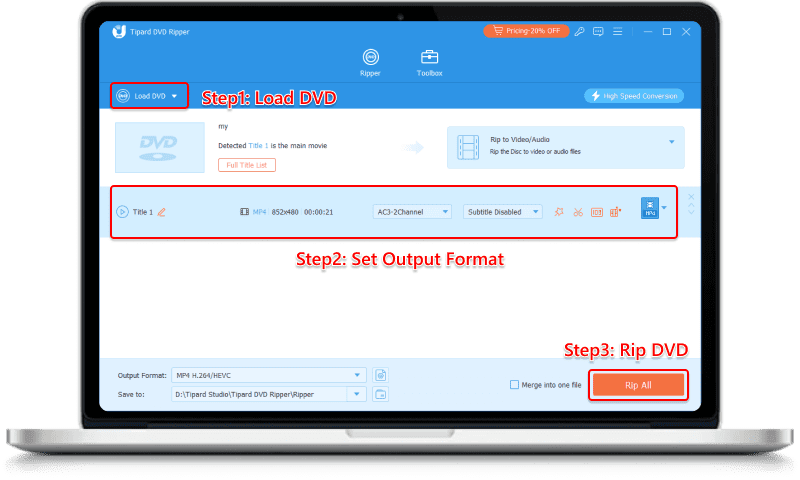
Step 1. Click "Load DVD" button to load DVD disc, DVD ISO File, or DVD Folder you want to rip.
Step 2. Select the output format you want at the right corner. You can select the proper video, audio or format suits your device.
Step 3. Click "Rip All" button to start ripping DVD to video/audio.
| Tipard Free DVD Ripper - Tech Specs and System Requirements | ||
|---|---|---|
| Supported Formats | Input Formats | Homemade, commercial, 99-title DVD, ISO, DVD folder |
| Output Formats | Commonplace MP4 (H.264), AVI, WMV, MOV, MP3, etc. | |
| Output Devices | iPhone, iPad, TV, Samsung, Sony, PCs, game consoles, etc. | |
| System Requirement | Supported OS | Windows 11/10 or lower; macOS 10.12 or above (highly support macOS Golden Gate) |
| Processor | 1.2GHz Intel or AMD CPU, or above; Intel® processor and Apple M2/M3/M4/M5 chip | |
| RAM | 1G RAM or higher recommended | |
Copy-protected DVDs have region-lock or CSS protection, etc. You should use a DVD ripper that can remove the protections on your DVD. Tipard Free DVD Ripper can easily get rid of multiple protections on your DVDs. You can upgrade to Tipard DVD Ripper to rip newly released DVD protections.
Yes, it is. If you want other powerful features, you can upgrade the Tipard Free DVD Ripper to its pro version, which is totally safe for your PC, DVDs, privacy, and everything.
It depends on your specific requirements. If you want a more compatible and lightweight video format, you can rip your DVD to MP4. If you want a higher video quality, you can rip DVD to MOV.
It depends. You should ensure that you rip DVDs for non-business use or fair use, then it's not illegal to rip DVDs. However, if you rip a commercial DVD for business use, then you might face an action at law.
I made it to rip my movie DVD and shared the movies with my buddies. The DVD ripper works OK and I can deal with my DVD stuff without any obstacles. When I get a new movie DVD, I decide to purchase the pro version to check how it works.
Never though that this program could work so well. I'm like it ripped my DVD at a not-so-slow speed. I went to walk my dog and it ripped my DVD entirely when I came back. So amazing that it's a free DVD ripper!
I find it really cheats, for I made it to rip a movie DVD that was recently released, about 2 months ago, while it's just a free DVD ripper! I really hope that this amazing free DVD ripper can help me rip many DVD movies, shows, and episodes.