
About | Privacy Policy | Terms of Use | Support | Contact Us
Copyright © 2026 Tipard Studio. All Rights Reserved.

Windows

Rip your favorite Blu-ray/DVD movies or videos to popular formats

Powerful software to play Blu-ray/DVD videos and audio

Create Blu-ray disc/folder/ISO file with your own video

Backup/Copy your favorite Blu-ray to disc/folder/iso files
Mac

Rip your favorite Blu-ray/DVD movies or videos to popular formats on Mac

Powerful software to play Blu-ray and popular video formats on Mac
Windows

Rip DVD to any popular video format quickly of full quality

Create DVD from videos and burn video to DVD/Blu-ray freely

Copy DVD to DVD disc/folder/ISO files in a 1:1 ratio
Mac

Rip DVD to any popular video format quickly of full quality on Mac

Burn or author a DVD from videos with subtitles and chapters on Mac

Copy DVD to DVD disc/folder/ISO files in a 1:1 ratio on Mac
Windows

Rip DVD, convert 4K video, edit, and upscale videos to 5K/8K

Repair broken videos with high accuracy and support many formats

Convert any video to MP3, MP4, MOV, WAV, and other 350 formats

Upscale resolution, optimize brightness and remove video noise

The easiest tool to capture screen, game, audio, etc. with high quality

Convert any 2D video to 3D video and convert 3D to 2D video

Convert 4K video to 4K/1080P and common videos

Convert TS video to various popular video/audio formats
Mac

Rip DVD, convert 4K video, edit, and upscale videos to 5K/8K on Mac

Repair broken videos with high accuracy and support many formats on Mac

Convert any video to MP3, MP4, MOV, WAV, and other 350 formats on Mac

Upscale resolution, optimize brightness and remove video noise on Mac

The easiest tool to capture screen, game, audio, etc. with high quality on Mac

Convert any 2D video to 3D video and convert 3D to 2D video on Mac

Convert 4K video to 4K/1080P and common videos on Mac

Convert TS video to various popular video/audio formats on Mac
Desktop

Rip and convert DVDs to MP3 and support other audio formats

Reset Windows Admin and Standard user account password in seconds

Accurately Convert any PDF file to Word with OCR

Convert PDF to Word, Excel, HTML and Image with OCR
Online

Easily remove watermarks from many image file formats free online
Tipard DVD Software Toolkit for Mac is the all-in-one Mac software which includes DVD Ripper for Mac, Video Converter for Mac, Mac iPhone Transfer Ultimate and DVD Creator for Mac, DVD Cloner for Mac.It can convert DVD/video to other video formats, transfer iPhone files between iPhone and Mac, make ringtone and copy DVD to DVD disc/folder or ISO image file.
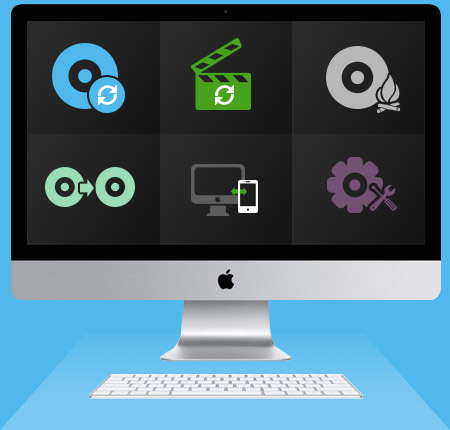
This unique DVD Software Toolkit for Mac can not only assist you to convert DVD to video, and convert among all popular videos (HD video and SD video), but also transfer various files from iPod to PC, or from PC to iPod/iPhone/iPad.
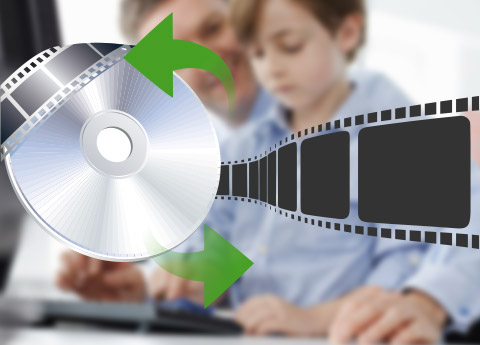
Tipard DVD Software Toolkit for Mac includes Mac DVD Ripper and Mac Video Converter. The two programs respectively convert DVD disc and almost all popular video formats to AVI, MP4, MKV, WMV, MOV, FLV and ASF etc with zero quality loss. The output video files are compatible with iPad (iPad Pro, iPad Air, iPad mini), iPod, iPhone (iPhone 17/iPhone Air/iPhone 17 Pro/iPhone 17 Pro Max/iPhone 17e, iPhone 16/iPhone 16 Plus/iPhone 16 Pro/iPhone 16 Pro Max, iPhone 15/iPhone 15 Plus/iPhone 15 Pro/iPhone 15 Pro Max, iPhone 14/iPhone 14 Plus/iPhone 14 Pro/iPhone 14 Pro Max, iPhone 13/iPhone 13 Pro/iPhone 13 Pro Max/iPhone 13 mini, iPhone 12/12 Pro/12 Pro Max/12 mini, iPhone 11/11 Pro/11 Pro Max, iPhone XS/XS Max, iPhone XR, iPhone X, iPhone 8/8 Plus, iPhone 7/7 Plus, iPhone 6s/6s Plus, iPhone 6/6 Plus, iPhone SE, iPhone 5s, iPhone 5c, iPhone 5, iPhone 4s, iPhone 4), Surface, Samsung GALAXY, Android Phones, PSP 3, Apple TV, Xbox, etc. This converting function can provides convenient solution for Mac user to convert DVD and video. The output video and audio quality is excellent and you are able to enjoy the videos as you wish. (Please DO NOT employ this product to rip non-homemade DVDs or back up DVD for commercial use.)
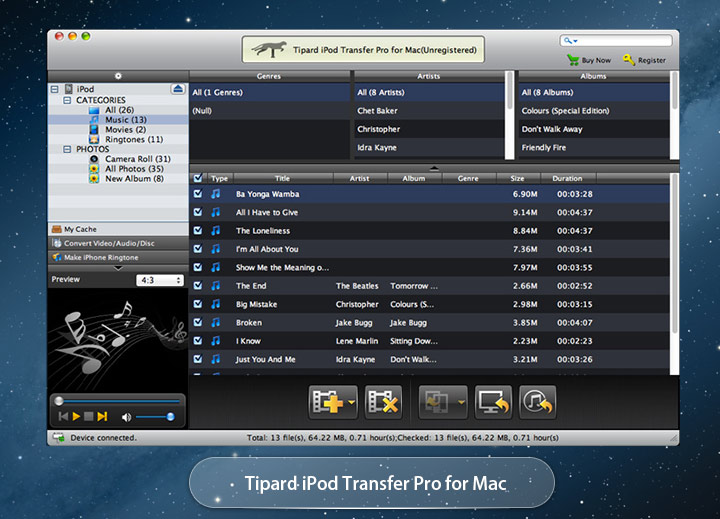
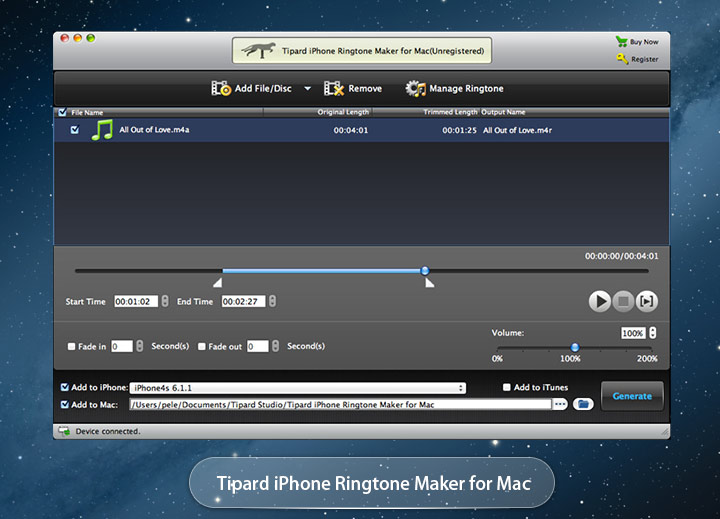
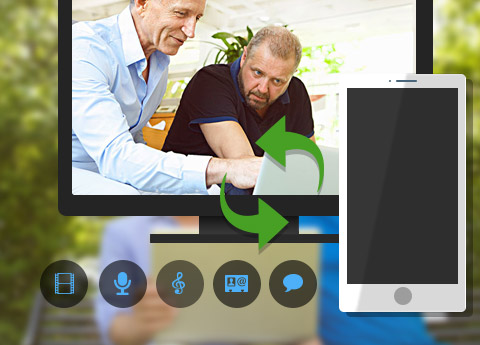
This Software Toolkit for Mac is more than a DVD and video converter. It is capable of transferring iPhone music, video and photos from iPhone to Mac and Mac to iPhone. The Mac software supports all Apple devices such as iPad and iPod. It can recognize the iPad and iPod when you connect one of them with Mac. And then do transferring work. Often back up iPhone content to Mac in case of losing it. Or the files on iPhone take too much space and you have to make some room, however, there is something important to be saved. Moreover, iPhone Ringtone Maker for Mac in this toolkit can make ringtone for iPhone and iPod with your loved music from DVD, video and song.
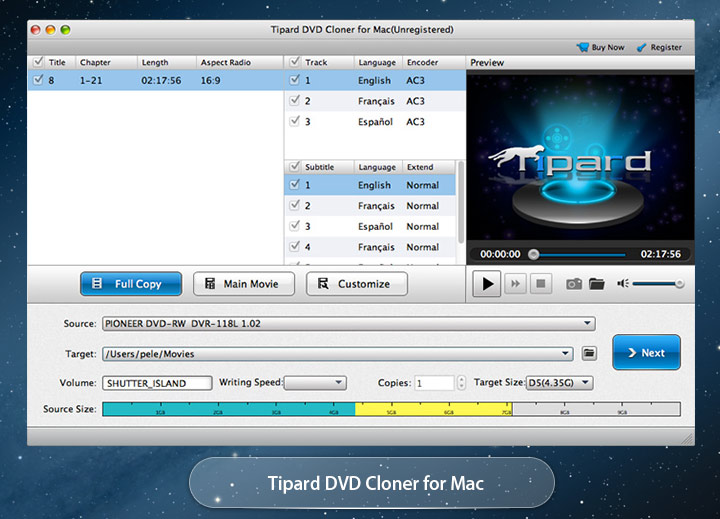
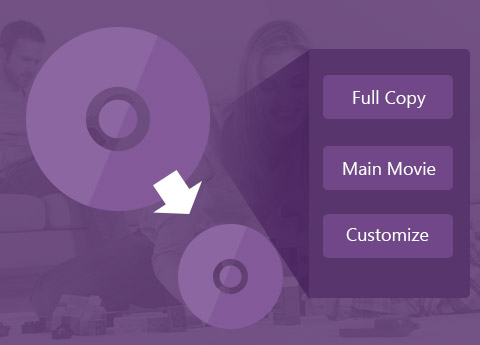
The DVD tool is feature with cloning DVD. It's able to copy DVD disc to DVD disc and local disc (saved as DVD folder or ISO image file), DVD folder to DVD disc or ISO file and ISO file to DVD disc or DVD folder. Copy DVD 9 to DVD 9 or DVD 5 to DVD 5 in ratio 1:1 (Keep original quality) or DVD 9 to DVD 5 with compression. You can also customize which part to copy or clone: full copy, main movie and customize. The Mac software is compatible with DVD+R, DVD+RW and DVD-R, DVD-RW, etc.
If your output video needs to meet special requirements, use editing functions with this toolkit for Mac to customize your video. Trim input video to get the clips you want; crop video watermark or black parts to make it fit for your players in ratio of original, crop area (customize), 16:9 and 4:3; add watermark with text or picture to the video to according to your own needs; merge several video clips into one file convenient for saving or management; adjust video effect by adjusting Brightness, Contrast, Saturation, Volume and Hue. The functions are very easy to use.


Creative multiple editing features
With Effect, Trim, Crop, Watermark functions, you're granted to edit the videos for a better video effect at will.

Preview and snapshot
You're free to preview the DVD movies and videos. Also, you can capture the video images and save them on your local disc.

Merge
You are capable of combing several video segments and export them into one file.

Fast speed and batch conversion
It enables you to finish conversions in a few seconds. What's more, it supports batch conversion, which greatly saves your time.
System Requirements
What's New

Rain:Tipard DVD Software Toolkit for Mac is really wonderful. With the software, I can do everything almost I need. The converting speed is very fast and the video and audio quality is satisfying enough.

Sarah: The Mac software helped me a lot. I got a new iPhone and wanted to put the music from iPod to iPhone. It was so easy to share the music. Actually the software can directly converted dvd to iPod.

Christian: I used the Mac DVD Cloner to copy my DVD discs. Compressed one DVD 9 to DVD 5 and copied two DVD 5 discs to DVD 5s. The copy quality was good as expected. Copying speed was ultrafast. It's worth.


