


Deal Ends in 02 Hr: 23 Min: 59 S

Get It Now
Svip Special Offer Svip Special Offer Close

Support Various Formats and Presets for Digital Devices

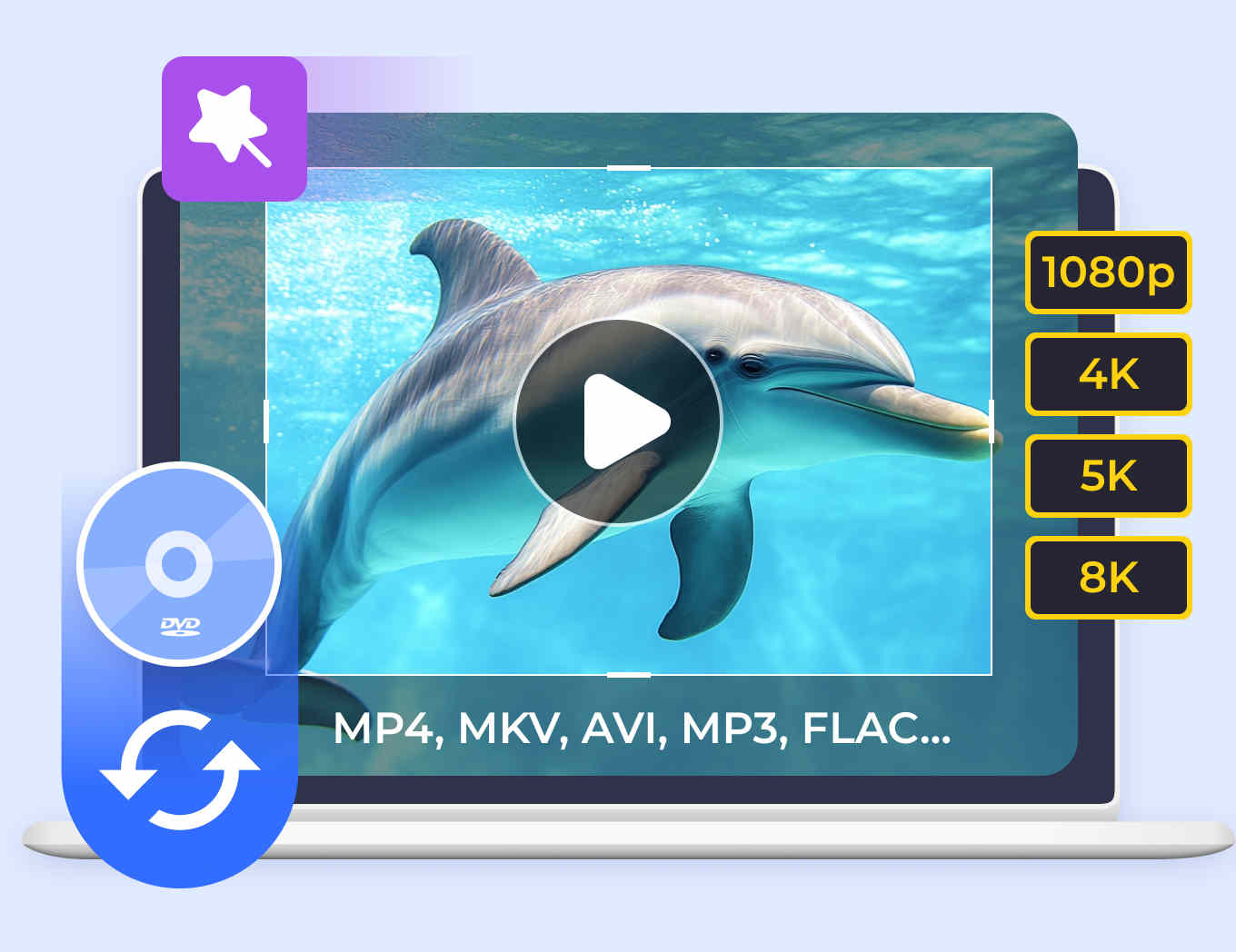
Tipard Video Converter Ultimate can convert over 500 video and audio formats (MP4, MOV, ProRes, MKV, AVI, WMV, MP3, FLAC, OGG, etc.) for playback on any mainstream device like iPhone 17/16/15, iPad, iPod, Samsung, Huawei, Xiaomi, HTC, Motorola, Sharp, etc. Moreover, it can convert video to 4K UHD and 1080p HD video, so that you can get ultimate video resolution and definition, even if you want to watch videos on a 4K TV.

Upscale Video

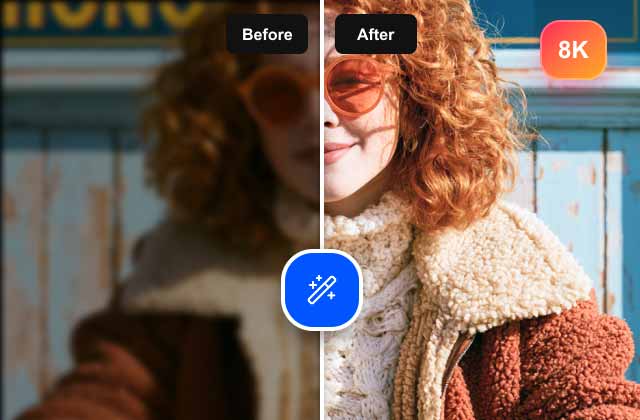
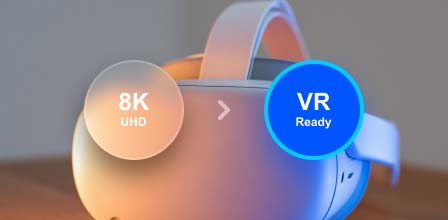
Convert Video to 4K, 5K, and even 8K in H.264/H.265/AV1 Codecs

Unleash the full potential of your media with our powerful multimedia converter. Designed for the ultra-high-definition era, it delivers pixel-perfect conversion to 8K/5K/4K H.265 (HEVC), AV1, and VP9 formats. Whether you're streaming to an 8K Sony/Samsung TV or enjoying content on an iPhone or Apple TV, our technology ensures a flawless viewing experience across all 8K, 4K, and HD displays.

Convert Video

Convert Video/Audio to Over 500+ Video or Audio Formats in High Quality.

Tipard Video Converter Ultimate is the definitive solution for media conversion, supporting a vast library of 500+ input and output formats. It can seamlessly convert between MP4, MOV, AVI, MKV, and pro-grade ProRes or WebM. and extract crystal-clear background audio from any video and save it in premium formats like FLAC, WAV, or ALAC without losing a beat. It can also easily transform images into WEBP, DDS, PNG, or JPEG for web and professional use.

Rip DVD

Rip and Copy DVD to Computer Losslessly

It's not only a media converter but also a DVD ripper. It can rip DVDs into digital formats for smooth playback on any physical device. Moreover, it can reduce DVD size by copying the DVD disc into DVD folder or ISO. (Please DO NOT employ this product to rip non-homemade DVDs or back up DVDs for commercial use.)

  • Rip and convert DVD to a wide range of video formats of MP4, MKV, AVI, WMV, AVI, MOV, MP4, WMV, MKV, FLV, etc., and extract MP3, AAC, OGG, WAV, DTS, M4A, and more formats or songs from DVDs.
  • Convert DVD to MPG/MKV losslessly. Tipard Video Converter Ultimate can store the full original subtitle and audio track options of the homemade DVD and keep the best output quality of the original DVDs.
  • Copy DVD to a full DVD folder or ISO. Tipard Video Converter can copy a DVD disc into a full-mode DVD folder and ISO on computer, so that you can experience the same playback as DVD player.
Fast Video Converter

Convert Videos/DVDs at 120× Faster Speed with Full Quality

Tipard Video Converter Ultimate supports hardware acceleration from Intel, AMD, and NVIDIA, allowing you to decode, edit, and convert large videos up to 120× faster than other converters while using only 1–2% of your CPU. Moreover, it converts videos and DVDs to full quality. Whether you rip an HD DVD to MPG lossless or convert 8K/5K/4K/1080p HD videos, it allows you to keep the original settings to keep the full quality.

Easily Edit and Personalize Your Video (DVD Video) Effects in Clicks

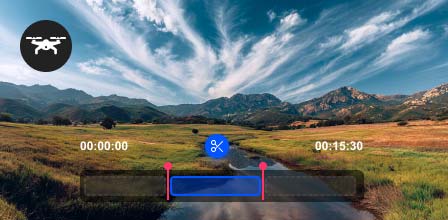
This Media Conversion tool has a built-in video editor that allows you to edit the video effects easily. All the editing tools like watermark, clip, merge, crop, rotate, filter, etc., can be applied without any skills. Even if you are new in the video filed, you could edit your video like a pro.

Clip, trim, and merge video segments to create a stunning video.

Choose custom audio and subtitle files to add to a video.

Reverse a video to make a creative and comedic video.

The video speed controller can speed up or slow down a video.

Flip and rotate a video to fix orientation problems.

Adjust brightness, hue, saturation, contrast, and add filters to video.

Fix audio delay or audio and video out of sync accurately.

Edit ID3 tag and file name, artist, created, modified dates for videos.

Video Editing
Music Video Maker

One-Click Create Personalized Music Video with Templates

Turn your memories into captivating movies with our intuitive MV Maker. Whether you're a beginner or a pro, you can refine raw footage effortlessly using one-click themes. Every theme comes pre-loaded with dynamic transitions, trendy filters, and background music, allowing you to export personalized videos that stand out on any platform instantly.

Take charge of your soundtrack by adding personal music with customized effects. Fine-tune your work using live previews to ensure every transition is spot-on. If you change your mind, swap themes instantly, giving you total flexibility to experiment until you're 100% satisfied.

Collage Maker

Combine Videos and Photos to Make Video or Photo Collage

Tipard Video Converter Ultimate also offers a video collage maker. You can use it to combine multiple videos and pictures into one screen. Then you can make your video more engaging and enjoy simultaneous playback as you like. This split-screen video maker offers plenty of templates and filters for your creative work. Besides, you are able to edit and adjust the video/audio effects according to your needs conveniently.

Explore More Tools from Tipard Video Converter Ultimate

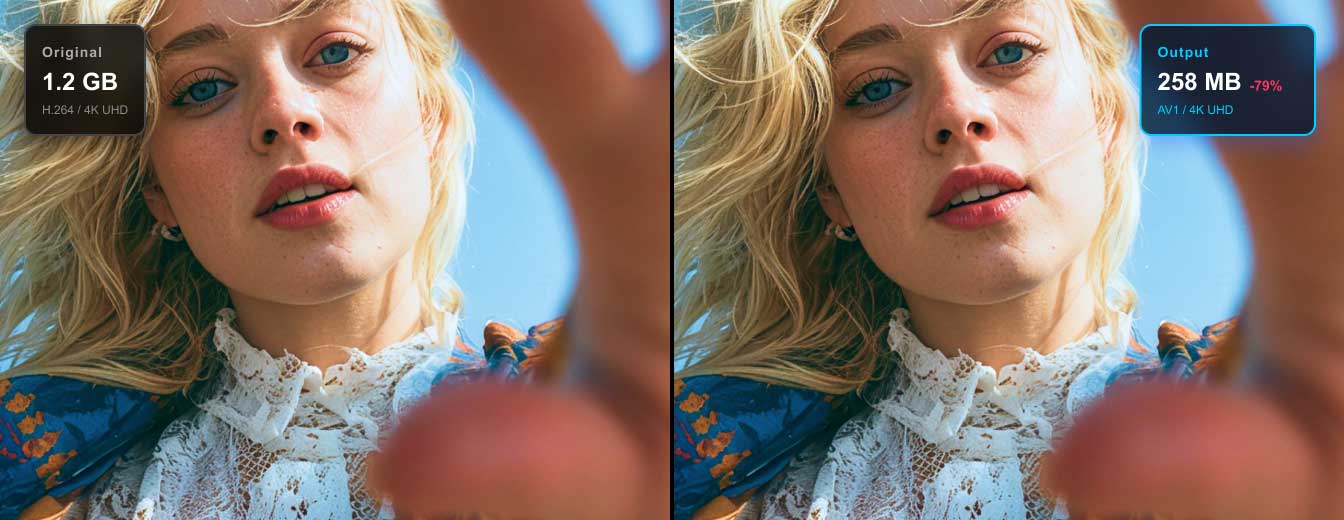
Tipard Video Converter Ultimate also provides you with extra tools that you can use to optimize video. You can compress a large video file into a smaller one, create an animated GIF image from a video or photo, or edit the metadata for the video/audio. Furthermore, you can adjust the video speed, reverse a video, or adjust the volume and fix the audio and video not sync problem.

Join Us & Enjoy More Benefits!

User ProfilesOver 500K users have joined Tipard!

You can log in or sign up for a Tipard account to get more benefits and keep updated with special offers!

How to Convert Videos with Tipard Video Converter Ultimate

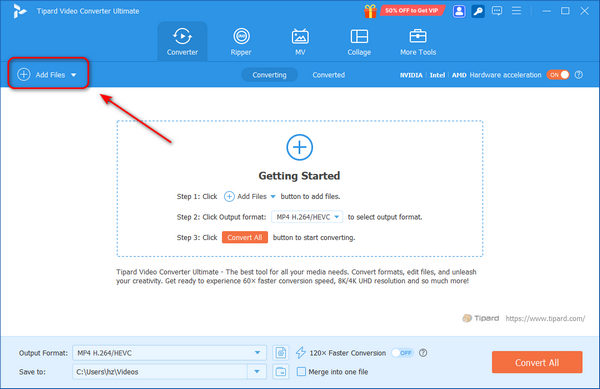
1. Add Files

Click the Add Files button on the top left side to add your media files to Tipard Video Converter Ultimate.

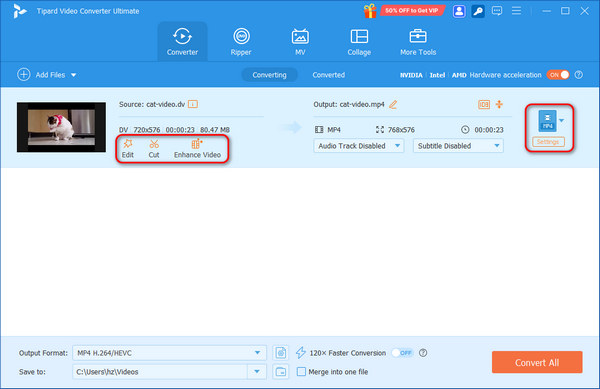
2. Edit and Choose Format

Edit your files with the Edit, Cut, and Enhance features. Choose an output format to convert your video.

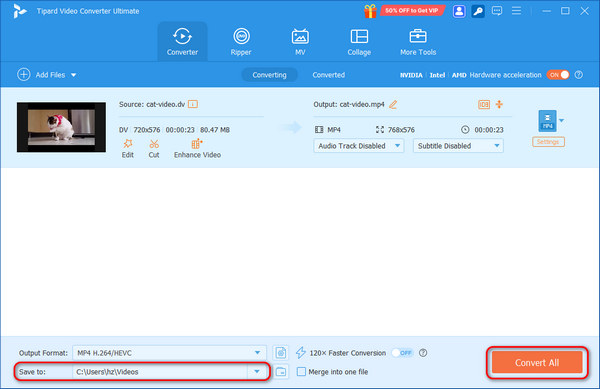
3. Export Files

Finally, choose a destination folder and click the Convert All button to process and export your media files.

Add Media Files Edit and Convert Video Process and Export Video

Check What Our Users Say

FAQs of Tipard Video Converter Ultimate

Best Video Conversion & DVD Ripping Tips

Video Converter Ultimate

Convert Videos and DVDs to All Formats

Free Download

100% Clean & Safe

Buy Now

30-Day Money Back Guarantee

Free Download

100% Clean & Safe

Buy Now

30-Day Money Back Guarantee