
About | Privacy Policy | Terms of Use | Support | Contact Us
Copyright © 2025 Tipard Studio. All Rights Reserved.

Windows

Rip your favorite Blu-ray/DVD movies or videos to popular formats

Powerful software to play Blu-ray/DVD videos and audio

Create Blu-ray disc/folder/ISO file with your own video

Backup/Copy your favorite Blu-ray to disc/folder/iso files
Mac

Rip your favorite Blu-ray/DVD movies or videos to popular formats on Mac

Powerful software to play Blu-ray/DVD videos and audio on Mac
Windows

Rip DVD to any popular video format quickly of full quality

Create DVD from videos and burn video to DVD/Blu-ray freely

Copy DVD to DVD disc/folder/ISO files in a 1:1 ratio
Mac

Rip DVD to any popular video format quickly of full quality on Mac

Create DVD from videos and burn video to DVD/Blu-ray freely on Mac

Copy DVD to DVD disc/folder/ISO files in a 1:1 ratio on Mac
Windows

Rip DVD, convert 4K video, edit, and upscale videos to 5K/8K

Repair broken videos with high accuracy and support many formats

Convert any video to MP3, MP4, MOV, WAV, and other 350 formats

Upscale resolution, optimize brightness and remove video noise

The easiest tool to capture screen, game, audio, etc. with high quality

Convert any 2D video to 3D video and convert 3D to 2D video

Convert 4K video to 4K/1080P and common videos

Convert TS video to various popular video/audio formats
Mac

Rip DVD, convert 4K video, edit, and upscale videos to 5K/8K on Mac

Repair broken videos with high accuracy and support many formats on Mac

Convert any video to MP3, MP4, MOV, WAV, and other 350 formats on Mac

Upscale resolution, optimize brightness and remove video noise on Mac

The easiest tool to capture screen, game, audio, etc. with high quality on Mac

Convert any 2D video to 3D video and convert 3D to 2D video on Mac

Convert 4K video to 4K/1080P and common videos on Mac

Convert TS video to various popular video/audio formats on Mac
Desktop

Rip and convert DVDs to MP3 and support other audio formats

Reset Windows Admin and Standard user account password in seconds

Accurately Convert any PDF file to Word with OCR

Convert PDF to Word, Excel, HTML and Image with OCR
Online

Easily remove watermarks from many image file formats free online
Tipard iPad Transfer Platinum, the all-in-one iPad Transfer software, is capable of transferring files between iPad and PC/iTunes. Besides, it enables you to convert DVD/video/audio files to iPad. In addition, it has high compatibility with all Apple devices like iPhone and iPod.
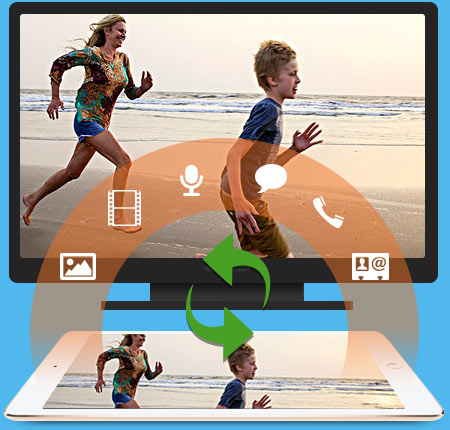
It's the top iPad transferring software. Besides transferring files between iPad to PC and iTunes, it also support file transfer from iPad to iPhone and iPod.
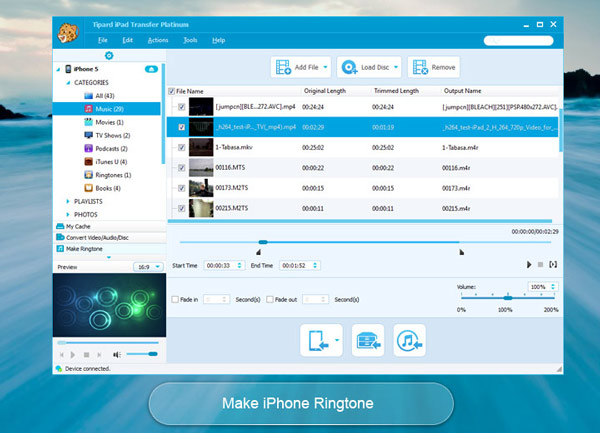
You may feel depressed when you lost your iPad, iPod and iPhone data files due to some damage. If you have Apple devices backup files on PC or iTunes, you don't have to worry about the data loss any more. Therefore, you need the professional iPad Transferring software to help you transfer your iPad files to PC and iTunes for backup. Tipard iPad Transfer Platinum is the versatile transferring software, which is not only capable of transferring files between iPad and PC, transferring any iPad files to iPhone and iPod, but also able to make iPhone Ringtone with any DVD, video and audio. All files like music/movie/Pictures/TV Shows/Podcast/iTunes U/eBooks/Camera Roll/Ringtone/SMS/Contacts/Voice memos/Camera shot files can be transferred from your iPad to iPhone, iPod, PC or iTunes with superior output quality. What're more, you're allowed to edit ID3 information as you like.
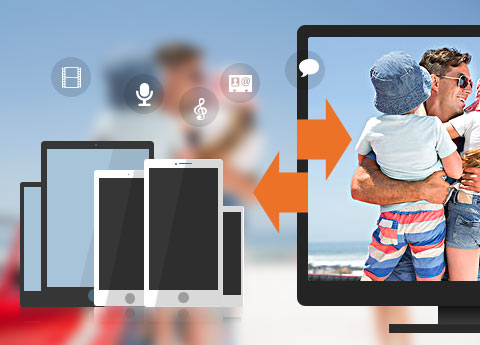
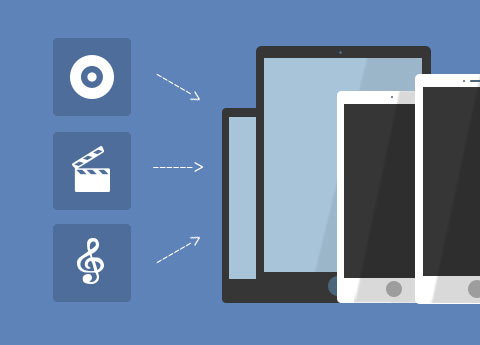
Tipard iPad Transfer Platinum is more than a transferring tool. It also enables you to convert any DVD and popular video formats like MP4, M4V, FLV, AVI, MKV, etc to iPad compatible format, and then transfer the converted files to iPad, My Cache and iTunes for your enjoyment. Thus, you're free to enjoy your favorite DVD movies and videos on your iPad anytime you want. Pretty cool!
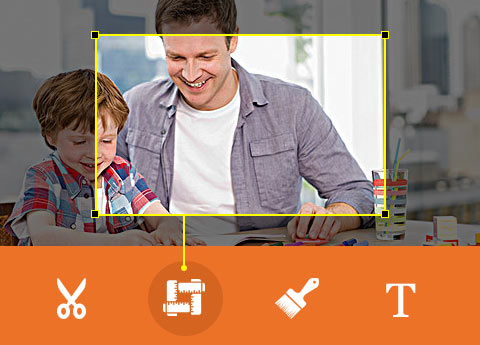
Tipard iPad Transfer is equipped with multiple video editing features for you to customize the output videos. With Effect function, you're granted to adjust the Brightness, Saturation, Contrast, Hue and Volume for a satisfying video effect. Additionally, you could trim the video length, crop the video frame, add text/image watermark to the video and merge several video clips into a new single file. In a word, Tipard iPad Transfer software enables you to get a ideal video for your enjoyment on iPad, iPhone and iPod.

Lossless and safe transfer
Transfer exactly what you want losslessly and safely. Never worry about the data loss problem.

Support all Apple devices
Tipard iPad Transferring software supports all Apple devices. It's the really all-in-one transferring software.

Preview
With a built-in player, it allows you to preview the source and target video files. Also pre-listening to the audio files is possible here.

Ultra-fast transferring speed
With the adoption of NVIDIA® CUDA™ technology and AMD APP Acceleration, you can complete transfer and conversion quickly.

Marcus: Tipard iPad Transfer Platinum is the most trustworthy software. It helps me a lot to transfer my iPhone data to PC for backup. No data loss anymore! Highly recommend!

Vivian:No better iPad Transferring software than yours. It supports all Apple devices, really impressive! Also, it enables me to make special iPhone Ringtone with DVD. All-in-one software!

Gloria:I have encountered no problem and it works so perfect. Transfer my iPad files to PC is such easy. Owing this almighty iPad transferring software, I can handle any iPad transfer issue on my own.
Rip DVD and convert various video to iPad compatible video/audio formats and support all IOS devices.
Rip DVD, convert video, make DVD, copy DVD files and transfer iPhone files among IOS file and PC/iTunes.


