
About | Privacy Policy | Terms of Use | Support | Contact Us
Copyright © 2025 Tipard Studio. All Rights Reserved.

Windows

Rip your favorite Blu-ray/DVD movies or videos to popular formats

Powerful software to play Blu-ray/DVD videos and audio

Create Blu-ray disc/folder/ISO file with your own video

Backup/Copy your favorite Blu-ray to disc/folder/iso files
Mac

Rip your favorite Blu-ray/DVD movies or videos to popular formats on Mac

Powerful software to play Blu-ray/DVD videos and audio on Mac
Windows

Rip DVD to any popular video format quickly of full quality

Create DVD from videos and burn video to DVD/Blu-ray freely

Copy DVD to DVD disc/folder/ISO files in a 1:1 ratio
Mac

Rip DVD to any popular video format quickly of full quality on Mac

Create DVD from videos and burn video to DVD/Blu-ray freely on Mac

Copy DVD to DVD disc/folder/ISO files in a 1:1 ratio on Mac
Windows

Rip DVD, convert 4K video, edit, and upscale videos to 5K/8K

Repair broken videos with high accuracy and support many formats

Convert any video to MP3, MP4, MOV, WAV, and other 350 formats

Upscale resolution, optimize brightness and remove video noise

The easiest tool to capture screen, game, audio, etc. with high quality

Convert any 2D video to 3D video and convert 3D to 2D video

Convert 4K video to 4K/1080P and common videos

Convert TS video to various popular video/audio formats
Mac

Rip DVD, convert 4K video, edit, and upscale videos to 5K/8K on Mac

Repair broken videos with high accuracy and support many formats on Mac

Convert any video to MP3, MP4, MOV, WAV, and other 350 formats on Mac

Upscale resolution, optimize brightness and remove video noise on Mac

The easiest tool to capture screen, game, audio, etc. with high quality on Mac

Convert any 2D video to 3D video and convert 3D to 2D video on Mac

Convert 4K video to 4K/1080P and common videos on Mac

Convert TS video to various popular video/audio formats on Mac
Desktop

Rip and convert DVDs to MP3 and support other audio formats

Reset Windows Admin and Standard user account password in seconds

Accurately Convert any PDF file to Word with OCR

Convert PDF to Word, Excel, HTML and Image with OCR
Online

Easily remove watermarks from many image file formats free online
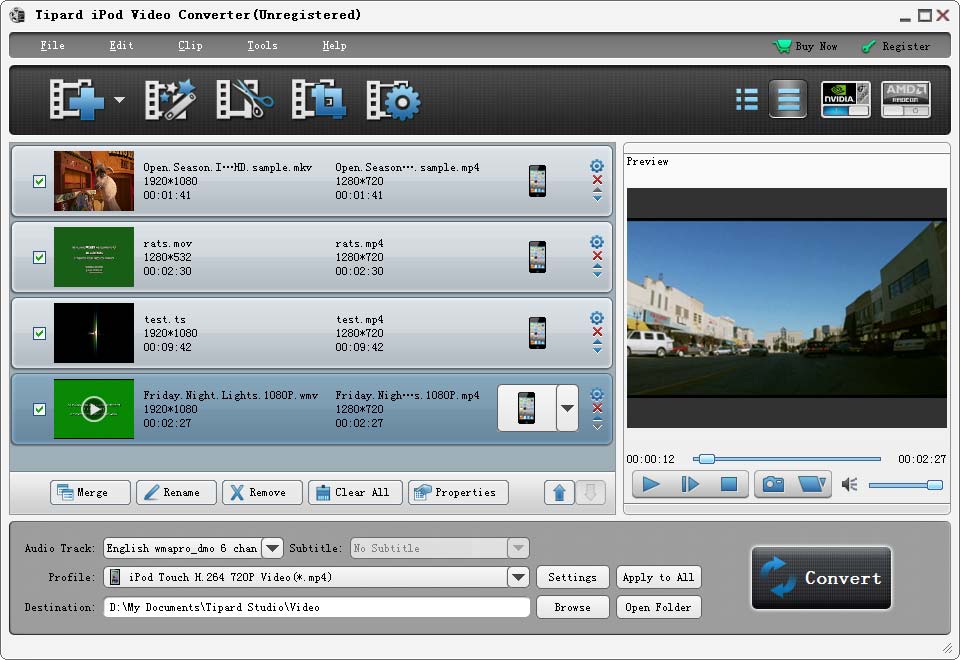
Tipard iPod Video Converter is specially designed for iPod users. With amazing video capabilities, this converter can convert nearly all popular video formats to iPod format. This Video to iPod Converter can also extract audio from video and convert audio to iPod formats. High-end accelerator and optimized video/audio settings makes it outstanding.
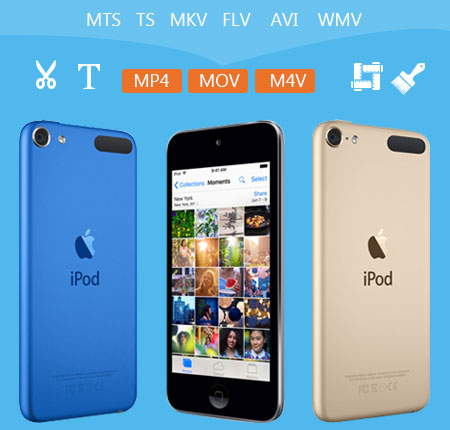
As the most convenient video to iPod converting program, this iPod Movie Converter can help users convert almost all videos to iPod, iPad, iPhone supported formats. Also you can extract the audio files from video to iPod.
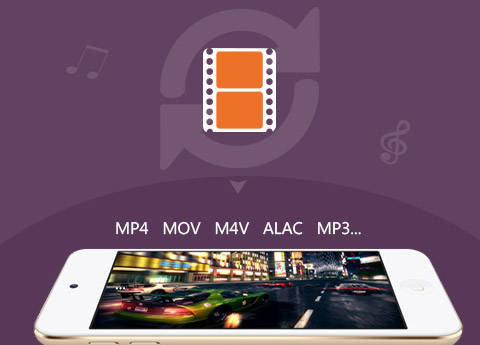
Tipard iPod Video Converter can convert any video format like MTS, M2TS, TS, TRP, AVI, WMV, MKV, FLV, SWF, F4V, OGM, WTV, DVR-MS, VOB, and Bink Video, etc. to iPod compatible video/audio formats. Users also can extract audio files from any video and then convert them to iPod compatible audio formats. The audio like OGG, AU, RA, RAM, WMA, APE, FLAC, M4B, AUD, MKA, AIFC, CAF, MPC and QCP, etc. can be converted to iPod audio formats including AAC, AIFF, ALAC, M4A, MP3, and WAV, etc. This Video to iPod Converter highly supports converting videos to iPod MP4, MOV, M4V, and MPEG4. After conversion, users can enjoy video/audio files on iPod, iPad, iPhone, Apple TV, etc.
You are able to change the length of your video by the function of "Trim". Either you can drag the two slider blocks by mouse, or set the start and end time precisely. With the "Crop" function, the program allows you to define the play region of your movie as you need, and you can get rid of video black edges by this function for better watching. To personalize the image of your video, you can add watermark like text or picture to the video and customize the watermark according to your preference. This iPod converter also provides the "merge" function, by which, several videos can be joined together. Besides, users can adjust the video effect like Brightness, Contrast, Saturation, Hue and Volume. Its magical functions make everything possible.

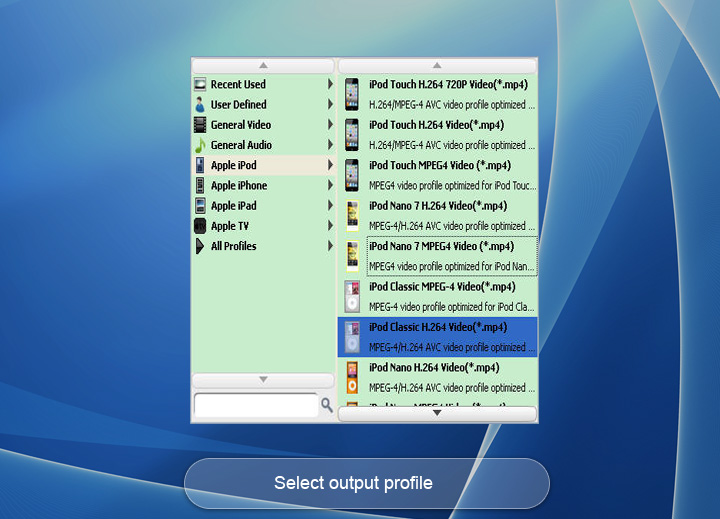
Many video files contain more than one audio track. Tipard iPod Video Converter allows you to choose one of your preferred audio track and subtitle to the video for better enjoyment. It also can help you to adjust video settings, such as Encoder, Resolution, Frame rate, Aspect ratio, Video bitrate. At the same time, you can customize audio settings like Sample rate, Channels, Audio bitrate. You can also directly input your own resolution as the form of "XXX*XXX"; Set the Audio Encoder, Sample Rate, Channels, Audio Bitrate. You also can save all the output settings as your preference, which is saved in the user-defined column automatically. You can choose whatever format you want for the output video from the profile column.
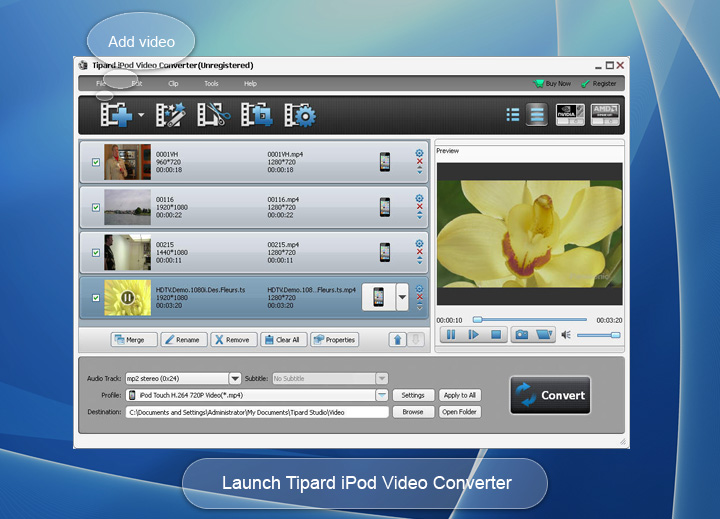
The adopted NVIDIA® CUDA™ technology can totally accelerate your PC GPU, so as to finish your converting task with ultra-high speed and best output quality. This video converter also supports multi-core CPUs, which can take full advantage of your PC power to accelerate the converting speed. Add multiple videos from local disc, and select different output formats for each video as you need. When converting these videos, only click "Convert" button to finish the batch conversion. With the unique design and intuitive interface, all users can easily handle the operation and rapidly complete the conversion. This iPod video converter provides you with an intuitive interface, which can make the operation quite easy.


Prosperities
It provides properties option for users to have a reference of source file video/audio settings before output parameters settings.

Languages
You can change the interface language to English, German, French and Japanese according to your need.

Preview video
Build-in player is embeded and users can preview the source video and edited video in the preview window.

Snap pictures
You can take snapshots of scenes and can save them as picture files in JPEG, PNG or BMP format.

William:This iPod Video Converter has finished the task to convert MKV videos to iPod formats with No problem. Satisfied with the wonderful audio and image quality.

Dolores: It is the best iPod video conversion software. I am extremely satisfied with the option to its simple interface and convenient operation.

Cobin: This iPod Converter helped me convert M2TS to my iPhone. It's so cool that I can finish the conversion with few clicks! High-rate reputation is deserved.
Rip DVD disc, folder, iso files to 2D/3D video formats and set 2D/3D video editing at your preference.


