
Tipard iPhone 4 Video Converter for Mac assists you to convert video/audio to iPhone 4 on Mac. This Mac iPhone 4 Converter can help you convert MPG, MPEG, MPEG2, VOB, MP4, M4V, RM, RMVB, HD MPG, etc. to iPhone MP4, MOV, H.264(.mp4) and extract audio files from all popular video formats into MP3, M4A, AAC, WAV, AIFF for your iPhone 4.
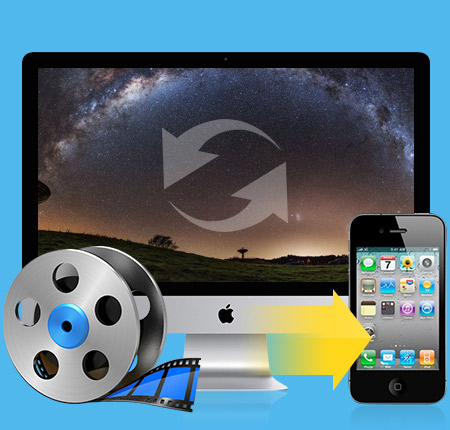
Convert video/audio to iPhone 4 video and audio formats
Convert videos to iPhone 4
This iPhone 4 Video Converter can help you convert video, such as MPG, MPEG, MPEG2, VOB, MP4, M4V, RM, RMVB, WMV, ASF, MKV, TS, MPV, 3GP,3G2, FLV, MPV, MOD, TOD, AVI, HD TS, HD MTS, HD M2TS, HD MPG, etc., to iPhone 4 MP4, MOV, H.264(.mp4) on Mac.
Extract audio from video
You can extract audio files from all popular video formats into MP3, M4A, AAC, WAV, AIFF for your iPhone 4.
Edit your video with powerful editing functions file
Crop video
Adjust the playing region and aspect ratio of the video to fit for your player and your favor.
Trim and merge
Tipard iPhone 4 Video Converter for Mac can help you trim any segment of a video and join several pieces together.
Watermark your video
You can add a picture/text watermark to your video and set its position and transparency.

Numerous settings for you to adjust
Adjust output settings
Set the Video Encoder, Resolution, Frame Rate, Video Bitrate. Set the Audio Encoder, Sample Rate, Channels, Audio Bitrate. You also can save all the output settings as your preference.
Audio track and subtitle
This iPhone 4 Video Converter for Mac will list all audio tracks and subtitles for you to choose.
Output profile
Provide you with numerous formats for you to choose for output video/audio.
Have fun with this high quality software
Preview and snapshot
You are allowed to preview the input and output video effects to get a whole picture of the output video. During the process of previewing, you can also capture your favorite pictures and save them.
Highest conversion speed
Provide you with amazing conversion speed.
Easy to use
Just few clicks can finish the process of converting. This iPhone 4 Video Converter for Mac is suitable even for the beginners.
Processor: Intel® processor and Apple M1/M2 chip
OS Supported: Mac OS X 10.7 or above (highly support macOS Sonoma)
Hardware Requirements: 512MB RAM, Super VGA (800×600) resolution, 16-bit graphics card or higher
Hint: PowerPC Processor is not supported, but if you need such an application for PowerPC, we can make one for you. Just contact us by email: marketing@tipard.com.
| Supported Interface Languages | |
| Language Types | English, French, German, Japanese |
| Support Input File Formats | |
| Video | MPG, MPEG, MPEG 2, VOB, DAT, MP4, M4V, TS, RM, RMVB, WMV, ASF, MKV, AVI, 3GP, 3G2, FLV, SWF, MPV, MOD, TOD, QT, MOV, DV, DIF, MJPG, MJPEG |
| Audio | MP3, MP2, AAC, AC3, WAV, WMA, M4A, RM, RAM, OGG, AU, AIF, AIFF, APE, FLAC, NUT |
| HD Video | HD TS, HD MTS, HD M2TS, HD MPG, HD MPEG,HD MP4, HD WMV, QuickTime HD MOV, HD H.264, HD RM |
| Support Output File Formats | |
| Video | MPEG-4, H.264/MPEG-4 AVC, MOV, M4V |
| Audio | AAC, MP3, WAV, AIFF,M4A |
| HD Video | H.264 Video, H.264 720p Video |
| Snapshot Image | JPEG, GIF, BMP |
| Support Devices | |
iPhone 15/iPhone 15 Plus/iPhone 15 Pro/iPhone 15 Pro Max, iPhone 14/iPhone 14 Plus/iPhone 14 Pro/iPhone 14 Pro Max, iPhone 13/iPhone 13 Pro/iPhone 13 Pro Max/iPhone 13 mini, iPhone 12/12 Pro/12 Pro Max/12 mini, iPhone 11/11 Pro/11 Pro Max, iPhone XS/XS Max, iPhone XR, iPhone X, iPhone 8, iPhone 8 Plus, iPhone 7, iPhone 7 Plus, iPhone 6s, iPhone 6s Plus, iPhone 6, iPhone 6 Plus, iPhone SE, iPhone 5s, iPhone 5c, iPhone 5, iPhone 4S, iPhone 4, iPhone iPad Pro, iPad Air 2, iPad Air, iPad mini 4, iPad mini 3, iPad mini 2, iPad mini, iPad 4, iPad 3, iPad 2, iPad iPod Touch, iPod Nano, iPod Classic, iPod |
|
Convert video/DVD to any popular video/audio format, and then you can play the video on portable device./video to wide selection of video/audio formats like MP4, MKV, and MP3.
Tipard Screen Capture is the best screen capturing software. It can record screen, video, game, online chats, audio and more on PC with high quality.




Home | About | Privacy Policy | Terms of Use | Affiliate | Support | Contact Us
Copyright © 2024 Tipard Studio. All Rights Reserved.