


About | Privacy Policy | Terms of Use | Support | Contact Us
Copyright © 2025 Tipard Studio. All Rights Reserved.

Windows

Rip your favorite Blu-ray/DVD movies or videos to popular formats

Powerful software to play Blu-ray/DVD videos and audio

Create Blu-ray disc/folder/ISO file with your own video

Backup/Copy your favorite Blu-ray to disc/folder/iso files
Mac

Rip your favorite Blu-ray/DVD movies or videos to popular formats on Mac

Powerful software to play Blu-ray/DVD videos and audio on Mac
Windows

Rip DVD to any popular video format quickly of full quality

Create DVD from videos and burn video to DVD/Blu-ray freely

Copy DVD to DVD disc/folder/ISO files in a 1:1 ratio
Mac

Rip DVD to any popular video format quickly of full quality on Mac

Create DVD from videos and burn video to DVD/Blu-ray freely on Mac

Copy DVD to DVD disc/folder/ISO files in a 1:1 ratio on Mac
Windows

Rip DVD, convert 4K video, edit, and upscale videos to 5K/8K

Repair broken videos with high accuracy and support many formats

Convert any video to MP3, MP4, MOV, WAV, and other 350 formats

Upscale resolution, optimize brightness and remove video noise

The easiest tool to capture screen, game, audio, etc. with high quality

Convert any 2D video to 3D video and convert 3D to 2D video

Convert 4K video to 4K/1080P and common videos

Convert TS video to various popular video/audio formats
Mac

Rip DVD, convert 4K video, edit, and upscale videos to 5K/8K on Mac

Repair broken videos with high accuracy and support many formats on Mac

Convert any video to MP3, MP4, MOV, WAV, and other 350 formats on Mac

Upscale resolution, optimize brightness and remove video noise on Mac

The easiest tool to capture screen, game, audio, etc. with high quality on Mac

Convert any 2D video to 3D video and convert 3D to 2D video on Mac

Convert 4K video to 4K/1080P and common videos on Mac

Convert TS video to various popular video/audio formats on Mac
Desktop

Rip and convert DVDs to MP3 and support other audio formats

Reset Windows Admin and Standard user account password in seconds

Accurately Convert any PDF file to Word with OCR

Convert PDF to Word, Excel, HTML and Image with OCR
Online

Easily remove watermarks from many image file formats free online
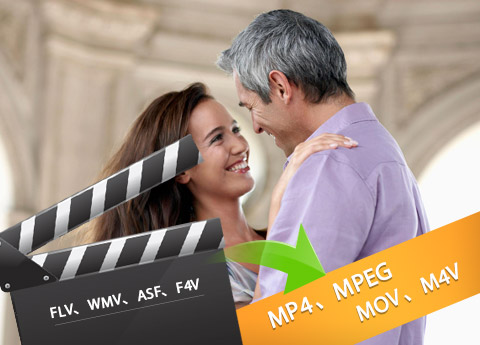
Tipard FLV Converter, integrating powerful converting function and editing capability, enables users to retouch videos at your preference and convert FLV/WMV/ASF/F4V to any video format. It provides best solution for users to convert flash videos to audio formats as well. Timely upgrade also ensures a full list in profile for all latest devices and editing software.
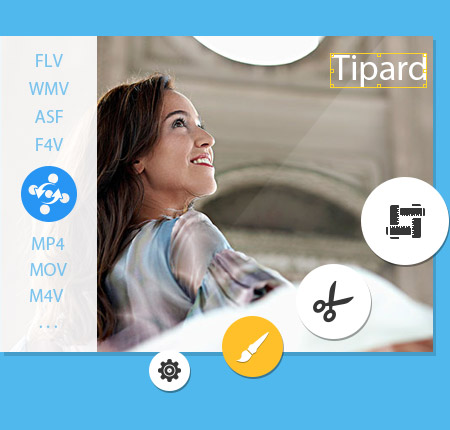
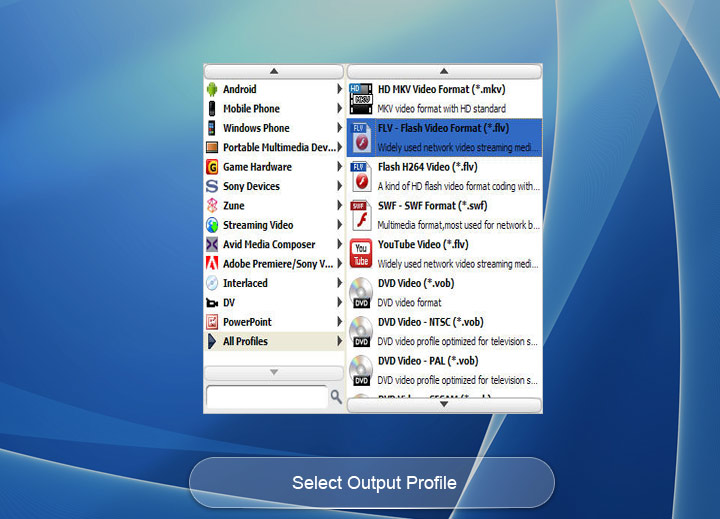
It has a wide range of profile list, ranging from devices to editors and from video to audio. It enables users to convert flash videos with FLV, WMV, F4V and ASF to such video/audio formats for playing on device and adjusting effect on editors.
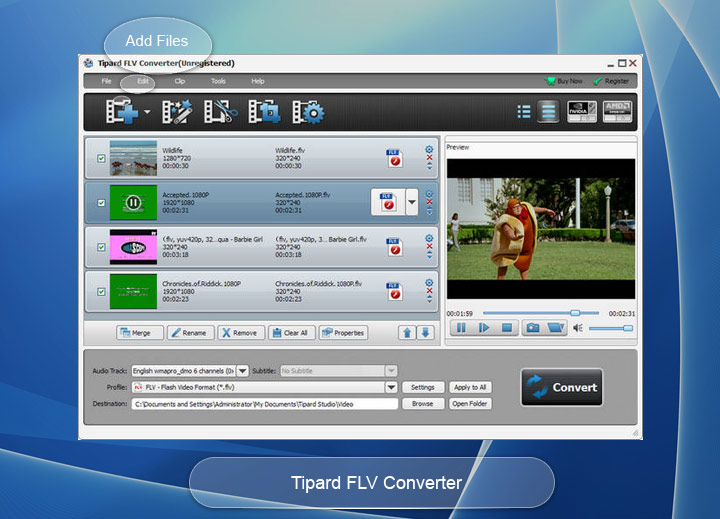
As its name puts, Tipard FLV Converter is the professional software, which provides best solutions for users who need to convert flash videos to other video/audio formats. It supports mainstream flash video formats: FLV, WMV, ASF and F4V. Compatible with a wide range of video/audio format profile, this FLV video converter can convert FLV/WMV/ASF/F4V to AVI, MP4, MKV, AMV, TS, MTV, DV, VOB, FLAC, WMA, WAV, MKA, AA3, MP3 and more. It offers Drag&drop adding file method and is capable of converting all added files at the same time. For batch conversion, you have options to convert all files to the same format or different formats as you like. The adoption of CUDA and AMD acceleration technology make it sure that converting is no more time-wasting and boring.
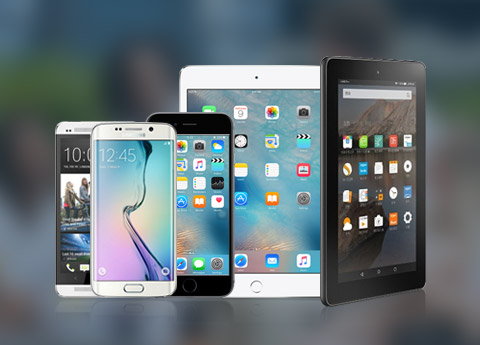
Enriched profile with video/audio formats embodies a wide-range compatibility of profiles. This FLV Converter will not be out of fashion with supports of a strong R&D Team, which enables the timely upgrade of this FLV Video Converter. It allows you to convert Flash videos of FLV, WMV, ASF and F4V format to mainstream portable devices, like iPhone, iPad, iPod series, Samsung Galaxy Series, HTC, Kindle Fire HD, Gphone, LG, Mortorola, Windows Phone 7, BlackBerry and so forth. Apart from converting such videos to devices for playback, this FLV Video Converter enables extract audio to these devices. For users who need to edit further such flashing videos on software, this FLV conversion software will also supports output for editing software: Avid Media Composer, Affter Effect, Adobe Premiere, Sony Vegas and so forth.
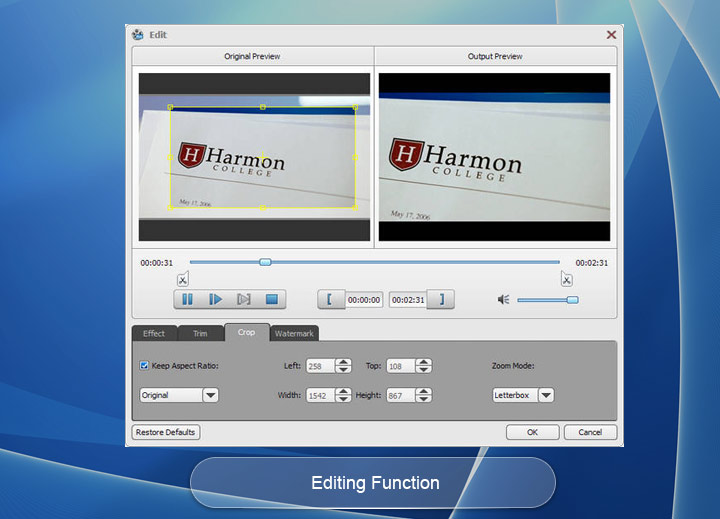
As almighty video converter, Tipard FLV Converter can also serve as a basic editor, which empowers users to adjust visual effect. You can retouch videos by changing parameters of saturation, hue, contrast, brightness and so forth. It is available to trim video clips to cut down a certain length and then convert the cut part to your desired format not a whole video. You are entitled to add watermark of text or picture to make the video in your style. Additionally, the added text is allowed to change colors and size and added picture size and transparency can be altered as well. For users who get a full understanding of device specifications, video/audio output settings are alterable, which in some extent can improve the output playback quality of videos and audios.

Packed with detailed help content, Tipard FLV Converter displays an easiest way to convert FLV flash videos to other video/audio formats. Custom-adjustable interface language from English, French, German and Japanese enables users to get more used to the software and understand the function of any part more easily. It provides a built-in preview window, with which users can get a general preview of the added videos and capture fleeting images during previews. It will be saved as JPEG, PNG or BML as you like. To complete the whole conversion process, you just need a few clicks and the whole process will be completed easily with fast speed.


Merge
To convert several clips into one video without any standstill or jump, you can merge videos before conversion.

Rename
For videos which need to be converted to the same folder, users can rename the video at preference

Customize destination
For the output destination, users are allowed to select as needed not only referring to the videos but also capture image.

Powerful DVD Cloner Function
It can help you burn ISO or DVD folder to DVD disk, you can create DVD disk from ISO image or DVD folder by using it.

Katharine: I prefer the output video quality to its multiple formats. This FLV conversion software let me change the video and audio bitrate and so on, which let me enjoy video with high quality."

Johnson:Taking out lossless audio from flash videos becomes very easy with this FLV video converter. It can convert flash video to my player supported WMA music. I like it.

Sophia: I use the software for a long time. I like it user-friendly interface and easy-to-operate process.