
About | Privacy Policy | Terms of Use | Support | Contact Us
Copyright © 2025 Tipard Studio. All Rights Reserved.

Windows

Rip your favorite Blu-ray/DVD movies or videos to popular formats

Powerful software to play Blu-ray/DVD videos and audio

Create Blu-ray disc/folder/ISO file with your own video

Backup/Copy your favorite Blu-ray to disc/folder/iso files
Mac

Rip your favorite Blu-ray/DVD movies or videos to popular formats on Mac

Powerful software to play Blu-ray/DVD videos and audio on Mac
Windows

Rip DVD to any popular video format quickly of full quality

Create DVD from videos and burn video to DVD/Blu-ray freely

Copy DVD to DVD disc/folder/ISO files in a 1:1 ratio
Mac

Rip DVD to any popular video format quickly of full quality on Mac

Create DVD from videos and burn video to DVD/Blu-ray freely on Mac

Copy DVD to DVD disc/folder/ISO files in a 1:1 ratio on Mac
Windows

Rip DVD, convert 4K video, edit, and upscale videos to 5K/8K

Repair broken videos with high accuracy and support many formats

Convert any video to MP3, MP4, MOV, WAV, and other 350 formats

Upscale resolution, optimize brightness and remove video noise

The easiest tool to capture screen, game, audio, etc. with high quality

Convert any 2D video to 3D video and convert 3D to 2D video

Convert 4K video to 4K/1080P and common videos

Convert TS video to various popular video/audio formats
Mac

Rip DVD, convert 4K video, edit, and upscale videos to 5K/8K on Mac

Repair broken videos with high accuracy and support many formats on Mac

Convert any video to MP3, MP4, MOV, WAV, and other 350 formats on Mac

Upscale resolution, optimize brightness and remove video noise on Mac

The easiest tool to capture screen, game, audio, etc. with high quality on Mac

Convert any 2D video to 3D video and convert 3D to 2D video on Mac

Convert 4K video to 4K/1080P and common videos on Mac

Convert TS video to various popular video/audio formats on Mac
Desktop

Rip and convert DVDs to MP3 and support other audio formats

Reset Windows Admin and Standard user account password in seconds

Accurately Convert any PDF file to Word with OCR

Convert PDF to Word, Excel, HTML and Image with OCR
Online

Easily remove watermarks from many image file formats free online
Tipard FLV Converter for Mac is the best Mac FLV Converter to convert FLV files on Mac, such as FLV to AVI, FLV to WMV, FLV to MPEG, as well as to MP4, MOV, 3GP, etc, which compatible with current fashionable portable devices, such as all series from iPhone 16 to iPhone 6, iPod Nano 7, iPad Pro, New iPad. With this Mac FLV Converter, you can watch the FLV video anywhere you want.
This FLV Converter for Mac can help you to convert FLV to almost all main stream video formats, such as WMV, AVI, MOV, HD H.264 and so on as you need. It's very simple to use, and you can get what you want in few seconds.
Tipard FLV Converter is able to convert FLV to almost all popular videos and other video formats, such as MKV, VOB, WMV, MPG, MP4 and other video formats on Mac. Other output formats are also supported by it: AVI, M4V, AIF, FLV, DPG and so on. In addition, the FLV Converter support HD videos, which include HD H.264, HD TS, HD FLV, HD MPEG, HD MP4, HD WMV. It is also an audio converter for Mac for it can extract audio from video and convert to audio formats you want. You are able to extract audio from video files and convert to Mac compatible audio formats or convert different audio files by using this magical converter.
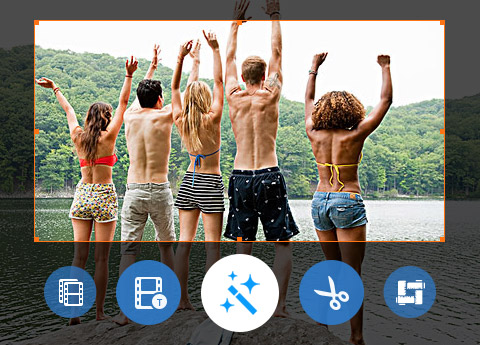
Tipard FLV Converter for Mac can assist you to remove the black edges around your movie video and customize the aspect ratio for better enjoyment. This converter software allows you to merge your selected contents to output a long one for successive enjoyment. You can convert your video or audio files to certain parts that you like by Trim function of Tipard FLV Converter for Mac. Either you can drag the two slider blocks by mouse, or set the start and end time precisely. You can add your favorite picture or image on the video to make your video special. It enables you to customize the content of the watermark as you like. You can change the font-family, size, color as well as the pictures. The video effect can be improved by adjusting Brightness, Contrast, Saturation, Hue and Volume.
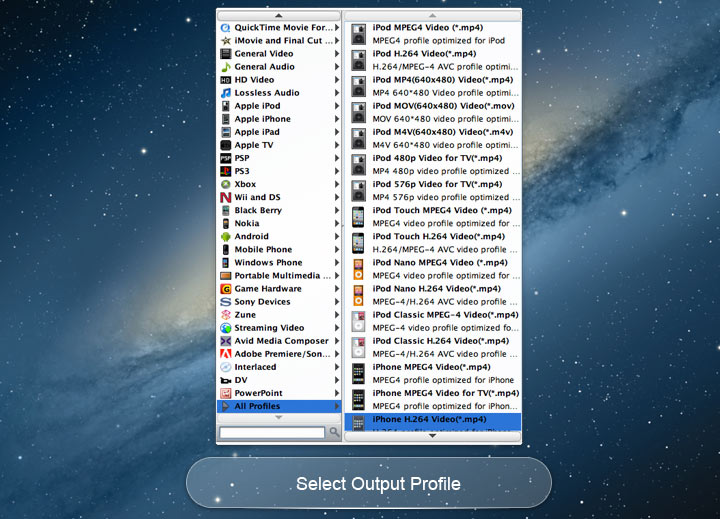
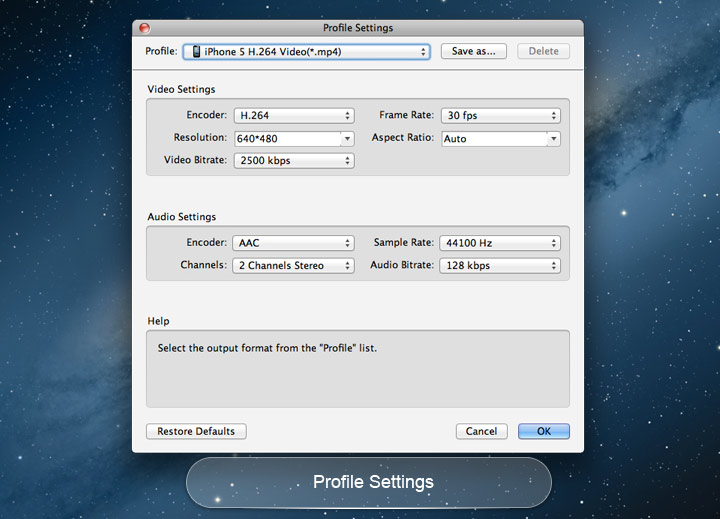
Adjust settings of Mac FLV converter to help you get the customized video. You can set multiple output formats for one video at once. This software supports to convert one file to different formats simultaneously, which helps to make the conversion faster and easier. With Tipard FLV Converter for Mac, classified and powerful profile is sorted by devices and video formats, and it would be convenient for you to select what you need, and any customized profile or settings can be saved as user-defined profile. You are allowed to adjust more detailed video and audio settings, such as set video Encoder, Frame Rate, Video Bitrate as well as set Audio Encoder, Sample Rate, Channel, Audio Bitrate according to your preference.
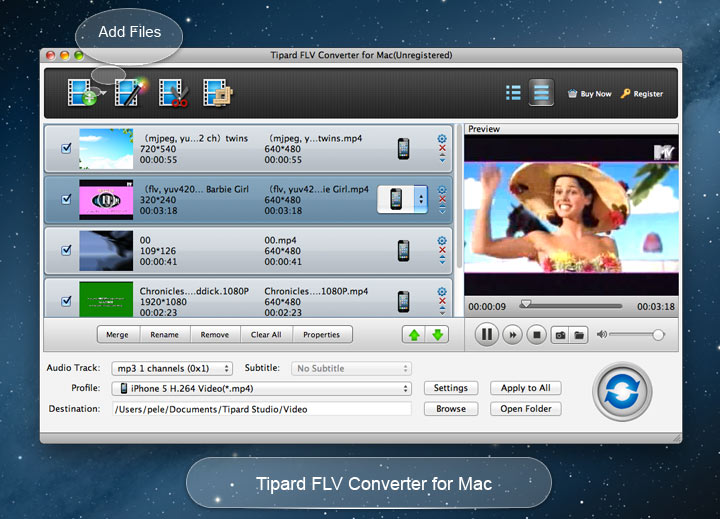
Clear and simple interface of Tipard Mac FLV Converter gives users so convenient operation that even beginners can finish the converting process within few seconds by following easy-to-understand introductions. There is a built-in player within tipard FLV Converter, which supports previewing the source DVD video and output video at the same time. Thus, you can see the converted video effect more clearly. This converter provides you with a function of upgrading. So once connected the Internet, your computer will detect automatically if there are upgrade information. The auto-upgrade function will always you own the newest version of the program.


Multiple languages
You can change the interface language to English, German, French and Japanese according to your need.

Intuitive Interface
It has very user-friendly interface, then you will be amazed to find out that the interface of the application is simple to use.

Preview and snapshot
It allows you to preview original video and output video simultaneously. You can capture favorite picture when you preview.

Run in Background
The program can be run in the background while converting without slowing your computer down.

Morrissey: Its converting functions are very practical. And the operation is easy enough. It is really a good assistance tool for my Mac.The outptu video is converted with super-high quality.

Jacqueline: You can't imagine how powerful it is before you use it. Converting and Editing functions make everything possible.

Greenle: It is easy to use and it converts video with high output quality. It works as its description on the web site. Great Tipard program
Convert DVDs and videos to popular video/audio formats, then you sync them to digital device for playback.
Rip DVD disc, folder, iso files to 2D/3D video formats and set 2D/3D video editing at your preference.


