Today, improving video quality is a valuable skill. That enhances the clarity of the footage, as well as produces appealing videos. It gives blurry, unwatchable videos a second life. If you have a collection of low-resolution videos, you may wonder how to enhance their quality. Trying out Video2X might serve you well. This article shares an in-depth review to help you learn the software and make the best decision.

Part 1. What Is Video2X?
Video2X is a lossless multimedia upscaling tool. It utilizes the waifu2x, Anime4K, SRMD, and RealSR algorithms to enhance the clarity of video and image files. Since it is open source, everyone can download and use the Video2X video upscaler for free.
Unlike traditional video upscaling ways, Video2X employs AI and deep learning techniques to analyze and extrapolate missing details in low-quality videos, resulting in improved visual fidelity. That is why it stands out in the video upscaling market.
Part 2. Key Features of Video2X
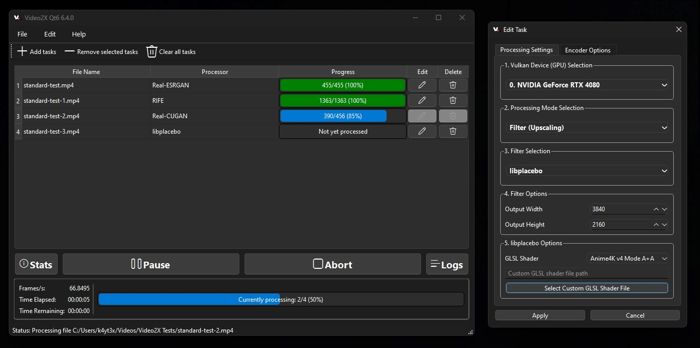
1. Upscale videos with AI. Video2X can perform simultaneous enhancement. You can increase video resolution, such as from 1080p to 4K, while applying Video2X AI Frame Interpolation. The dual-pass workflow can convert standard 24FPS footage into ultra-fluid 60FPS or 120FPS outputs in a single render task.
2. Offer multiple AI models. The software is equipped with various upscaling engines, like Real-ESRGAN, Real-CUGAN, Anime4K, SRMD, and Waifu2X.
3. Support GPU acceleration. Video2X unlocks AI processing power across a variety of hardware using the Vulkan API. It applies full acceleration for NVIDIA, AMD, and Intel.
4. Process videos in batch. It allows you to add multiple videos, queue them, and process them automatically.
5. Integrate deep FFmpeg customization. Video2X serves as a visual editor for FFmpeg. Users can control modern codecs, with full support for H.265, VP9, and AV1.
Part 3. How to Download and Install Video2X
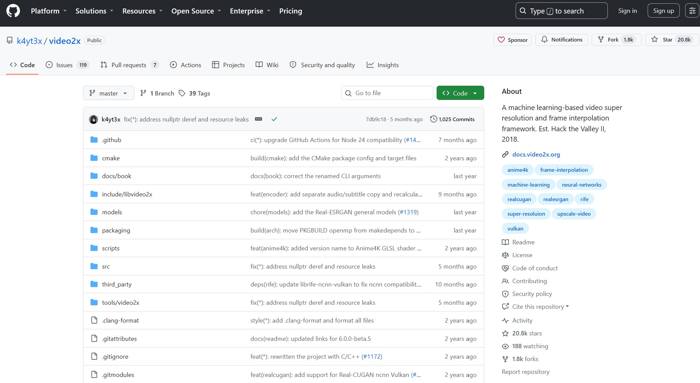
To get started, you need to download and install Video2X on your computer. The installation is different, depending on your operating system. The good news is that you can download and use it for free.
Hardware Requirements:
- CPUs with AVX2 support, like Intel Haswell or newer, and AMD Excavator or newer.
- GPUs supported by Vulkan include NVIDIA Kepler or newer and Intel HD Graphics 4000 or newer.
How to Download and Install Video2X on Windows
Step 1Download the Video2X installer from GitHub. The latest version is Video2X 6.4.0.
Step 2Extract the archive file.
Step 3Run the Video2X executable file.
Step 4When prompted, install Vulkan Runtime.
Step 5Ensure GPU drivers are up to date.
Step 6Then, run the software and follow the Video2X tutorial to upscale your videos.
How to Download and Install Video2X on Linux
Step 1Download the latest version to your Linux system.
Step 2Right-click the file.
Step 3Go to Properties and Permissions.
Step 4Check Allow executing file as program.
Step 5Run the file to boot into the right environment.
How to Download and Install Video2X on Mac
Natively, the video upscaling tool is unavailable on Mac. However, you can use Video2X on Google Colab for free. You can borrow a powerful GPU on Google’s server for free for a maximum of 12 hours per session. Plus, Video2X Docker images are available on the GitHub Container Registry for easy deployment on macOS.
Part 4. Master Review of Video2X
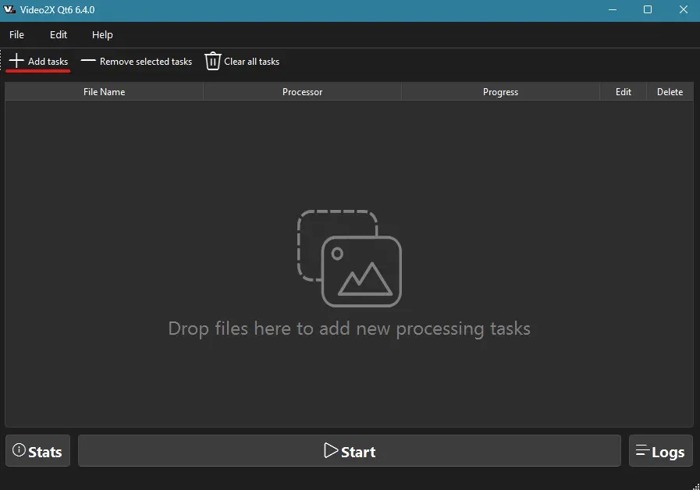
The 2026 update highlights a faster, more efficient architecture, as well as a new Video2X GUI. To help you learn about the performance, we tested the software in our professional lab. We installed Video2X 6.4.0 on Windows 11.
We upscaled 720p to 1440p (2K resolution). It takes 40 minutes to complete the process. That is due to the software lacking hardware acceleration. Regarding output quality, the images become sharper. During the process, Video2X Qt6 didn’t crash.
Pros and Cons of Video2X
- Open source and completely free.
- Swap between Real-CUGAN for anime or RIFE for 120FPS motion.
- Run efficiently on AMD, Intel, and NVIDIA.
- Ensure 100% data privacy.
- Deeply integrate with FFmpeg.
- Difficult to run on Apple Silicon.
- Lack the deep optimization of commercial engines.
- Focus on pixel upscaling rather than generative detail.
User Reviews:
I used Video2X for a month. It was great and very fast. Love the output quality and medium settings. The only thing I didn’t like was that you cannot adjust the audio quality.
I am an anime fan, and Video2X is great for its powerful AI video upscaling capabilities. However, it requires some technical setup and patience.
Part 5. Best Video2X Alternatives for Windows and Mac
As you can see, Video2X can efficiently upscale video quality, but it has some downsides, such as low speed. Therefore, you should look for an alternative if Video2X is not working.
Top 1: Tipard Video Converter Ultimate
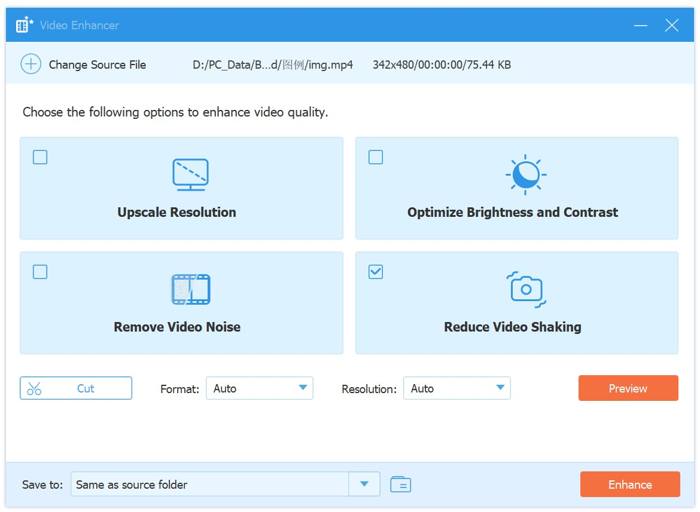
Tipard Video Converter Ultimate is an all-in-one alternative to Video2X. It comes with many visual features, including video conversion, DVD ripping, movie making, video editing, and more.

- Upscale video in one click.
- Increase bitrate, FPS, resolution, and other options.
- Integrate AI technology.
- Preview the result with the built-in media player.
- Offer bonus features.
Top 2: REAL Video Enhancer
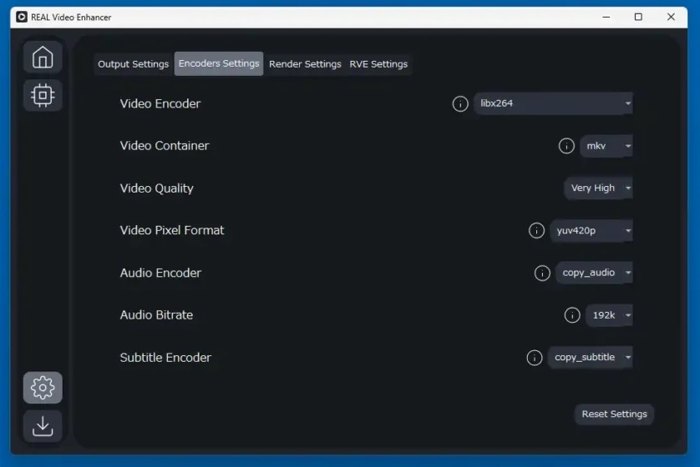
REAL Video Enhancer is another open-source alternative to Video2X. It combines several AI models into a single workflow to enhance video quality. While it comes with a learning curve, it is worth using.
Key Features of REAL Video Enhancer
- Integrate frame interpolation powered by RIFE models.
- Support AI video upscaling.
- Denoise and remove compression artifacts.
- Work on multiple compute backends.
Part 6. FAQs of Video2X
Is Video2X safe?
Yes, Video2X is safe to use. It is a legitimate, open-source video-enhancing tool under the GPL license that processes files offline on your local computer.
What are the best Video2X settings?
The settings are different depending on your source media type and hardware. For clean 2D anime, for example, use Real -CUGAN with a denoise level of 1 and a 2x scale.
Is Video2X really free?
Yes, Video2X is open source and completely free to use.
Conclusion
Now, you should understand what Video2X is, how to install it, and other important information. More importantly, we shared the benefits and drawbacks, as well as users’ reviews, to help you make the best decision. Plus, we recommended alternatives, such as Tipard Video Converter Ultimate, to improve your video quality.

All-in-one video toolbox: convert, edit, upscale, enhance, and compress your videos easily
100% Clean & Safe
100% Clean & Safe

More Reading



About the Author