

Key Takeaways
- Video to MP3 converters are the best tools to transform videos into audio files for a better listening experience.
- Choosing the best converter is recommended to achieve the desired result.
- A smooth and fast conversion is a must during the process.
- If you want the best converter, you can use Tipard Video Converter Ultimate.
What are the best video to MP3 converters? Well, these tools are ideal if you want to turn your videos into audio files for better listening experiences. With so many tools available out there, it might be challenging to choose what is best and safe to access. Thankfully. This post will give you all the best converters you can use to transcode your videos into an MP3 file offline and online. So, to get all the information you need, start reading everything in this article.

Part 1. Shortlist of the Best Video to MP3 Converters
To get a simple insight into the best video to MP converter, you can read all the information below.
- Tipard Video Converter Ultimate - A powerful video to MP3 converter with 120× faster conversion speed.
- FFmpeg - A free, command‑line converter offering professional‑grade flexibility and support for nearly all audio formats.
- HitPaw Video Converter - A user‑friendly desktop converter capable of offering a noise removal feature.
- VLC Media Player - A simple media player that can offer a reliable video-to-audio converter feature.
- Freemake Video Converter - A beginner-friendly converter that can offer a batch conversion feature.
- VideoProc Converter AI - An advanced converter that offers various features with integration of artificial intelligence.
- Any Video Converter - A perfect converter for non-professionals, thanks to its comprehensive UI.
- Convertio - A clean, web‑based converter that supports batch conversion.
- FreeConvert - An online converter that can offer simple audio editing tools.
- Zamzar - A straightforward online converter with email integration for a quick MP3 delivery.
- CloudConvert - A web-based video to MP3 converter tool that lets you modify the file's bitrate and sample rate.
- Online‑Convert - A flexible web converter that can be integrated with Dropbox, OneDrive, Google Drive, and other platforms.
- MP3COW - A simple converter that can convert YouTube videos directly to MP3.
Part 2. Comparison of the 13 Best Video to MP3 Converters
If you want to take a peek at the capabilities of the best video to MP3 converters, check the table in this section.
| Video to MP3 Converters | Conversion Speed | Platform | Ease of Use | Supported Audio Output Format |
|---|---|---|---|---|
| Tipard Video Converter Ultimate | 120× faster | Windows and Mac | Simple | MP3, AAC, AC3, WAV, M4A, FLAC, AU, ALAC, and more. |
| FFMpeg | Fast | Windows and Mac | Complicated | MP3, AAC, FLAC, WAV, many others |
| HitPaw Video Converter | Standard | Windows and Mac | Simple | MP3 (primary), with noise removal |
| VLC Media Player | Standard | Windows and Mac | Simple | MP3 |
| Freemake Video Converter | Fast | Windows and Mac | Simple | MP3 |
| VideoProc Converter AI | Fast | Windows and Mac | Slight Learning curve | MP3 |
| Any Video Converter | Fast | Windows and Mac | Simple | MP3 |
| Convertio | Depends on the internet. | Web-based | Simple | MP3, WAV, M4A, and more. |
| FreeConvert | Depends on the internet. | Web-based | Simple | MP3, FLAC, WAV, M4A, and more. |
| Zamzar | Depends on the internet. | Web-based | Simple | MP3, AAC, WAV, M4A, and more. |
| CloudConvert | Depends on the internet. | Web-based | Simple | MP3, AIFF, M4A, AAC, and more. |
| Online-Convert | Depends on the internet. | Web-based | Simple | MP3, M4A, M4R, OGG, and more. |
| MP3COW | Depends on the internet. | Web-based | Simple | MP3 |
| Show MoreShow Less | ||||
Part 3. Top 13 Video to MP3 Converters
Want to start exploring all the best converters that can help you turn your videos into MP3s? Then, read all the details in this section.
1. Tipard Video Converter Ultimate
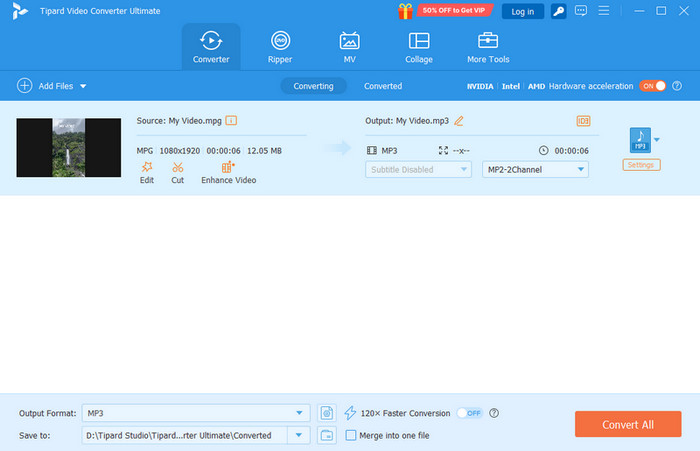
If you want a freeware to convert video to MP3, we suggest using Tipard Video Converter Ultimate. With this converter, you can directly export all the audio tracks from the video. It can even convert any video format to audio, such as MP4, MKV, FLV, AVI, MOV, and more. The best part here is that it supports the batch conversion features. With that, you can transcode multiple videos simultaneously. It can also offer basic audio editing tools, allowing you to improve your audio for a better listening experience. What's more, Tipard can offer a fast conversion speed up to 120× faster compared with other converters. Thus, if you need a powerful yet simple converter, look no further than Tipard Video Converter Ultimate.
- The UI of the converter is simple and engaging.
- It also supports various audio formats, such as M4A, WAV, WMA, FLAC, etc.
- The program is free to download and operate for an effective conversion process.
- To get all the advanced features, accessing the paid version is recommended.
2. FFmpeg
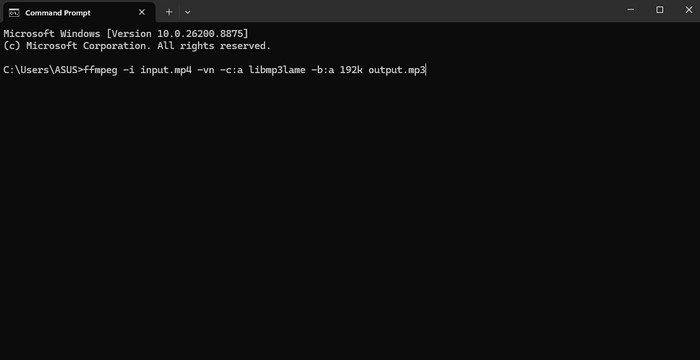
FFmpeg is a command tool you can access on your computer for a better video-to-MP3 conversion process. What we like here is that its user interface is simple and ensures a fast and smooth conversion process. It also supports various formats so that you can convert any video files to audio. You can turn MP4 to MP3, MKV to MP4, AVI to MP3, and more. Plus, it is 100% free. With that, you can convert your files without spending a penny.
- The process of converting files is simple.
- It can also edit video and audio for better playback.
- Even though the UI is simple, it is not appealing enough.
- The tool is only ideal for professionals or those knowledgeable with commands.
3. HitPaw Video Converter
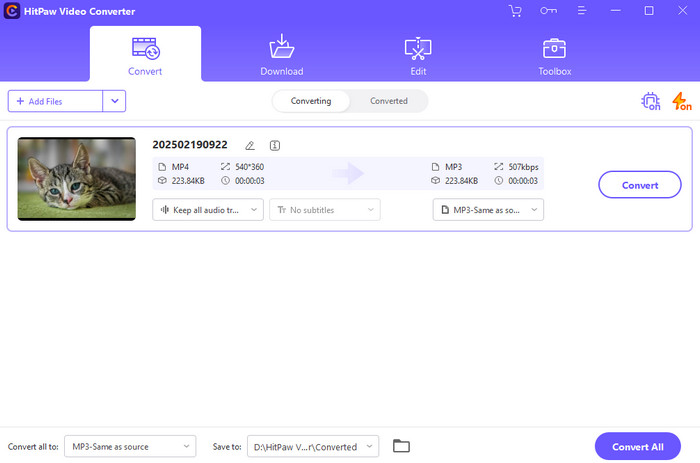
If you need a free MP4 video to MP3 converter, you can also rely on HitPaw Video Converter. This software is not just ideal for video-to-video conversion. It also lets you turn your video into an MP3 smoothly and effectively. It can even offer its noise removal to ensure that your audio is clean and ready for engaging playback. So, if you want an excellent converter that can let you achieve the result you need, consider using this program.
- It has a friendly user interface.
- The converter ensures that it offers a good audio quality after the conversion process.
- There are times when the converter is crashing.
- The conversion speed is not that fast.
4. VLC Media Player
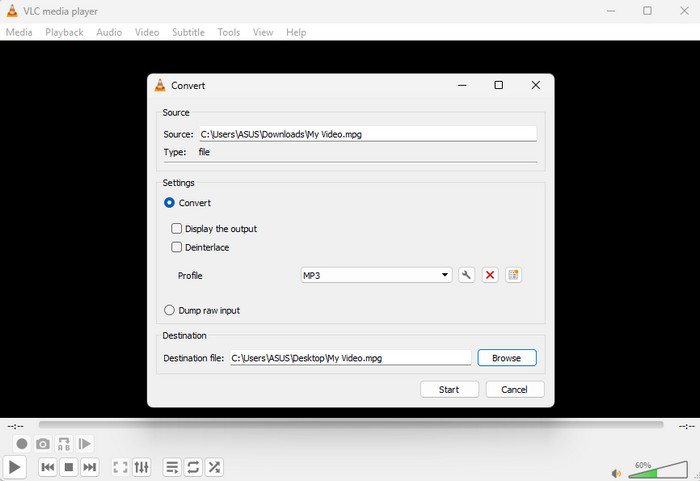
Want a YouTube video to MP3 converter program? If so, feel free to operate VLC Media Player. This software is not just ideal for watching videos and playing music. It can also offer its video converter feature to turn your video into an MP3 easily and effectively.
- It has a fast conversion process.
- The program can also offer its recorder feature to record audio from various platforms.
- The user interface is looking outdated.
- The supported audio output format is limited.
5. Freemake Video Converter
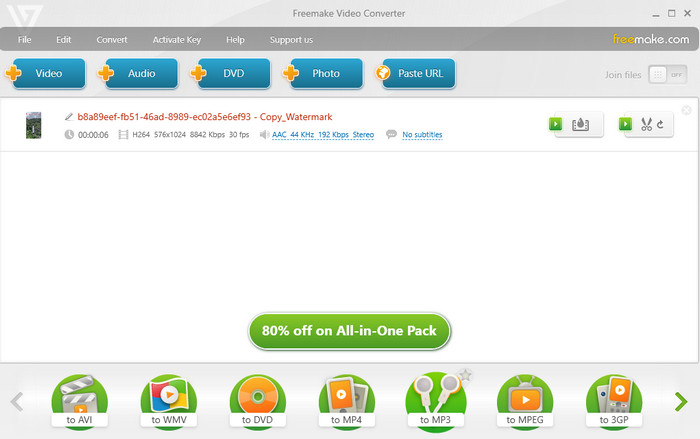
Freemake Video Converter is among the best converters you can use to transform your video to MP3 format. With its simple UI, fast conversion speed, and smooth export process, there is no doubt that it is suitable for both professionals and beginners. It can even convert other videos to MP3, such as MKV to MP3, AVI to MP3, MOV to MP3, and more.
- It offers a batch conversion feature.
- It can save the audio with the best quality.
- Some of the features are available on the premium version.
- It doesn't support some of the popular audio formats, like FLAC, WAV, M4A, etc.
6. VideoProc Converter AI
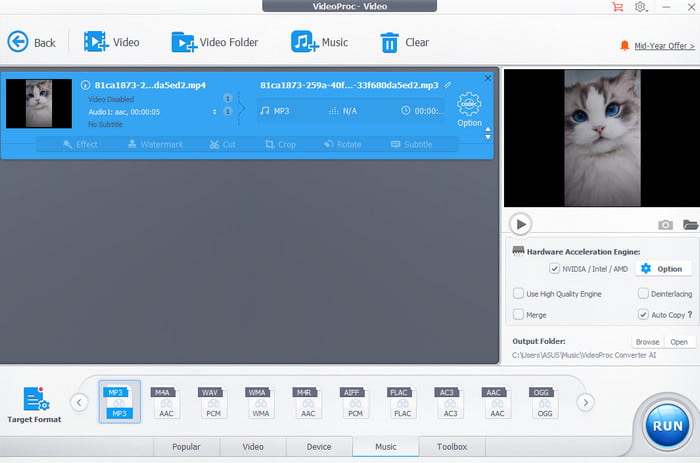
Do you prefer an advanced MP4 to MP3 converter? If so, consider using VideoProc Converter AI. With this software, you can smoothly convert your video to MP3 and ensure the best quality for better playback. What we like here is that it has a fast conversion process and lets you adjust the audio sample rate and bitrate.
- It can offer more features, such as audio AI, video AI, a recorder, and more.
- The UI is appealing.
- Since it is an advanced program, it requires a high-spec computer for better performance.
7. Any Video Converter
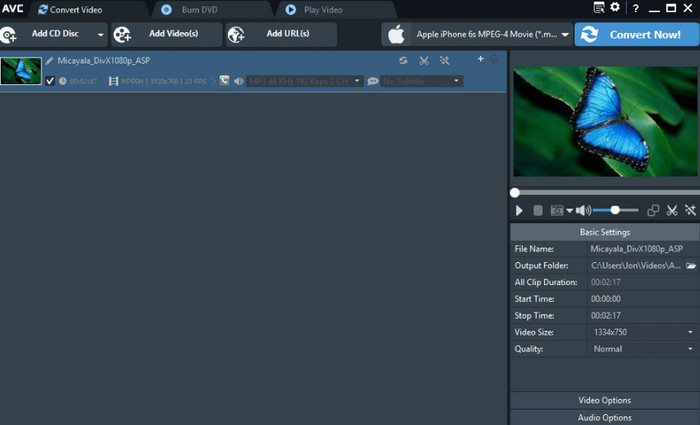
Any Video Converter is a free-to-use converter you can access on your computer. It lets you extract audio from the video to get an MP3 file. What makes it more ideal is that it doesn't require a high-spec device. This lightweight converter can perform well even on an entry-level PC.
- It can offer a smooth conversion process.
- It is available on both Mac and Windows.
- The UI might look outdated to some users.
8. Convertio
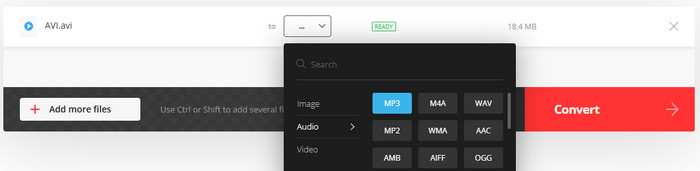
Convertio is an online video to MP3 converter that you can access on your browser. This web-based converter is perfect since it can give you the result you need after the conversion process. The good thing here is that it doesn't have any disturbing ads when converting the files.
- The layout is comprehensive.
- It supports batch conversion.
- It needs a fast internet connection.
9. FreeConvert
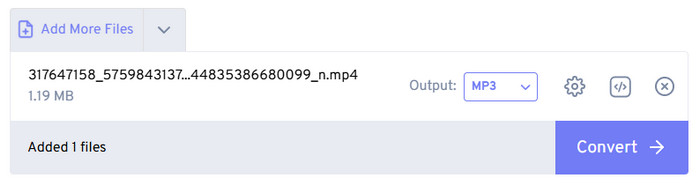
If you are still looking for another reliable online-based video to MP3 converter, we recommend using FreeConvert. This tool can even let you adjust the audio volume, audio codec, and more. You can also trim the content before the final conversion process. You can even convert video to other audio formats. You can convert MP4 to FLAC, AAC, AC3, WAV, and more.
- The tool is simple to utilize.
- It is accessible to all web platforms.
- There are various annoying ads.
10. Zamzar
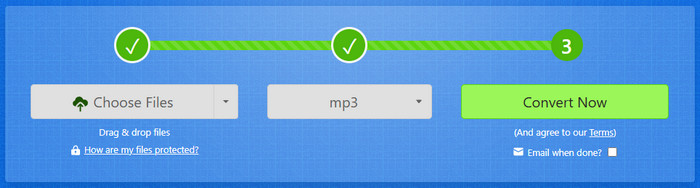
Zamzar would be a perfect converter for non-professional users. With its simple layout and fast conversion process, users can get the MP3 format instantly. The good thing about this converter is that you can integrate your email, so you will get notified when the conversion procedure is done.
- The tool lets you upload videos from Google Drive, computer, Dropbox, OneDrive, and more.
- It won't show any annoying ads.
- There are times when the tool can convert video to audio well.
11. CloudConvert
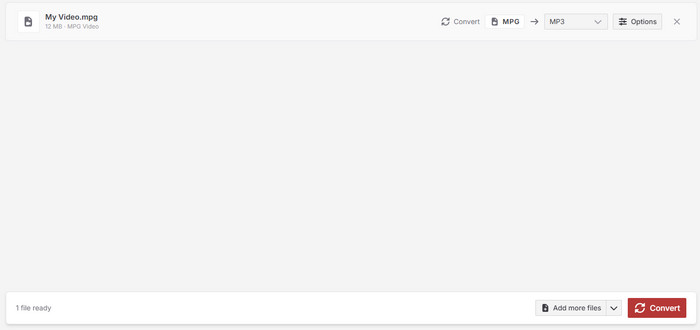
If you want a free online video to MP3 converter, you can also try using CloudConvert. This tool ensures that converting your files is a possible task. It also lets you adjust the bitrate, sample rate, trim the audio, and more.
- Simple to operate.
- No ads.
- A fast internet connection is recommended.
12. Online-Convert
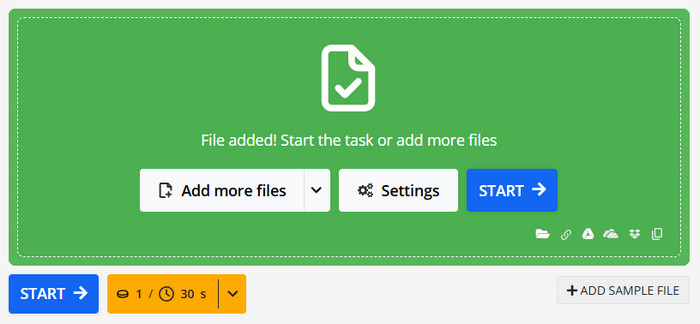
Online-Convert is the best tool if you want to convert a video to MP3 while keeping the quality. With this tool, you can enjoy your music during playback. You can also adjust its bitrate, sample rate, channels, and other necessary parameters.
- Users can upload videos from a computer, URL, Dropbox, and other platforms.
- It can perform well even if the internet is slow.
- Some ads are showing up on the screen.
13. MP3COW
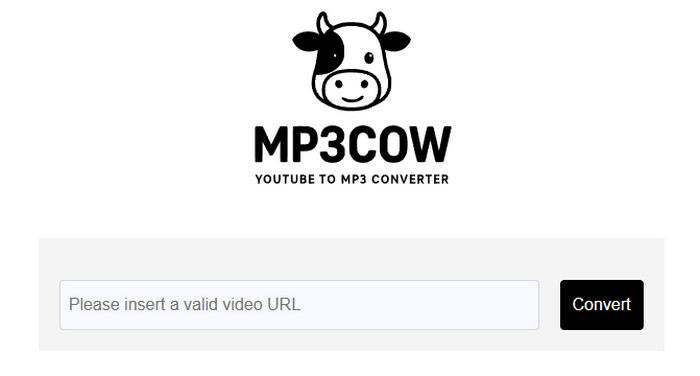
Are you looking for an online YouTube to MP3 converter? In that case, you can use MP3COW. This tool is ideal if you want to convert any YouTube videos directly to MP3 format. The good part here is that the tool can retain the audio quality for satisfying audio playback.
- It has an understandable layout.
- The process of converting YT video to MP3 is smooth.
- It doesn't support other audio formats.
Part 4. FAQs about Video to MP3 Converter
Is there a Kapwing video to MP3 converter?
The good news here is that Kapwing can offer its video-to-MP3 converter feature. With that, you can ensure that you turn your videos into an audio file for a better listening experience.
What is the best video-to-MP3 converter iPhone app?
If you are using your iPhone, some of the video-to-converter apps you can use are MP3 Converter: Video to Audio, MediaConverter-Video to MP3, MyMP3, and more. These converters ensure that you can convert video to MP3 effectively.
What is the most powerful video to MP3 converter?
If you want a powerful video to MP3, access Tipard Video Converter Ultimate. This program has a comprehensive UI, super-fast conversion process, and smooth export process, making it the top converter out there.
Conclusion
With these free video to MP3 converters, you can ensure to transcode your video to MP3 for better and smoother audio playback. So, try all the provided tools to achieve the result you want. Plus, if you need a powerful and remarkable converter, it would be better to use Tipard Video Converter Ultimate. With its super-fast conversion speed, comprehensive UI, and good audio quality output, we can tell that this program ensures to give the best result you need after the conversion process.

All-in-one video toolbox: convert, edit, upscale, enhance, and compress your videos easily
100% Clean & Safe
100% Clean & Safe

More Reading

About the Author


 Tipard Video Converter Ultimate