

MKV and MP4 are both high-quality formats. If you want to convert MKV to MP4 for higher compatibility, the video quality is the most important thing you need to consider. How can you convert MKV videos to MP4 without losing quality? This post compiles the top 9 ranked MKV to MP4 converters for Windows and Mac in 2026, along with genuine user feedback. Please check the best tools and choose your desired one to start MKV to MP4 conversion.

Part 1: Comparison of Top 14 MKV to MP4 Converters
| Features | Platform Supported | Speed of Conversion | File Size Limitation | Batch Conversion |
|---|---|---|---|---|
| Tipard Video Converter Ultimate | Windows/macOS | Ultra-Fast Conversion Process | No Size Limitation | Supported |
| Handbrake | Windows/macOS | Average | Large File Size | Supported |
| Movavi Video Converter | Windows/macOS | Fast | Large File Size | Supported |
| Any Video Converter | Windows/macOS | Fast | Large File Size | Supported |
| EaseUS Video Converter | Windows/macOS | Average | Large File Size | Supported |
| Avidemux | Windows/macOS | Average | Large File Size | Limited |
| NCH Prism Video Converter | Windows/macOS | Fast | Large File Size | Supported |
| VideoProc Converter | Windows/macOS | Fast | Large File Size | Supported |
| CloudConverter | Web | Average | Limited | Limited |
| Convertio | Web | Average | Limited | Limited |
| Zamzar | Web | Average | Limited | Limited |
| FileZigZag | Web | Average | Limited | Limited |
| FreeFileConvert | Web | Average | Limited | Limited |
| Veed.IO | Web | Average | Limited | Limited |
| Show MoreShow Less | ||||
How We Tested It:
To evaluate these MKV to MP4 format converters accurately, we ran all tests using the same video source and consistent settings. Here is the information you need to know:
MKV File Size: 100 MB
Output Resolution: 1920 × 1080
Output Codec: H.264 or HEVC for 4K
Processor: Intel Core i5‑12400 (2.50 GHz)
Graphics: Intel UHD Graphics 730
Goal: To make converting MKV to MP4 simpler and get the result immediately.
Part 2: Detailed Review of Top 14 MKV to MP4 Converters
1.Tipard Video Converter Ultimate
Tipard Video Converter Ultimate is a reliable MKV to MP4 video converter that combines speed, quality, and ease of use. It supports full hardware acceleration for fast decoding, editing, and encoding. You can do 1:1 conversions to keep original quality or upscale and compress videos. Batch conversion and a wide range of formats with presets make it easy to handle single files or multiple videos at once.
1. Tipard Video Converter Ultimate
Tipard Video Converter Ultimate is a reliable MKV to MP4 video converter that combines speed, quality, and ease of use. It supports full hardware acceleration for fast decoding, editing, and encoding. You can do 1:1 conversions to keep original quality or upscale and compress videos. Batch conversion and a wide range of formats with presets make it easy to handle single files or multiple videos at once.
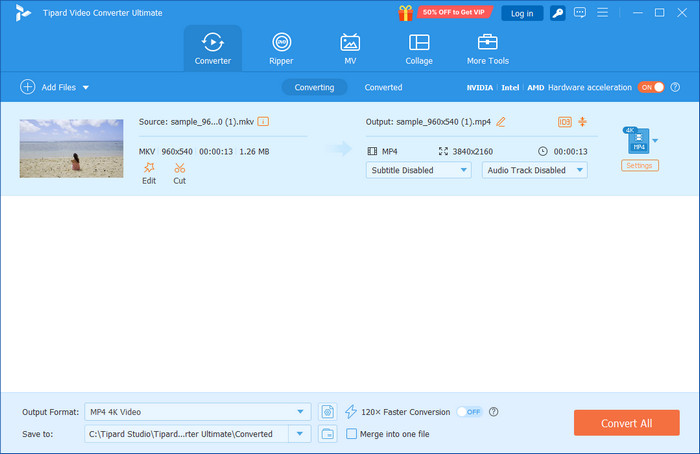
Platform Supported: Windows and Mac
Why We Selected It
The reason why Tipard is one of the best.mkv to MP4 converters is that it is fast and the conversion process is stable without affecting the video or audio quality. The interface is easy to use for a beginner, yet it also has built-in advanced controls to allow more control to those users who seek it.
Test Results
With a sample of 100 MB using MKV, Tipard was able to convert it into MP4 without altering the 1080p resolution and HEVC codec. It was an efficient, fast, and stable process.
Conversion speed: 35 seconds (GPU acceleration enabled)
Output MP4 size: 98 MB
CPU usage: 12%
Quality: Maintained original video and audio perfectly
- Ultra-fast conversion with GPU acceleration
- Retains the original quality
- Supports batch conversion without hiccup
- Wide range of formats other than MP4 and presets
- Easy to use; just upload and convert
- Paid software offers more features
2. HandBrake
HandBrake is a free, open-source HandBrake MKV to MP4 converter that gives precise control over video and audio settings. It is suitable for users who want to customize bitrate, codecs, and resolution. Plus, it also offers editing, such as trimming video on HandBrake, and many more.
Platform Supported: Windows, Mac, and Linux
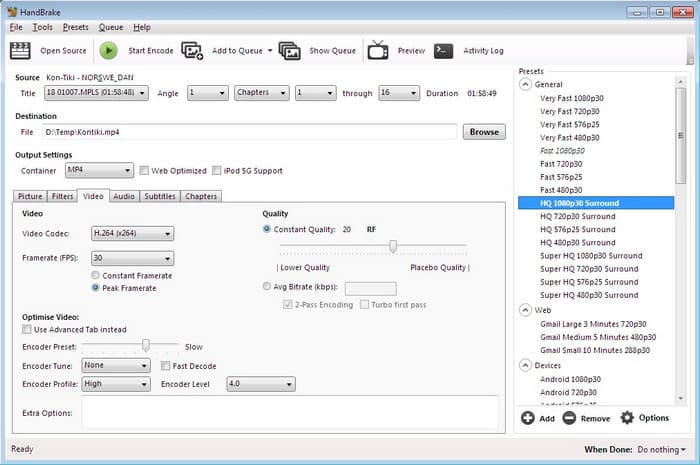
- Advanced customization of codecs and bitrate
- Supports multiple conversions via the queue
- Fully free to download and use
- Steeper learning curve for beginners
- The interface can feel overwhelming for casual users
3. Movavi Video Converter
Movavi Video Converter is a fast MKV to MP4 converter download with a graphics card and has a variety of options, thus being very easy to use and ready to convert files fast without any complex configurations.
Platform Supported: Windows and Mac
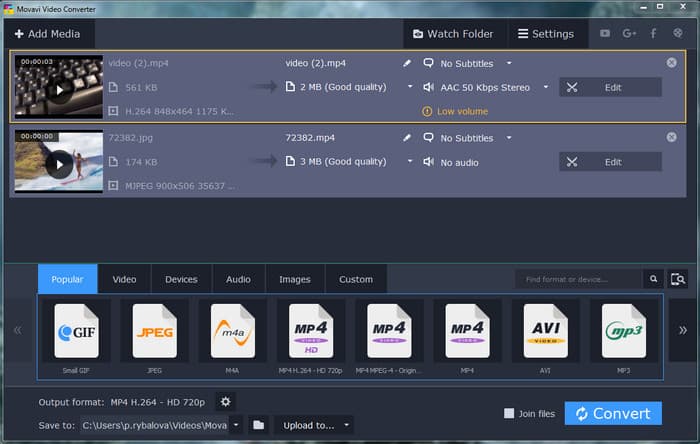
- Very fast conversion with GPU support
- Clean, beginner-friendly interface
- Includes basic editing tools
- Paid software with a limited free trial
- Advanced codec options are less flexible
4. Any Video Converter (AVC)
Any Video Converter is a universal MP4 format to MKV converter that can convert in many formats and easily edit them, i.e., trimming or adding subtitles. Due to its old interface, many find it unreliable, but the truth is, it can finish the converting job you need.
Platform Supported: Windows and Mac
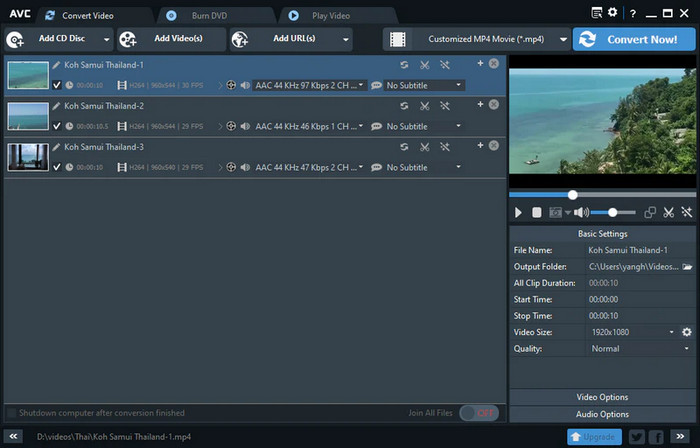
- Supports a large number of input and output formats
- Built-in basic video editing features
- Free version available for casual use
- The interface looks outdated
- Major features are locked behind the paid version
5. EaseUS Video Converter
EaseUS is a reliable MKV to MP4 converter software that handles single files and batch conversions efficiently, supporting HD and 4K videos. It has a feature similar to other known video converters, but lacks fine-tuning of codecs.
Platform Supported: Windows and Mac
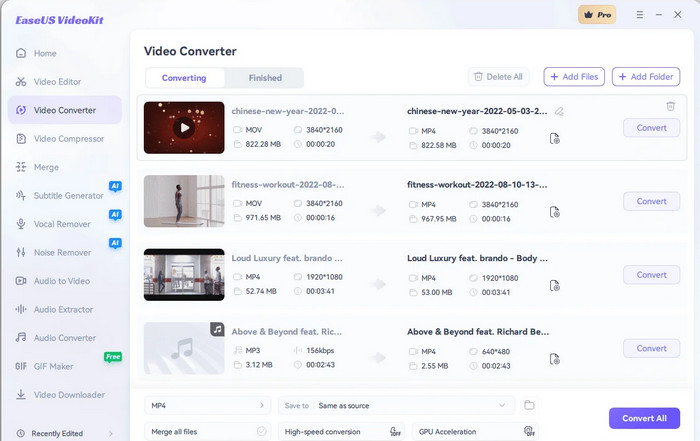
- Easy-to-use, modern interface
- Fast HD/4K conversion
- Supports batch processing
- The free version has file size restrictions
- Limited options for fine-tuning codecs
6. Avidemux
Avidemux is a free MKV to MP4 converter for basic conversions and light editing. It is lightweight and works well for quick 1:1 remuxing. For professional preset management, you might need to try using other alternatives since it lacks in this area.
Platform Supported: Windows, Mac, and Linux
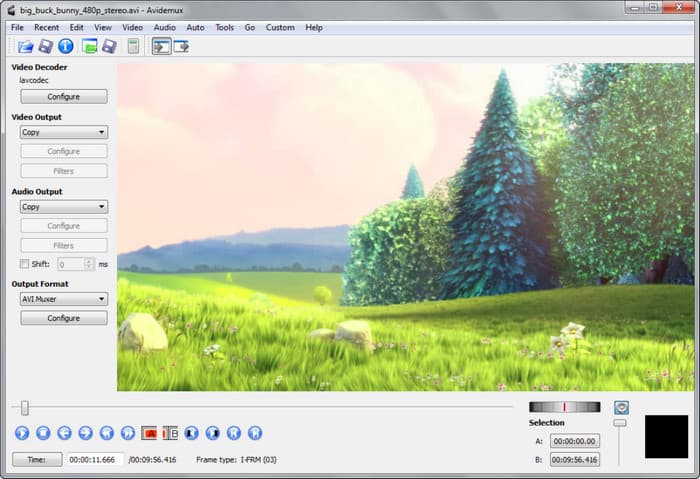
- Free and lightweight
- Simple for quick conversions
- Supports basic filters and edits
- No advanced preset management
- Batch processing requires scripting
7. NCH Prism Video Converter
Prism is a user-friendly MKV to MP4 video converter with support for multiple file formats and batch processing. It is designed for straightforward, reliable conversions. Though it is free to download, there are many link that claims it is the correct one, so you need to be careful on downloading it from other parties.
Platform Supported: Windows and Mac
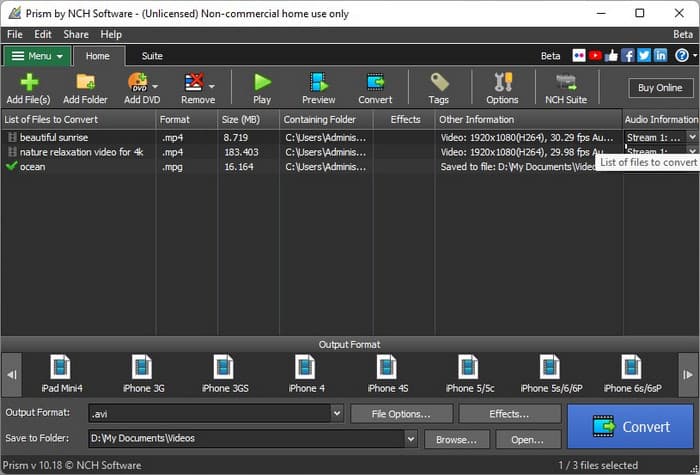
- Simple, intuitive interface
- Batch conversion supported
- Supports many video formats
- Full features are only available in the paid version
- Lacks enhanced the codec customization
8. VideoProc Converter
VideoProc Converter is a versatile convert MKV to MP4 Mac tool that combines GPU acceleration, editing, and format conversion in one program. With its full features, this app can be your one-stop; however, many dislike it due to the workstation interface it has, since it is too bulky.
Platform Supported: Windows and Mac
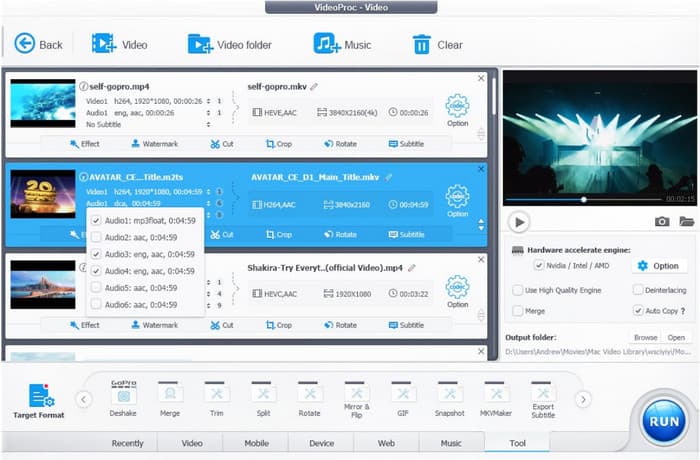
- Full GPU acceleration for faster conversion
- Handles 4K and large HD files efficiently
- Includes editing tools like crop, rotate, and subtitle insertion
- Paid software
- The interface can feel busy for first-time users
9. CloudConvert
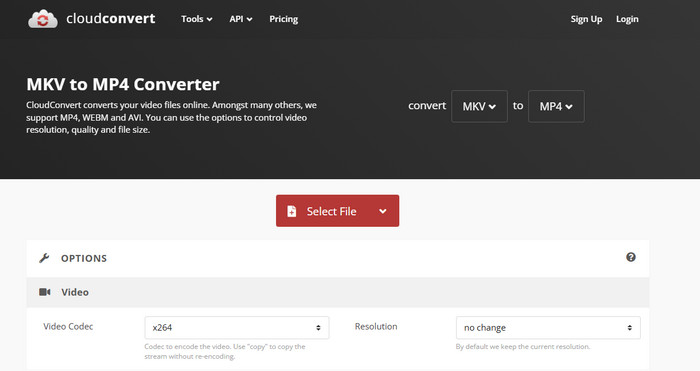
CloudConvert is an online MKV to MP4 converter with no limit that works directly in the browser and integrates with cloud storage services. Though it supports batch conversion, it is still limited to doing five processes at a time. If you have more and want to do them simultaneously, try to use other tools here.
Platform Supported: Web
- No installation required
- Integrates with Google Drive, Dropbox, etc.
- Supports several formats other than MKV/MP4
- Free tier limits file size per conversion
- It can be slow for large videos
10. Convertio
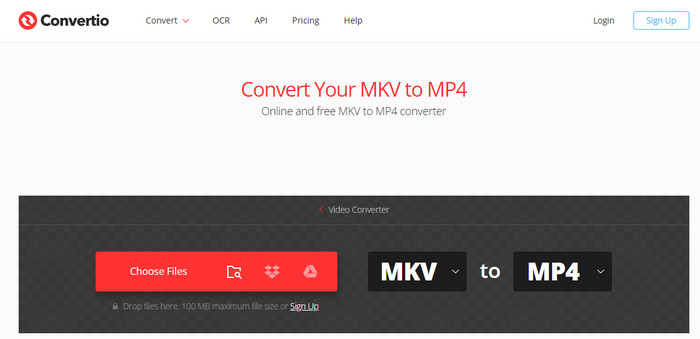
Convertio is a free MKV to MP4 video converter that runs entirely in the browser. It is ideal for small files and quick one-off conversions. Due to slow internet and large file size, the processing becomes a hassle, but overall it is a great accessible online converter.
Platform Supported: Web
- Simple and fast for small files
- No software installation required
- Works on any device with a browser
- Limited free file size
- Not suitable for large or multiple files
11. Zamzar
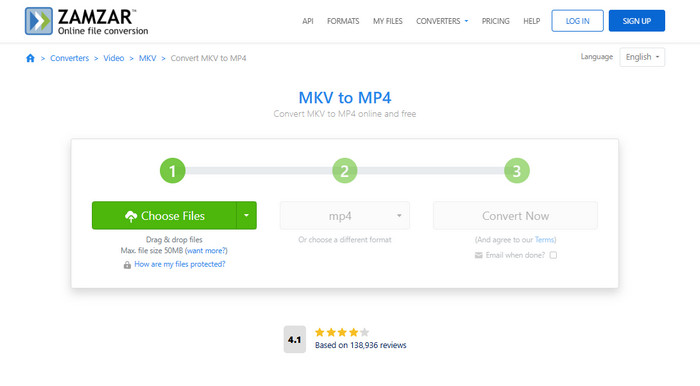
Zamzar converter is an online MKV to MP4 format converter with a simple workflow: upload, convert, download, or email the result. Process do became simpler with the help of this, however, the conversion takes time since it is a web tool.
Platform Supported: Web
- No installation needed
- Very beginner-friendly
- Supports multiple file formats
- Free version limits file size
- Conversion speed depends on the internet connection
12. FileZigZag
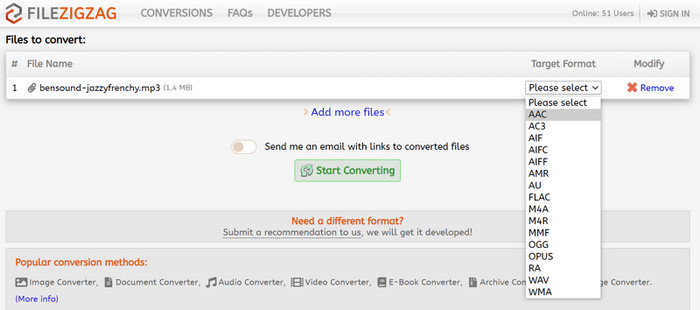
FileZigZag is a free, lightweight online MKV to MP4 converter that is good for occasional conversions of small files. Even though it is free to use, many browsers flag it as a dangerous website to use, so be careful when accessing the converter and convert at your own risk.
Platform Supported: Web
- No software required
- Simple drag-and-drop workflow
- Supports multiple formats
- Free tier has small file size limits
- Slower for HD or large files
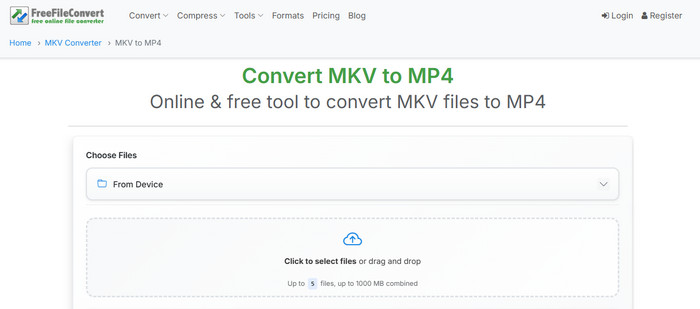
13. FreeFileConvert
FreeFileConvert is a free online MKV to MP4 video converter that is lightweight and can be used to perform occasional conversions of small files. Occasionally, some ads appear on your screen while doing the process of converting, so avoid clicking on them.
Platform Supported: Web
- Free and simple to use
- Supports batch conversion
- No software installation
- File size limited for free users
- Conversion speed may vary depending on server load
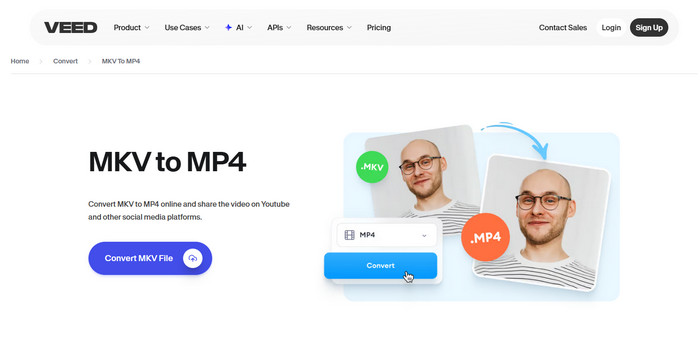
14. VEED.IO
VEED.IO is an online converting MKV to MP4 tool with additional editing features for social media videos. Though it can save videos to MP4, it is not a direct video converter like the other options here. The addition of output supports earns its spot in this article.
Platform Supported: Web
- Simple online conversion
- Includes editing tools like trim and subtitles
- Supports multiple output formats
- The free plan has limitations
- Slower on large files
Part 3: How to Use an MKV to MP4 Converter
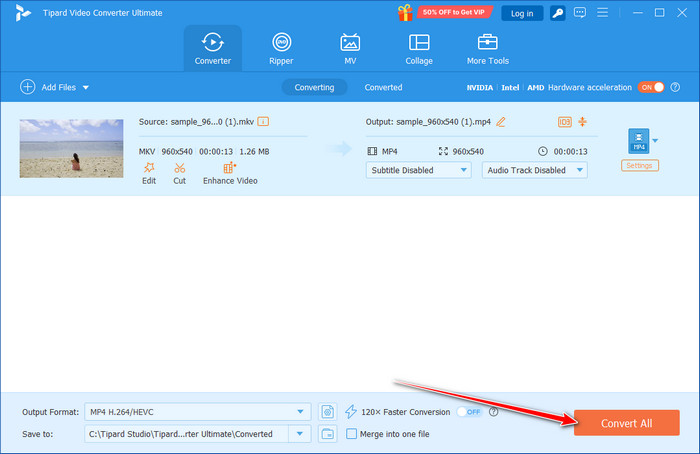
Using a reliable MKV to MP4 converter like Tipard is quick and straightforward. Follow these steps to convert your MKV files while keeping their original quality:
Step 1 Go to the Tipard website and download the program for Windows or Mac. Follow the instructions to install it; it is quick and simple.
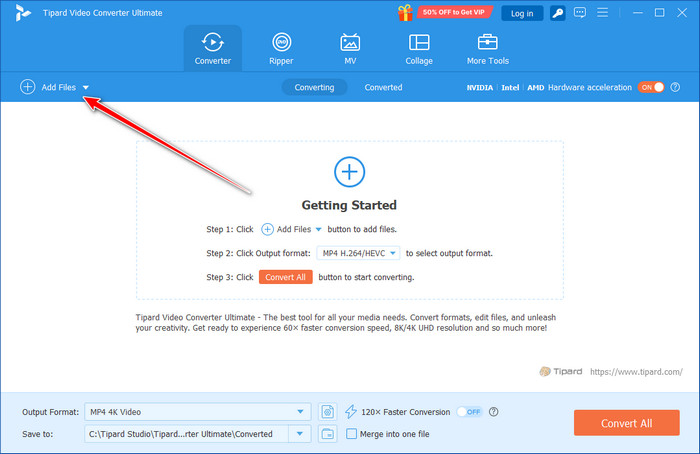
Step 2 Open Tipard Video Converter Ultimate and click Add Files or drag your MKV videos into the program. You can add one file or several at once for batch conversion.
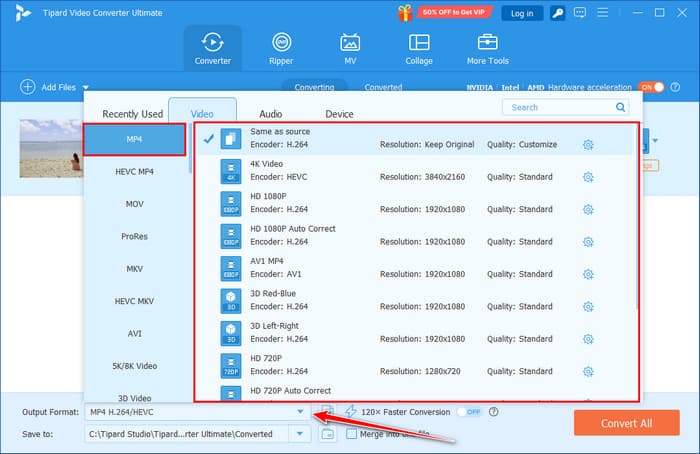
Step 3 Select MP4 as the output format from the dropdown menu. You can also pick a preset for your device or adjust resolution and codec. For a 1:1 conversion, leave the default settings to Same as source.
Step 4 Click Browse to choose where the converted files will be saved, then click Convert All. Tipard will quickly convert your MKV files to MP4. After conversion, open the folder to access your videos ready to play.
Conclusion
After reviewing all fourteen options, you can now choose the MKV to MP4 format converter that best fits your needs. There is no need to test every tool yourself; we have done the work for you. Among all the converters, Tipard Video Converter Ultimate stands out as the top choice, offering fast, reliable, and high-quality conversions for both single files and batches.

All-in-one video toolbox: convert, edit, upscale, enhance, and compress your videos easily
100% Clean & Safe
100% Clean & Safe

More Reading


About the Author


 Tipard Video Converter Ultimate