

Did you know you can enhance videos without installing a program? One browser-based platform that offers this is Flixier Video Enhancer. It can help make your videos look better before you upload them to YouTube, TikTok, Instagram, or Facebook.
In this review, we will cover its pricing, key features, user ratings, reviews, pros, and cons. You will also find the best alternatives worth trying.
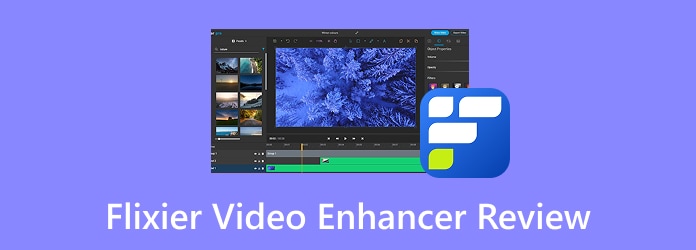
Part 1: Overview of Flixier Video Enhancer
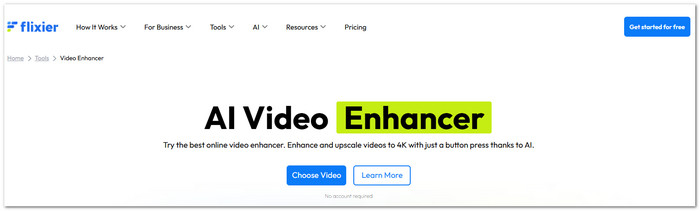
Flixier Video Enhancer is an online platform for improving video clarity. It uses AI to sharpen clips and upscale them to 4K. It also has simple manual controls for color, brightness, contrast, and more.
Tech Specs
Flixier works in a web browser. It supports Windows, Mac, Linux, and Chromebooks. You do not need a powerful computer. Most of the work is done through cloud processing. It supports common formats such as MP4, MOV, AVI, and WebM. It also supports MP3 and WAV files. The Free plan exports up to 720p. Paid plans can export up to 4K. A fast or stable internet connection is needed for smooth use.
Pricing
Flixier Video Enhancer has four main plans:
- Free - $0/month: 720p exports, 2 gigabytes of storage, 500 AI credits, and a watermark.
- Starter - $19/seat/month: 1080p exports, 20 gigabytes of storage, and no watermark.
- Creator - $39/seat/month: 4K exports, 250 gigabytes of storage, and unlimited video exports.
- Business - $69/seat/month: 4K exports, unlimited storage, and unlimited video exports.
Part 2: Flixier Video Enhancer Features and Tests
See what Flixier AI Video Enhancer offers and explore how its main tools work during real video tests.
Key Features
1. AI Video Enhancement
The AI checks your video and applies improvements. It can help make clips clearer and cleaner.
2. 4K Upscaling
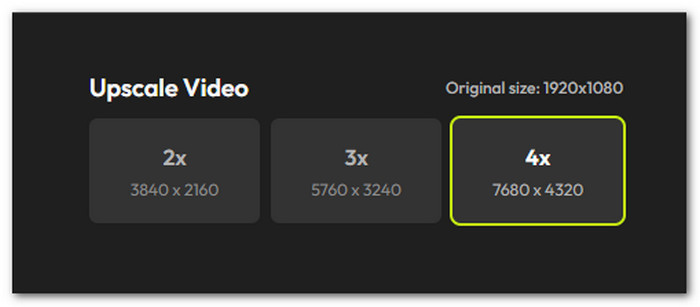
Flixier can upscale videos to 4K. This can make low-resolution clips look better. However, it cannot create every missing detail.
3. Enhancement Presets
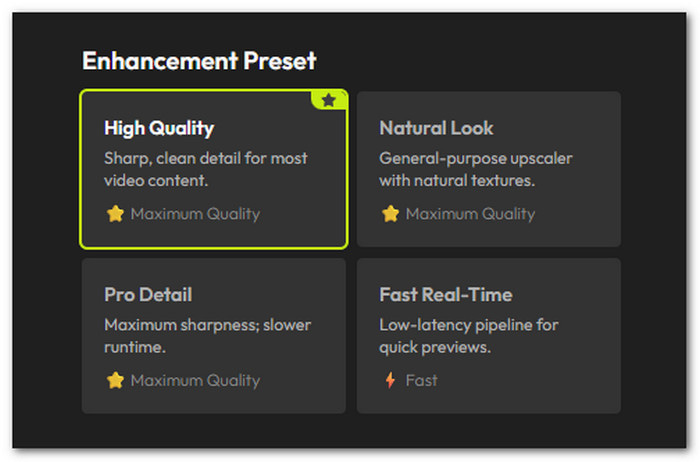
You can choose from four main presets:
- High Quality: Gives the video a general quality boost.
- Natural Look: Adds light sharpening without strong edges.
- Pro Detail: Adds stronger detail and sharpness.
- Fast Real-Time: Focuses on faster processing.
4. Manual Adjustments
You can change brightness, contrast, saturation, and hue. You can also adjust shadows and highlights.
5. Noise Reduction
The tool can reduce unwanted noise in your footage. This can help make videos look cleaner.
6. Cloud Processing
Flixier processes videos in the cloud. Your computer does not need to do all the heavy work. This also lets you work on other projects while a video is processing.
Test Results
The tests show that Flixier Video Enhancer works best on videos that need a simple quality boost.
- Low-Light Video
Dark footage became brighter. More details could be seen in the shadows. Colors also looked better. - Blurry or Grainy Video
The Pro Detail preset made edges look sharper. Text and simple objects became easier to see. However, super blurry footage still had limits. - Processing Speed
Cloud processing was one of Flixier's strongest points. A five-minute video took less than two minutes in the test. The computer also stayed responsive during processing.
Overall, Flixier can improve common video problems. But it is not a full restoration platform for badly damaged footage.
Part 3: Reviews and Ratings of Flixier Video Enhancer
Real user feedback can tell you more about the Flixer Online Video Enhancer. This part looks at ratings and reviews to show what users think.
User Reviews
Users often praise Flixier for its speed. Many like that it works in a browser. They also like that it does not need a powerful computer.
The simple interface is another common plus. Content creators can enhance clips and continue editing them in the same place.
Some users have concerns, too. Advanced editors may want more detailed controls. The Free and Starter plans also have limits. AI credits and export limits can become a problem for larger projects.
- Quick processing in the cloud.
- Works on many devices.
- AI enhancement and 4K upscaling.
- Useful color and sharpness controls.
- Good for quick social media videos.
- Needs a stable internet connection.
- The free plan has a watermark.
- Free and Starter plans have limits.
- Not made for deep video restoration.
- Does not offer advanced 8K restoration.
Final Verdict
Flixier is a good choice for quick video improvements. It works well for creators, marketers, and beginners. Its cloud processing is a big advantage.
The tool can sharpen footage, improve colors, denoise video, and upscale videos. It works best when the original video is still usable.
Severely damaged footage is a different story. Flixier cannot fully rebuild details that were never captured. For deep restoration work, a dedicated desktop program may be a better choice.
Part 4: Top Alternatives to Flixier Video Enhancer
For more advanced video work, other tools may offer more options. Here are three alternatives. Each one offers a different way to edit and improve your videos.
1. Tipard Video Converter Ultimate
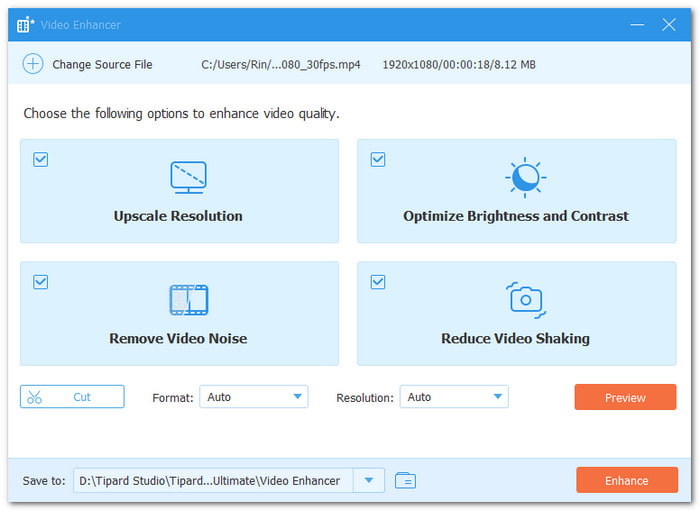
Want to make your videos look cleaner and smoother? Try the top Flixier Video Enhancer alternative, Tipard Video Converter Ultimate. It imports, processes, and exports videos fast. Fix dull colors for a brighter look. Remove noise for cleaner scenes. Stabilize shaky clips for smoother results. Moreover, it supports MP4, MOV, AVI, MKV, WMV, and more. This gives you more ways to improve your videos.
Key Features:
- Change the output format to MP4, MKV, MOV, AVI, and more.
- Support resolutions up to 4096×1260.
- Cut clips and add fade-in and fade-out effects.
- Preview up to 10 seconds of the video.
Platform: Windows 11/10/8.1/8/7 and macOS 10.12 or above.
Pricing: A free download is available. 1-month license at $18.00. Lifetime license at $56.00.
Ratings: Users on Capterra give it a 4.7/5 rating. Users on Trustpilot give it a 4.5/5 rating.
Why We Selected It
It offers different ways to enhance video quality. It also includes a video compressor, watermark remover, GIF maker, 3D maker, and many more tools for video and audio needs.
2. HitPaw Online AI Video Enhancer
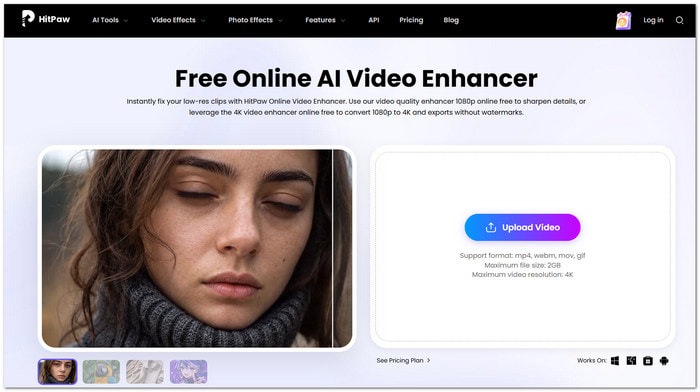
HitPaw Online Video Enhancer can turn soft and blurry clips into clearer videos. It can raise video quality to 4K. It also has special AI models that work on faces, anime, and noisy footage.
Key Features:
- 4K video upscaling.
- General Denoise model.
- Face enhancement model.
- Anime enhancement model.
Platform: It works through a web browser. HitPaw also offers versions for Windows and Mac.
Pricing: Free plan at $0.00 with limited exports. Paid plans start at $9.99 per week. Monthly plan at $24.99 per month. Yearly plan at $79.99 per year.
Ratings: Users on Capterra give it a 4.5/5 rating. Users on Software Advice give it a 4.7/5 rating.
3. Simplified
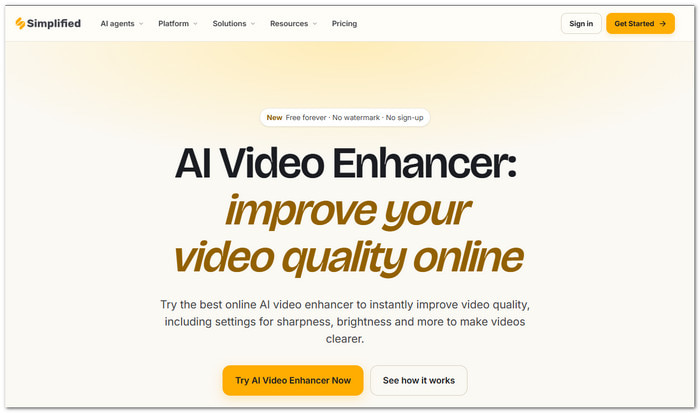
A video can have more problems than low sharpness. Simplified helps fix these issues with AI. It can improve color and lighting. It can also smooth motion, stabilize video, and remove unwanted lines from older videos.
Key Features:
- Automatic color correction.
- AI motion interpolation.
- Video stabilization.
- Video deinterlacing.
Platform: Simplified is available as an online video editor. The free AI Video Enhancer works without a sign-up.
Pricing: Pro plan at $19 per month, billed annually. Business plan at $49 per month, billed annually.
Ratings: Users on G2 give Simplified a 4.6/5 rating. Users on Capterra give it a 4.7/5 rating.
Part 5: FAQs of Flixier Video Enhancer
Can I use Flixier without creating an account?
You may try some tools before signing up. An account may be needed for more features and project access.
Does Flixier save my enhanced videos automatically?
No. Flixier does not act as permanent video storage. After enhancing your video, export and save the finished file.
Can I enhance a video and change its aspect ratio using Flixier Video Enhancer?
Yes. You can adjust the video canvas for different screen sizes. This helps prepare videos for sites like YouTube, TikTok, and Instagram.
Conclusion
After reading this full review, is Flixier AI Video Enhancer the right tool for you? Does it have the features you need?
If you have doubts, try Tipard Video Converter Ultimate. It offers upscaling resolution, color correction, noise removal, and video stabilization. With its help, your footage will surely look cleaner, smoother, and better.

All-in-one video toolbox: convert, edit, upscale, enhance, and compress your videos easily
100% Clean & Safe
100% Clean & Safe

More Reading


About the Author

 Click here to join the discussion and share your comments
 Tipard Video Converter Ultimate