

Key Takeaways
- A watermark remover is a tool that removes logos, text, or stamps from images and videos. It uses AI or simple manual tools to clean the file.
- Video watermark removers like Tipard Video Converter Ultimate, CapCut, and others offer fast AI or advanced editing options.
- Photo watermark removers like Photoshop, PicWish, and GIMP provide both simple one-click and manual control tools.
- The comparison section shows differences in platform, AI support, ease of use, pricing, and output quality.
You download a photo or video. It looks good at first. But there is a small mark on it. It feels distracting. It can also ruin the clean look you want.
Do not worry, because that can be removed by using a watermark remover. You are lucky to be in this exact post, as we have both video and photo watermark remover options. Explore each tool now!

Part 1. What Is a Watermark Remover
Let us start with what a watermark remover is. A watermark remover is a simple tool that cleans pictures and videos. It removes text, logos, or marks on an image. The goal is to show the original photo again and keep it looking normal.
Modern tools use AI to make this easier. The AI scans the watermark first. Then, it rebuilds the missing area by copying nearby pixels. It helps the background look smooth and real.
The majority of tools have a straightforward flow. You upload the picture. The watermark is found and eliminated by the tool. The clean result is then downloaded. Additionally, they can deal with faint or transparent marks without clearly causing damage.
Part 2. Top 6 Video Watermark Removers
Start by getting to know the top video watermark removers, with key features, pros, cons, and a clear verdict for each tool.
1. Tipard Video Converter Ultimate
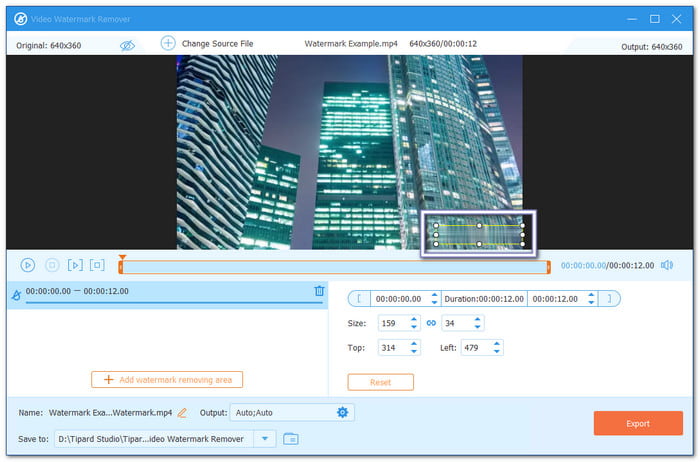
Watermarks like logos, text stamps, and screen marks can ruin your video flow. Good thing, this watermark remover, Tipard Video Converter Ultimate, can remove them fast and clean. It uses AI to remove the watermark with only one click.
It also supports all types of input video formats like MP4, MOV, AVI, MKV, and WMV. So, there is no need to worry about what format your video is in that has a watermark. Even better, once the watermark is removed, it keeps the video clarity.
Key Features:
- Fine-tune output settings like format, resolution, and frame rate.
- Remove many watermarks from a video in one go.
- Resize the selection box to cover the watermark fully.
- Has a comparison view of before and after watermark removal.
- Change the video format after watermark removal.
- Includes extra tools like compressor, enhancer, and merger.
- Works fully offline without internet.
- The trial version has limits and needs an upgrade for full use.
Verdict: It is a reliable all-in-one program that removes watermarks fast with AI, while keeping video clarity clean and giving extra editing features in one place.
2. Premiere Pro
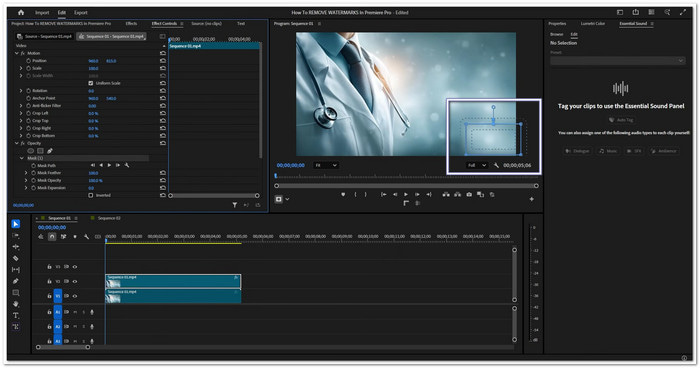
This watermark remover for video gives you manual tools to hide or remove watermarks with high accuracy. Instead of relying on AI, it uses masks, tracking, and blending effects. It makes it a strong choice for editors who want clean results and need to work on detailed or high-resolution video projects.
Key Features:
- Masking and motion tracking tools.
- Gaussian and directional blur effects.
- Unlimited video and audio tracks.
- Lumetri Color grading tools.
- Delivers highly accurate results.
- Includes many professional editing tools.
- High-resolution video files are supported.
- Steep learning curve.
- Expensive monthly subscription.
Verdict: Premiere Pro is good for people who want exact watermark removal and full control over editing.
3. CapCut

Do you want a quick way to remove a watermark without complex editing? An AI watermark remover like CapCut makes the process simple. Its AI Remove tool can erase logos, text, and marks in a few clicks. You can also brush over specific areas for better control.
Key Features:
- AI Remove tool for watermark deletion.
- Adjustable brush selection tool.
- AI background reconstruction.
- Cross-platform cloud syncing.
- Very easy to use.
- The free version is available.
- Works on desktop, mobile, and web.
- Some AI tools need a Pro plan.
- The desktop version has fewer advanced controls.
Verdict: CapCut is a great choice for beginners and social media creators who need fast watermark removal.
4. HitPaw Watermark Remover
If speed matters most, this video watermark remover is worth a look. HitPaw Watermark Remover uses AI to detect and erase watermarks, logos, text, stickers, and other unwanted objects. It offers several removal modes for different situations. The process is simple and requires only a few steps from start to finish.
Key Features:
- AI-powered watermark detection.
- Multiple watermark removal modes.
- Brush and selection box tools.
- Real-time preview window.
- Fast automatic watermark removal.
- Handles moving watermarks well.
- Beginner-friendly interface.
- Free trial is limited.
- Needs software installation.
Verdict: HitPaw Watermark Remover is ideal for users who want quick and automated watermark removal.
5. Media.io
You can upload a video, mark the watermarked area, and let the AI take care of the rest with this online watermark remover. It can eliminate timestamps, text, and logos without sacrificing the quality of the video. It is a convenient choice for making fast changes across various devices.
Key Features:
- AI watermark detection and removal.
- Smart inpainting technology.
- Adjustable brush tool.
- Wide video format support.
- No software installation needed.
- Works on most devices.
- Supports many video formats.
- The free version has limits.
- The free version has limits.
Verdict: Media.io is a solid option for users who want an easy online watermark remover.
6. Pixelbin
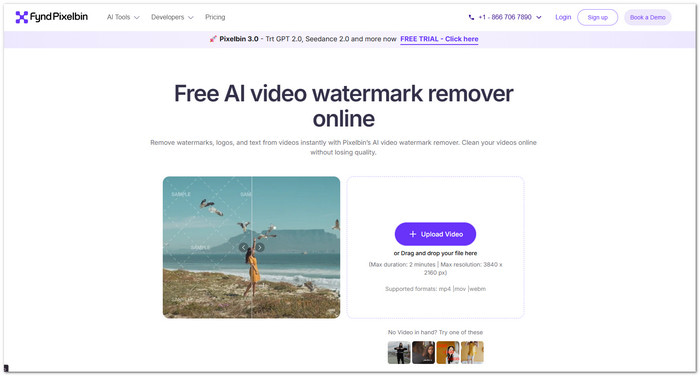
Pixelbin Watermark Remover goes further by removing text, stamps, overlays, and moving watermarks frame by frame. Its AI rebuilds the background instead of covering it with blur. It helps keep videos sharp and natural after the watermark is removed.
Key Features:
- Automatic frame-by-frame AI removal.
- Batch video processing support.
- API integration options.
- Supports MP4, MOV, and WebM.
- Preserves video quality well.
- Removes static and moving watermarks.
- Operates directly within a web browser.
- There are restrictions on the length of videos.
- Some advanced features require a paid plan.
Verdict: Pixelbin is a strong choice for creators and teams that need accurate AI watermark removal at scale.
Part 3. Top 6 Photo Watermark Removers
Of course, there are also photo watermark removers, and they can be accessed on different systems, too.
1. Photoshop
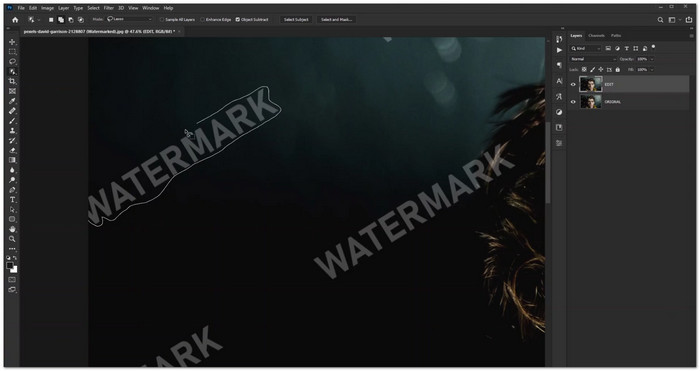
Some tools give full control when using an image watermark remover to clean photos. Photoshop does this with precise editing and AI help. It can handle text, logos, stamps, and complex overlays.
Generative Fill and Content-Aware Fill fill the area where the watermark was removed. Clone Stamp and Healing Brush help fix small spots. Color Range can find watermark colors more easily. It also lets you edit everything by hand for cleaner and more natural results.
2. WatermarkRemover.io
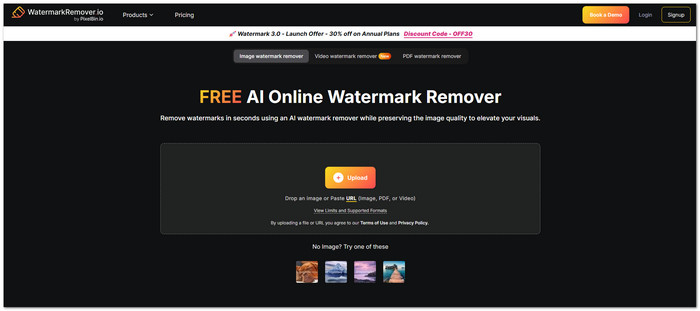
WatermarkRemover.io is a web-based, free photo watermark remover. It uses AI to detect logos, text, and overlays right after upload. It supports JPG, PNG, WebP, and more. It also gives a live preview before saving. Everything runs online so that you can use it on any device. Just drop your image or paste a link.
3. Dewatermark
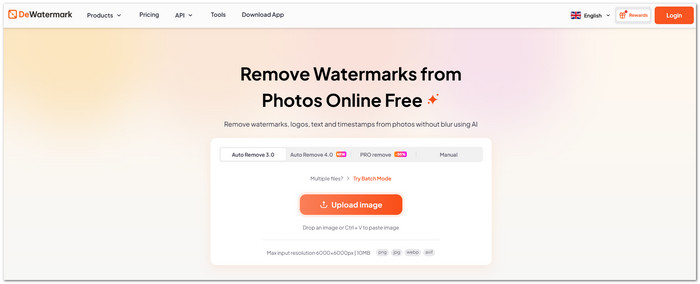
It works as a batch watermark remover AI that uses AI to detect watermarks and remove them without blurring. It can remove simple text and more complex logo watermarks. If some marks remain, you can use the brush tool to clean them manually. It supports JPG, PNG, WebP, and AVIF files. After editing, it keeps the image clear and lets you save it in HD quality.
4. PicWish

A quick way to clean images with one click is what PicWish Watermark Remover offers. You can select areas or let AI auto-detect them. It also rebuilds backgrounds, so the photo looks natural and ready for e-commerce or social use. Moreover, it supports batch editing for up to 50 images. That makes it one of the best photo watermark removers in the market today.
5. PhotoTune.ai
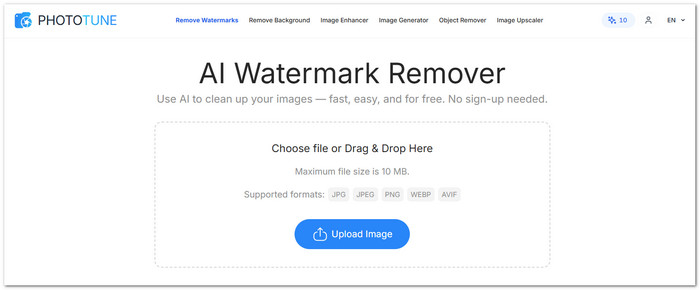
The thing about PhotoTune.ai is that it works as an online AI watermark remover that automatically detects and removes watermarks. It supports JPG, PNG, WebP, and AVIF files. It can also upscale and sharpen images after cleanup. Everything runs online, so it works well on phones and other devices.
6. GIMP
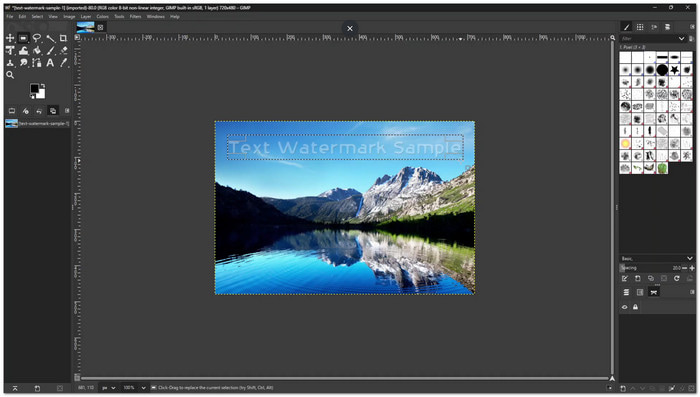
GIMP works as a free watermark remover that uses manual tools like Clone and Healing Brush. It also uses the Resynthesizer plugin for content-aware fill. You can edit on layers for safer changes. It supports many file types and custom tools. It takes more time to learn, but it gives strong control for detailed watermark removal work.
Part 4. Side-by-Side Comparison of the 12 Watermark Removers
| Watermark Removers | Platform | AI-Powered | Ease of Use | Pricing Model | Output Quality |
|---|---|---|---|---|---|
| Tipard Video Converter Ultimate | Windows, Mac | Yes, AI one-click | Very easy | Paid + trial | Keeps clarity, no blur |
| Premiere Pro | Windows, Mac | Limited AI | Hard | Subscription | High quality |
| CapCut | Mobile, Desktop | Yes | Easy | Free + paid | Good |
| HitPaw Watermark Remover | Windows, Mac | Yes | Easy | Paid | High quality |
| Media.io | Web | Yes | Easy | Freemium | Good |
| Pixelbin | Web | Yes | Easy | Freemium + API | High quality |
| Photoshop | Windows, Mac | AI + manual | Hard | Subscription | Very high quality |
| WatermarkRemover.io | Web | Yes | Very easy | Free + paid | Good |
| Dewatermark | Web | Yes | Easy | Freemium | High quality |
| PicWish | Web, Mobile, Desktop | Yes | Very easy | Freemium | High quality |
| PhotoTune.ai | Web | Yes | Very easy | Free + limits | Good |
| GIMP | Windows, Mac, Linux | No AI | Hard | Free | Depends on skill |
| Show MoreShow Less | |||||
Part 5. How We Tested the Watermark Remover Tools
Before ranking these watermark remover tools, we tested them in simple and real use cases. The goal is to see how each tool performs in normal editing tasks. We focused on speed, quality, and ease of use.
- We uploaded videos and images with different watermark types. These include text, logos, and stamped overlays. We also tested simple and complex backgrounds.
- We checked how well AI tools remove watermarks in one click. We also tried manual tools like brushes and clone features when available.
- Next, we looked at output quality. We made sure the result stays clear and does not look blurry or broken.
- We also tested supported formats and platforms. It includes web tools, mobile apps, and desktop software.
- Finally, we compared pricing, limits, and extra features. It helps show which tools give the best overall value for users.
Part 6. FAQs of Watermark Remover
Is it legal to remove watermarks from pictures?
Ownership is a determining factor. Watermarks can be removed from both licensed and your own photos. However, taking them out of content you do not own may violate copyright regulations like the DMCA. Prior to anything else, always get permission.
How accurate are watermark removers?
Most AI watermark removers work well for everyday use. They can remove text, logos, and simple marks with good results. For harder images, you may need to make a few small edits to make everything look clean.
Can I remove the TikTok watermark?
Yes! You can remove the TikTok watermark using Tipard Video Converter Ultimate. All you need to do is move the selection box over the watermark area. You can resize the box for better coverage.
Conclusion
You have photo and video watermark removal tools. Six for photos. Six for videos. A total of 12 options are here for you!
If you work on videos, Tipard Video Converter Ultimate is strongly recommended. It has a built-in video watermark remover, which makes removal simple and fast. It also gives extra editing tools in one place!

All-in-one video toolbox: convert, edit, upscale, enhance, and compress your videos easily
100% Clean & Safe
100% Clean & Safe

More Reading




About the Author


 Tipard Video Converter Ultimate