

Key Takeaways
- 3D Blu-ray support, picture quality, and region code support are the most important features.
- Panasonic DP-UB820-K, Sony UBP-X700U, and Samsung UBD-K8500 are the best hardware choices.
- Tipard Blu-ray Player is the best overall software for Windows and Mac.
- DVDFab Player, PowerDVD 19, and 5KPlayer are also reliable alternatives.
- Software players offer more flexibility, while hardware players are better for home theaters.
Should you buy a hardware 3D Blu-ray player? Or is 3D Blu-ray player software the better choice? Which one is right for you? If you are asking the same questions, we have you covered.
We rounded up the best hardware 3D Blu-ray players and the top 3D Blu-ray player software for Windows and Mac. We will also compare both options to help you choose the right one. Let us make your decision much easier!

Part 1. What to Look for in a Modern 3D Blu-ray Player
A great 3D movie starts with the right player. The good news? You do not need dozens of features. Just look for the ones below. They make movie nights smoother, easier, and much more fun.
- 3D Blu-ray Support - Plays genuine 3D Blu-ray discs.
- Region Code Support - Opens more Blu-ray collections.
- High Picture Quality - Sharp 4K, HDR, or upscaled video.
- Smooth Playback - Clear playback without lag.
- High-Quality Audio - Rich Dolby or DTS sound.
- Wide Format Support - Plays discs, ISO files, folders, and videos.
- Easy Controls - Quick menus and simple playback settings.
Part 2. Top 3 Best Hardware 3D Blu-ray Players Still Standing
Portable 3D Blu-ray players may be harder to find today, but a few great models are still available. If you want reliable 3D movie playback with excellent picture quality, these players are still worth checking out.
1. Panasonic DP-UB820-K
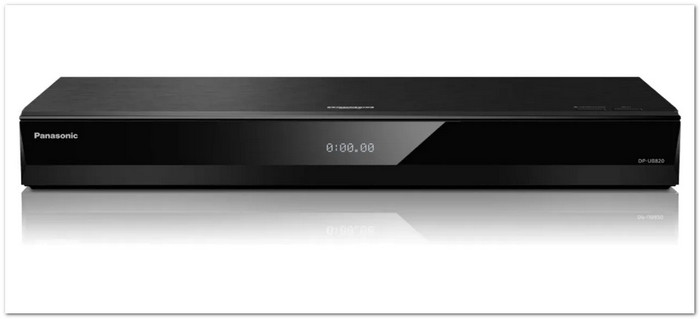
Panasonic DP-UB820-K is one of the best hardware 3D Blu-ray players still available. It delivers bright and clear 3D playback with excellent color processing. It also keeps fine details sharp, even on large TVs and projectors. This Panasonic 3D Blu-ray player is a great choice for people who want high picture quality from physical 3D Blu-ray discs.
Highlighted Features:
- Hollywood Cinema Experience processor.
- Supports Dolby Vision and HDR10+.
- High-quality 4K upscaling for 1080p 3D Blu-rays.
- Built-in Wi-Fi for firmware updates.
Pricing: $807.35
Purchase Considerations: It has a high price. It also uses strict region locking. It means it cannot play imported 3D Blu-ray discs from other regions.
2. Sony UBP-X700U
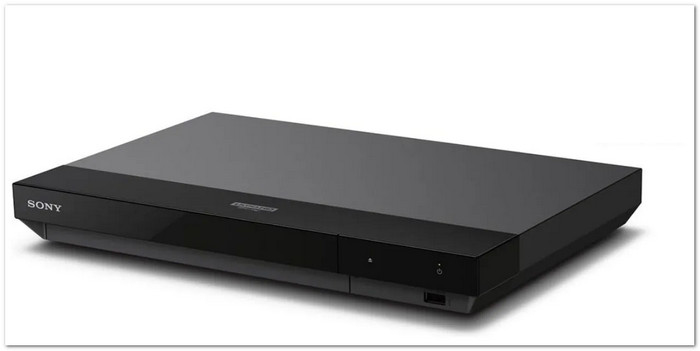
The Sony 3D Blu-ray Player UBP-X700U is a solid option for anyone who wants good performance at a lower price. It supports many disc formats in one device. It also delivers smooth 3D playback with clear picture quality. Its simple menu makes it easy to start watching movies without extra setup.
Highlighted Features:
- Plays 3D Blu-ray, 4K UHD, DVD, and SACD.
- Dolby Vision support.
- Built-in Wi-Fi for streaming apps.
- Good 4K upscaling.
Pricing: $328.45
Purchase Considerations: The plastic body feels less premium. You also need to switch Dolby Vision on or off by hand for different discs.
3. Samsung UBD-K8500
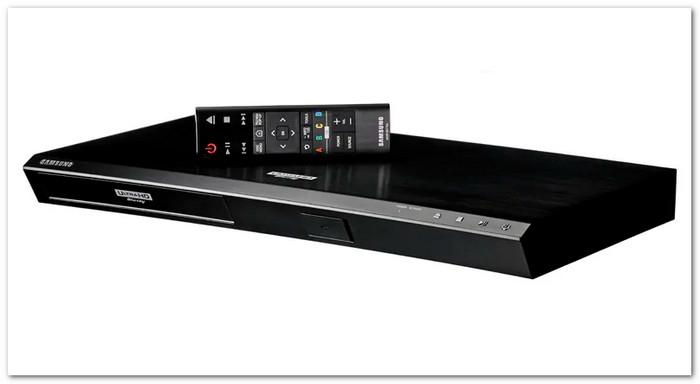
The Samsung 3D Blu-ray Player UBD-K8500 combines 3D Blu-ray playback with 4K Ultra HD support in one player. It improves color and detail with HDR10. It also delivers vibrant 3D images. Built-in Wi-Fi lets you stream online content, making it useful for both physical discs and everyday entertainment.
Highlighted Features:
- Plays 4K UHD, 3D Blu-ray, DVD, and CD.
- HDR10 support.
- Supports 4K streaming apps.
- Dual HDMI outputs.
- Optical audio output.
Pricing: $141.94
Purchase Considerations: The curved design may not fit every home theater. It also does not support newer HDR formats like Dolby Vision and HDR10+.
Part 3. Top 4 3D Blu-ray Player Software for Windows and Mac
Not ready to buy a hardware player? No problem. A good 3D Blu-ray player software can turn your Windows or Mac into a powerful movie player. Below are four great options that make watching 3D Blu-ray movies easy and enjoyable.
1. Tipard Blu-ray Player
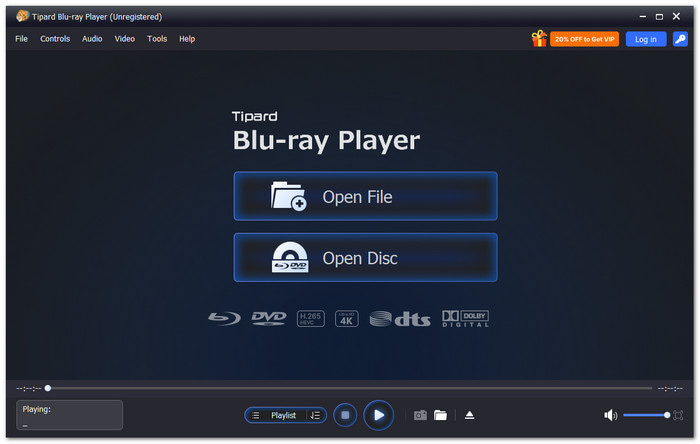
Watching 3D Blu-ray movies on Windows or Mac is much easier with the Tipard Blu-ray Player. This 3D Blu-ray player supports all common 3D Blu-ray effects, including Anaglyph, Side by Side (Full and Half-Width), and Top and Bottom (Full and Half-Height), so you can enjoy the correct 3D view on compatible displays.
It also bypasses Blu-ray region codes and many disc protections, letting you play more legally owned Blu-ray discs without region limits. Even better, it also plays DVDs and popular video formats like MP4, MKV, AVI, MOV, and WMV. It makes it a simple player for almost all your media.
Key Features:
- Plays ISO files, BDMV folders, and Blu-ray discs.
- Smooth playback of 4K UHD and 8K videos with low CPU usage.
- Supports Dolby TrueHD, DTS-HD Master Audio, and 7.1-channel surround sound.
- Lets you create playlists and jump to any disc chapter.
- Allows audio track, subtitle, screen ratio, and video effect adjustments.
- Easy playback with keyboard shortcuts and playlists.
- GPU acceleration for faster and smoother playback.
- Saves screenshots as JPG, PNG, or BMP.
- The trial version has limited features. Paid license needed for full access.
2. DVDFab Player 6
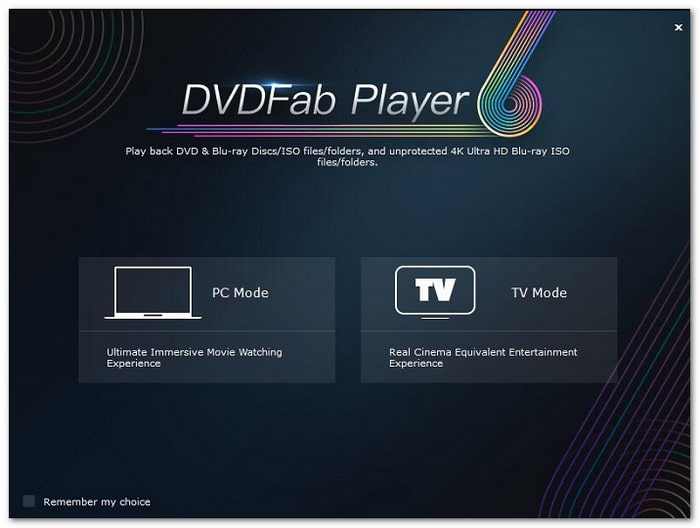
Looking for 3D Blu-ray disc player software that supports many types of 3D videos? DVDFab Player 6 plays genuine 3D Blu-ray discs, ISO files, and SBS or top-and-bottom 3D videos. It also offers several 3D output modes, making it easier to connect with different 3D displays while keeping playback smooth and high in quality.
Key Features:
- Plays Blu-ray, DVD, and 4K UHD videos.
- Four 3D output modes.
- Blu-ray menu navigation.
- TV mode for large screens.
- Automatic media library with poster wall.
- Can play ISO files aside from Blu-ray.
- Good subtitle and menu support.
- Hardware acceleration from AMD, Intel, and NVIDIA.
- Needs time to learn.
- Requires regular software updates.
- Does not support region-locked discs.
3. PowerDVD 19
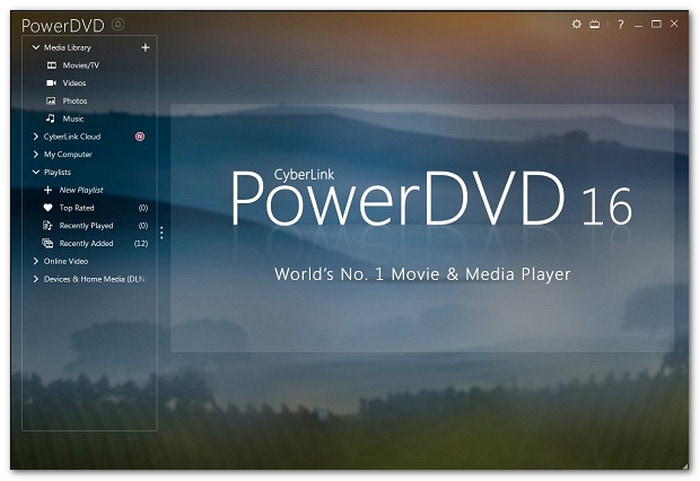
For users who still enjoy physical 3D Blu-ray movies, PowerDVD 19 remains one of the best 3D Blu-ray player software options with full 3D playback support. It also plays up to 8K videos and delivers rich sound with advanced audio technology. Features like TrueTheater and TV mode help improve picture quality and make movies look better on larger screens.
Key Features:
- Plays videos up to 8K.
- TrueTheater video enhancement.
- 360° spatial audio support.
- TV mode for large displays.
- Wide video and audio format support.
- Supports many modern media formats.
- Improves SDR videos to HDR.
- Customizable user interface.
- The interface feels crowded.
- Playback may stutter on older GPUs.
- No built-in media library.
4. 5KPlayer
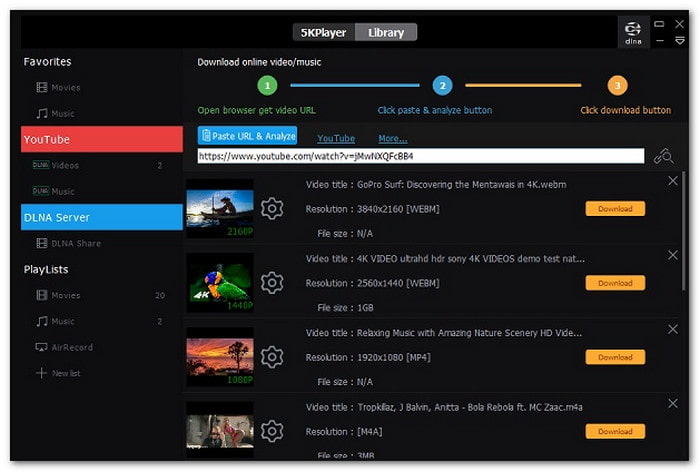
Not every Blu-ray 3D PC player includes streaming and downloading tools. Good thing, 5KPlayer does both while supporting common 3D video formats on Windows and Mac. It can stream videos through AirPlay and DLNA, making it easy to watch on a bigger screen. Built-in hardware acceleration also helps improve playback performance on supported computers.
Key Features:
- Supports M2TS, MTS, and SBS 3D videos.
- Built-in AirPlay and DLNA streaming.
- Built-in online video downloader.
- DXVA, AMD, NVIDIA, and QSV acceleration.
- Supports many popular video formats.
- Completely free.
- Streams to Apple TV and iPhone.
- Built-in codec pack.
- Basic-looking interface.
- Playback may stutter during fast forward or rewind on a Mac.
- Needs a separate Blu-ray decrypter for protected discs.
Top 3D Blu-ray Player Software Side-by-Side Comparison Table
| 3D Blu-ray Player Software | Operating System | Easy to Use | Bypasses Region Codes | 4K Video Playback | High-Quality Audio | Free Trial |
|---|---|---|---|---|---|---|
| Tipard Blu-ray Player | Windows, Mac | ★★★★★ | ✓ | ✓ | Dolby TrueHD, DTS-HD, 7.1 | ✓ |
| DVDFab Player | Windows, Mac | ★★★★☆ | ✗ | ✓ | Dolby support | ✓ |
| PowerDVD 19 | Windows | ★★★★☆ | ✗ | ✓ | Dolby, DTS | ✓ |
| 5KPlayer | Windows, Mac | ★★★★☆ | ✗ | ✓ | Basic | ✓ |
Part 4. 3D Blu-ray Player Hardware vs. Software: Which One Should You Choose
Both hardware and software can play 3D Blu-ray movies well. The right choice depends on how you like to watch. Do you want a player for your TV? Or would you rather watch on your Windows PC or Mac? The quick comparison below will help you find the option that fits your setup and budget.
| Feature | Hardware 3D Blu-ray Player | 3D Blu-ray Player Software |
|---|---|---|
| Device Needed | Standalone Blu-ray player. | Windows or Mac computer. |
| 3D Disc Playback | ✓ | ✓ |
| Setup | Connect to a TV or projector. | Install the software. |
| Picture Quality | Excellent and consistent. | Excellent with supported hardware. |
| Supported Media | Mainly physical discs. | Discs, ISO files, folders, and videos. |
| Region Code Support | Usually region-locked. | Some software can bypass region codes. |
| Encrypted Blu-ray Support | Supports official discs. | Depends on the software. |
| Extra Features | Basic playback features. | Playback controls, snapshots, playlists, and more. |
| Cost | Usually more expensive. | Often lower cost with free or paid options. |
| Show MoreShow Less | ||
Part 5. FAQs of 3D Blu-ray Player
What is the difference between 3D Blu-ray and regular Blu-ray?
A regular Blu-ray shows one image. A 3D Blu-ray stores two images to create a 3D effect. You need a compatible 3D Blu-ray player to watch it.
What do you need to play a 3D Blu-ray disc?
You need a 3D Blu-ray player, a 3D-compatible TV or monitor, a pair of compatible 3D glasses, and a 3D Blu-ray disc.
Can I rip a 3D Blu-ray to a 3D MP4?
Yes. Tipard Blu-ray Converter can rip 3D Blu-ray discs to 3D MP4. Load the disc, choose a 3D MP4 profile, and start the conversion.
Conclusion
Your needs will determine which 3D Blu-ray disc player is best for you. A hardware player is great for your TV. A software player gives you more flexibility on your computer. If you choose software, try Tipard Blu-ray Player. It is simple, smooth, and reliable. Now, grab your favorite 3D movie and enjoy!

Play Blu-rays and multimedia files with the best video and audio quality
100% Clean & Safe
100% Clean & Safe

More Reading



About the Author


 Tipard Blu-ray Player