


About | Privacy Policy | Terms of Use | Support | Contact Us
Copyright © 2026 Tipard Studio. All Rights Reserved.

Windows

Rip your favorite Blu-ray/DVD movies or videos to popular formats

Powerful software to play Blu-ray/DVD videos and audio

Create Blu-ray disc/folder/ISO file with your own video

Backup/Copy your favorite Blu-ray to disc/folder/iso files
Mac

Rip your favorite Blu-ray/DVD movies or videos to popular formats on Mac

Powerful software to play Blu-ray and popular video formats on Mac
Windows

Rip DVD to any popular video format quickly of full quality

Create DVD from videos and burn video to DVD/Blu-ray freely

Copy DVD to DVD disc/folder/ISO files in a 1:1 ratio
Mac

Rip DVD to any popular video format quickly of full quality on Mac

Burn or author a DVD from videos with subtitles and chapters on Mac

Copy DVD to DVD disc/folder/ISO files in a 1:1 ratio on Mac
Windows

Rip DVD, convert 4K video, edit, and upscale videos to 5K/8K

Repair broken videos with high accuracy and support many formats

Convert any video to MP3, MP4, MOV, WAV, and other 350 formats

Upscale resolution, optimize brightness and remove video noise

The easiest tool to capture screen, game, audio, etc. with high quality

Convert any 2D video to 3D video and convert 3D to 2D video

Convert 4K video to 4K/1080P and common videos

Convert TS video to various popular video/audio formats
Mac

Rip DVD, convert 4K video, edit, and upscale videos to 5K/8K on Mac

Repair broken videos with high accuracy and support many formats on Mac

Convert any video to MP3, MP4, MOV, WAV, and other 350 formats on Mac

Upscale resolution, optimize brightness and remove video noise on Mac

The easiest tool to capture screen, game, audio, etc. with high quality on Mac

Convert any 2D video to 3D video and convert 3D to 2D video on Mac

Convert 4K video to 4K/1080P and common videos on Mac

Convert TS video to various popular video/audio formats on Mac
Desktop

Rip and convert DVDs to MP3 and support other audio formats

Reset Windows Admin and Standard user account password in seconds

Accurately Convert any PDF file to Word with OCR

Convert PDF to Word, Excel, HTML and Image with OCR
Online

Easily remove watermarks from many image file formats free online
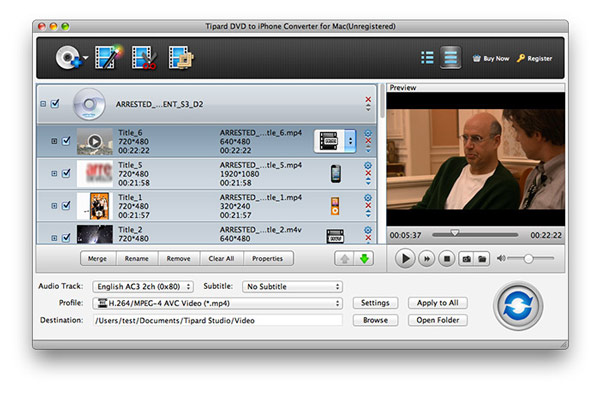
Tipard iPhone Converter Suite for Mac is a professional Mac iPhone converter consisting of iPhone Video Converter for Mac and DVD to iPhone Converter for Mac. With the assistance of this single package, you are allowed to convert both DVDs and other video files to iPhone supported video formats.
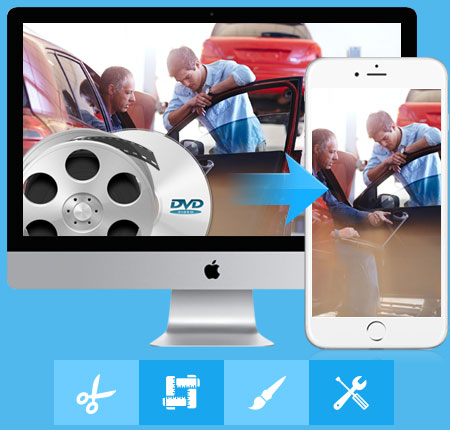
It's a comprehensive iPhone converter for Mac that is capable of converting DVDs/video files to video formats suitable for your iPhone at super-high speed. You are also allowed to adjust the video effect according to your own wish.
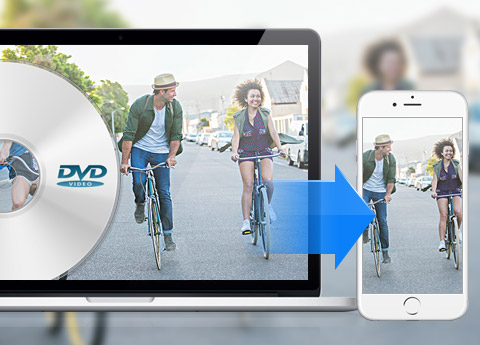
Tipard DVD to iPhone Converter for Mac allows you to convert DVD to iPhone video formats including mp4, mov, m4v etc. And it highly supports iPhone HD videos which can give you brilliant visual effect, such as iPhone5 H.264 HD/720P video, iPhone4S H.264 HD video etc. It supports all types of iPhone, including iPhone 17/iPhone Air/iPhone 17 Pro/iPhone 17 Pro Max/iPhone 17e, iPhone 16/iPhone 16 Plus/iPhone 16 Pro/iPhone 16 Pro Max, iPhone 15/iPhone 15 Plus/iPhone 15 Pro/iPhone 15 Pro Max, iPhone 14/iPhone 14 Plus/iPhone 14 Pro/iPhone 14 Pro Max, iPhone 13/iPhone 13 Pro/iPhone 13 Pro Max/iPhone 13 mini, iPhone 12/12 Pro/12 Pro Max/12 mini, iPhone 11/11 Pro/11 Pro Max, iPhone XS/XS Max/XR/X, iPhone 8/8 Plus, iPhone 7/7 Plus, iPhone SE, iPhone 6s, iPhone 6s plus, iPhone 6, iPhone 6 plus, iPhone5, iPhone4S, iPhone 3G etc. With the help of this DVD to iPhone converter, it becomes easy for you to enjoy DVD movies wherever you go and whenever you like. You are also allowed to choose other Apple devices, for example, iPod Classic, iPod Nano, iPod Touch, iPad4, iPad Mini, iPad Pro, The New iPad, Apple Tv etc. This DVD to iPhone converter also enables you to extract audios from video files and save them in your Apple devices, such as AAC, MP3, WAV, AIFF and M4A. By doing this, you could just listen to your favorite movie wherever you go.
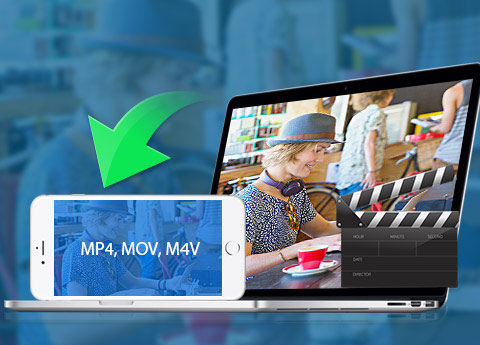
Tipard iPhone Video Converter for Mac has the function of converting videos to formats compatible with iPhone, such as mp4, mov, m4v. You could also convert videos to iPhone HD videos which provide you wonderful visual effect. With the assistance of this video converter for Mac, you can convert your favorite online videos to iPhone supported formats on Mac and enjoy them on your iPhone any time you want. This is a great benefit for movie fans and online video fans. What's more, you can choose other Apple devices instead of iPhone, as the Mac iPhone converter suite supports multiple types of iPad, iPod and Apple TV. To save capacity for you, this iPhone Video Converter has another ability of extracting audios. You can choose AAC, MP3, WAV and other audio formats as profile so the video will be converted to audio formats, which will save you a lot of capacity.
Tipard iPhone Converter Suite for Mac enables you to adjust the brightness, contrast, saturation, volume and hue settings of the DVD or the video you want to convert. Through these adjustments, the style of the original video will be changed. With the help of Crop function, you are allowed to cut off the black edges of the video to fit for your screen as well as to enlarge your visual field. Under the Trim function, you can decide the length of the output video by setting the start and end time or directly dragging the progress bar. The converter suite also enables you to watermark your video by adding text or images whose position, angle, color, even transparency are adjustable. Under the Merge function, your favorite scenes could be put together as a long movie for you to play over. Meanwhile, you are able to preview the original video and output video quality in the same interface.

The Mac iPhone Converter Suite provides users with high converting quality at ultra-fast converting rate. There are many options for you to choose, not only refers to the profile, but also the adjustable effect, the length, audio tracks and even subtitles. The iPhone converter suite is specially designed for common users, so the operation is simple enough for everyone. Just a few clicks can help you finish the whole conversion. You'll get familiar with the operation of this Mac iPhone Converter Suite after converting for a couple of times. Super-high conversion speed, high-quality video effect, comprehensive functions, simple operation and user-friendly interface, all these humanized design factors will give you the most wonderful user experience.

Snapshot your favorite scene
With the help of Snapshot function, you can grab your favorite moment and save it as image file.

Preview and snapshot
You are capable of previewing any videos added or edited and snapshot fleeting picture during preview.

Edit videos at will
It enables you to adjust the brightness, contrast, saturation, volume and hue settings of the DVD or the video you want to convert.

Auto-update
The auto-update function makes it possible for this converter to update to the latest version automatically. So don't worry to be out.

Jim: With the converting functions provided by Mac iPhone Converter, ripping DVDs to iPhone becomes simplified, enabling you to watch DVD movies no matter where you are.

Blanche: This iPhone Mac Converter is just wonderful, especially for those movie fans like me! As long as your memory space is large enough, you can save a lot of HD movies on iPhone.

Bing: Quite powerful and professional function designed for non-profession users. That's what I love the most.