

Videos play a big role today. People use them for social media, marketing, school, work, and online sharing. New users often feel confused at the start. Many tools look complex and hard to learn. Do not worry: this write-up makes things simple for you. We listed the best video editing software for beginners, so explore each and choose with ease.
Part 1. How Should Beginners Choose Video Editing Software
Beginners should first check the ease of use. A clean interface helps you learn faster. Next, look at editing tools like trim, crop, merge, and effects. AI features like enhancement and noise removal can also help save time. Format support is also important for smooth editing. Lastly, check speed and performance for faster workflow.
Part 2. Shortcuts of the Top 7 Video Editing Software for Beginners
Starting video editing can feel hard at first. Many tools seem complex. That is why choosing the right video editing software for beginners helps a lot. Each program below fits a simple need, so check each one.
- Tipard Video Converter Ultimate - Best for all-in-one easy editing and fast conversion.
- iMovie - Best for instant movie creation on Apple devices.
- OpenShot - Best for simple open-source video editing.
- PowerDirector - Best for beginners who want pro-level features made easy.
- VideoProc Vlogger - Best for smooth speed control and motion effects.
- VideoPad - Best for quick and easy social media videos.
- Magix Movie Studio - Best for fast and simple video edits.
Part 3. 7 Best Video Editing Software for Beginners
1. Tipard Video Converter Ultimate
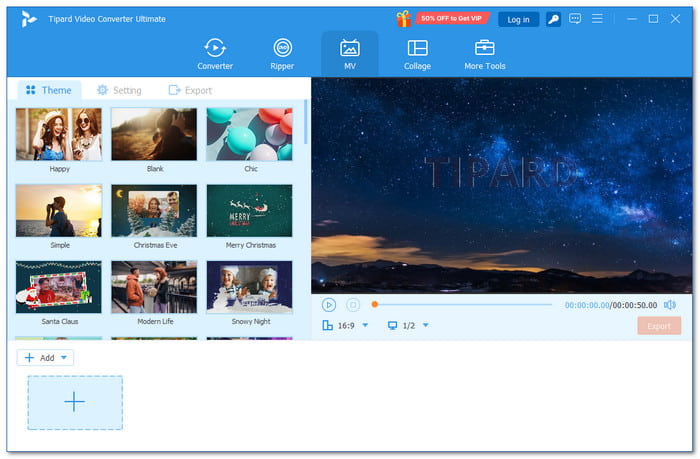
Beginners need a program that feels easy from the start. Tipard Video Converter Ultimate is built for simple and stress-free editing, which makes it the best video editing software for beginners.
It offers simple editing features like trimming, cropping, merging, and adding filters. It also has AI tools such as a video enhancer that allows you to upscale resolution, reduce video shaking, and remove video noise.
You get a clean interface, clear prompts, and a smooth workflow. In addition, it supports level-3 hardware acceleration for fast conversion, saving time and effort.
Key Features:
- Supports conversion of 500+ video and audio formats.
- Combine multiple videos into one file.
- Includes 50+ themes and 40+ filters.
- Add text or image watermarks easily.
- Boost audio up to 200% with delay control.
- All-in-one toolbox for video, image, and audio tasks.
- Built-in collage maker with many templates.
- Works with many video formats.
- The free version has file length limits.
2. iMovie
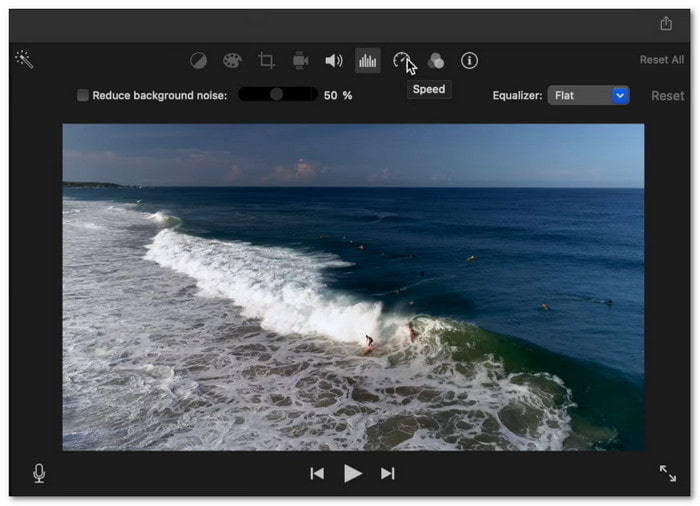
Editing on a Mac feels simple with iMovie, one of the best video editing software programs for beginners on Mac. You can turn clips into a full movie in minutes. It adds music, titles, and effects for you. It makes a great start for beginners who want fast and easy results.
Key Features:
- Magic movie creates instant videos.
- Built-in file organization system.
- Audio and color improvement tools.
- Supports text and overlay effects.
- Free on Apple devices.
- Speed up or slow down a video easily.
- Limited editing tracks.
- Missing pro editing features.
3. OpenShot
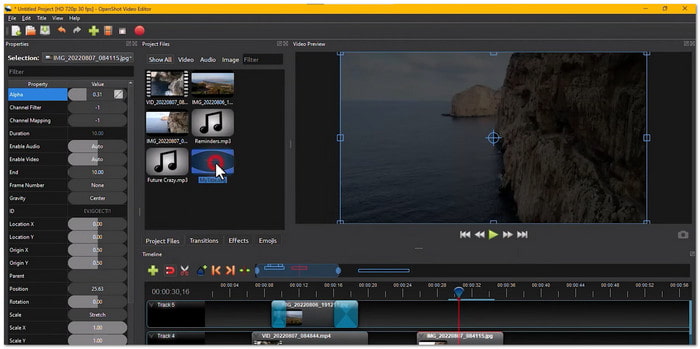
Unlike many open-source tools, OpenShot feels clean and easy to use. It is also one of the best free video editing software programs for beginners. You can change how the screen looks to match your style. It helps beginners learn step-by-step. At the same time, it gives more control than basic editors.
Key Features:
- Unlimited layers for editing.
- Keyframe control for precision.
- Many transition effects.
- Supports advanced editing tools.
- Fully free to use.
- Customizable interface.
- Can have bugs.
- Slow export process.
4. PowerDirector
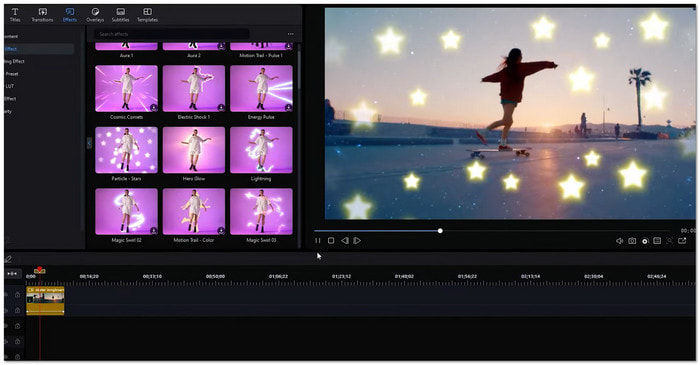
If you want something easy but still powerful, PowerDirector stands out among the top video editing software for beginners. It guides you as you edit. Small tips appear to help you learn fast. You also get many ready-made designs. It feels smooth and modern, which makes editing fun for both beginners and pros.
Key Features:
- Built-in tutorials and learning resources.
- Fast video rendering engine.
- One-click AI editing tools.
- Direct sharing to online platforms.
- Easy-to-use interface.
- Many templates and effects.
- Some content needs a subscription.
5. VideoProc Vlogger
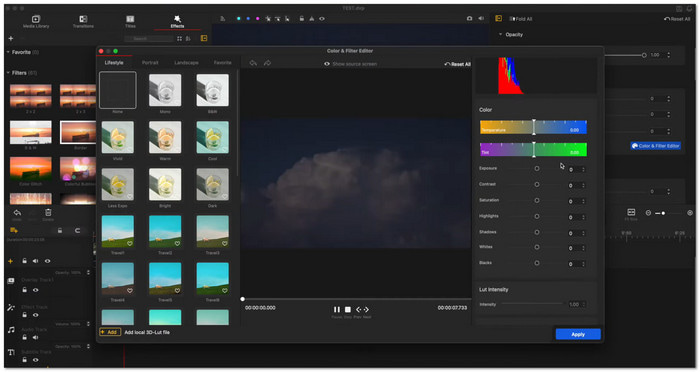
Speed effects can look hard, but VideoProc Vlogger makes them easy to use. It makes it one of the strongest choices for the best software for video editing for beginners. You can go slower down or speed up clips with simple steps. It also adds motion effects without confusion. Beginners can try creative edits while still feeling in control of the whole process.
Key Features:
- Speed ramping and time-lapse tools.
- Motion presets and camera effects.
- Wide format compatibility.
- Multi-layer video editing support.
- Supports many file formats.
- Advanced tools made simple.
- Slow export speed.
- Not ideal for pro projects.
5.VideoProc Vlogger
Speed effects can look hard, but VideoProc Vlogger makes them easy to use. It makes it one of the strongest choices for the best software for video editing for beginners. You can go slower down or speed up clips with simple steps. It also adds motion effects without confusion. Beginners can try creative edits while still feeling in control of the whole process.
Key Features:
- Built-in tutorials and learning resources.
- Motion presets and camera effects.
- Wide format compatibility.
- Multi-layer video editing support.
- Supports many file formats.
- Advanced tools made simple.
- Slow export speed.
- Not ideal for pro projects.
6. VideoPad
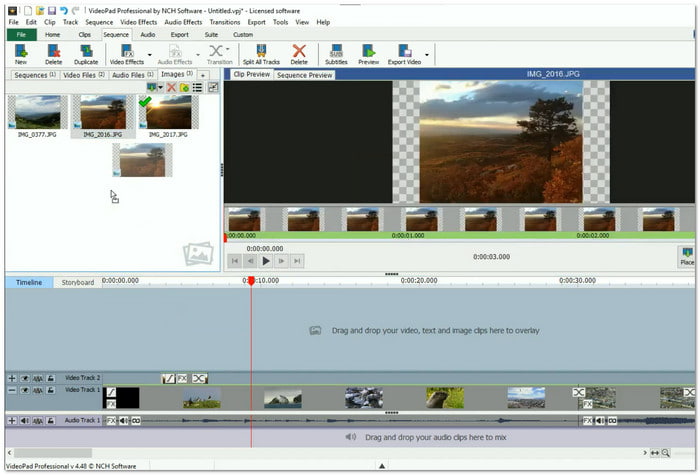
Making videos for social media is quick with VideoPad. It works well as an easy video editing software for beginners. It gives ready templates you can drag and drop. You can also upload your video right away after editing. It helps save time. It works best for users who want fast and simple content creation.
Key Features:
- Direct upload to social platforms.
- Built-in voiceover recording.
- Video speed control tools.
- Supports 3D and 360 editing.
- Easy templates to use.
- Good sharing options.
- Old-looking interface.
- Can crash at times.
7. Magix Movie Studio
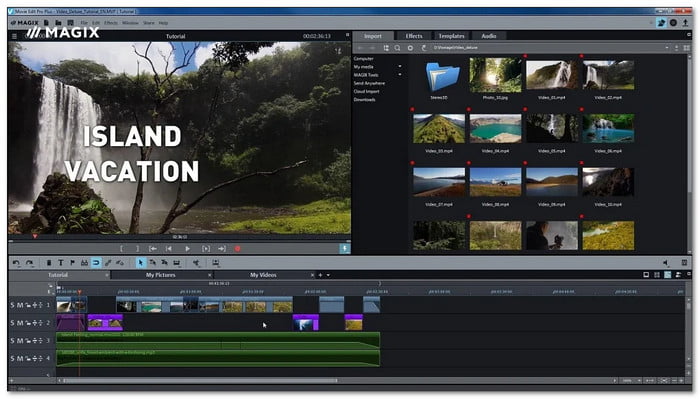
Some tools focus on speed, and Magix Movie Studio does it well. You can edit clips with one click using simple buttons. It also lets you move items right from the preview screen. It saves time and keeps things easy, even if you are new to editing.
Key Features:
- One-click basic editing tools.
- Multi-format timeline support.
- Auto and manual color correction.
- Fast export and upload options.
- Custom workspace setup.
- Quick rendering speed.
- Interface feels outdated.
- Stability issues at times.
Part 4. Feature Comparison of Video Editing Software
Choosing the right video editor is easier when you see them side by side. This comparison table will show what each tool can do. It helps you spot the best fit fast.
| Software | Ease of Use | Editing Tools | AI Features | Formats Support | Speed |
|---|---|---|---|---|---|
| Tipard Video Converter Ultimate | Very simple and clean. | Trim, rotate, crop, filters, watermark, etc. | Video upscaler, noise remover, brightness and contrast optimizer, and video shaking reducer. | MP4, MKV, AVI, MOV, MP3, AAC, and 500+ more. | Very fast with acceleration. |
| iMovie | Simple for Mac users. | Cut, split, transitions, titles, and color adjust. | Limited smart tools. | MP4, MOV, and M4V. | Smooth on Apple devices. |
| OpenShot | Easy but slightly cluttered. | Trim, resize, rotate, keyframes, layers, and transitions. | No AI support. | MP4, AVI, MOV, MKV, and FLV. | Slow export at times. |
| PowerDirector | Beginner-friendly design. | Cut, effects, motion tracking, templates, and transitions. | AI effects and tracking. | MP4, MKV, AVI, MOV, and HEVC. | Fast rendering speed. |
| VideoProc Vlogger | Clean and simple layout. | Speed control, motion effects, trim, split, and zoom. | Basic smart features. | MP4, MOV, MKV, AVI, and MP3. | Moderate export speed. |
| VideoPad | Easy but outdated look. | Cut, voiceover, transitions, and speed adjust. | No AI features. | MP4, AVI, WMV, and MOV. | Fast for small projects. |
| Magix Movie Studio | Simple but slightly old UI. | Split, trim, stabilization, color correction, and multi-track. | Limited smart tools. | MP4, AVI, MOV, and MPEG. | Fast rendering. |
| Show MoreShow Less | |||||
Part 5. FAQs of Video Editing Software for Beginners
What do most YouTubers use to edit?
Most YouTubers use tools like Adobe Premiere Pro and Final Cut Pro. Some also use beginner tools like CapCut or iMovie. It depends on skill level and budget.
What is the 321 rule of editing?
The 3-2-1 rule means backup your files. Keep 3 copies of your video. Store them on 2 different devices. Keep 1 copy in a safe cloud storage.
How many hours to edit a 3-minute video?
It usually takes 1 to 3 hours. Simple edits are faster. Complex edits with effects, music, and cuts can take longer. Experience also affects editing speed.
Conclusion
Have you chosen one of the top video editing software programs for beginners we shared? If not, we recommend Tipard Video Converter Ultimate. It fits beginners like you. It offers simple tools and smart features for fast editing. It also works smoothly on most computers. Download it now and start editing your own videos!
More Reading

About the Author


 Tipard Video Converter Ultimate