

"While watching the video I shot, I notice something. The lighting changes from scene to scene. Some colors are too bright. Others are too dark. Plus, the overall tone feels off. What do I need to fix this?"
You only need a video color correction app! Fortunately, you are in the right place. It is because we are providing the best options that suit your needs. So, please get to know each one and choose the one you like best!
Best Video Color Correction Apps for iPhone
This section is for iPhone users. These apps let you adjust colors, brightness, and contrast. They make it easy to fix or enhance your videos.
1. VSCO
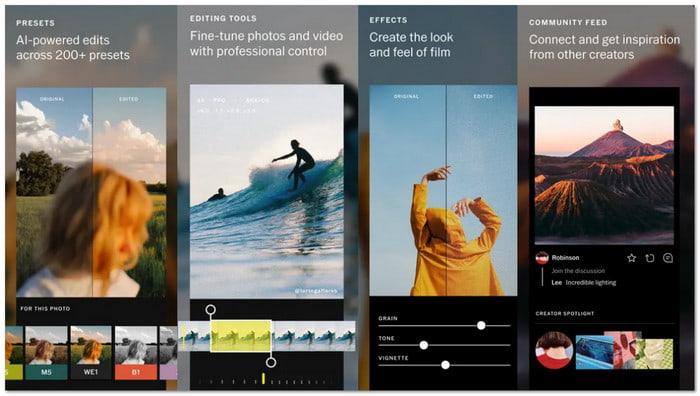
VSCO is the best video color correction app if you want fast and good-looking results. It is known for its clean design and film-style presets. You can fix colors with simple sliders like brightness, contrast, and temperature. You can also change specific colors using HSL tools. But most advanced filters need a subscription, but the workflow stays easy.
2. LumaFusion
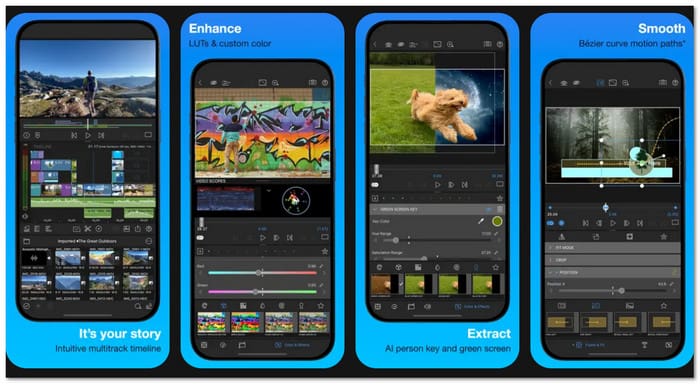
LumaFusion stands out as a video color correction app that offers full control. It is made for serious creators and mobile filmmakers. You can edit on many tracks and fine-tune colors with advanced tools.
Color wheels help adjust shadows, midtones, and highlights. LUT support adds cinematic styles. You can also keyframe color changes over time. This app is paid, but it exports without watermarks. It may feel complex at first, but it delivers pro-level color results.
3. Adobe Premiere Rush
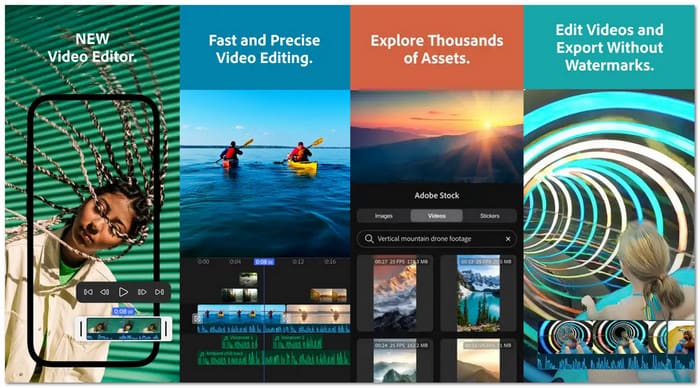
Adobe Premiere Rush is a smart color video correcting app for users who edit fast and share often. It offers clean color presets and easy manual controls. You can adjust exposure, contrast, shadows, and color tone with ease. You can save custom presets for future videos.
Adobe Premiere Rush works well with Adobe Creative Cloud. It helps when moving projects to Premiere Pro. The free version is limited, and full tools require a plan. Still, it is reliable and easy for daily editing.
Best Video Color Correction Apps for Android
This section is for Android users. These apps let you correct colors, adjust lighting, and fine-tune your video tones. They are easy and quick to use.
1. PowerDirector
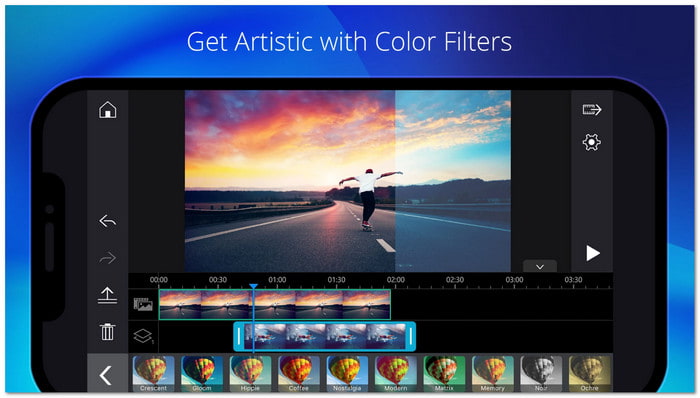
If you want fast and smart color fixes, this video color correction app is a strong choice. It can turn dull clips into bright videos with one tap. The AI color tool studies your clip and applies the best color balance.
It helps fix dark, washed-out, or overexposed videos. You can also use ready-made color filters to keep a clean style across clips. For more control, manual sliders let you adjust light and color parts one by one.
2. Snapseed
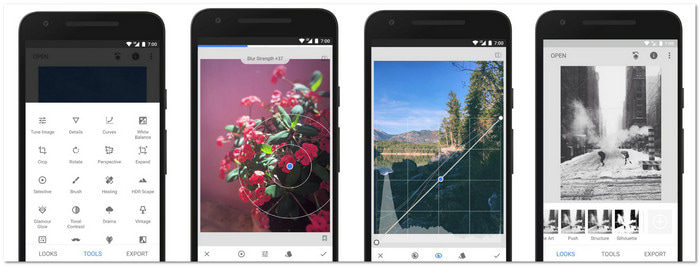
This app is built for users who want full control over color and light. It supports RAW and JPG files and edits without damage. You can fix exposure and color with auto tools or manual tuning. It also supports double exposure, textures, HDR, and tonal contrast. Another thing is that you can save your own looks for later use.
3. KineMaster
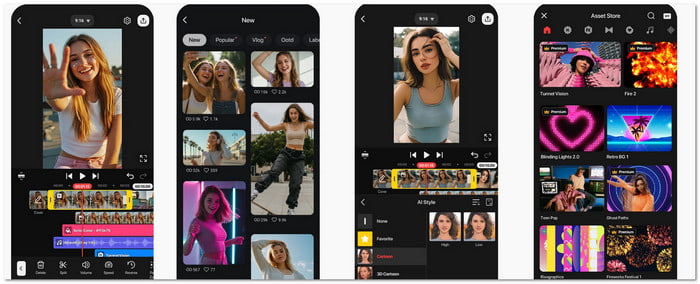
This color correcting video app uses simple sliders to fix brightness and color fast. You can also apply filters for quick cinematic looks. It supports layers and blending modes for creative effects. HSL tools help adjust single colors with care. Limited LUT support adds style options. But the free version adds a watermark on exports.
Best Video Color Correction Apps for Mac & Windows
This section is for computer users. These programs give full control over color grading, brightness, and contrast. They help make your videos look accurate and polished.
1. Tipard Video Converter Ultimate
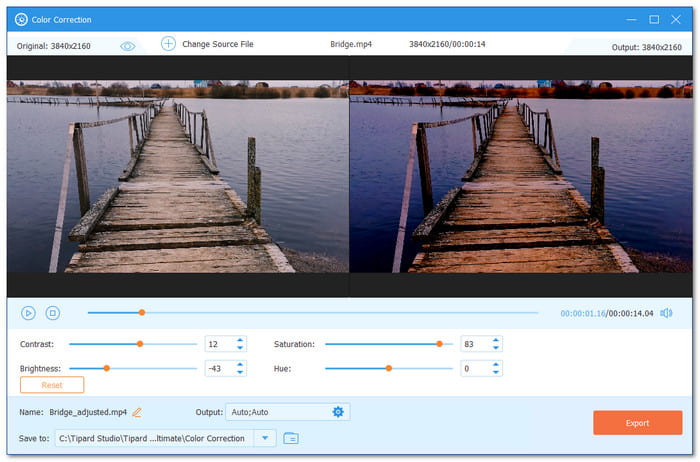
It works on both Windows and Mac and can help you a lot in terms of video editing. That program is Tipard Video Converter Ultimate. One helpful feature it provides is the video color correction. It allows you to fix lighting issues, balance colors, enhance visuals, and maintain consistency.
All you need to do is add your video. Then, you will see two preview screens. One shows the original video. The other shows your color changes. It helps you see edits in real time. You can adjust brightness, contrast, saturation, and hue using simple sliders up to 100 percent. Before exporting, you can also change the video format and resolution.
2. iMovie
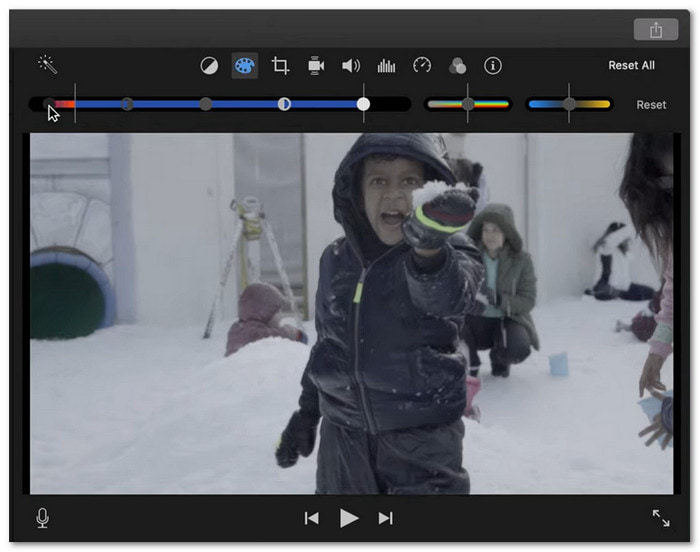
Do you want a free video color correction app on Mac? If that is the case, iMovie is the one for you. It comes ready on every Mac, so there is nothing to install. You get automatic tools like enhance, match color, white balance, and skin tone balance.
Manual sliders adjust brightness, contrast, saturation, shadows, highlights, and temperature. But it has no color wheels or LUTs. Still, it works well for simple edits and is a dependable program to correct video color.
3. DaVinci Resolve
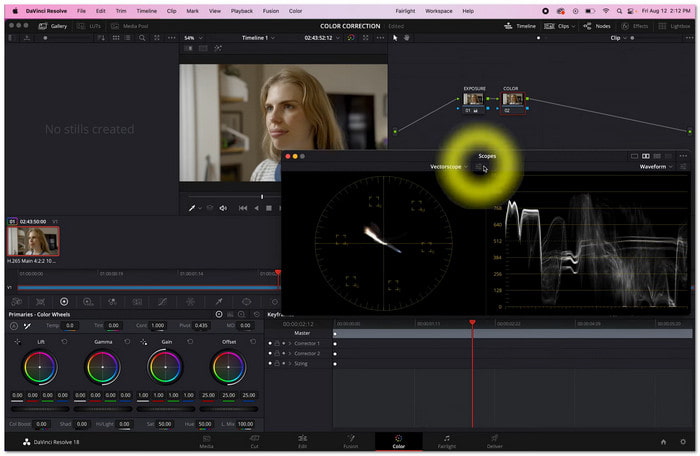
DaVinci Resolve is the clear choice for those who value precise color control. It is designed for detailed color work and large projects. It employs primary color wheels for shadows, midtones, and highlights.
The secondary grading allows you to change a single object or face only. You can also match colors across many clips and save grades in a gallery. It uses 32-bit processing for high-quality output. But the layout is complex for beginners.
4. Final Cut Pro
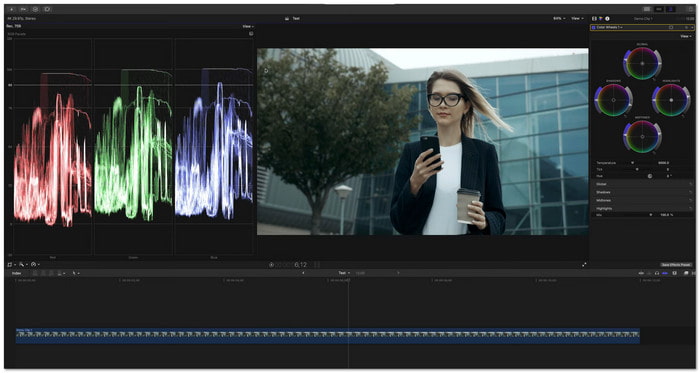
If speed and clean results matter, Final Cut Pro shines. This video color correction app on Mac balances color during import with smart analyze tools. Match Color copies look fast between clips. Manual tools include color boards, wheels, curves, and hue controls.
You can fine-tune highlights, shadows, and midtones with care. Masks and keyframes allow targeted edits. Video scopes show changes in real time. Rendering is fast and smooth. If your file is too large, you can also use it to compress the video.
Is There an AI Tool for Video Color Correction
When it comes to video editing tasks, AI tools are becoming a huge help. So, to answer your question, yes, there is also an AI video color correction tool. One of the leading tools is Media.io - Auto Color Correct.
It is a free online AI-powered app that improves video and photo clarity. You upload your video. Then, the AI balances exposure, contrast, and color tones. With that, you can get consistent and professional-looking results. No downloads or special skills are needed, making it perfect for all types of users.
Conclusion
It is time to fix the colors of your video using one of the color-correcting video apps mentioned above. You have options for iPhone, Android, and desktop. All these tools do not disappoint, especially Tipard Video Converter Ultimate.
It is super easy to color correct your video. You move the slider and see the changes immediately in the preview screen. It makes your video look more professional and polished without spending too much time or effort.
More Reading

About the Author


 Tipard Video Converter Ultimate