

YouTube is full of videos in many genres that can make you laugh, inspire you, or catch your attention. But sometimes you want to capture a perfect scene and turn it into a looping GIF. GIFs are great for sharing memes, reactions, or replaying a favorite moment over and over.
If you love GIFs and want to make one from YouTube videos, this guide will show the best YouTube GIF Maker tools. We will cover their features, pros and cons, and a comparison table to help you pick the right one.

Part 1. YouTube GIF Makers for Computer
Creating GIFs on a computer gives you more control and advanced editing tools. The tools below are perfect for making professional-looking GIFs from your favorite YouTube videos.
1. Tipard Video Converter Ultimate
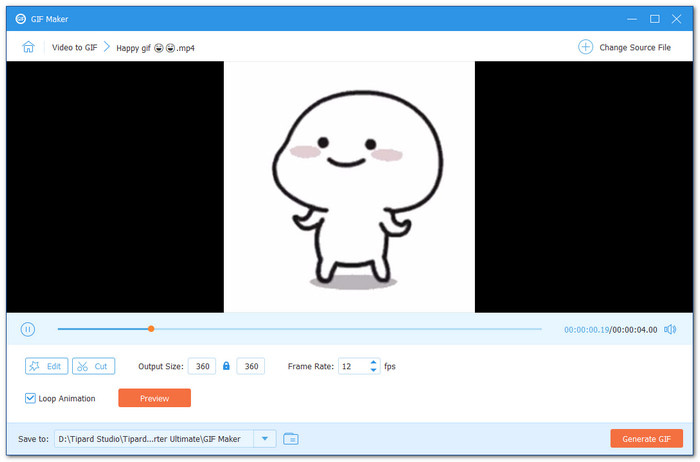
Compatible with both Windows and Mac, Tipard Video Converter Ultimate is a top choice as a YouTube GIF maker for making GIFs from YouTube videos. Its built-in GIF maker lets you import videos or photos and turn them into animated GIFs quickly.
You can fine-tune the output size, set the frame rate, and enable loop animation for smooth playback. The built-in preview lets you check your GIF before saving. With its simple interface, even first-time users can create fun and polished GIFs without any hassle.
- Can export GIFs at a high frame rate of up to 24fps.
- Supports fade-in and fade-out effects for smooth transitions.
- Lets you cut the start and end of videos to create precise GIFs.
- Offers editing tools like rotate, crop, effects, filters, and watermark addition.
- Lets you cut the start and end of videos to create precise GIFs.
- Purchasing the plan is recommended to unlock more advanced features.
2. Adobe Premiere Pro
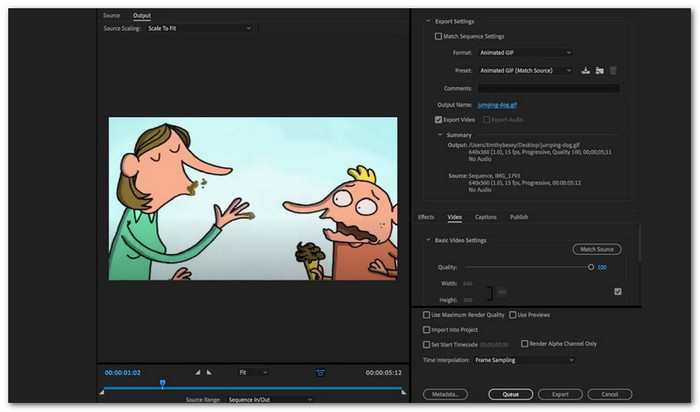
Turning your favorite YouTube clips into high-quality GIFs is easy with Adobe Premiere Pro. This program is perfect if you want professional-looking GIFs with smooth motion and vivid colors.
You can cut, crop, and trim clips, adjust frame rates, and add visual effects or color grading to make your GIFs pop. With all these features, you can create polished GIFs that look exactly how you want. It is the right choice for serious editing on your computer.
- Produces advanced, high-quality GIFs.
- Lets you control frame rate and clip precision.
- Offers professional editing tools like color grading and visual effects.
- The interface can be confusing for beginners.
- Free version lasts only 7 days, full version requires payment.
Part 2. YouTube GIF Makers for iOS/Android
Mobile GIF makers let you turn YouTube videos into GIFs anywhere, anytime. These apps are great for quick, fun, and easy GIFs on the go.
1. GIF Maker: Creator (iOS)
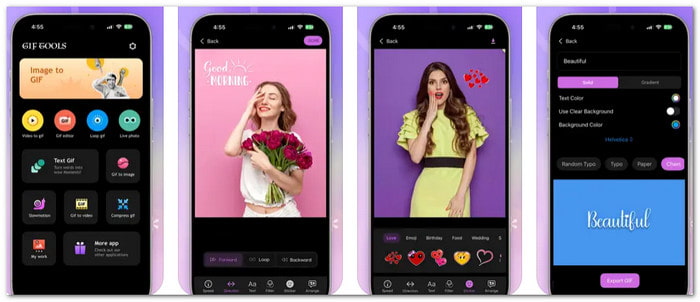
Do you want to turn YouTube videos into GIFs quickly on your iPhone? GIF Maker: Creator makes it easy and fun. You can pick a video, set the start and end time, and watch a live preview. It works with photos, videos, and even selfies. In addition, you can add text, stickers, frames, and music. Once your GIF is ready, you can save it, view it in your gallery, or share it on social media.
- Add music, text, stickers, and frames.
- Can edit existing GIFs or make new ones.
- Easy to share on social media and GIPHY.
- May run slower on older iPhones.
- Some features need a Pro subscription.
- The free version has limits on tools and effects.
2. GIF Maker, GIF Editor (Android)
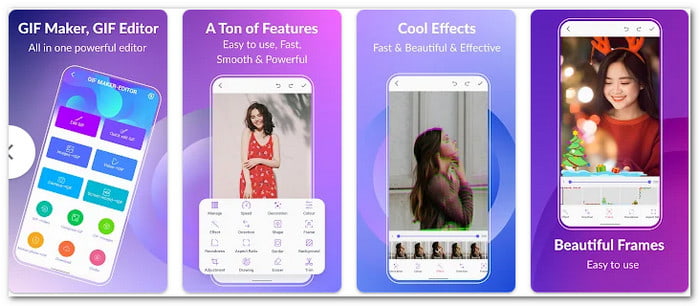
Do you want to make YouTube GIFs on Android without watermarks? This GIF maker YouTube videos app, GIF Maker & GIF Editor, helps you create high-quality GIFs from videos, images, or even screen recordings.
It is also possible to add text to GIFs with it, crop, resize, trim, and add stickers, emojis, filters, and effects. It also lets you compress GIFs, convert them to videos, or extract frames. Moreover, this app supports many formats, works in 22 languages, and makes sharing your creations on social media fast and easy.
- No watermarks on GIFs.
- Supports multiple video and image formats.
- Can add texts, stickers, emojis, filters, and effects.
- The free version shows ads.
- Large GIFs can slow the app down.
- Some features require in-app purchases.
Part 3. YouTube GIF Makers Online
Online GIF makers let you turn YouTube videos into GIFs without downloading software. They are fast, convenient, and work on any device with a browser.
1. Imgflip
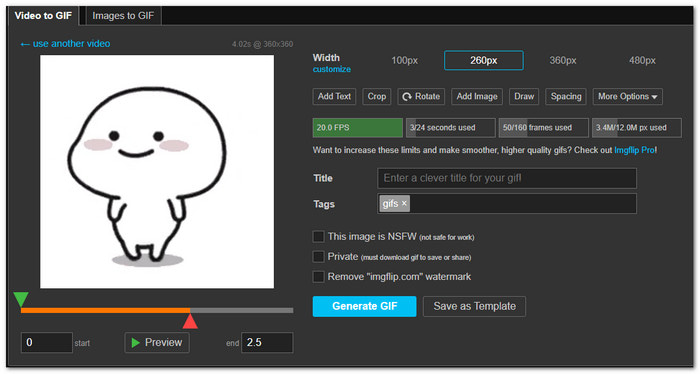
Creating GIFs from YouTube videos has never been easier with Imgflip. This online platform is a reliable YouTube video GIF maker that lets you turn your favorite video moments into animated GIFs quickly.
You can fine-tune the width size from 100px to 480px, crop parts you do not want, and even rotate your GIF. A handy preview section shows your GIF before you download it. With simple controls and multiple editing options, Imgflip makes making GIFs from videos smooth and fun.
- Simple and easy-to-use interface.
- Fast GIF creation from videos and images.
- Various editing tools like crop, rotate, and text.
- Ads can interrupt workflow.
- Needs a stable internet connection for best results.
2. Flixier
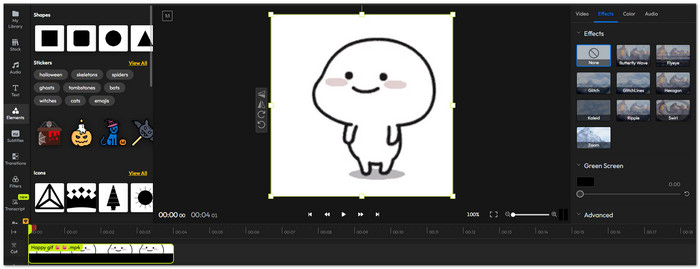
Flipping YouTube moments into personalized GIFs is simple and fun with Flixier. This GIF maker from YouTube lets you paste a YouTube link directly or upload your own video to start. This tool lets you rotate, trim, and crop GIFs easily.
You can also add text, stickers, effects, and even animated captions to make your GIF more engaging. Once ready, you can export it as a GIF or share it as a video. Everything works in your browser, so no downloads are needed.
- Quick YouTube link conversion to GIF.
- Add text, filters, stickers, and animations.
- Supports multiple video edits like trim, crop, and merge.
- Advanced features may require a paid account.
- Editing large videos may slow down on weak devices.
Part 4. Comparison Table of the YouTube GIF Makers
The table below will compare the best YouTube GIF makers for computers, iOS, Android, and online use. It will help you quickly see which one fits your needs and skill level.
| YouTube GIF Makers | Ease of Use | Loop Animation | Customization Options | Quality | Speed |
|---|---|---|---|---|---|
| Tipard Video Converter Ultimate | Beginner | ✓ | Size, frame rate, loop, effects | High | Fast |
| Adobe Premiere | Advanced | ✓ | Frame rate, effects, color | High | Medium |
| GIF Maker: Creator | Beginner | ✓ | Size, loop, text, stickers | Good | Fast |
| GIF Maker: GIF Editor | Beginner | ✓ | Text, size, loop | Good | Fast |
| Imgflip | Intermediate | ✓ | Width size, text, black-and-white | Medium | Fast |
| Flixier | Beginner | ✓ | Full text, animation, effects | High | Fast |
| Show MoreShow Less | |||||
Conclusion
We cannot deny the fact that YouTube has lots of interesting moments that capture your humor or attention. To use them, it is best to turn them into a GIF using the YouTube GIF creator tools provided above.
Among them, Tipard Video Converter Ultimate stands out because you can import any video or photo and turn it into an animated GIF. Plus, you can customize your GIF by adjusting size, frame rate, adding filters, text, or loop animation to make it more fun and lively.
Share it now with your family and friends!
More Reading

About the Author


 Tipard Video Converter Ultimate