

Mac DVD Ripper Pro is a dedicated DVD ripping tool built specifically for macOS. This software is designed to assist users in pulling video content off physical DVDs and converting it into digital formats compatible with desktops, tablets, and mobile devices. The good thing about this ripper is that it offers numerous features to ensure you get the result you need.
If you are interested in learning more about the DVD ripper, check this post. We will give you a detailed, honest review of Mac DVD Ripper Pro, providing insights into its capabilities. Thus, read here and learn more.
Part 1. What is Mac DVDRipper Pro
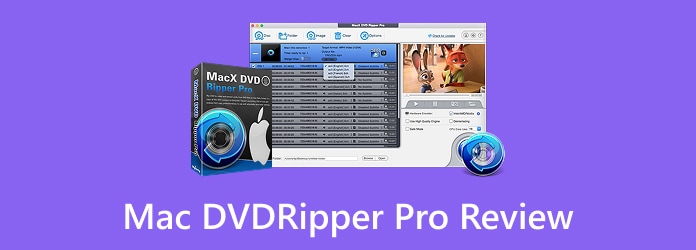
Mac DVDRipper Pro is a macOS program developed by NCH Software. This tool specializes in converting DVDs into digital files. It can smoothly extract content from DVDs and convert it into formats that are playable on computers, tablets, smartphones, and other devices, without requiring the disc. Aside from that, the software targets everyday Mac users who want/need to digitize their DVD collections for backup, easier storage, and playback on modern devices that lack DVD drives. The best part here is that it offers a simple layout, making it easier for users.
Part 2. Key Features of Mac DVDRipper Pro
Want to check the MDRP DVD Ripper's capabilities? Then, check its key features in this section.
Rip DVD
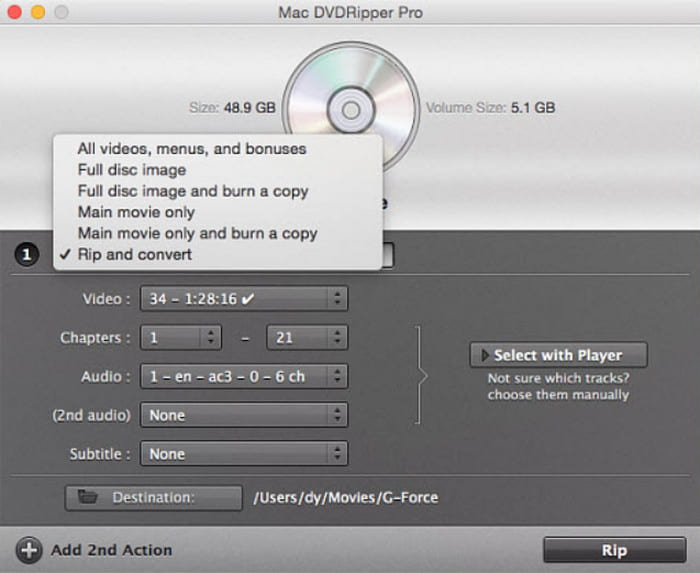
The main feature of the software is DVD ripping. With this feature, you can convert your DVDs into more compatible formats, perfect for playing on any modern device or media player. Plus, the DVD-ripping process is easy, making it suitable for all users.
Multiple Output Format Support
The ripper can also support various output formats. This way, you can turn your DVD into any format you want. You can convert DVDs to AVI, MP4, MOV, FLV, and more. It also ensures your videos are saved in the best quality for better playback.
Batch Ripping
What makes it more powerful is its ability to support batch processing. This lets you rip multiple DVDs or titles without consuming time. It is perfect for users who need to digitize a large DVD library.
Basic Editing Tools
Mac DVDRipper Pro also provides basic editing tools. You can trim videos, adjusting the aspect ratio, cropping, and more. With these tools, you can improve your videos before proceeding with the final ripping and saving process.
Part 3. How We Tested the Mac DVDRipper Pro
To ensure that the ripper is helpful to all users, we tested it in many ways.
- Two Testing Environments - We launch the ripper on both a MacBook with Apple Silicon and the latest macOS, and an older legacy MacBook with an earlier macOS version. The main purpose is to check how it works across different hardware generations.
- Ripping Speed - We also check how fast the program can rip DVDs. This is important because some users prefer a fast ripping process to save time.
- Interface - After checking the tool's main UI, we can tell that it is suitable for all users, especially beginners, thanks to its simplicity.
- Stability and Compatibility - We also observe its stability and overall performance. We watched for crashes, lags, and freezes, paying attention to how the ripper performed throughout the process.
Part 4. Mac DVDRipper Pro Hands-On Review
Want to dig deeper into Mac DVDRipper Pro? In that case, proceed to this section as we offer more information that you can obtain.
Decryption
MDRP 14.2 DVD Ripper for Mac can handle most commercial DVDs without issue, successfully, without bypassing standard copy protection. However, when run on some DVDs with newer encryption schemes, the software struggles and requires users to try alternative settings.
Title Recognition
The ripper did a great job of identifying the correct main title and can skip various bonus content, such as the menu loop and the trailer, on commercial DVDs.
Output Format Options
The DVD ripper can support multiple output formats. It can let you convert your DVD to MP4, AVI, MOV, FLV, and more. Digitizing DVDs is ideal for smoother, higher-quality playback on any device.
Ripping Speed
After checking the tool's ripping speed, we can tell it performs well. The process is neither too slow nor too fast. It also depends on the length of the video you are dealing with.
Good Things about Mac DVDRipper Pro
- The ripper's main interface is comprehensive.
- It can handle almost all standard commercial DVDs.
- Its batch-ripping feature helps users rip DVDs without taking much time.
Drawbacks of Mac DVDRipper Pro
- It lacks various editing tools for video enhancement.
- This is not 100% free. If you want a free DVD ripper for Mac, you're better off using another program.
- There are times when the ripper performs poorly.
Part 5. Best Alternative to Mac DVD Ripper Pro
MDRP 14.2 DVD Ripper for Mac is an ideal tool for Mac users, offering a simple ripping process. However, it has several limitations in its free version. There are times when it shows poor ripping performance. So, if you need a superior ripper to replace Mac DVDRipper Pro, it's best to use Tipard DVD Ripper.
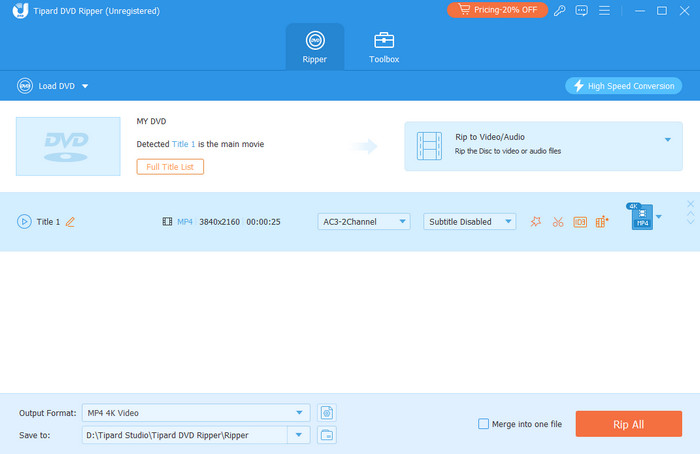
This ripper offers more output formats, codecs, and customization options, ensuring you get the result you want. It can even provide an AI-powered technology for better video enhancement, resulting in satisfying video playback. The good news is that it can bypass DVD encryption, making the process smoother for all users. You can even download it to your Windows PC and start ripping with the best results.
More Features:
- It supports numerous formats, including MP4, WMV, M4V, AVI, MKV, FLV, and MOV.
- The ripper can support various editing tools, such as an enhancer, a compressor, a cropper, a metadata editor, and more.
- It can add subtitles to the video.
- The program supports high-quality output up to 4K resolution.
- Using the software to rip DVDs is simple thanks to its user-friendly interface.
- The program can also turn DVDs into audio for an effective listening experience.
- It can handle various DVD types, including DVD±R, DVD-RAM, DVD±R DL, DVD±RW, DVD-ROM, etc.
- It can offer super-fast ripping.
- If you want access to more features, you can try the paid version.
For more insights into the two rippers, see the table below.
| Tipard DVD Ripper | vs. | Mac DVDRipper Pro |
|---|---|---|
| Mac and Windows | Platform | Mac |
| 500+ formats incl. MP4, MKV, AVI, ISO, folder backup | Output Formats | MP4, MOV, ISO, plus AI upscale to 4K |
| GPU acceleration (CUDA/AMD), up to 30x rip speed claimed | Special Features | On-device AI subtitles (99 languages), OCR for burned-in subs |
| CSS, APS, CPRM, ARccOS, 99-title encryptions | Decryption | Handles standard commercial DVD protections |
| Filters, watermark, enhance, compress, cut/merge, subtitle add-on, etc. | Editing Tools | Basic trimming; no filters or watermarking. |
Part 6. FAQs about Mac DVDRipper Pro Review
Can you rip Blu-ray on MDRP?
Unfortunately, no. The ripper is designed only to handle and digitize DVDs. Using a standalone Blu-ray ripper is recommended over MDRP.
What is the best DVD ripper for Mac and Windows?
If you want a powerful and reliable DVD ripper for Windows and Mac, feel free to access Tipard DVD Ripper. This program ensures you get the results you need, whether you are using Mac or Windows. It can also give you all the features you need, making it more useful.
How to use Mac DVDRipper Pro?
First, download the software on your Mac. Then, insert the DVD into your Mac's drive. Once done, launch the ripper, choose a ripping mode, and start choosing your desired format. Once done, tap the Rip button to start ripping.
Conclusion
With this detailed review of Mac DVDRipper Pro, you have obtained all the information you need. It includes its description, key features, pros, cons, and overall capabilities. Plus, you discovered Tipard DVD Ripper as an excellent alternative for better ripping. With its ripping and editing features, there is no doubt that this is the best program to achieve the result you want!

Rip DVD to 500+ Video/audio formats with AI Upscaling
100% Clean & Safe
100% Clean & Safe

More Reading


About the Author

 Click here to join the discussion and share your comments
 Tipard DVD Ripper