

Watching a DVD on a disc player feels inconvenient because it needs a physical disc and a working drive. Now, you are thinking if you can just turn it into a digital format so you can watch it on your phone or laptop anytime.
Good thing, there are open-source DVD ripper tools that are recommended for starters like you. In this post, we will introduce them to you. If you have decided to use one, then proceed to read the following parts.

Part 1. What Is an Open-Source DVD Ripper
An open-source DVD ripper is a free tool used to copy and convert DVD content into digital files. It helps turn discs into formats like MP4 or MKV for easier storage and playback. Communities make these tools, and they can be used on many systems. They are useful for basic DVD conversion, but often need extra tools for protected discs.
Part 2. Comparison of 5 Open-Source DVD Ripper Programs
This table presents a comparison of five open-source DVD rippers. It shows how each tool works in key areas like system support, protection handling, subtitle support, and speed. It makes it easier for you to understand how they differ.
| Tools | File Types | Disc Protection | Audio & Subtitles | Speed | System |
|---|---|---|---|---|---|
| HandBrake | MP4, MKV, and WebM. | Needs extra tools for locked DVDs. | Strong support for subtitles and audio tracks. | Fast with hardware help. | Windows, Mac, and Linux. |
| MakeMKV | MKV only. | Can read basic DVD locks. | Keeps all audio, subtitles, and chapters. | Very fast reading speed. | Windows, Mac, and Linux. |
| VidCoder | MP4 and MKV. | Same limits as HandBrake. | Good support for audio and subtitles. | Fast encoding with HandBrake engine. | Windows only. |
| DVDShrink | ISO and DVD folders. | Basic DVD lock support. | Limited audio and subtitle control. | Fast but uses an old method. | Windows only. |
| VLC | MP4, MKV, and basic formats. | Works only on unlocked DVDs. | Basic audio and subtitle support. | Slow conversion speed. | Windows, Mac, and Linux. |
Part 3. Master Review of 5 Best Open-Source DVD Rippers
After the comparison table, here you will see a detailed review of the best open-source DVD rippers.
1. HandBrake
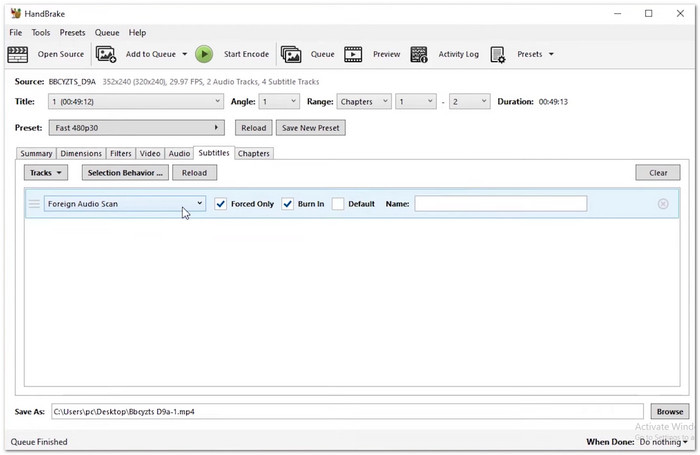
HandBrake is a strong tool that works as an open source DVD ripper, turning discs into digital files like MP4 and MKV. It gives full control over encoding settings such as size, bitrate, and quality. It also supports modern playback devices. It can process DVD folders and images while keeping compression efficient and output clean.
Key Features:
- Batch scanning and queue system.
- Device preset profiles for output.
- Subtitle and chapter marker support.
- Very flexible output control.
- Works on Windows, Mac, and Linux.
- Needs extra tools for protection.
- Intricate design of the interface.
Testing Result:
It handles unencrypted DVDs, ISO files, and VIDEO_TS folders with strong compression results. Encoding speed is stable and improves with hardware acceleration support.
2. MakeMKV
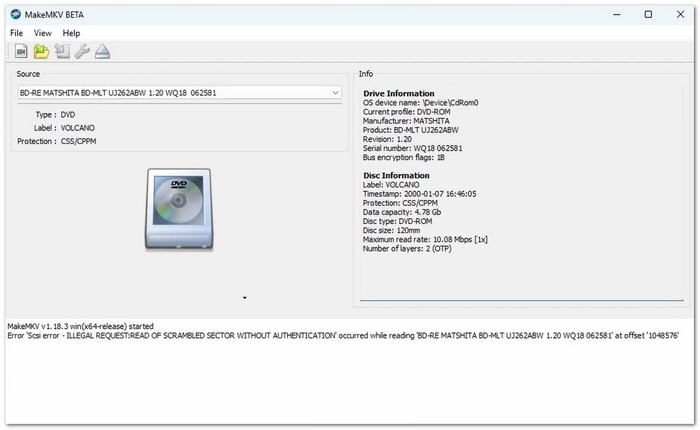
For Mac users looking for a DVD ripper Mac open source tool, MakeMKV is a simple choice. It lets you rip DVDs to MKV without changing quality. It keeps the video, audio, subtitles, and chapters exactly as they are on the disc. Many people use it to back up DVDs quickly because it does not compress the file or remove any content.
Key Features:
- Lossless disc extraction process.
- Keeps all audio and subtitle tracks.
- Fast direct disc reading.
- One-click simple operation.
- Very fast ripping speed.
- Very large output files.
- Only the MKV format is supported.
Testing Result:
It produces exact disc copies with full structure preserved and works at drive reading speed without re-encoding or quality loss.
3. VidCoder
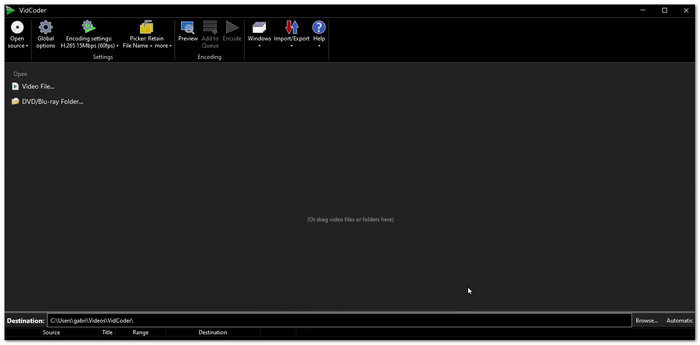
Some users prefer a cleaner way to rip DVDs, and VidCoder gives that option. It uses the HandBrake engine but offers a simpler interface. It allows drag and drop conversion and easy batch processing. It is made for Windows users, especially those looking for a DVD ripper open-source Windows 10 tool, who want smoother navigation while still keeping strong encoding control options.
Key Features:
- Drag and drop support.
- Multi-thread batch encoding.
- Live video preview tool.
- Easier than HandBrake interface.
- Good for batch conversions.
- Depends on the HandBrake engine.
- Limited system support.
Testing Result:
It delivers the same encoding quality as HandBrake while offering a cleaner workflow and easier queue management for multiple DVD conversions.
4. DVDShrink
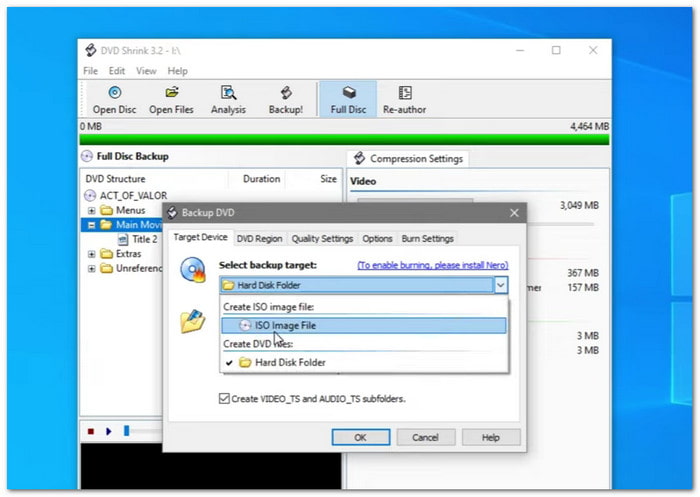
Older DVDs often need size reduction tools, and DVDShrink was made for that task. It compresses large DVD movies to fit standard discs. It removes extras like menus and trailers to save space. It also rebuilds the disc structure for storage or burning. It works well as an open-source DVD ripper Windows solution for basic DVD shrinking and backup needs.
Key Features:
- Adjustable compression levels.
- Re-authoring for content selection.
- ISO and folder output options.
- Good for saving disc space.
- Works with old DVDs.
- Outdated interface style.
- No active development.
Testing Result:
It reduces DVD size effectively for SD content, but quality loss appears due to compression limits needed to fit smaller disc space.
5. VLC
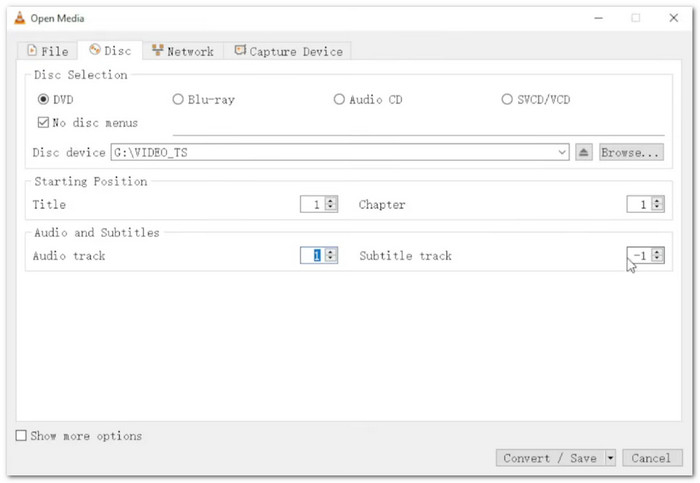
Known mainly as a media player, VLC also hides a simple DVD conversion feature. It is often considered the best free open-source DVD ripper option for quick use. It can read disc content and save it in formats like MP4 or MKV. It works best with unprotected DVDs. It is often used for quick extraction tasks when users need a simple and free tool option.
Key Features:
- Built-in DVD conversion tool.
- Supports disc playback.
- Basic format saving options.
- You do not need to install another program.
- Wide system compatibility.
- Slow conversion speed.
- Limited advanced settings.
Testing Result:
It works for basic unencrypted DVD extraction, but performs slowly and is best used only for quick and simple conversion tasks.
Part 4. Limitations of Open-Source DVD Rippers
Open-Source vs. Professional DVD Rippers
It is given that open-source DVD rippers are free and easy to access. But they have clear limits. They often cannot bypass modern DVD protections. They also run slower during conversion. Many do not include device presets or full automation. Professional DVD rippers give smoother performance. They are faster and more complete for daily use.
Recommended: Tipard DVD Ripper
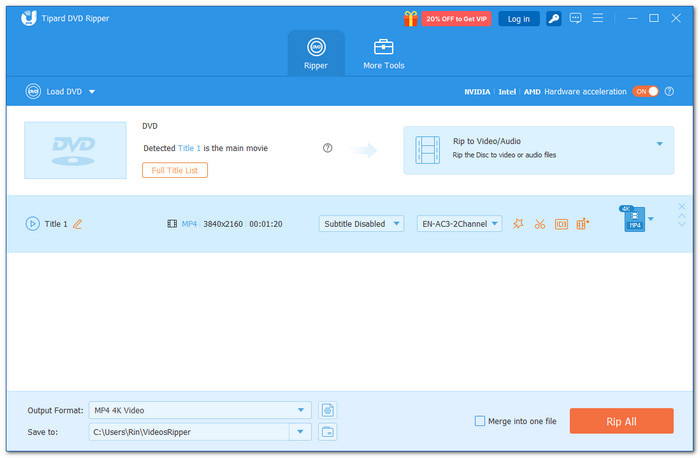
As mentioned above, professional DVD rippers are more powerful, faster, and more reliable than open-source tools. One strong option is Tipard DVD Ripper. It gives flexible but regular and safe customization. It means you can change format, quality, and resolution in a simple and safe way, leading to clean and easy results.
It automatically handles region codes and encryption modes so that DVDs can be ripped without extra tools or errors. Also, it supports batch conversion, so you can rip many files at the same time and save time. Overall, it offers a stable and fast process with smooth output and no crashes.
Part 5. FAQs of Open-Source DVD Ripper
Which is better for DVD ripping, HandBrake or VLC?
HandBrake gives better video quality and more control over settings, but it is slower. VLC media player is faster and easier to use, and it also works as a media player.
Do open-source tools work with protected DVDs?
Most open-source tools cannot bypass DVD region codes. Some can do it only if extra parts like libdvdcss are installed. Without those, many protected DVDs may not copy the right way or may fail to rip.
How much time does DVD ripping usually take?
Ripping a normal DVD usually takes around 10 to 30 minutes. The time can change based on the movie length, your settings, and how fast your computer is. A faster computer and lower settings can finish the job sooner.
Conclusion
Free open-source DVD rippers can be useful if you do not want to spend money. But it may have trouble with encrypted DVDs, region codes, and it can be slow when converting files. So, if you want a smoother experience, you can try Tipard DVD Ripper instead.

Rip DVD to 500+ Video/audio formats with AI Upscaling
100% Clean & Safe
100% Clean & Safe

More Reading



About the Author


 Tipard DVD Ripper