
About | Privacy Policy | Terms of Use | Support | Contact Us
Copyright © 2026 Tipard Studio. All Rights Reserved.

Windows

Rip your favorite Blu-ray/DVD movies or videos to popular formats

Powerful software to play Blu-ray/DVD videos and audio

Create Blu-ray disc/folder/ISO file with your own video

Backup/Copy your favorite Blu-ray to disc/folder/iso files
Mac

Rip your favorite Blu-ray/DVD movies or videos to popular formats on Mac

Powerful software to play Blu-ray and popular video formats on Mac
Windows

Rip DVD to any popular video format quickly of full quality

Create DVD from videos and burn video to DVD/Blu-ray freely

Copy DVD to DVD disc/folder/ISO files in a 1:1 ratio
Mac

Rip DVD to any popular video format quickly of full quality on Mac

Burn or author a DVD from videos with subtitles and chapters on Mac

Copy DVD to DVD disc/folder/ISO files in a 1:1 ratio on Mac
Windows

Rip DVD, convert 4K video, edit, and upscale videos to 5K/8K

Repair broken videos with high accuracy and support many formats

Convert any video to MP3, MP4, MOV, WAV, and other 350 formats

Upscale resolution, optimize brightness and remove video noise

The easiest tool to capture screen, game, audio, etc. with high quality

Convert any 2D video to 3D video and convert 3D to 2D video

Convert 4K video to 4K/1080P and common videos

Convert TS video to various popular video/audio formats
Mac

Rip DVD, convert 4K video, edit, and upscale videos to 5K/8K on Mac

Repair broken videos with high accuracy and support many formats on Mac

Convert any video to MP3, MP4, MOV, WAV, and other 350 formats on Mac

Upscale resolution, optimize brightness and remove video noise on Mac

The easiest tool to capture screen, game, audio, etc. with high quality on Mac

Convert any 2D video to 3D video and convert 3D to 2D video on Mac

Convert 4K video to 4K/1080P and common videos on Mac

Convert TS video to various popular video/audio formats on Mac
Desktop

Rip and convert DVDs to MP3 and support other audio formats

Reset Windows Admin and Standard user account password in seconds

Accurately Convert any PDF file to Word with OCR

Convert PDF to Word, Excel, HTML and Image with OCR
Online

Easily remove watermarks from many image file formats free online
Tipard FLV to Audio Converter is a professional FLV Audio extractor software to convert FLV to audio formats, like MP3, MP2, AAC, AC3, AU, FLAC, AIFF, AMR, WMA, M4A, OGG, WAV, WMA. You can convert the notable users' FLV video included in YouTube, Google Video, Yahoo Video, Reuters.com, and many other news providers to almost MP3 players. Tipard FLV to Audio Converter is also professional Audio Joiner and Audio Splitter, etc.
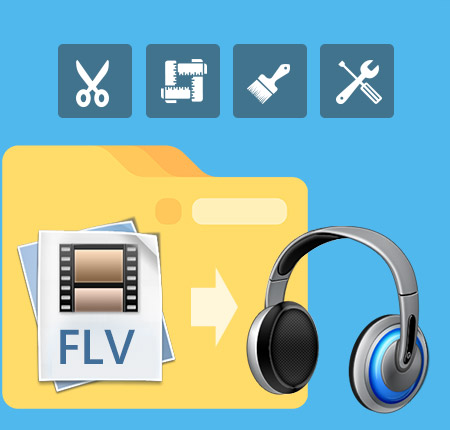
Help you enjoy the background music of FLV file
Extract audio from FLV
As powerful FLV Audio extractor software, it can extract WMV, ASF, 3GP, 3G2, SWF, FLV, to MP3, MP2, AAC, AC3, AU, FLAC, AIFF, AMR, WMA, M4A, OGG, WAV, WMA audio formats which are compatible with almost music players.
Convert FLV to image
This FLV to Audio Converter endows you the ability to capture your favorite images while previewing the input FLV video.
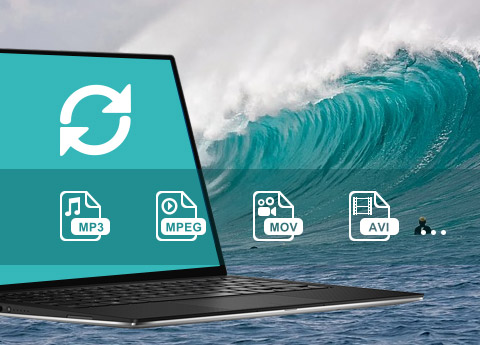
Edit audio file and adjust output parameters
Merge several chapters into one file after conversion
Join the separated files into a single one after conversion for you to enjoy successively.
Get the audio clips
The flash FLV to Audio Converter can trim your wanted audio episode exactly by set the start and end time or drag the slide bar.
Set audio settings
Tipard FLV to Audio Converter allows you to set the audio Sample Rate, Encoder, Channels, Audio Bitrate.
Audio track and subtitle
You can select your preferred audio track and subtitle.
Set user-defined profile
For the sake of convenience, you can set user-defined profile for your future conversion.
High speed, convenient operation
Support diverse output formats at one time
To save time, Tipard FLV to Audio Converter enables you to convert in batches and output multiple formats files at the same time.
Super high speed
Provide the fastest conversion speed (>300%), completely support dual core CPU.
Easy to use
This FLV to Audio Converter is especially easy for new users because just few clicks can finish the process of converting.

OS Supported: Windows 7, Windows 8, Windows 10, Windows 11
CPU: 800MHz Intel or AMD CPU, or above
RAM: 512MB RAM or more
| Supported Interface Languages | |
| Language Types | English, French, German, Japanese |
| Support Input File Formats | |
| Video | WMV, ASF, 3GP, 3G2, FLV, SWF |
| Support Output File Formats | |
| Audio | AAC, AC3, AIFF, AMR, AU, FLAC, MP3, M4A, MP2, OGG, WAV, WMA |
| Snapshot Image | JPEG, PNG, BMP |
Convert video/DVD to any popular video/audio format, and then you can play the video on portable device./video to wide selection of video/audio formats like MP4, MKV, and MP3.
Convert video and rip DVD disc/movie to video and audio formats like MP4, MOV, AVI, WMV, MKV, FLV, and more with amazing converting speed.


