


About | Privacy Policy | Terms of Use | Support | Contact Us
Copyright © 2026 Tipard Studio. All Rights Reserved.

Windows

Rip your favorite Blu-ray/DVD movies or videos to popular formats

Powerful software to play Blu-ray/DVD videos and audio

Create Blu-ray disc/folder/ISO file with your own video

Backup/Copy your favorite Blu-ray to disc/folder/iso files
Mac

Rip your favorite Blu-ray/DVD movies or videos to popular formats on Mac

Powerful software to play Blu-ray and popular video formats on Mac
Windows

Rip DVD to any popular video format quickly of full quality

Create DVD from videos and burn video to DVD/Blu-ray freely

Copy DVD to DVD disc/folder/ISO files in a 1:1 ratio
Mac

Rip DVD to any popular video format quickly of full quality on Mac

Burn or author a DVD from videos with subtitles and chapters on Mac

Copy DVD to DVD disc/folder/ISO files in a 1:1 ratio on Mac
Windows

Rip DVD, convert 4K video, edit, and upscale videos to 5K/8K

Repair broken videos with high accuracy and support many formats

Convert any video to MP3, MP4, MOV, WAV, and other 350 formats

Upscale resolution, optimize brightness and remove video noise

The easiest tool to capture screen, game, audio, etc. with high quality

Convert any 2D video to 3D video and convert 3D to 2D video

Convert 4K video to 4K/1080P and common videos

Convert TS video to various popular video/audio formats
Mac

Rip DVD, convert 4K video, edit, and upscale videos to 5K/8K on Mac

Repair broken videos with high accuracy and support many formats on Mac

Convert any video to MP3, MP4, MOV, WAV, and other 350 formats on Mac

Upscale resolution, optimize brightness and remove video noise on Mac

The easiest tool to capture screen, game, audio, etc. with high quality on Mac

Convert any 2D video to 3D video and convert 3D to 2D video on Mac

Convert 4K video to 4K/1080P and common videos on Mac

Convert TS video to various popular video/audio formats on Mac
Desktop

Rip and convert DVDs to MP3 and support other audio formats

Reset Windows Admin and Standard user account password in seconds

Accurately Convert any PDF file to Word with OCR

Convert PDF to Word, Excel, HTML and Image with OCR
Online

Easily remove watermarks from many image file formats free online
Tipard Mac DVD to MP4 Converter provides users with friendly interface as well as strong converting functions. It can assist Mac users to convert DVD to MP4, H.264, MPEG-4 and HD video formats, and it supports converting DVD to MP3, AAC, or M4A format on Mac. You can put these converted files onto iPhone 17/iPhone Air/iPhone 17 Pro/iPhone 17 Pro Max/iPhone 17e, iPhone 16/iPhone 16 Plus/iPhone 16 Pro/iPhone 16 Pro Max, iPhone 15/iPhone 15 Plus/iPhone 15 Pro/iPhone 15 Pro Max, iPhone 14/iPhone 14 Plus/iPhone 14 Pro/iPhone 14 Pro Max, iPhone 13/iPhone 13 Pro/iPhone 13 Pro Max/iPhone 13 mini, iPhone 12/12 Pro/12 Pro Max/12 mini, iPhone 11/11 Pro/11 Pro Max, iPhone XS/XS Max/XR/X, iPhone 8/8 Plus, iPhone 7/7 Plus, iPhone 6/6 Plus, iPad Pro, iPad Air, Samsung Galaxy S, etc for better enjoyments.
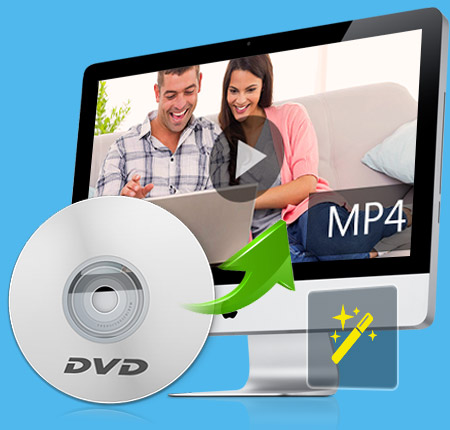
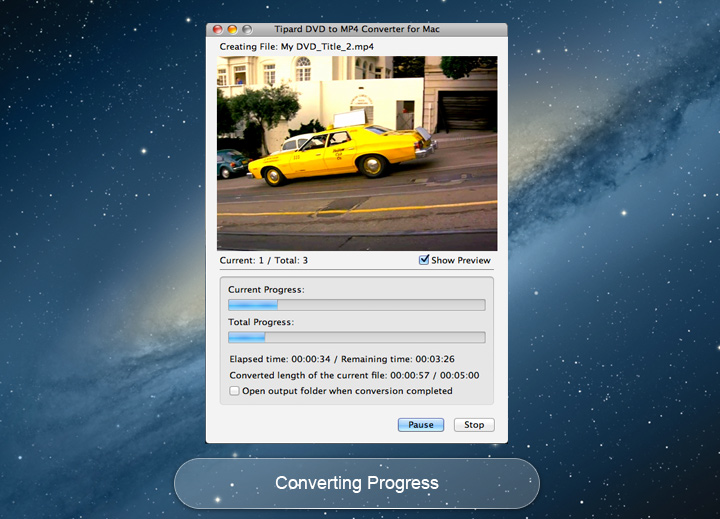
Magical Tipard Mac DVD MP4 Converting software can convert and edit DVD conveniently. With its easy-to-operate design, the conversion progress can be finished in few seconds.
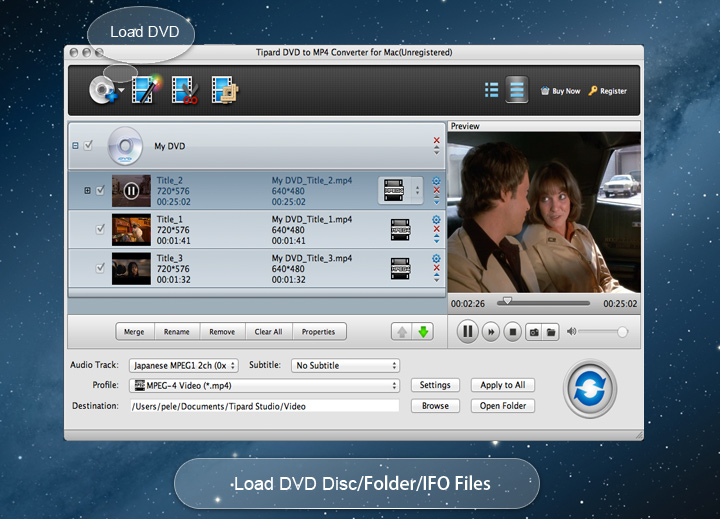
This DVD MP4 Converter for Mac can convert DVD to MP4 and many other popular video formats on Mac, such as AVI, MOV, etc. It is also able to convert DVD to HD video formats, like HD H.264, HD AVI, HD MPEG 4, HD MOV, etc. Mac DVD to MP4 Converter gives you the ability to extract audio from DVD to MP3, AAC, WAV, WMA, etc and makes your audio compatible with MP3 players. Besides, you are allowed to input one source file repeatedly and set different output formats. Then different output video/audio formats will be realized with only one conversion. The pictures you like can be captured when video being played and they can be saved as JPEG, PNG or BMP formats. You can also choose the destination folder or it will be saved automatically in the defaulted folder.
The function of Watermark allows you to add different watermark, including text and image watermarks. At the same time, the font-family, style and color, etc of watermark can be customized. You can set the exact start and end time or just drag the slide block to trim the video length. This Mac DVD to MP4 Software can adjust the playing region of the video to fit for your player by Crop. If you yearn for enjoying several chapters of the DVD without a break, it can be realized by the function of Merge to make several files into one. In addition, this DVD MP4 converter enables you to improve your video effect by setting Brightness, Contrast, Saturation and so forth.

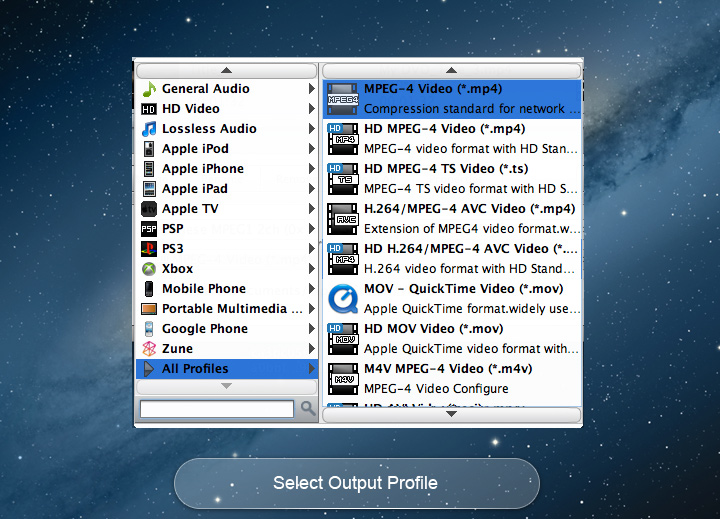
More video and audio settings are provided by this DVD to MP4 converting software, such as the Video Encoder, Frame Rate, Video Bitrate. They are able to be customized as you need. It is also possible to set Audio Encoder, Sample Rate, Channel, and Audio Bitrate, like setting the Audio Bitrate to 80kbps, 128 kbps or 192 kbps, etc. The Audio Bitrate is bigger, the sound quality is better. Beyond that, Tipard DVD to MP4 converter allows you to choose audio track and subtitle you want, or choose no subtitle based on your needs. As the output profile can be defined according to the playing device. The converted files can be played well on iPod, iPad Air, iPhone 5S/C, Samsung Galaxy series, etc.

Preview
The build-in player make any added DVD be previewed.

Audio tracks and subtitles
It allows you to select your favorite audio track and subtitle as needed.

Capture
The snapshot button enables users to capture fleeting favourite images.

Merge videos into one
You are able to merge more than more videos from DVD to one video with one click.
System Requirements
What's New
| DVD | DVD Disc, DVD Folder, DVD IFO Files |
|---|

Ada: Its powerful functions are very professional. But the operation is easy enough. This is really a good and thoughtful invention!

Jeff: Auto-update function makes sure I always have the latest version. It is really perfect and helpful. I like it very much.

Ben: You can't imagine how powerful it is before you use it. Converting and Editing functions make everything possible.
Rip DVD, convert video, make DVD, copy DVD files and transfer iPhone files among IOS file and PC/iTunes.
DVD Ripper Pack
Convert DVD/video to any formats, transfer files among IOS devices and PC, burn videos to DVD.