
About | Privacy Policy | Terms of Use | Support | Contact Us
Copyright © 2025 Tipard Studio. All Rights Reserved.

Windows

Rip your favorite Blu-ray/DVD movies or videos to popular formats

Powerful software to play Blu-ray/DVD videos and audio

Create Blu-ray disc/folder/ISO file with your own video

Backup/Copy your favorite Blu-ray to disc/folder/iso files
Mac

Rip your favorite Blu-ray/DVD movies or videos to popular formats on Mac

Powerful software to play Blu-ray/DVD videos and audio on Mac
Windows

Rip DVD to any popular video format quickly of full quality

Create DVD from videos and burn video to DVD/Blu-ray freely

Copy DVD to DVD disc/folder/ISO files in a 1:1 ratio
Mac

Rip DVD to any popular video format quickly of full quality on Mac

Create DVD from videos and burn video to DVD/Blu-ray freely on Mac

Copy DVD to DVD disc/folder/ISO files in a 1:1 ratio on Mac
Windows

Rip DVD, convert 4K video, edit, and upscale videos to 5K/8K

Repair broken videos with high accuracy and support many formats

Convert any video to MP3, MP4, MOV, WAV, and other 350 formats

Upscale resolution, optimize brightness and remove video noise

The easiest tool to capture screen, game, audio, etc. with high quality

Convert any 2D video to 3D video and convert 3D to 2D video

Convert 4K video to 4K/1080P and common videos

Convert TS video to various popular video/audio formats
Mac

Rip DVD, convert 4K video, edit, and upscale videos to 5K/8K on Mac

Repair broken videos with high accuracy and support many formats on Mac

Convert any video to MP3, MP4, MOV, WAV, and other 350 formats on Mac

Upscale resolution, optimize brightness and remove video noise on Mac

The easiest tool to capture screen, game, audio, etc. with high quality on Mac

Convert any 2D video to 3D video and convert 3D to 2D video on Mac

Convert 4K video to 4K/1080P and common videos on Mac

Convert TS video to various popular video/audio formats on Mac
Desktop

Rip and convert DVDs to MP3 and support other audio formats

Reset Windows Admin and Standard user account password in seconds

Accurately Convert any PDF file to Word with OCR

Convert PDF to Word, Excel, HTML and Image with OCR
Online

Easily remove watermarks from many image file formats free online
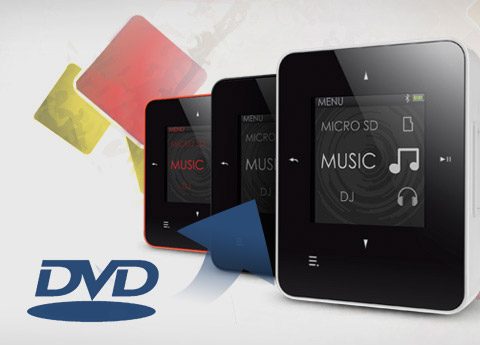
This professional DVD to Creative Zen Converter gives you the capacity to convert DVD to Creative Zen AVI, MPG, MP4 video format and Creative Zen music MP3, M4A, WMA, WAV. Tipard DVD to Creative Zen Converter is also capable of trimming video, cropping off size of video play region, watermarking video, adjusting video Brightness, Contrast, Saturation, Deinterlacing, as well as merging several chapters into one. Plus, after comprehensive upgrade, DVD Ripper has adopted NVIDIA® CUDA™ technology , AMD APP Acceleration
 and multi-core CPUs supporting technology, the converting performance is superior than ever before.
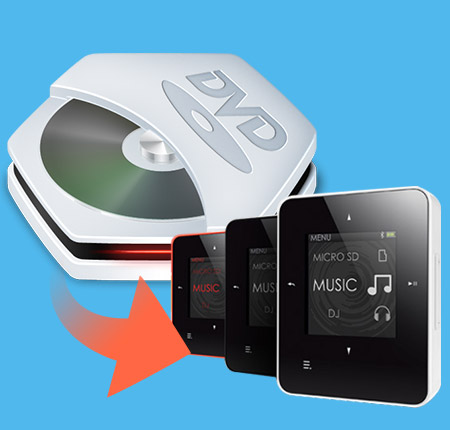
Help you enjoy the DVD on your Creative Zen player
Rip DVD to Creative Zen
Convert DVD to Creative Zen MPEG-4, H.264/MPEG-4 AVC, AVI, WMV, MPEG-1, MPEG-2 video formats.
Rip DVD to audio format
Tipard DVD to Creative Zen Converter can help you extract audio from DVD and convert it to Creative Zen MP3, M4A, WAV, WMA audio format.
Different conversion, at the same time
With DVD to Creative Zen Converter you can convert DVD into different formats simultaneously.
Capture favorite pictures
Using Tipard DVD to Creative Zen Converter, you can capture your favorite pictures and it can be saved as JPEG, PNG or BMP formats. You can also set the saved folder or it will be saved automatically in the defaulted folder.
Trim, crop, merge, watermark video and adjust video effect
Trim your video clips
Clip any segment of your video by setting the exact start and end time or just drag the slide bar.
Crop the play region of video
Adjust the playing region of the video to fit for your player and your favor.
Watermark your video
DVD to Creative Zen Converter lets you watermark your video by adding Text or Picture watermark, also owns the way to adjust the watermark position in Vertical, Horizontal angle. It allows you to choose the color and the type of your text, even adjust the watermark Transparent.
Merge several titles or chapters of DVD into one file
With several files merged into one file for output, you'll enjoy a single long movie with a single click.
Adjust video effect
Tipard DVD to Creative Zen Converter enables you to adjust video effect: Brightness, Contrast, Saturation. For your adjusting video convenience, you are able to preview the original video and output video quality at the same time.
Check Deinterlacing
You are available to switch the interlacing video to progressive video for more clearly video quality by checking Deinterlacing with the help of this DVD to Creative Zen Converter.

Provides you with numerous output settings for you to adjust
Set video and audio settings
Detailed video and audio settings are provided by this DVD to Creative Zen Converter for you to adjust, such as set video Encoder, Frame Rate, Video Bitrate to get customized video quality;
Set Audio Encoder, Sample Rate, Channel, Audio Bitrate.
You are capable of inputting you need video Resolution in Width (pixels)*Height (pixels), then saved all those settings as user-defined profile.
Select audio track and subtitle
You are allowed to choose what you want audio track and subtitle, or choose no subtitle based on your needs by using DVD to Creative Zen Converter.
Output profile
You are able to select output video/audio formats from the drop-down menu.

To save your time and energy
Give you 6X faster converting speed
 The newly adopted NVIDIA® CUDA™ technology can totally accelerate your PC GPU, so as to finish your converting task with ultra-high speed and best output quality.
 This DVD converter also supports multi-core CPUs, which can take full advantage of your PC power to accelerate the converting speed.
Easy to use
Just few clicks can finish the process of converting. This DVD to Creative Zen Converter is especially easy for new users.

OS Supported: Windows 7, Windows 8, Windows 10, Windows 11
CPU: 800MHz Intel or AMD CPU, or above
RAM: 512MB RAM or more
| Supported Input File Formats | |
Support all commercial DVD (including DVD with the restriction of CSS, Region, RCE, Sony ARccOS) |
|
| Support Output File Formats | |
| Video | MPEG-4, H.264/MPEG-4 AVC, AVI, WMV, MPEG-1, MPEG-2 |
| Audio | MP3, M4A, WAV, WMA |
| Snapshot Image | JPEG, PNG, BMP |
| Support Devices | |
Creative ZEN |
|
Tipard DVD Ripper is the best DVD ripping software to rip DVD (include decrypted DVD) to any format like MP4, AVI, WMV, MOV, MKV, MP3, etc.
Tipard DVD Creator can create/burn DVD with any video like MP4, HD videos, downloaded online video to DVD under fast speed .


