


About | Privacy Policy | Terms of Use | Support | Contact Us
Copyright © 2025 Tipard Studio. All Rights Reserved.

Windows

Rip your favorite Blu-ray/DVD movies or videos to popular formats

Powerful software to play Blu-ray/DVD videos and audio

Create Blu-ray disc/folder/ISO file with your own video

Backup/Copy your favorite Blu-ray to disc/folder/iso files
Mac

Rip your favorite Blu-ray/DVD movies or videos to popular formats on Mac

Powerful software to play Blu-ray/DVD videos and audio on Mac
Windows

Rip DVD to any popular video format quickly of full quality

Create DVD from videos and burn video to DVD/Blu-ray freely

Copy DVD to DVD disc/folder/ISO files in a 1:1 ratio
Mac

Rip DVD to any popular video format quickly of full quality on Mac

Create DVD from videos and burn video to DVD/Blu-ray freely on Mac

Copy DVD to DVD disc/folder/ISO files in a 1:1 ratio on Mac
Windows

Rip DVD, convert 4K video, edit, and upscale videos to 5K/8K

Repair broken videos with high accuracy and support many formats

Convert any video to MP3, MP4, MOV, WAV, and other 350 formats

Upscale resolution, optimize brightness and remove video noise

The easiest tool to capture screen, game, audio, etc. with high quality

Convert any 2D video to 3D video and convert 3D to 2D video

Convert 4K video to 4K/1080P and common videos

Convert TS video to various popular video/audio formats
Mac

Rip DVD, convert 4K video, edit, and upscale videos to 5K/8K on Mac

Repair broken videos with high accuracy and support many formats on Mac

Convert any video to MP3, MP4, MOV, WAV, and other 350 formats on Mac

Upscale resolution, optimize brightness and remove video noise on Mac

The easiest tool to capture screen, game, audio, etc. with high quality on Mac

Convert any 2D video to 3D video and convert 3D to 2D video on Mac

Convert 4K video to 4K/1080P and common videos on Mac

Convert TS video to various popular video/audio formats on Mac
Desktop

Rip and convert DVDs to MP3 and support other audio formats

Reset Windows Admin and Standard user account password in seconds

Accurately Convert any PDF file to Word with OCR

Convert PDF to Word, Excel, HTML and Image with OCR
Online

Easily remove watermarks from many image file formats free online
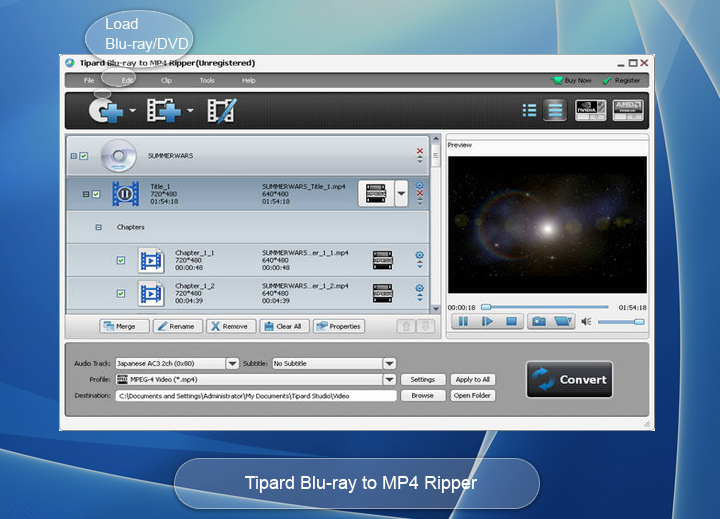
Tipard Blu-ray to MP4 Ripper is one keep-updating app to convert home-made Blu-ray to MP4 for playback on portable devices. It also do well in converting home-made DVD/video to MP4 format. To get fire-sounding music from home-made Blu-ray and save them to your audio player supported formats, this almighty Blu-ray to MP4 Converter also works.
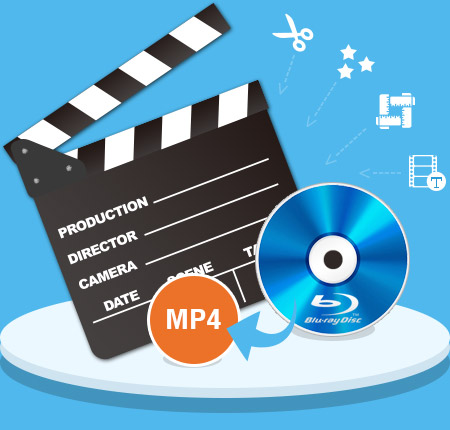
Perfect integration of BD/DVD/video to MP4 conversion, more clarity converted scene, faster converting speed and super-high compatibility with devices, etc make Blu-ray to MP4 Ripper the best choice.
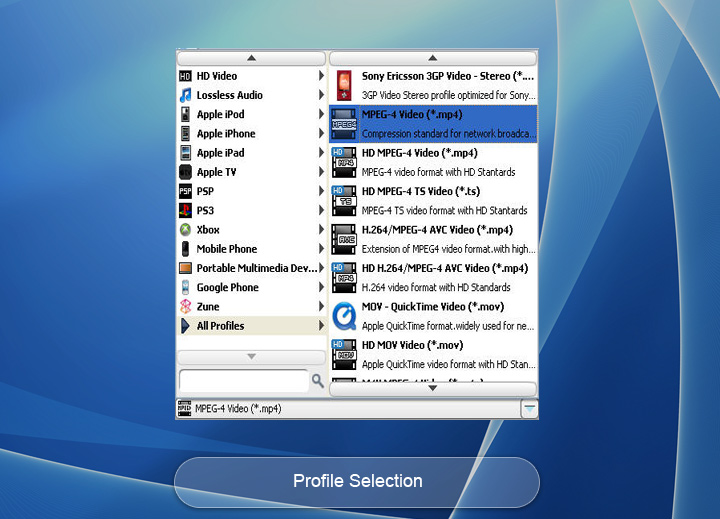
Tipard Blu-ray to MP4 Ripper, as its name goes, is mainly designed to convert home-made Blu-ray to MP4 video formats with main-stream codecs. This converter can automatically detect Blu-ray Content is disc, folder and iSO files (Virtual Drive is needed). Apart from Blu-ray to MP4 conversion, it also provides solution for users to rip home-made DVD (disc, folder, IFO) to MP4. If you are among users who just need to convert several chapters or the main movie or Title in the Blu-ray or DVD, this Blu-ray to MP4 Converter also works. To convert home-made Blu-ray/DVD to HD video formats, you are allowed to select the output video formats as HD MP4, HD TS, HD FLV and HD AVI as needed.
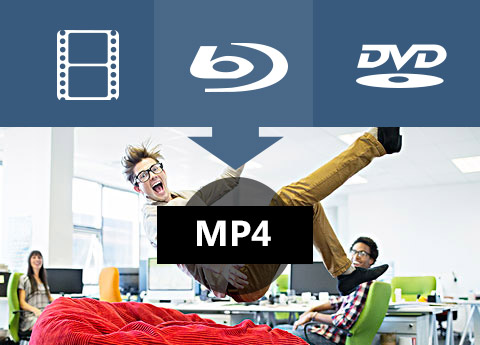
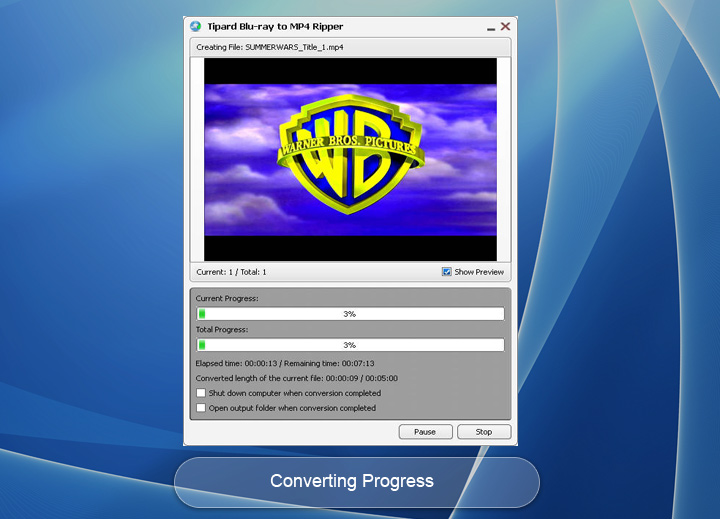
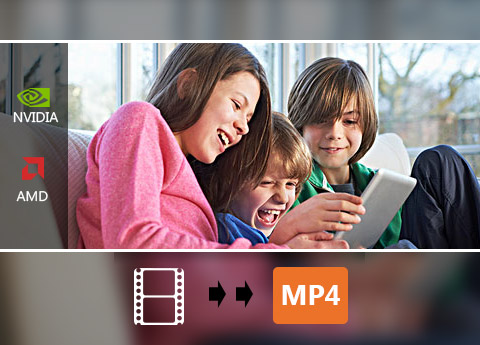
This Blu-ray to MP4 Ripper can convert various videos to MP4 in addition to ripping home-made Blu-ray or DVD. It supports convert 150+ SD/HD video to MP4 format, like MXF to MP4, MOV to MP4, WMV to MP4, MTS to MP4, etc. Similar to BD/DVD to MP4 conversion, this output formats is more than MP4. You can use it to convert MXF to AVI, MP4 to TS, MKV to MOV, etc. It can also serve as almighty audio converter to convert various audio files and extract audio from home-made Blu-ray/DVD/video and save as needed formats. The acceleration technology (CUDA & AMD) should be referred to, for it can help you improve the converting speed up to 30X.
Allowing for users who needs to have the converted MP4 with special effect, this Blu-ray to MP4 Ripper is configured with editing operation like trimming, cropping, effect, watermark, etc. With the trim function, users can get any length video by setting the start and end time; Crop is easy for users to crop black edge accompanied with the aspect ratio adjustment when the video aspect ratio is not consistent with your device; To retouch video effect with saturation, contrast, hue, etc, you can use the Effect function; Watermark not only allows use rs to add watermark of Text/picture and regulate the size and transparency. Merge chapters, titles, video clips and rename files are also available.


Preview
The build-in player make added home-made Blu-ray/DVD/video previewed.

Audio tracks and subtitles
It allows you to select your favorite audio track and subtitle as needed.

Capture
The snapshot button enables users to capture fleeting favorite images.

Batch ripping
It allows you to rip batch home-made Blu-ray/DVD videos to MP4 quickly.
System Requirements
What's New
| Video/Audio | Blu-ray: Home-made Blu-ray disc, Blu-ray folder, Blu-ray ISO image file (which need a virtual drive to load Blu-ray ISO image file) DVD: Home-made DVD Disc, DVD Folder, DVD IFO Files Video: TS, MTS, M2TS, MXF, TRP, TP, MP4, M4V, QT, MOV, MPG, MPEG, MPEG2, MPEG4, MJPG, MJPEG, AVI, 3GP, 3G2, FLV, MOD, TOD, RM, RMVB, WMV, ASF, MKV, SWF, F4V, VOB, DAT, DV, DIF, WebM HD Video: HD ASF Video(.asf), HD AVI Video(.avi), HD H.264/MPEG-4 AVC Video(.mp4), HD MKV Video Format(.mkv), HD MOV Video(.mov), HD MPG(.mpg), HD TS(.ts), HD WMV(.wmv), HD MP4(.mp4), HD WebM(.webm) Audio: FLAC, WAV, WMA, MP3, MP2, AAC, AC3, AIFF, APE, CAF, MPC, QCP, OGG, M4A, M4B, AUD, MKA, AIFC, RA, RAM, AU, AIF, CUE |
|---|

Cedric: Thanks for providing such wonderful software. The H.264 MP4 format video gotten from Blu-ray plays well on my iPhone 16 with relatively clear scene.

Gillian: I regard it as one superb converter for MP4 video users, owning to its high-end converting capability to rip my Blu-ray to MP4 as well as convert DVD and videos.

Rudy: More than simple media to MP4 Converter, this Blu-ray to MP4 Converter gives powerful editing capability to help users create unusual videos.
Convert home-made Blu-ray to any video formats, copy Blu-ray and play Blu-ray movie any multimedia files.