

Key Takeaways:
- Top Pick: Tipard Video Converter Ultimate is the best all-rounder for Windows and Mac, offering batch processing and lossless 4K output.
- Best for Customization: HandBrake and VLC are ideal for standard transcoding needs with high customization for advanced users.
- Technical Note: Converting WebM to MP4 typically involves re-encoding from VP9/VP8 to H.264/HEVC, which maximizes device compatibility across Apple and Windows ecosystems.
WebM is excellent for web streaming, but it often falls short when it comes to offline playback on local hardware. In contrast, MP4 is a universal standard, playable on virtually any device or platform you encounter. Therefore, a WebM to MP4 converter is needed if you want to ensure seamless sharing across diverse audiences, as it remains the most widely supported format globally. In this guide, we will introduce you to the best WebM to MP4 converter freeware and paid tools to help you transform your videos effortlessly, ensuring perfect compatibility with any media player.

Part 1. What You Need to Know About WEBM to MP4 Conversion
WEBM is a video format designed for the web. It usually contains VP8 or VP9 video and Vorbis or Opus audio. MP4 is the most widely supported video format. It usually contains H.264 or HEVC video and AAC audio. When you convert WEBM to MP4, you should change the video and audio encoders to H.264/HEVC and AAC, which will slightly decrease the video and audio quality. However, you will gain more compatibility. After all, many devices, software, and platforms supports MP4.
How WEBM to MP4 Conversion Works
As WebM and MP4 use different encoders—WebM relies on VP8/VP9 and Opus, while MP4 uses H.264/HEVC and AAC, a converter must re-encode the data. This is why you cannot simply rename the extension from .webm to .mp4. However, in rare cases where the codecs are already compatible, a converter can rewrap the file, changing the container instantly without losing any quality.
Part 2. 3 Excellent Free WebM to MP4 Converters on Windows/Mac
1. Tipard Video Converter Ultimate
Platform: Windows and macOS
Price: Freemium
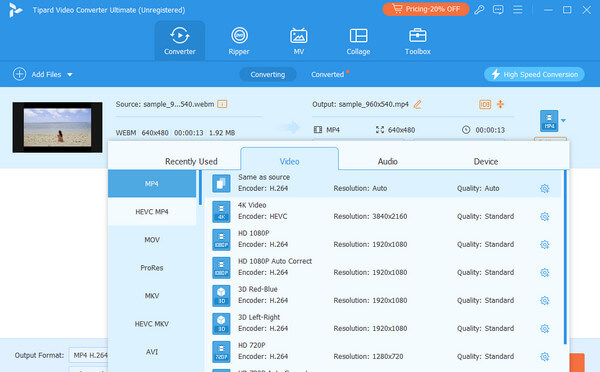
Tipard Video Converter Ultimate is one of the best WebM to MP4 converters due to its user-friendly interface and robust functionality. Additionally, it supports batch conversion, allowing you to convert multiple WebM files to MP4 quickly and efficiently. The software offers high-speed conversion without compromising on video quality. Additionally, it provides various editing tools, such as trimming, cropping, and adding watermarks, making it a versatile tool for beginners and advanced users.
Main Features of Tipard Video Converter Ultimate
- Decode any type of WebM file and support MP4 in HEVC, H.264, AV1, and many other codecs.
- Support full hardware acceleration to decode, edit, and re-encode WebM to MP4.
- Support batch processing and high customization options.
- Provide a built-in video editor and AI upscaling technology.
- Support remuxing if you need to test video playback or do ther specific tasks.
2. HandBrake
Platform: Windows, macOS, and Linux
Price: Free
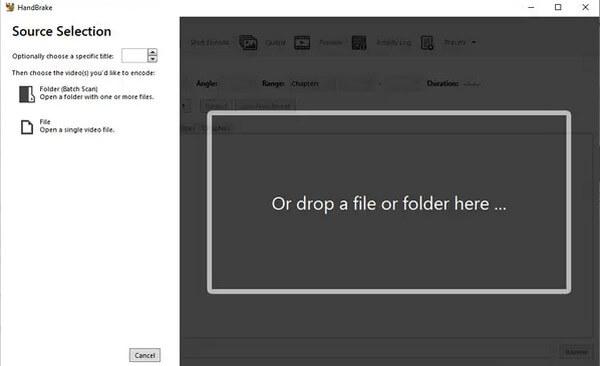
HandBrake is a renowned open-source WebM to MP4 freeware. Its standout feature is the extensive library of optimized presets, which allow users to instantly tailor videos for specific devices or platforms. It caters to both beginners and professionals by offering robust tools like batch processing and granular encoding settings. While the professional-grade interface may have a learning curve for newcomers, its stability and high-performance engine make this WebM to MP4 converter on Windows, Mac, and Linux a reliable choice for fast and efficient conversion.
Main Features of HandBrake
- Support WebM input with versatile parameters, inluding bitrate, res, codec, and more.
- Provide a variety of presets for different devices and platforms.
- Offer great flexibility in customization, especially in video bitrate.
- Support GPU acceleration for re-encoding.
3. VLC
Platform: Windows, macOS, and Linux
Price: Free
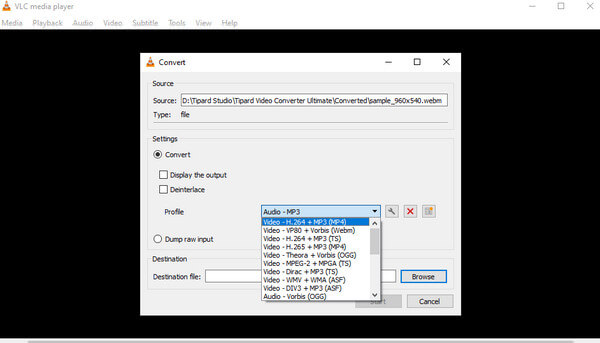
VLC is not merely a media player, but it also works as the best free WebM to MP4 video converter. It has a custom-built-in conversion to convert WebM to MP4 without hassle. This feature will be handy for users looking to convert another unsupported video file easily, and since it supports many video formats, this makes VLC a great candidate for other conversions. This WEBM to MP4 converter is lightweight software available on Windows and Mac, with regular updates. This WEBM to MP4 converter has fewer bells and whistles than some other popular programs, but it does the job just fine, and you know that this program will not cause crashes on your computer.
Main Features of VLC
- Support MP4 output with various versatile customization options, including video effects.
- Provide a simple conversion process with a user-friendly interface.
- Provide a common and very compatible MP4 output profile.
- Offer a built-in media player to preview videos before conversion.
Part 3. 2 Paid WebM to MP4 Converters on Windows*Mac
1. Wondershare UniConverter
Platform: Windows and macOS
Price: $39.99 for 1 year, and $69.99 for lifetime
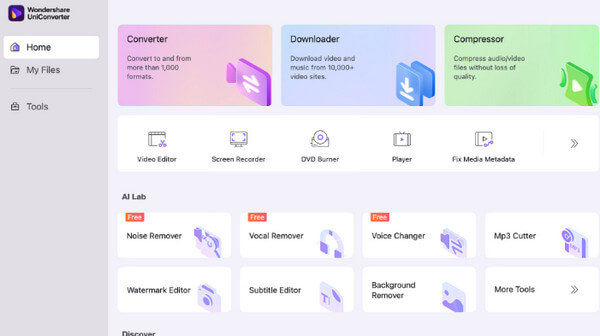
Wondershare UniConverter is a powerful converter with high-speed conversion, high-quality output, and all-in-one functionalities. This fast WebM to MP4 converter supports more than 1,000 video formats, ranging from WebM to MP4, and comes with a host of additional features like Video Editing, Screen Recording, and DVD Burning. Although this WebM to MP4 converter costs a bit, the feature richness and reliability of Uniconverter make it a good buy for someone with solid video converter use cases.
Main Features of Wondershare UniConverter
- Support WebM to MP4 conversion with high-quality output and fast speed.
- Provide a wide range of video editing tools, including trimming, cropping, and adding effects.
- Offer a user-friendly interface with easy navigation.
- Support batch processing and GPU acceleration for converting multiple files at once.
2. Movavi Video Converter
Platform: Windows and macOS
Price: $19.95 for 1 month, and $79.95 for lifetime
Movavi Video Converter is also famous for its quick conversion and high-quality output. This WEBM to MP4 converter is compatible with different WebM input parameters and provides a friendly, clean interface with the ability to drag and drop files. What's impressive about Movavi is that it offers some editing features that provide options to trim, crop, and enhance videos before converting them. One of its features is the SuperSpeed mode, which allows you to convert with as little time and without losing quality.
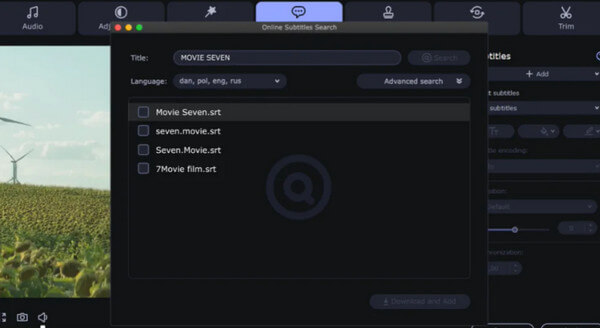
Main Features of Movavi Video Converter
- Support AI upscaling to enhance video quality for large displays.
- Offer basic video editing features like trim, crop, rotate, etc.
- Compress large WebM videos without losing quality.
- Offer a clear and modern interface with easy workflow.
Part 4. 2 Online Video Converters from WebM to MP4
1. Online-Convert.com
Online-Convert is an all-purpose online video converter that can convert WebM to MP4 and many other formats free online. When you go to its friendly interface, you can upload your files from a URL, cloud service, or computer. It gives tons of possibilities for customizing your conversion, such as video codecs, audio quality, and frame rate, to be able to create the perfect format for any device. Although the free version of this online WEBM to MP4 converter is restricted to a maximum file size you can convert, this remains an easy and convenient option for fast file conversions without the need to load up any software.
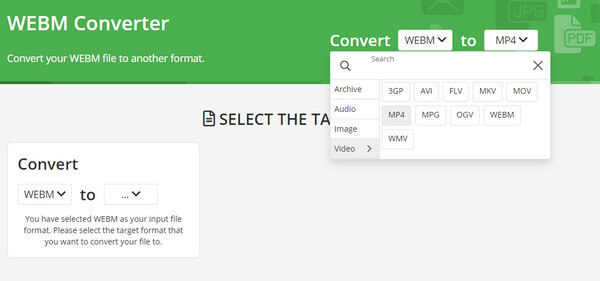
Main Features of Online-Convert.com
- Provide flexible and deep customization options.
- Quickly add and convert your large WebM videos.
- Support WebM input from various sources, including local storage and cloud services.
- Offer a simple video trimming feature..
2. CloudConvert
CloudConvert is another popular online video converter that is highly recommended for converting WebM into MP4 format. CloudConvert is one of the better-looking and flexible cloud transcoding tools video conversion tool that knows how to do everything you ask of it; this online WEBM to MP4 converter can also convert a plethora of formats, including music, PDFs, photos, and more; stellar logo for one and pretty good quality options for another. This WEBM to MP4 converter also provides several fine-tuning options for video resolution, file size, and aspect ratio to get a customized output. While the free version has some limitations, like file size and conversion time, CloudConvert is an easy-to-use and efficient service for users who need fast online conversion.
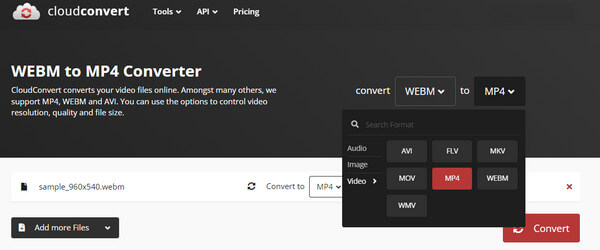
Main Features of CloudConvert
- Offer a clear interface and customization panel.
- Support batch and fast conversion.
- Allow you to adjust the subtitles, including soft and hard subtitles.
- Support remuxing without re-encoding for specific use cases.
Part 5. FAQs about WebM to MP4 Converters
Why should I convert WebM to MP4?
Converting WebM to MP4 ensures better compatibility across various devices and platforms, as MP4 is a widely supported format.
Are free WebM to MP4 converters safe to use?
Yes, most reputable free WebM to MP4 converters, like VLC Media Player and HandBrake, are safe to use. However, always download software from official websites to avoid malware.
Can I convert WebM to MP4 on my mobile device?
Yes, some mobile apps can convert WebM to MP4, but compared to desktop applications, they have only basic functionalities.
Conclusion
In this post, you will find free WebM to MP4 converter free and paid tools that can convert WebM videos to MP4 files with different and your desired settings, including standard presets and deep customization. If you want an easy and professional WebM to MP4 converter, try Tipard Video Converter Ultimate. It's simple interface, easy workflow, high GPU acceleration, wide MP4 presets support, and flexible customization can help you produce an MP4 video without any effort.
More Reading


About the Author


 Tipard Video Converter Ultimate