

There are already thousands of video editing apps available for you to download, but only a handful work best on your device. Choosing the wrong app often leads to wasted time and poor results. To make everything easy for you, we will compare the top options available, explain detailed information about them, and help you choose the one that fits your workflow the best.

Part 1. Shortlist of the Top 10 Video Editing Apps
| Video Editing App | Best Used For |
|---|---|
| CyberLink PowerDirector | Best overall for beginners and advanced users who want AI tools and professional editing features. |
| CapCut | Creating TikTok, Instagram Reels, and YouTube Shorts with AI-powered editing tools. |
| Apple iMovie | Free and simple video editing for iPhone, iPad, and Mac users. |
| Adobe Premiere AI Video Editor | AI-powered mobile video editing with automatic editing tools and Adobe Creative Cloud integration. |
| InShot | Quick social media edits with filters, music, text, and effects. |
| LumaFusion | Professional mobile video editing with multi-track timelines and advanced controls. |
| Edits, an Instagram App | Editing and publishing Instagram Reels and other Meta content. |
| Kine Master | Multi-layer editing and creative projects on Android and iPhone. |
| Splice | Fast editing for vloggers and content creators who need polished videos in minutes. |
| YouCut | Watermark-free video editing for Android users who need basic editing tools. |
| Show MoreShow Less | |
Part 2. Side-by-Side Comparison of the 10 Video Editor Apps
Comparing features side by side is one of the fastest ways to narrow down the best video editing apps for your needs. While every app can trim clips and add effects, they differ in AI tools, editing capabilities, export options, and ease of use. Use the comparison table below to quickly identify which app matches your editing style before reading the detailed reviews.
| Video Editing App’s Name | AI Tools | Multi-tracking Editing | 4K Export | No Watermark | Templates |
|---|---|---|---|---|---|
| CyberLink PowerDirector | Yes | Yes | Yes | No | Yes |
| CapCut | Yes | Yes | Yes | No | Yes |
| Apple iMovie | No | Yes | Yes | Yes | No |
| Adobe Premiere AI Video Editor | Yes | Yes | Yes | No | Yes |
| InShot | Yes | No | Yes | No | Yes |
| LumaFusion | No | Yes | Yes | Yes | No |
| Edits: Video Editor | Yes | No | Yes | Yes | Yes |
| Splice | Yes | No | Yes | No | Yes |
| YouCut | Yes | No | Yes | Yes | No |
| Show MoreShow Less | |||||
Part 3. In-Depth Reviews: Best Free & Paid Video Editing Apps
1. CyberLink PowerDirector
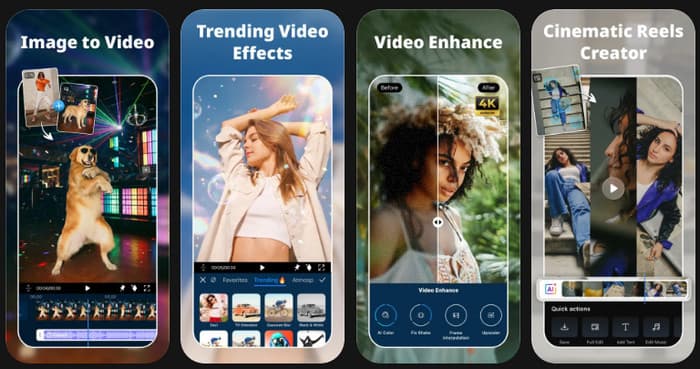
CyberLink PowerDirector is one of the prominent video editing apps available today, thanks to its intuitive interface and powerful features. It provides intuitive AI editing features, multi-track timelines, motion graphics, and exports at high resolutions without overwhelming the editing experience.
Platforms: Android, iPhone, Windows, Mac
Price: Free; Premium starts at $5.99/month
Who Is It For?
- Beginners learning video editing
- YouTube creators
- TikTok and Instagram creators
- Small business owners
- Users who edit on both mobile and desktop
2. CapCut
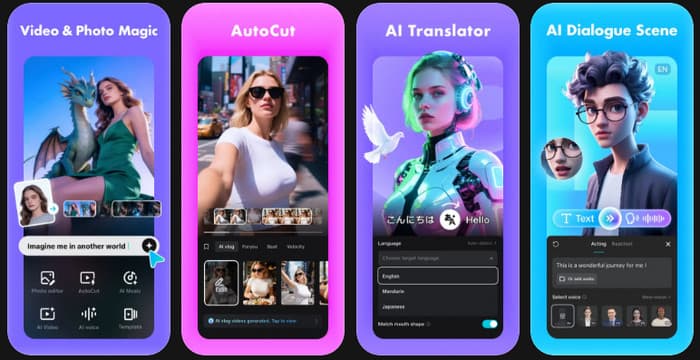
CapCut is one of the best video editing apps for social media thanks to its AI-powered tools, ready-made templates, and beginner-friendly interface. The CapCut video editor makes it easy to create TikTok videos, Instagram Reels, and YouTube Shorts with automatic captions, trendy effects, and one-tap editing features.
Platforms: Android, iPhone, Windows, and Mac
Price: Free; Pro starts at $7.99/month
Who Is It For?
- TikTok creators
- Instagram Reel creators
- YouTube Shorts creators
- Beginners
- Social media influencers
3. Apple iMovie
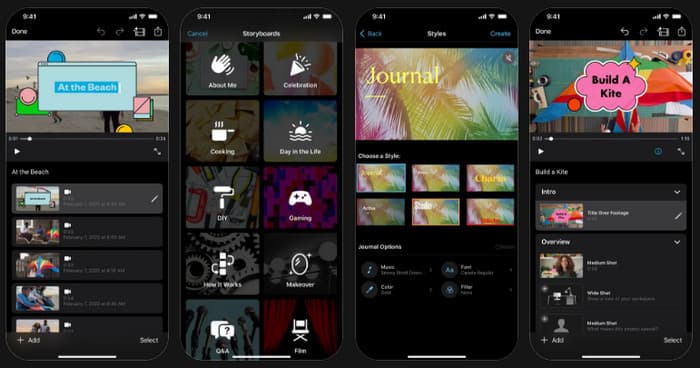
Since it is completely free and optimized for the Apple ecosystem, Apple iMovie is one of the most reliable video editing applications for iPhone. It is easy to use for editing a movie on iMovie, offers a variety of templates, and performs seamlessly, making it an ideal choice for beginners who want to produce professional videos with minimal training.
Platforms: iPhone, iPad, Mac
Price: Free
Who Is It For?
- iPhone users
- iPad users
- Mac owners
- Students
- Beginners creating personal videos
4. Adobe Premiere AI Video Editor
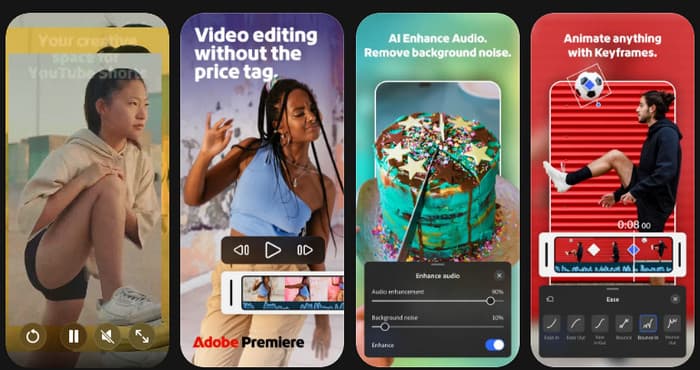
Adobe Premiere AI Video Editor combines Adobe's AI technology with an intuitive mobile editing experience, making it one of the best iPhone apps for editing videos for users who want professional-looking results with minimal effort. Cloud syncing also makes it a convenient choice for those already using Adobe Creative Cloud.
Platforms: Android and iPhone
Price: Free; Pro starts at $7.99
Who Is It For?
- All of the Adobe Creative Cloud users
- Mobile content creators
- Social media marketers
- Influencers
- For novices getting started with AI editing
5. InShot
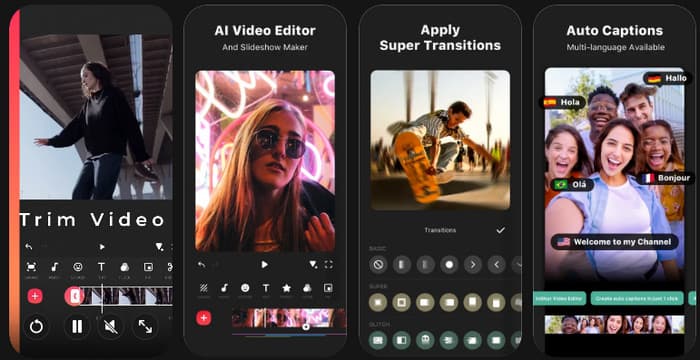
The Inshot video editing app is one of the most popular video editing apps for mobile creators, allowing them to easily trim videos, add music, apply filters, and produce content for popular social platforms. The platform's user-friendly interface enables editing and exporting videos within a few minutes, making it suitable for everyday video creation.
Platforms: Android and iPhone
Price: Free; Pro starts at $4.99/month
Who Is It For?
- Instagram creators
- TikTok users
- Lifestyle vloggers
- Small business owners
- Beginners
6. LumaFusion
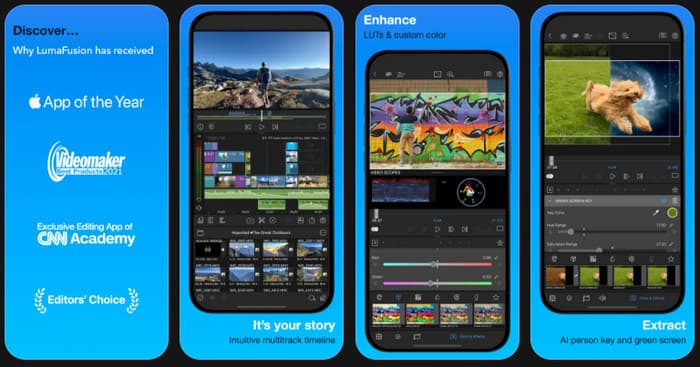
LumaFusion is the best video editing app, which is known as one of the best editing app options for professionals who require desktop editing capabilities on a mobile device. This offers advanced audio controls, professional video controls, a video color correction app, multi-track editing, and advanced color correction, making it a strong option for professional video production.
Platforms: iPhone, iPad, and Android
Price: One-time purchase starting at $9.99
Who Is It For?
- Professional video editors
- Mobile filmmakers
- Journalists
- Content creators producing long-form videos
- Experienced editors
7. Edits: Video Editor
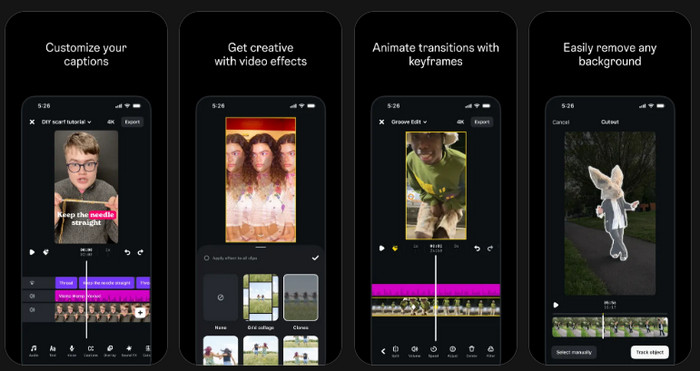
Edits is one of the newest apps for video editing on Instagram, designed by Instagram to help creators produce and publish high-quality Reels. It provides built-in editing tools, AI-powered features, and seamless integration with Instagram, making the content creation workflow faster and more convenient.
Platforms: Android and iPhone
Price: Free
Who Is It For?
- Instagram creators
- Reel creators
- Influencers
- Small business owners
- Social media managers
8. KineMaster
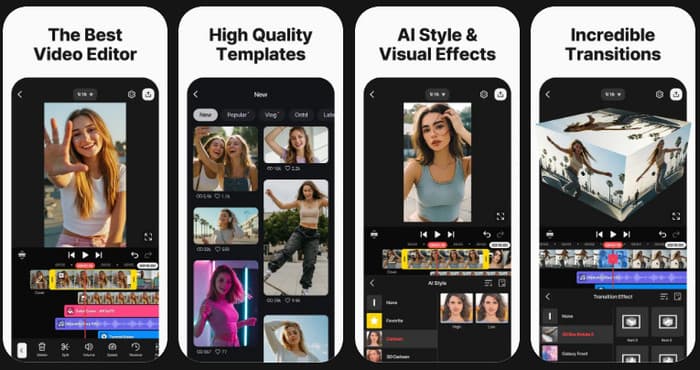
KineMaster is one of the most versatile free video editing apps available for mobile devices. It offers multi-layer editing, blending modes, keyframe animation, and various creative effects, making it suitable for users who want more control over their projects without switching to desktop software.
Platforms: Android and iPhone
Price: Free; Premium starts at $8.49/month
Who Is It For?
- Intermediate editors
- YouTube creators
- Students
- Mobile filmmakers
- Creative hobbyists
9. Splice
Splice is often considered the best app for video editing for YouTube channel beginners because it keeps the editing process simple while still offering professional-looking transitions, music, and effects. It is an excellent option for creators who want to produce polished videos quickly without learning advanced editing software.
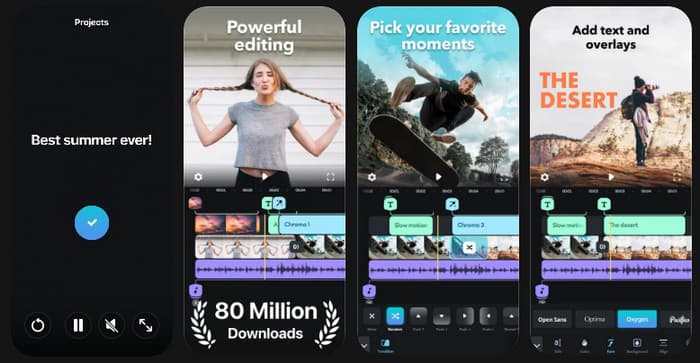
Platforms: Android and iPhone
Price: Free; Premium starts at $9.99/month
Who Is It For?
- YouTube beginners
- Vloggers
- Lifestyle creators
- Travel content creators
- Casual editors
10. YouCut
YouCut is a trusted free video editing software for Android devices that offers simple editing capabilities without applying a watermark on exported videos. Provides editing features like trimming, merging, speed adjustment, filters, and music editing, and a lightweight and easy-to-use interface.
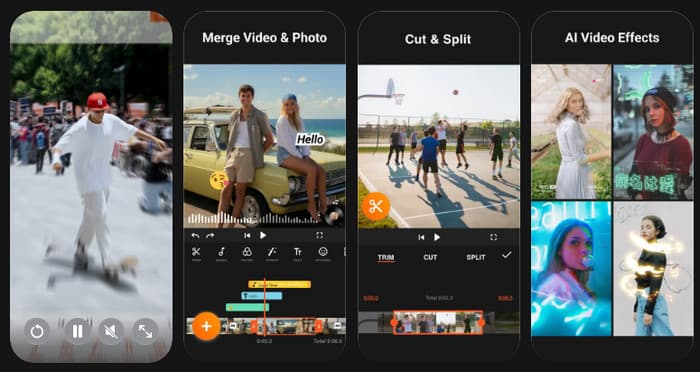
Platforms: Android
Price: Free; Premium starts at $2.99/monthly
Who Is It For?
- Android users
- Students
- Casual creators
- Social media users
- Beginners on a budget
Best Desktop Alternative: Tipard Video Converter Ultimate
Mobile applications are handy to work with while out and about, but they might not provide the flexibility for bigger projects or professional workflows. Tipard Video Converter Ultimate is a reliable and powerful desktop video editor or converter that has a video converter built in and offers robust video editing features when you edit your videos frequently on a computer.
It provides options to trim, crop, merge, rotate, enhance, compress, and convert video files in over 500 formats, which is also a good all-in-one video editor for Windows and Mac.
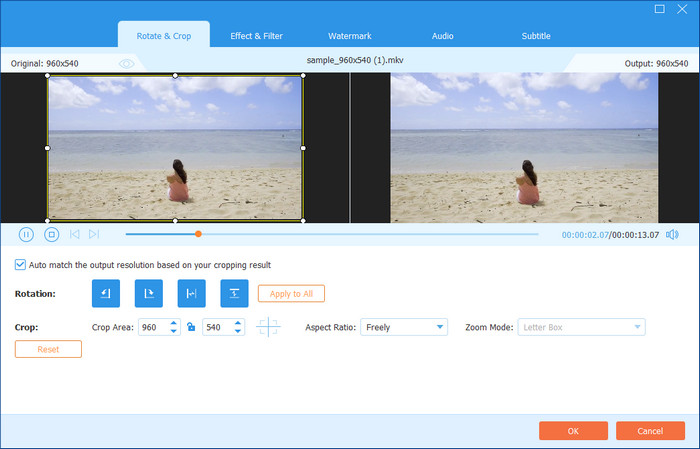
Platforms: Windows and Mac
Price: Free trial; Paid license starts at $18.00/month
Who Is It For?
- The desktop editing environment for content creators.
- YouTubers creating long-form videos.
- Small business entrepreneurs making promotional videos.
- Users who convert video format often.
- Beginners and intermediate editors looking for an all-in-one solution
Part 4. How to Choose the Right Mobile Video App for You
1. Consider the Type of Videos You Create
Likely, you should base your decision on your content style. If you are frequently creating short videos for social media, a video editing app for Instagram stories can be useful to add effects, text, and music in an instant. For longer videos, look for an editor with more advanced timeline controls.
2. Focus on the Tools You Actually Need
Not every editor offers the same experience. Most good video editing software has basic features, while some will offer AI capabilities, more control over audio, and sophisticated effects. Select an application that has the functions you need for your editing process.
3. Make Sure It Works on Your Device
Make sure an editor is compatible with your phone before installing it. There are a number of video editing apps available on Android, and picking one that performs well on your device will save you from slow loading and crashes.
4. Decide Between Free and Paid Options
You can edit a lot of common projects with a free editor. There are some of the best free video editing apps that offer great tools that do not require any subscriptions. Paid versions can have additional effects, better export capabilities, and more creative controls, however.
5. Choose an App That You Can Master
Your editing needs may change as you create more content. The LumaFusion video editing app is a good option for users who want more advanced tools and professional editing features on mobile devices.
6. Test Before Making a Final Choice
There is no single answer to what's a good editing app for videos because every creator has different needs. Try different apps, explore their tools, and choose the one that feels comfortable to use.
Part 5. FAQs of Video Editing App
Are free video editing apps good enough for beginners?
Yes, some free editors offer sufficient tools for simple projects. They are able to perform basic functions, such as cutting clips, making videos for social media, applying filters, etc. Some free versions, though, may contain watermarks, ads, or fewer exports.
Do video editing apps reduce video quality?
With the right export settings, most modern editors can maintain the original video quality. The most common causes of quality loss are: heavy compression, low resolution, and re-exporting the same video again and again.
Can I use the same video editing app on multiple devices?
There are editors that are available for multiple platforms and others that are available only to specific devices. For those who frequently switch between a phone and computer, go for an app that provides cloud syncing for both mobile and desktop.
Conclusion
Creating great videos does not always require complicated software. The right editor can simplify your workflow, save time, and give you the tools needed to bring your ideas to life. The mobile video editing apps featured in this guide cover a wide range of needs, from quick social media edits to more advanced video projects. By choosing an app that matches your skill level, device, and editing goals, you can create better content with a smoother and more enjoyable editing experience.

All-in-one video toolbox: convert, edit, upscale, enhance, and compress your videos easily
100% Clean & Safe
100% Clean & Safe

More Reading

About the Author


 Tipard Video Converter Ultimate