

If you look for an online video editor, you will see Kapwing among the top results. That is not surprising because it delivers what it promises.
If you are curious about how it works, you can rely on our post. It is a complete Kapwing Video Editor Review. So, please read until the end. You will discover its key features and pricing. You will also see its performance and a professional offline alternative!
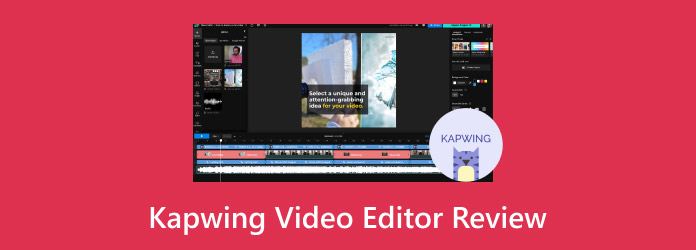
Part 1. What is Kapwing: The AI-Powered Online Editor
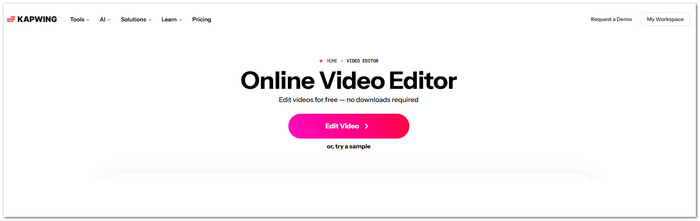
Kapwing is a browser-based video editor. It helps creators make videos fast and with little effort. You do not need to download or install anything. You open the editor in your browser, upload a clip, record a video, or paste a link to start editing right away.
The platform gives access to many templates and stock videos. It also provides images, music, and animated images. All of these are free to use. It also runs in the cloud, so you can work on your projects from any device and access them anywhere.
Part 2. Kapwing Video Editor Main Features
To help you explore the platform better, get to know the available Kapwing Video Editor features below.
1. Basic Timeline Editor
Drag-and-drop timeline for arranging clips, text, images, and audio tracks.
2. Stock Asset Library
Access royalty-free videos, images, music, and animated images.
3. AI Video Generator
Create a video from a text prompt using stock footage and AI narration.
4. Text-Based Video Editing
Edit videos by using the transcript. You can remove filler words. You can also cut scenes immediately.
5. Essential Editing Tools
Split, merge, crop, rotate, resize, and trim video hassle-free.
6. GIF & Meme Maker
Convert video into animated images or memes with text and quick scene cuts.
7. Auto Background Removal
Remove or change video backgrounds without a green screen.
8. Smart Cut Tool
Detects and removes silence in recordings immediately.
9. Video Formatting Tools
Change aspect ratio, playback speed, borders, and layout for social media platforms.
10. Real-Time Collaboration
Teams can review projects and leave comments in shared workspaces.
Part 3. Detailed Review of Kapwing Video Editor
Before choosing a video editor, it helps to see how it works. This detailed review of Kapwing Video Editor explains the platform and pricing. It also covers the main features, pros, cons, and performance. This way, you can see if it fits your editing needs.
Platform
Kapwing works as an online browser-based video editor. You can open the Kapwing official website in Chrome, Safari, and Firefox. There is no need to install a program.
Price
Price often decides if a platform is worth trying. Kapwing offers a free plan for basic editing. It also has several paid plans with stronger tools.
| Plan | Price | Key Inclusions |
|---|---|---|
| Free | $0 | Unlimited exports include a watermark. Clips can be up to 1 minute long. Export resolution is 720p. AI credits are limited. |
| Pro | $16 per member/month (billed annually) or $24 monthly. | This Kapwing pricing plan removes the watermark. It allows 4K export and 6 gigabytes of uploads. You can create unlimited projects and export videos up to 2 hours. It also includes a brand kit, shared workspace, and higher AI limits. |
| Business | $50 per member/month (billed annually) or $64 monthly. | Includes Pro features plus voice cloning, lip-sync features, and higher AI usage limits. |
Pros & Cons
Every editing platform has strengths and limits, like Kapwing Editor. The pros and cons below help you see where the editor works well and where it struggles.
- The editor is simple to learn and easy for beginners.
- The drag-and-drop interface makes editing quick and clear.
- AI subtitle tools work well for fast caption creation.
- Built for quick social media video production.
- Teams can collaborate and share projects hassle-free.
- Built-in templates help create content faster.
- Some users report occasional lag or bugs.
- Advanced creative editing tools come with limits.
- An internet connection is essential to edit videos.
- Higher resolutions need a paid plan.
- Long or complex projects may slow down.
- The free version adds a Kapwing watermark to exports.
Performance
The interface is clean so that beginners can understand it in a short time. Most tools are easy to find. The drag-and-drop layout helps users move clips and text with little effort.
Editing short videos usually works well. Clips load fast, and most basic edits respond immediately. But longer videos may slow down the editor. It is common when the project contains many layers, effects, or long recordings.
The Kapwing free plan features also show limits early. Export quality is capped at 720p. Some AI tools have small credit limits. Users who want higher resolution or longer exports often need the Pro plan.
Internet connection is another key factor. Because Kapwing runs in the cloud, editing stops when the connection drops. Users cannot continue working offline.
Part 4. Why Kapwing Struggles with 4K and Large Files
Working with high-resolution video is much heavier than editing short clips. It is where Kapwing editing starts to show limits. Since the editor runs in a browser, it relies on cloud processing. Large files can become difficult to handle.
1. Upload & Storage Limits
Kapwing limits how large a video file can be. Free plans only allow small uploads, while paid plans allow files up to about 6 gigabytes. Many 4K resolution videos are much larger than this. A single high-bitrate clip can already reach the limit.
2. Server Processing Limits
All rendering and exporting happen on Kapwing's servers. When a project contains large 4K footage, many layers, or effects, the server must process a lot of data. It can cause slow exports or failed rendering.
3. Browser Memory Limits
Kapwing runs inside a web browser. Browsers have memory limits. When a project becomes too heavy, the browser may struggle to load all assets. It can lead to lag or crashes.
4. Long or Complex Projects
Projects longer than two hours are harder to process. Projects with many layers, subtitles, and effects are also more difficult to handle. The more elements added, the harder it becomes for the system to render the final video.
Part 5. The Best Professional Offline Alternative to Kapwing
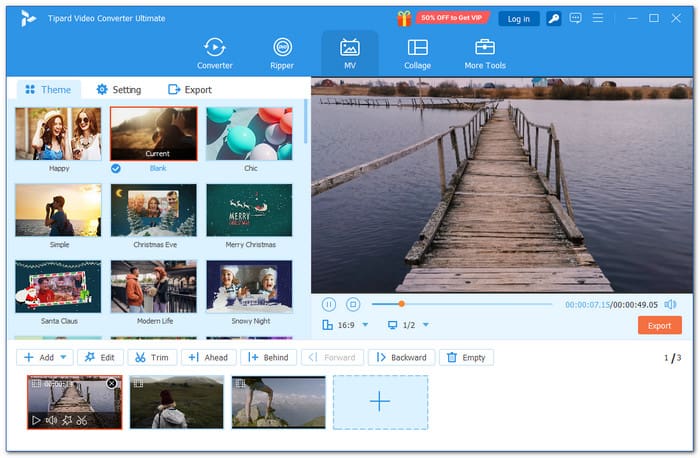
Online editors are useful, but they depend on the internet and cloud processing. An offline editor gives you more control, better speed, and stronger privacy. It is where Tipard Video Converter Ultimate becomes a great Kapwing alternative.
Below is a detailed comparison between Tipard Video Converter Ultimate and Kapwing Video Editor. It looks at key factors like usability, editing options, speed, and more.
| Factor | Tipard Video Converter Ultimate | Kapwing |
|---|---|---|
| Platform | Works offline on Windows and Mac, no internet needed for editing. | An online browser-based editor that requires an internet connection. |
| Ease of Use | Simple interface that allows novices and professionals to edit videos. | User-friendly drag-and-drop interface suitable for beginners. |
| Supported Formats | Supports many popular file formats like MP4, AVI, MOV, MKV, and WMV. | Supports common video formats but relies on online upload limitations. |
| Editing Tools | Lets you rotate, crop, trim, apply a filter, enhance video clarity, etc. | Lets you trim, split, add text, subtitles, and use AI-powered tools. |
| Export Options | Exports in any format with high resolution, no watermark, and no time limits. | Free plan adds a watermark, limited to short video length; higher resolutions need a paid plan. |
| Privacy & Security | All files stay on your computer, keeping data and privacy secure. | Files go through the cloud, which may raise privacy concerns. |
| Collaboration | It is for single-user offline use. But you can share files manually. | Supports real-time team collaboration and shared workspaces online. |
| Cost | Free version available and paid version starts at $18.00 with a 30-day money-back guarantee. | Free plan available; Pro and Business plans need monthly or annual subscriptions. |
| Show MoreShow Less | ||
Conclusion
Indeed, Kapwing video editing works well for social media content and team projects. But if you often work with 4K or large files, Kapwing may struggle.
If that is a concern, you can try its professional offline alternative. It is Tipard Video Converter Ultimate. It can handle large videos. It also lets you do more with your files without needing an internet connection. It means your work stays uninterrupted. You get full control over your editing process.
More Reading



About the Author


 Tipard Video Converter Ultimate