

Video podcasts are growing fast. They mix audio and video. People watch and listen at the same time. It feels more engaging and real. If you want to start one, you will need to edit your videos to make them clean and clear.
To help you out, we will provide the best software for editing video podcasts you can choose from. There are 12 exactly below!
Part 1. What Is a Video Podcast
Content today is not just for listening. People also want to see the speaker. It is where video podcasts come in.
A video podcast is a podcast with both video and audio. You can watch it and listen at the same time. It often shows hosts, guests, or screen content. It feels more real and engaging than audio-only.
Creators share video podcasts on platforms like YouTube or social media. It is great for interviews, talks, and tutorials.
Part 2. Top 12 Best Software for Editing Video Podcasts
If you already have a video podcast and you are now in the stage where you need to edit it, but you do not know what tool to use, then the tools below can help you.
1. Tipard Video Converter Ultimate
Platforms: Windows & Mac
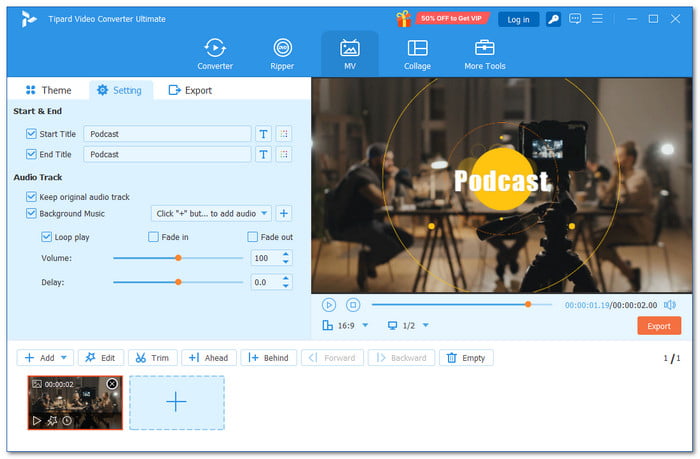
Start with Tipard Video Converter Ultimate as your main tool for editing video podcasts. It is one of the best software programs for editing video podcasts. It gives easy tools like trim, rotate, crop, effects, watermark, and audio edit. It supports level-3 hardware acceleration, so large videos process faster with less lag. It also uses AI to improve video quality, reduce noise, and sharpen details for clearer podcast visuals.
Key Features:
- Add intro and outro titles easily
- Merge multiple videos into one screen
- Boost audio volume up to 200% for a clearer voice
- Supports many formats, like MP4, MOV, MKV, and AVI
- Aspect ratio presets 16:9, 1:1, 9:16 for YouTube and social clips
Pros & Cons: Menus are clear and easy to find. It also gives many tools for video and audio editing. But the free version has limits.
Pricing: Free and a paid plan that starts at $18.00
Why We Select It:
Tipard Video Converter Ultimate earns the top spot because it gives fast results with less effort. You can finish edits in less time. It keeps the quality high even for long podcast videos. It also combines editing, converting, and enhancing in one tool, so you do not need to switch software.
2. Premiere Pro
Platforms: Windows & Mac
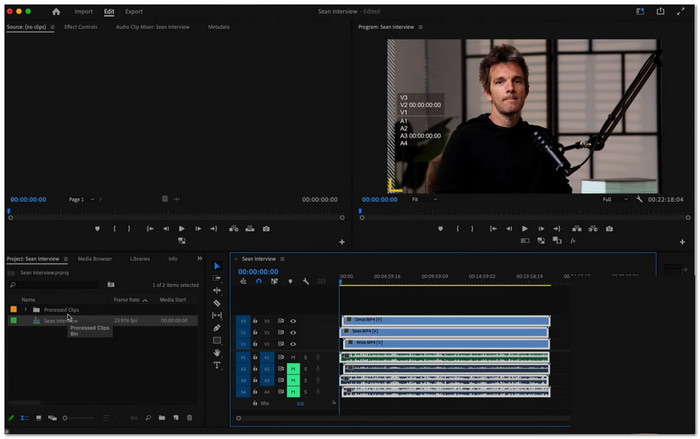
Professional video podcasts need clean cuts and smooth sound. This best podcast video editing software that helps you do both with speed and control. Additionally, it employs intelligent AI to eliminate errors quickly. For serious podcast productions, a lot of creators rely on it.
Key Features:
- Text-based editing
- Auto captions and transcription
- Advanced multicam editing
- Integration with Adobe tools
Pros & Cons: It is powerful and trusted by many creators, but it costs more and takes time to learn.
Pricing: Around $22.99 per month
3. DaVinci Resolve
Platforms: Windows, Mac & Linux
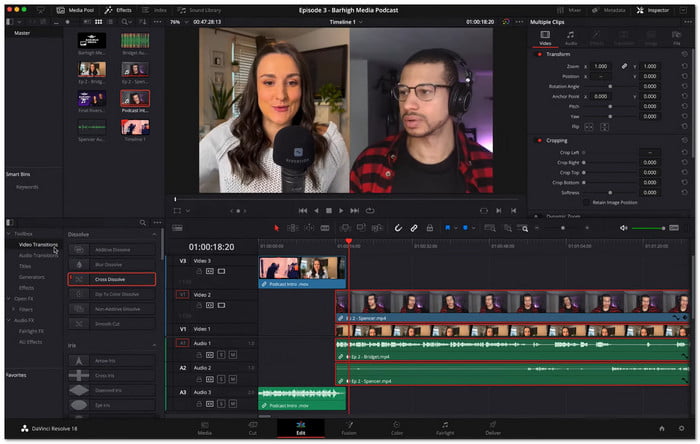
If you want strong video podcast editing software without paying, DaVinci Resolve is a great pick. It gives you deep control over both video and sound. You can correct video color and clean audio in one place. It works well for creators who want high-quality podcast output.
Key Features:
- Tools for Fairlight audio
- Pro tools for color grading
- Node-based effects framework
- Full-featured version for free
Pros & Cons: It gives strong free features and pro tools, but it needs a strong computer and takes time to master.
Pricing: Free and a $295 one-time fee for Studio
4. Final Cut Pro
Platforms: Mac
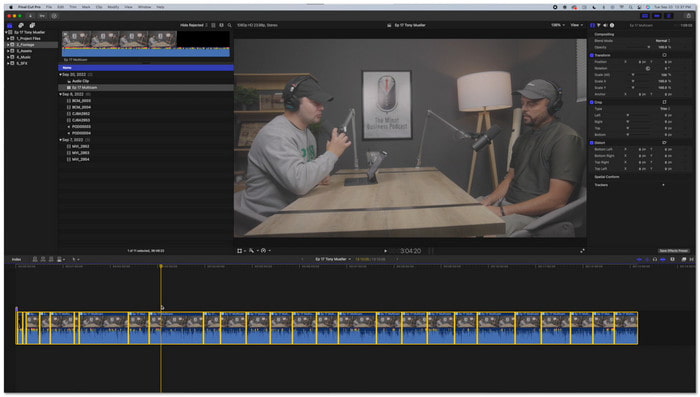
Fast editing matters when working on video podcasts, especially when choosing the best editing software for video podcasts. Fortunately, Final Cut Pro is built for speed on Mac devices. It keeps your timeline smooth and easy to manage. It also helps you handle interviews with many camera angles without slowing down.
Key Features:
- Magnetic timeline system
- Apple Silicon optimization
- Multicam editing support
- AI object tracking
Pros & Cons: It runs fast and is easy to use on Mac, but it only works on Apple devices and feels different from other editors.
Pricing: $299.99 one-time
5. CapCut
Platforms: Windows & Mac
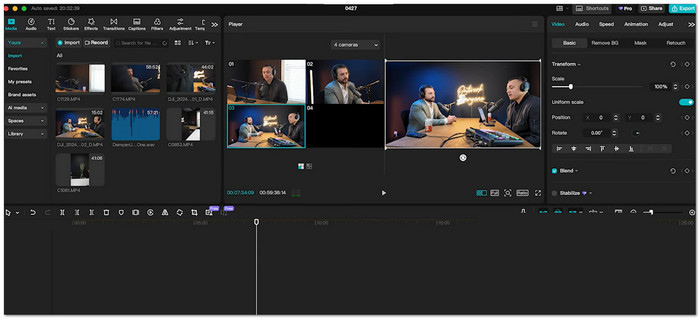
This editor is perfect if you turn podcast clips into short videos using the best video podcast software with editing features. It keeps editing simple and fun. You can quickly add captions and effects. It also helps make your clips ready for social media with less effort.
Key Features:
- Auto captions tool
- AI background removal
- Easy multicam sync
- Built-in music library
Pros & Cons: It is easy to use and great for quick edits, but it lacks deep control for advanced audio work.
Pricing: $7.99-$9.99 per month
6. CyberLink PowerDirector 365
Platforms: Windows & Mac
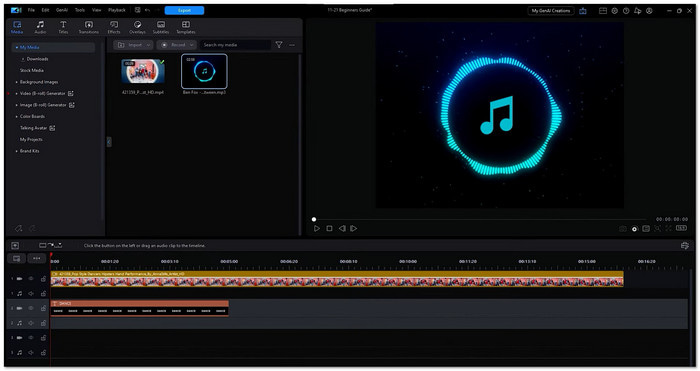
Do you need a video podcast editing software that balances power and ease? This one fits well for podcast creators. It enables you to edit more quickly without sacrificing audio quality. Additionally, it provides useful AI technologies that enhance voice clarity while requiring less effort.
Key Features:
- AI voice enhancement
- Multicam editing tools
- Motion tracking system
- Stock media access
Pros & Cons: It is quick and full of tools, but it needs a subscription and has a crowded look.
Pricing: Around $50-$70 per year
7. Kdenlive
Platforms: Windows, Mac & Linux
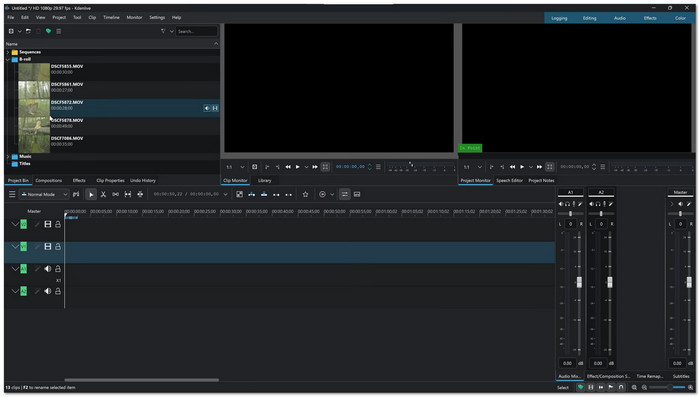
For creators who want full control without spending money, free video editors like Kdenlive are a strong choice. It lets you build complex podcast layouts with many tracks. You can also modify the layout to match your workflow.
Key Features:
- Multi-track timeline
- Open-source system
- Wide format support
- Custom interface options
Pros & Cons: It is free and flexible, but it may crash sometimes and can be hard for beginners.
Pricing: Free
8. Descript
Platforms: Windows & Mac
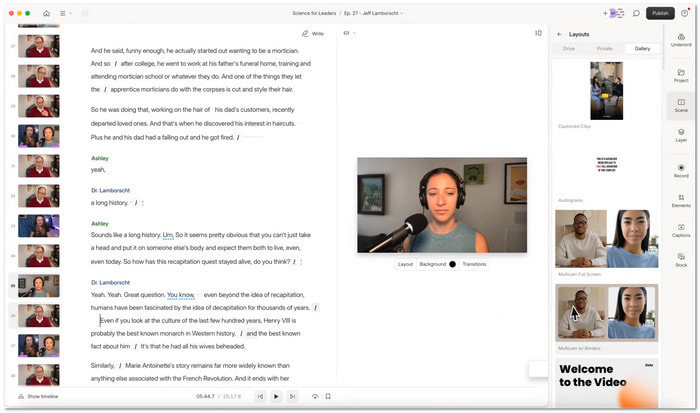
Editing a video podcast can feel like editing a document here. You just change the text and the video updates. It is super helpful for fixing mistakes fast. It also makes your audio sound clean with little effort.
Key Features:
- Text-based editing system
- AI audio cleanup tool
- Filler word removal
- Multitrack editing support
Pros & Cons: It saves time and is easy to learn, but it can cost more and may struggle with long files.
Pricing: Starts at $12-$15 per month
9. iMovie
Platforms: Mac
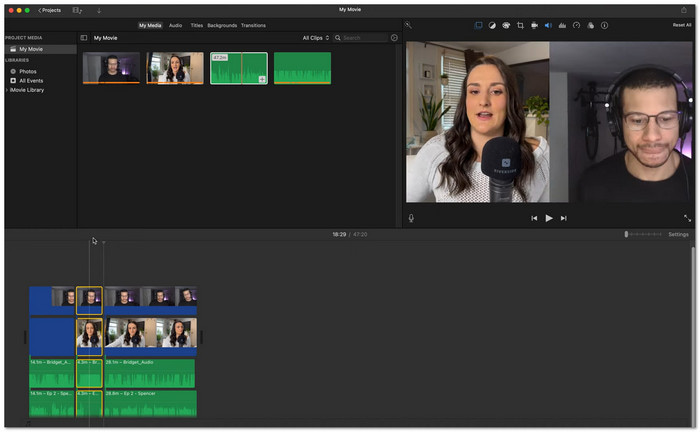
Starting your video podcast does not need complex tools, especially when using the best editing software for video podcasts. This one keeps everything simple and clear. You may quickly add minor adjustments and cut clips. It functions nicely for stress-free, simple podcast videos.
Key Features:
- Basic audio tools
- Quick export options
- Built-in templates
Pros & Cons: It is simple and free, but it lacks advanced tools for complex podcast setups.
Pricing: Free
10. Shotcut
Platforms: Windows, Mac & Linux
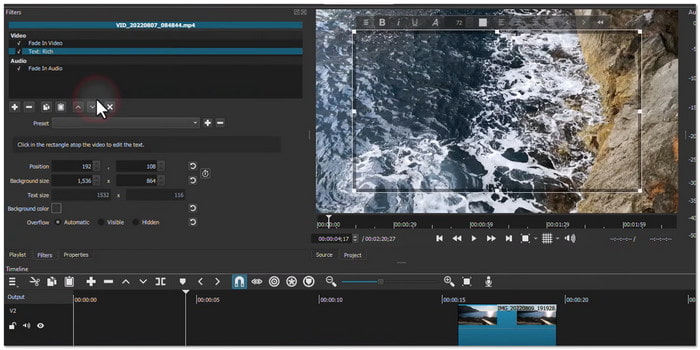
Shotcut focuses on speed and flexibility. You can edit files right away without importing them first. It supports many formats, which is helpful for podcast creators using different cameras and audio setups.
Key Features:
- Native timeline editing
- Wide format support
- Audio filter tools
- No import workflow
Pros & Cons: It is free and flexible, but the interface feels harder to learn and lacks smart AI tools.
Pricing: Free
11. VSDC Free Video Editor
Platforms: Windows
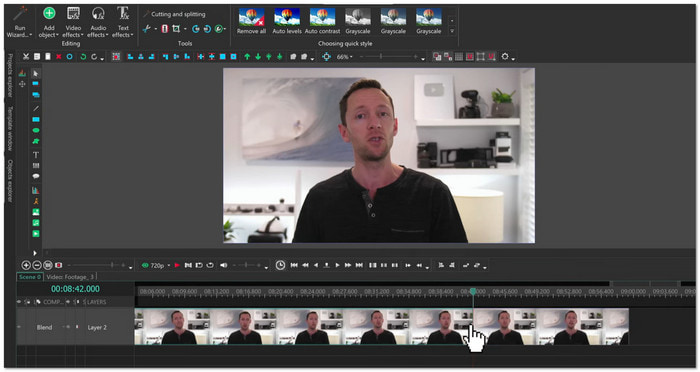
If your computer is not very strong, VSDC Free Video Editor can still run well. It helps you edit podcast videos with simple cuts and effects. It also supports screen recording for remote interviews.
Key Features:
- Non-linear editing system
- Screen recording tool
- Color correction tools
Pros & Cons: It works well on weak PCs and is free, but the design looks old, and some features require payment.
Pricing: $19.99
12. AVS Video Editor
Platforms: Windows
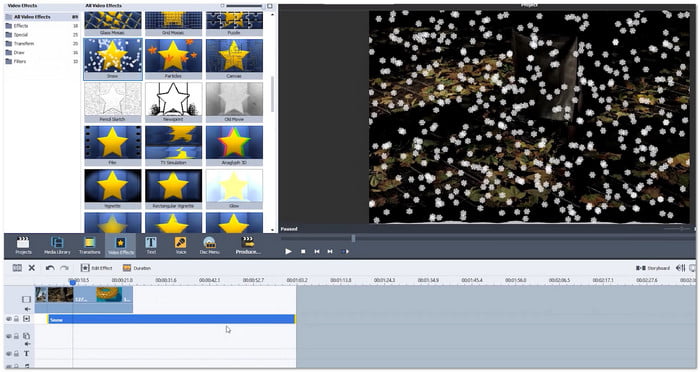
Editing is made simple using AVS Video Editor. It makes it easy for novices to make podcast videos. You can add effects, drag clips, and complete your project quickly. It works well for straightforward podcast content.
Key Features:
- Fast processing speed
- Built-in effects library
- Multi-audio track support
Pros & Cons: It is simple and fast, but it has limits in the free version and lacks advanced tools.
Pricing: Around 49-$79
Part 3. Comparison of the 12 Video Podcast Editors
Video podcast editing tools come in different levels. Some are simple for beginners. Some are built for professionals. Others are free but limited. Below is a short and clear comparison of twelve tools.
- Tipard Video Converter Ultimate - An all-in-one editor that is easy to use with fast performance and AI enhancement.
- Premiere Pro - Professional editor with powerful tools used in studios. But it is hard to learn and requires a subscription.
- DaVinci Resolve - Advanced editor with strong color and audio tools. The free version is powerful but needs a strong PC.
- Final Cut Pro - Mac-only editor with fast performance and smooth workflow, and offers a one-time purchase.
- CapCut - A simple editor that is great for short clips with strong AI effects and free access
- PowerDirector 365 - Balanced editor with easy tools and AI features, plus fast export, but it is paid.
- Kdenlive - Free open source editor with flexible tools, but a less polished design.
- Descript - Text-based editor that is great for podcasts with strong AI audio tools.
- iMovie - A very simple editor for beginners with basic tools only.
- Shotcut - Free editor with no watermark and basic editing features.
- VSDC Free Video Editor - Windows tool that works on low-end PCs but needs some learning.
- AVS Video Editor - A simple tool for quick edits, but not for advanced podcast work.
Conclusion
You can now edit your video podcast using the best editing software for video podcasts. You can pick Tipard Video Converter Ultimate, Premiere Pro, DaVinci Resolve, CapCut, and more. Each tool can help you improve your video in its own way. Hope you get better results and more views!
More Reading


About the Author


 Tipard Video Converter Ultimate