

Selecting the best lightweight video editor can make a difference for content creators who want a fast performance without sacrificing necessary features. The tools can offer various editing tools, including cropper, trimmer, effects, filters, and more, while keeping system resource usage minimal. So, if you want to explore the best lightweight video editors, you can start reading everything in this post.

Part 1. Why You Need a Lightweight Video Editor
Do you want to know why you need a lightweight video editor? You can read all the information below.
Faster Performance
Lightweight editors are optimized to perform smoothly even on older hardware, speeding up editing tasks and reducing lag.
Ease of Use
With a simplified UI and few complicated tools, editors are beginner-friendly and allow quick learning without steep curves.
Lower System Resource Usage
Lightweight editors consume less RAM, CPU, and storage. It makes them perfect for laptops and devices with limited specs.
Affordability
Lightweight video editors often come at an affordable price, or even free versions, giving users necessary editing features without the expense of professional-grade software.
Part 2. How We Select a Lightweight Video Editor
When evaluating lightweight video editors, we follow a structured procedure. It is to ensure accuracy and reliability. First, we establish a testing environment by running each editor on mid-range hardware and entry-level laptops. This process is ideal to see how well they perform under limited resources. Next, we also apply testing standards such as measuring launch time, responsiveness during editing, CPU/RAM usage, and export speed while maintaining video quality.
In addition to that, we conduct verification by repeating tests across different file formats and resolutions. We also compare results against baseline benchmarks and confirm consistency in performance. Only programs that can strike a balance between speed, efficiency, and usability will be included in the final suggestions, thanks to this method.
Part 3. Comparison of the 6 Lightweight Video Editors
If you want to take a peek at the best lightweight video editors, you can view the table below.
| Lightweight Video Editor | Ease of Use | Supported Platform | Performance | ||
|---|---|---|---|---|---|
| Tipard Video Converter Ultimate | Beginner-Friendly | Windows, macOS | Fast conversion, GPU acceleration | ||
| CapCut | Very Easy | Windows, macOS, iOS, Android, Web | Smooth performance, optimized for short-form content | ||
| OpenShot Video Editor | Simple | Windows, macOS, Linux | Decent, but can lag with large projects | ||
| ShotCut | Simple | Windows, macOS, Linux | Strong performance, hardware acceleration | ||
| VideoProc Converter AI | Simple | Windows, macOS | Very fast, GPU acceleration, handles large files | ||
| Filmora | Very Easy | Windows, macOS | Smooth, optimized for consumer use | ||
| Show MoreShow Less | |||||
Part 4. Master Review of 6 Lightweight Video Editors
Want to explore all the lightweight video editors for Windows and Mac? Then, you can discover all the programs in this section.
1. Tipard Video Converter Ultimate
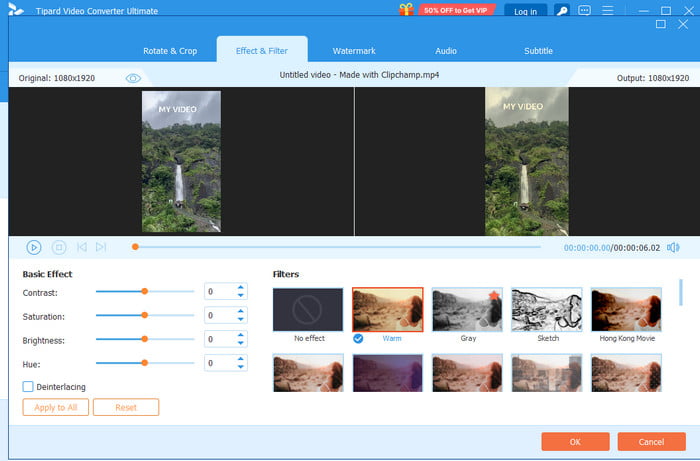
Features:
- It can offer various basic and advanced tools, like cropper, trimmer, metadata editor, and more.
- The program can convert media files, such as video, audio, and images.
- It can offer its noise reduction feature.
- The editor can upscale the video to the highest quality.
If you need a versatile video editor, look no further than Tipard Video Converter Ultimate. This program is very lightweight with low CPU and RAM usage, ensuring a smooth editing process. It can even support full hardware acceleration for transcoding, decoding, and editing. The best part here is that it can provide practical video editing features and AI enhancement. With that, you can ensure that you can get the result you need after the editing process.
- It supports various formats, like FLV, MP4, MOV, MKV, etc.
- It can save video without a watermark.
- The program's main interface is ideal for beginners.
- You can access all features by getting the premium version.
Testing Result:
The program is ideal for editing videos since it can provide both basic and advanced editing tools. It can even convert video to other formats for better compatibility.
2. CapCut
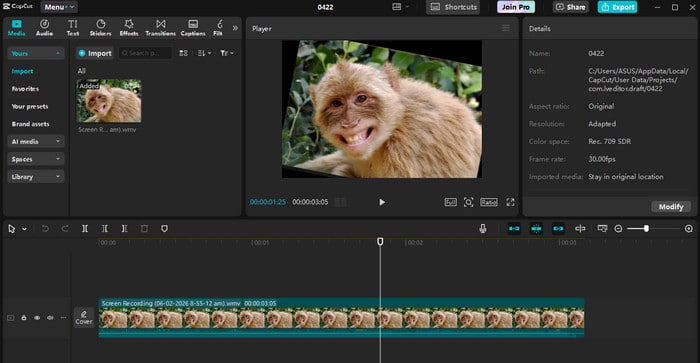
Features:
- The auto caption feature is available.
- It can offer its background remover feature.
- The editor can offer various templates to make the video appealing.
If you need another lightweight video for Mac and Windows, you can try using CapCut. This easy-to-use video editor ensures that you can edit your video smoothly. You can even access various editing tools. Some of the tools are a video splitter, cropper, trimmer, playback speed adjuster, and more.
- The user interface is intuitive.
- It has strong AI features.
- It is limited to long-form projects.
- You must get the premium version to save the video without a watermark.
Testing Result:
The software can offer a smooth video editing process. The stability is also good, making it a good choice for some content creators.
3. OpenShot Video Editor
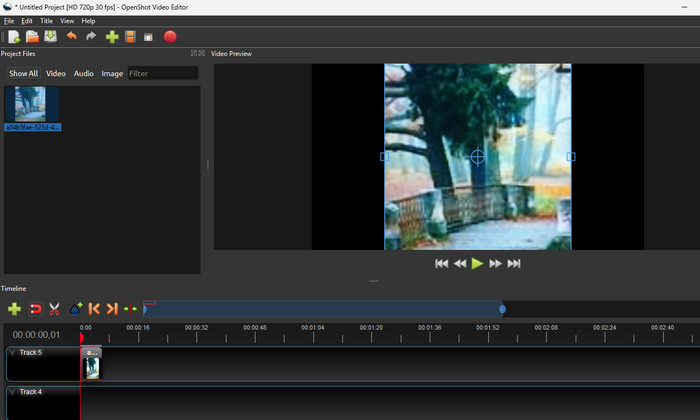
Features:
- It supports multi-tracking editing.
- The video transitions are available.
- It can offer an audio separation feature.
OpenShot is an open-source editor known for its simplicity and unlimited tracks. This editor is lightweight and suitable for beginners or budget-conscious content creators. It can even save the video in the best quality, making it a top choice for other users.
- The editor is free to use.
- Accessing the video editor is simple and smooth.
- There are times when the video editor crashes.
Testing Result:
The video editor can perform well, especially on an entry-level processor. It can even give you a smooth rendering process.
4. ShotCut
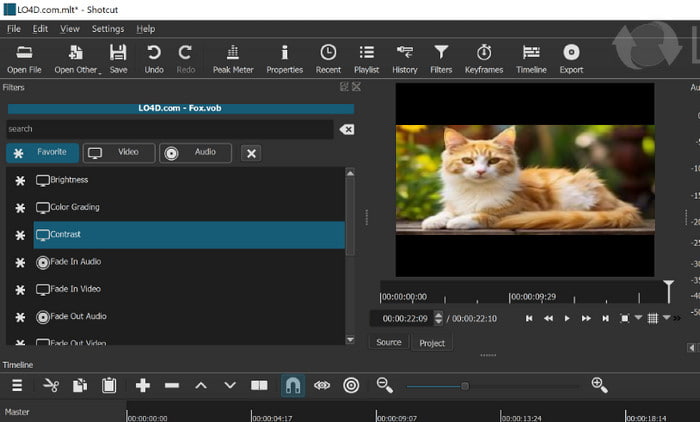
Features:
- The editor can offer various filters for videos.
- It can offer various export presets.
- It has a multi-track timeline.
If you need the best free lightweight video editor for PC, you can try using ShotCut. This open-source editor can edit your videos based on your preference. You can crop the video, add filters, effects, and more. You can even save the video without a watermark, which is convenient for some users.
- It has strong format compatibility.
- It is completely free.
- There are times when it has a problem with its stability.
Testing Result:
After using this software, we can tell that it is ideal for users. It can even handle 4K videos, resulting in better video playback.
5. VideoProc Converter AI
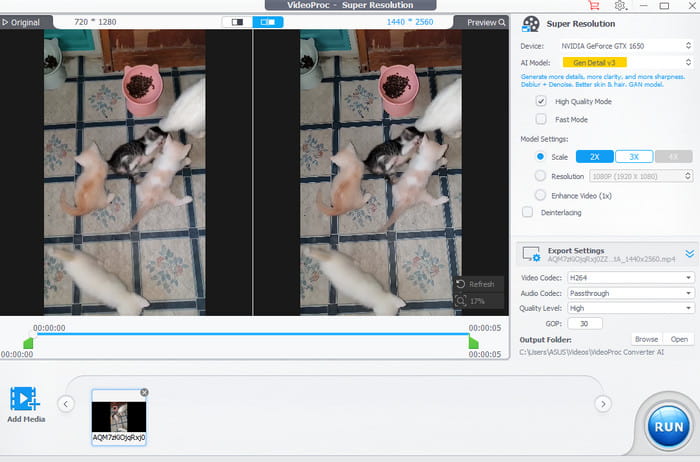
Features:
- It has an AI super resolution.
- The program can offer its recording features.
- The stabilization is on a different level.
If you want a professional-grade yet lightweight video editor, you can use VideoProc Converter AI. This editor can help you improve your video by increasing the resolution up to 4K, adjusting the video and audio codec, and more. You can even use its Converter to convert some formats, like MP4 to AVI, MKV to FLV, WMV to AVI, and more.
- The editor has a fast GPU-accelerated processing.
- The main interface of the editor is comprehensive.
- The free version has various restrictions.
Testing Result:
This video editor has excellent AI upscaling and stabilization. It ensures that you can edit your video and achieve the best quality.
6. Filmora
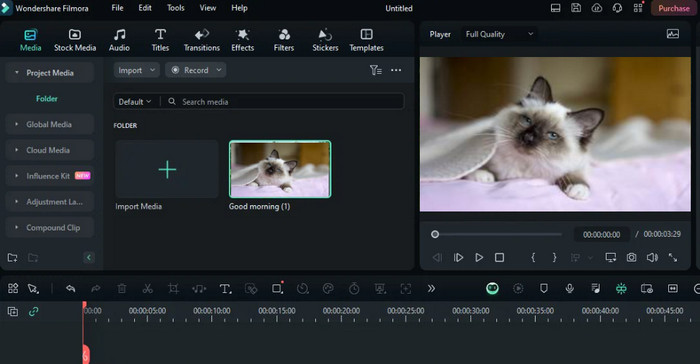
Features:
- It has a motion tracking feature.
- The AI background remover is available.
- The program can offer its screen recorder feature.
For our last and best free lightweight video editor, we have Filmora. This beginner-friendly editor can even support a drag-and-drop feature, allowing you to edit your files smoothly. It also has various templates to offer so that you can edit your videos instantly. The good part here is that it can provide some AI tools that can also help you enhance your overall video.
- Its interface is very intuitive.
- The editor has rich presets.
- When using the free version, the video will be saved with a watermark.
Testing Result:
This program can offer a fast rendering process when dealing with short videos. It also has a smooth workflow, ideal for beginners.
Part 5. FAQs about Lightweight Video Editor
Are lightweight video editors free?
Some of the editors are free, and some are not. Some of the free editors you can access are Tipard, OpenShot, ShotCut, and more.
Who should operate a lightweight video editor?
Lightweight editors can be operated by beginners, students, casual users, and professionals who need instant edits without complicated workflows.
Can a lightweight video editor handle 4K?
Most modern lightweight video editors are capable of dealing with 4K videos. Some of the editors that can handle 4K are Tipard Video Converter Ultimate, VideoProc Converter AI, and CapCut.
Conclusion
With these best lightweight video editors, you can ensure to edit and improve your videos without encountering any trouble. Thus, try all the programs we have recommended and see which editor is suitable for you. Also, if you want a powerful video editor, you can use Tipard Video Converter Ultimate. This program can offer both basic and advanced video editing tools, making it a reliable tool for both beginners and professionals.

All-in-one video toolbox: convert, edit, upscale, enhance, and compress your videos easily
100% Clean & Safe
100% Clean & Safe

More Reading

About the Author


 Tipard Video Converter Ultimate