

There are many online audio recorders available today. It can make it hard to choose the right one. To help you choose, we will explore Rev Online Voice Recorder, a popular option for quick recordings. This guide covers its features, pros, cons, and alternatives. Keep reading to see if it fits your needs.

Part 1. A Glance at Rev Online Voice Recorder
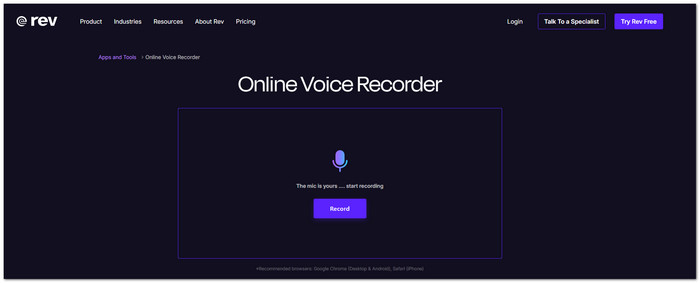
A good voice recorder should be easy to use from the first click. Rev Online Voice Recorder does exactly that.
It is a free browser-based platform that lets you record audio without installing a program. After recording, you can preview your file, trim unwanted parts, and download it as an audio file. If you need a transcript, you can also send the recording to Rev's human or AI transcription service.
Rev Online Voice Recorder also puts privacy first. It says your recordings are not uploaded to its servers while you record. Your audio stays private and secure. It works best on Google Chrome for desktop and Android, and Safari on iPhone.
Part 2. Key Features of Rev Online Voice Recorder
Rev Voice Recorder comes with simple but useful features for everyday recording tasks.
- 100% Free Voice Recording
Record audio as much as you need and download it as an MP3 without paying. - Browser-Based Tool
Open the website and start recording. No program installation is needed. - MP3 File Export
Save your finished recording in MP3 format for easy sharing and playback. - Audio Preview
Listen to your recording before downloading it. - Built-in Audio Trimmer
Remove unwanted parts of your recording without using another editor. - Waveform Display
View your audio with a waveform to help you find the right section while editing. - Pause and Resume Recording
Stop and continue recording anytime without starting over. - Optional Speech-to-Text
Turn your recording into text with AI transcription or a human transcription service. - Private and Secure
Rev states that recordings are not collected or uploaded during recording. It also uses encryption to protect your data. - Mobile App Support
You can also use the free Rev Voice Recorder app as a Rev call recorder for iPhone and Android for recording on the go.
Part 3. Master Review of Rev Voice Recorder
Pros:
- Completely free to record and download audio.
- Saves recordings as MP3 files.
- Includes audio trimming before download.
- Offers AI and human transcription services.
- Simple interface that beginners can learn immediately.
- Also available as a free Rev call recorder app for iPhone and Android.
Cons:
- Supports MP3 output only.
- No advanced audio editing tools.
- Best performance is limited to supported browsers such as Google Chrome and Safari.
- Human and AI transcription services require an extra payment.
Platform:
- Web browser
- Google Chrome (Desktop and Android)
- Safari (iPhone)
- Rev call recorder app for iPhone and Android.
Pricing:
| Voice Recorder | Free |
|---|---|
| Optional Transcription Services | • AI Transcription: $0.25 per minute • Human Transcription: $1.99 per minute |
| Subscription Plans | • Free - Includes limited AI transcription minutes each month. • Essentials - $25.49 per seat/month when billed yearly. • Pro - $47.99 per seat/month when billed yearly. • Unlimited - Custom pricing for larger teams. |
Who Is It For:
Rev audio recorder is a good choice for:
- Students recording classes or study notes.
- Journalists recording interviews.
- Content creators making voice recordings.
- Professionals recording meetings.
- Anyone who needs a free and simple online voice recorder.
Tech Specs:
| Category | Details |
|---|---|
| Tool Type | Online voice recorder |
| Output Format | MP3 |
| Recording | Browser microphone |
| Audio Editing | Preview, trim, pause, resume |
| Transcription | AI or human transcription (optional) |
| Security | Encrypted recording process with privacy protection |
| Supported Browsers | Google Chrome (Desktop and Android), Safari (iPhone) |
| Mobile App | Available for iPhone and Android |
| Show MoreShow Less | |
Final Verdict:
Rev.com Online Voice Recorder is a good choice if you need a fast and free way to record audio online. It is easy to use from start to finish. You can record, trim, preview, and download your audio in just a few steps.
Its optional transcription service is also helpful for work, school, interviews, and personal projects. It does not have advanced editing tools. Still, it gives you the basic features you need for quick and reliable voice recording.
Part 4. Best Alternatives to Rev Online Voice Recorder
1. Tipard Screen Capture
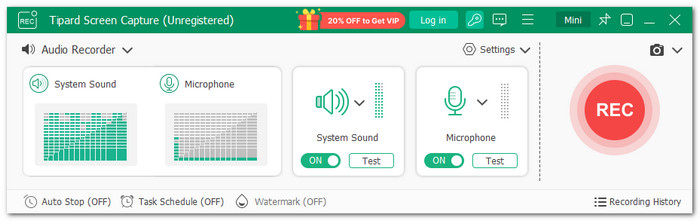
When online tools feel too limited, like Rev Online Voice Recorder, a desktop recorder can give you more freedom. Meet Tipard Screen Capture, which can capture system sound, microphone audio, or both at once. It helps you record meetings, music, tutorials, and more with ease. Your audio files are saved automatically so that you can find and manage them immediately. You can also edit recordings and save them in MP3, FLAC, AC3, and other formats.
Why We Select It
Tipard Screen Capture offers more than audio recording. It can also capture screen activities with sound. It works as a meeting recorder and a game recorder. It also supports mobile recording for Android and iPhone.
2. Vocaroo
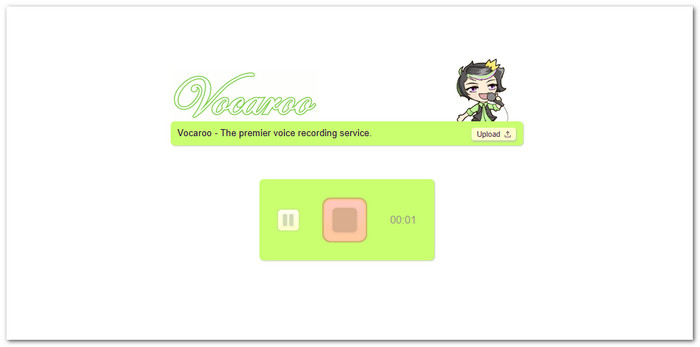
Do you need a fast way to record and share your voice? Vocaroo is a great Rev recorder alternative and a simple audio recorder for Chrome users. It opens in your browser and lets you record in seconds. You can pause and resume anytime. It also removes background noise and adjusts volume automatically. After recording, you can save your audio and share it with others using a link.
3. SpeakPipe
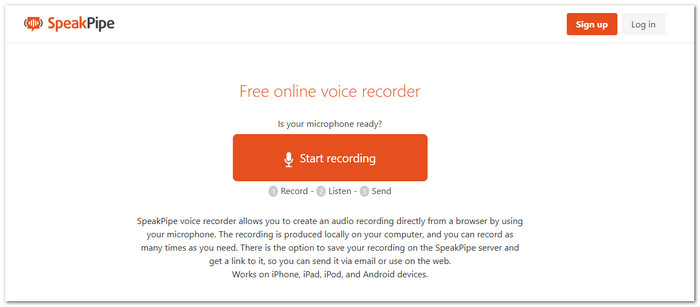
Some tools make sharing voice recordings much easier. SpeakPipe is one of them and works as a simple Rev audio recorder alternative. It records audio right in your browser and creates the file on your device. You can also upload it to SpeakPipe's server and get a shareable link. It works on computers and mobile devices. Recordings stay online for up to three months.
Quick Comparison of the Best Rev Online Voice Recorder Alternatives
| Factors | Tipard Screen Capture | Vocaroo | SpeakPipe |
|---|---|---|---|
| Platform | Windows & Mac | Online | Online |
| Audio Recording | System sound, microphone, or both. | Microphone recording. | Microphone recording. |
| Screen Recording | Yes | No | No |
| Audio Editing | Yes, built-in tools. | Basic options only. | No advanced editing. |
| Output Formats | MP3, FLAC, AC3, and more. | Web audio sharing. | Online audio link. |
| Recording Control | Pause, manage, edit, and save. | Pause and resume. | Record and replay. |
| File Management | Auto-save and easy management. | Simple sharing. | Online storage option. |
| Best Advantage | All-in-one recording solution. | Fast voice recording. | Easy voice sharing. |
| Limitation | Needs installation for desktop use. | Limited editing tools. | 5-minute recording limit. |
| Show MoreShow Less | |||
Part 5. FAQs of Rev Online Voice Recorder
How do I transcribe my audio files using Rev Online Voice Recorder?
After recording your audio, click the Transcribe button on the recorder page. Rev gives you two choices. AI transcription is faster and costs $0.25 per minute. Human transcription offers higher accuracy at 99% and usually takes around 12 hours to complete.
Does Rev Online Voice Recorder require an account to record audio?
No. You can start recording right away from your browser. There is no need to create an account for basic recording. An account is only needed if you want to use other Rev services.
Can I use Rev Online Voice Recorder for long recordings?
Yes! But still depends on your browser, device performance, and available storage space.
Conclusion
Does Rev Voice Recorder offer what you need for easy audio recording? It is a simple online tool, but you can also explore alternatives like Tipard Screen Capture. Although it needs installation, this desktop recorder offers more features for audio and screen recording.

Record full screen, portion, window, game, and phone seamlessly without lag
100% Clean & Safe
100% Clean & Safe

More Reading



About the Author


 Tipard Screen Capture