

DVD or Digital Versatile Disc /Digital Video Disc is an optical disc storage that can be used for storing videos, audio, and multiple types of computer data. It is the old way to store the mentioned data, which was introduced in the mid-1990s. The mentioned disc can store 4 GB or more of data, depending on its type.
However, DVDs are prone to physical issues, which cause the video or audio to skip or freeze. How to fix a skipping DVD? In this article, you will discover the three best ways for the fixing process. The common causes of the issue are also included. Kindly scroll through this post to see the full information about the topic.

Part 1. Why Is DVD Skipping? Common Causes and Issues
There are countless reasons the DVD skips when playing video or audio. It could be an external issue, compatibility, or other factors. See them from the list below to help you choose the best solution for your problem.
1. Scratched or Dirty Disc
A scratched or dirty disc can also be the reason why the DVD videos will skip. Scratches, fingerprints, dust, and smudges can be the external factors. If so, you need to learn how to clean a DVD to resolve the issue.
2. Data Errors or Manufacturing Defects
Sometimes, the reason why the DVD skips is not an eternal factor. The data stored from it might be corrupted or have poor disc production. You will know that it is the main issue of the DVD when the skipping happens at the exact spot every time you play it.
3. Compatibility Problems
There are region codes for DVDs. These codes can be resulted to playback issues, which cause the videos to skip. Also, some DVDs do not work well on some players. Finally, the low-quality discs might skip more.
4. Faulty DVD Player
A DVD player is needed to play the DVD. Sometimes, it is the primary reason why the DVD does not work as expected, especially if it has major issues. In this case, fixing or replacing the DVD player is the best solution.
5. Temperature Issues
Some environmental factors affect the DVD, including humidity and condensation. It has an impact on the disc readability. An overheating can also cause the DVD to skip, including the dust buildup inside the player.
Part 2. Common Ways to Fix a Skipping DVD
4K UHD Players, Blu-ray Players, and 4K UHD Players can play DVDs. You can also play a DVD on Windows Media Player with third-party decoders. However, they can still experience the skipping issue. How do you fix a DVD that skips? Below are the three best methods.
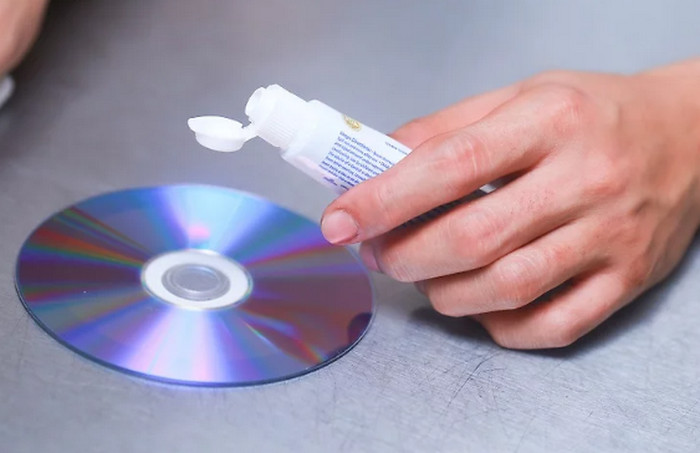
1. Use Toothpaste to Clean DVD
Toothpaste is commonly used for cleaning the DVD when it has scratches. Some believe that it can fix the freezing or skipping issue on the DVD. However, this technique has a low success rate. Scratches commonly have a permanent effect on the file playback. Anyway, you can still try the technique.
Grab a small cloth and your toothpaste. Then, put a little amount of toothpaste on the DVD. Later, use the cloth to wipe it to the DVD. Ensure that the DVD is dry afterward. You can try it using your DVD player after the process.
2. Use Alcohol to Smoothly Wipe the DVD
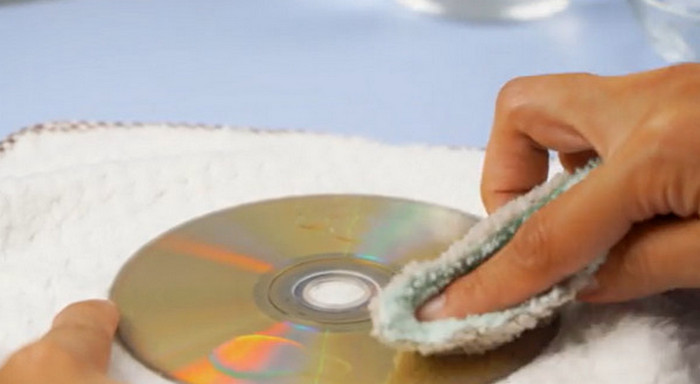
An alcohol is usually utilized for first aid. You can also use it as a technique to clean your DVD that is skipping. It is recommended for a DVD that has an issue with only dust, not scratches. Below is the proper way of cleaning DVDs with alcohol.
Grab a dry cloth and put a little drop of alcohol into it. Later, grab the DVD and wipe it using the cloth with alcohol. Wipe it until you see no dust on the DVD. Ensure that you put only a little amount of alcohol on the cloth. Too much alcohol can damage the DVD more.
3. Clean DVD Player
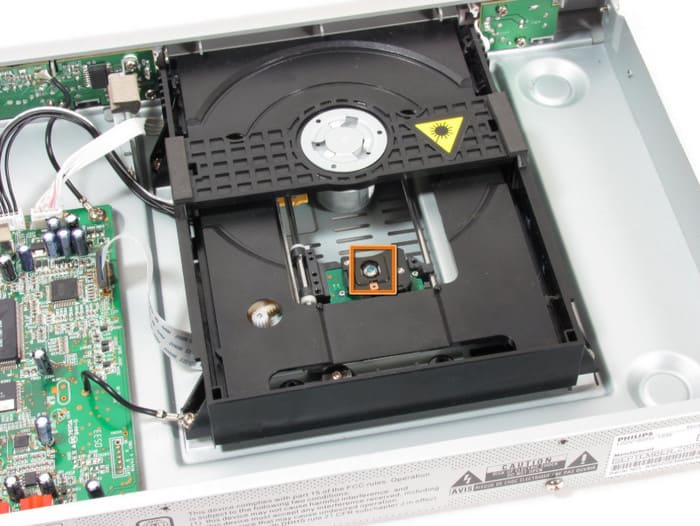
The DVD itself might not be the only issue. It can also be the DVD player. How to fix a DVD player that skips? Well, it is the most challenging and demanding process. You will need multiple tools for cleaning it. Follow the steps below for the proper cleaning process of your DVD player.
Grab a dry cloth and wipe the surface of the DVD player. Then, use a cotton bud on the smaller and narrower parts or surfaces of the mentioned device. Use a vacuum on the parts that are not reachable with your tools or hands. Now, try to insert the DVD again and see if it is working.
Part 3. Permanent Solution: Digitizing Your DVD Collection
The best solution to prevent the DVD videos from skipping and freezing is to digitize them. Tipard DVD Ripper can help you with that process! It can easily read skipping DVDs and convert them to a digital format. The tool supports 500+ rare digital formats, including MOV, MKV, AVI, MP4, ProRes, and more. You can also use its features that support AI upscaling.
Furthermore, the third-party program supports lossless remixing. It offers many modern and standard output formats and codecs. Please use the steps below to learn how to fix a skipping DVD by making it digital.
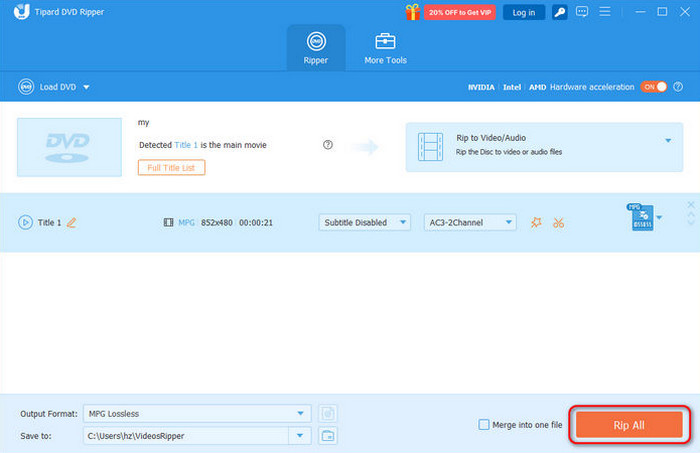
Step 1 Go to the main website that Tipard DVD Ripper offers. Then, download the tool and install it. The tool will be prompted on your computer afterward.
Step 2 Select the Load DVD section at the top left and choose the best option. Then, the information in the file will appear. You can select the file format, subtitle, and more settings. Click the OK option at the bottom right.
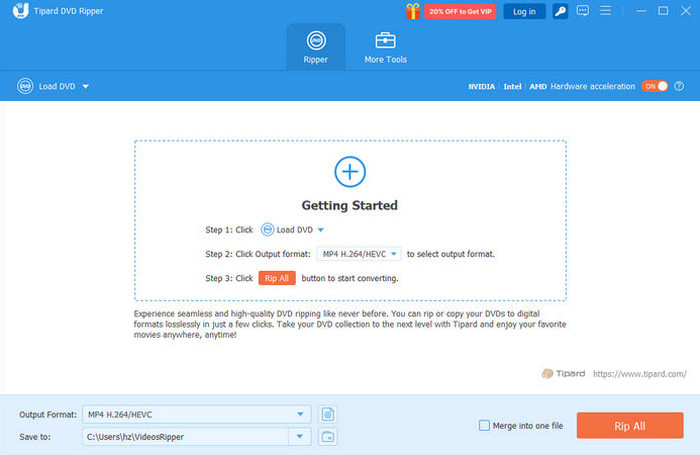
Step 3 Click the Rip All option at the bottom right. Wait for the ripping process to be completed. Then, save the file on your computer to finish the process.
Part 4. FAQs on How to Fix a Skipping DVD
What causes a DVD to pixelate?
The causes of DVD pixelation are the same as the factors that cause the DVD to skip. A scratch, a crack or break, fingerprints, smudges, and dirt are also some of the causes.
What is the average lifespan of a DVD?
If well managed, the DVDs can last up to 30 to 100 years, according to experienced users and manufacturers. It is recommended to store them in a cool and dry place.
Are DVDs making a comeback in 2026?
In the past few years, users have utilized DVDs less often. But there are reports that Gen Z is trying to revive the use of the mentioned disc.
Conclusion
To summarize, this post helps you to fix a skipping DVD. Three of the easiest methods can be found. Also, the common causes of the mentioned issue can be found. Tipard DVD Ripper can help you convert the DVD to digital formats. Download the tool to explore more of its features.
More Reading




About the Author


 Tipard DVD Ripper