How to Play 3D Blu-ray Movies with Multiple Popular Tools
If you doubt if a Blu-ray player can play your 3D movies, the answer is yes. Most Blu-ray players can also play 3D video and movie content as part of their developed features. However, we cannot deny that some players, even though labeled to work for Blu-rays, have limitations to playing 3Ds. That being said, let us meet the best player that will give you a smooth process in attaining a perfect 3D movie-watching acquisition. In addition, this will also be a perfect time for us to answer the other “Does PS5 play 3D Blu-ray” questions as well, as they seek our official response. Hence if you want to know what your favorite gaming console can also do when you read the rest of the content below.

Part 1. Best Blu-ray Player to Play 3D Blu-ray Movies
If you are looking for a one-of-a-kind Blu-ray player that will cater best to your 3D movies, then this Tipard Blu-ray Player is the one you deserve to acquire. The only reason you won't have it is that you don't want a robust and safe player of all kinds of Blu-ray, including ISO, IFO, DVDs, 4Ks, and 3Ds. Furthermore, this fantastic player has often been labeled as the ultimate one due to its features, controls, and tools. Not just that, Tipard Blu-ray Player is infused with advanced technologies that make a huge difference in providing high-quality videos and sound, and what are those? They are NVIDIA, Intel, AMD, MTS, DTS, and Dolby. Therefore, can a Blu-ray player play 3D movies like a cinema? Yes, with Tipard Blu-ray Player!
Unlike other 3D players, this amazing Blu-ray player enables you to capture your favorite movie scenes with the help of its screenshot tool that gives high-end images for the output. What's more? You won't need to worry if you have regular 3D videos since it also works with numerous video formats like MP4, MOV, MKV, AVI, WMV, and many more. And not to mention the playback control panel within its simple and elegant interface, making you play your desired movie without a hassle! All that you can achieve in just a simple software acquisition! Now, how to play 3D Blu-ray on a normal Blu-ray player? Then see the steps below.
Step 1Install the Best 3D Blu-ray Player
The first thing to do is to click the Download button below to install the software on your computer freely.
Step 2Open the 3D Movie
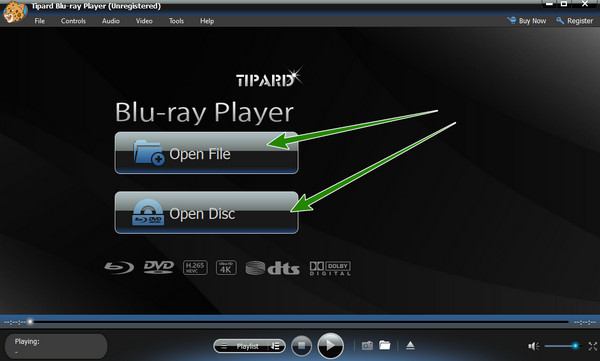
When you reach the main interface of the player, click the Open File button or the Open Disc tab to open the 3D Blu-ray player you want to watch. Please note that the movie is on a disc, so you must insert it into your computer's disc drive.
Step 3Play the 3D Movie
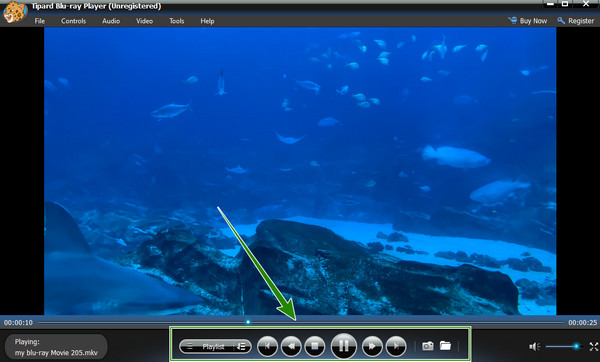
Once the 3D Blu-ray movie is in, it will directly play with excellent quality. Also, you are free to navigate by using the playback control in the interface. As simple and quick as that, you can start and enjoy watching in this 3D Blu-ray player.
Part 2. Can PS Play 3D Blu-rays
Suppose you have a PS4 in the house and wonder if PS4 can play 3D Blu-ray. In that case, we have prepared the particulars below, showing and explaining the kind of PlayStation console that supports 3D Blu-ray playback.
Can PS3 Play 3D Blu-ray
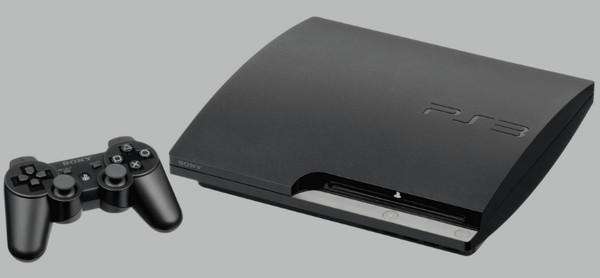
Simply yes. PS3 is one of the Sony gaming consoles that can play Blu-ray well. This console has been working well even with music and online services due to the system that is running on it. It is believed having a crystal clear HD picture makes it a reason for you to play 3D Blu-rays even better. This information will only be true when you use a Sony 3D full 3D TV with your PS3.
Can PS4 Play 3D Blu-ray
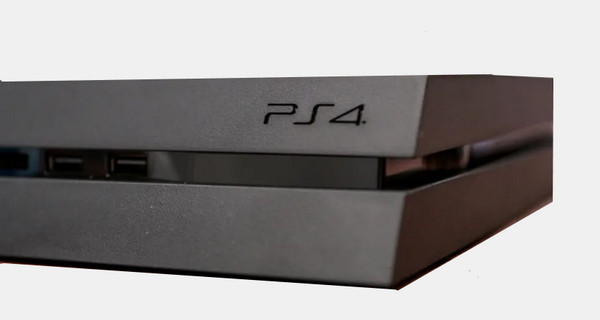
Now, if you are using a PS4, you better check its version before claiming a 3D Blu-ray playback. It is because only those PS4s with a 1.75 system version can match the ability to play 3D Blu-ray discs. Furthermore, this version of PS4 has a built-in Blu-ray drive that caters mainly to high-quality Blu-rays with 1.5 times playback, even for DVDs.
Can PS5 Play 3D Blu-ray
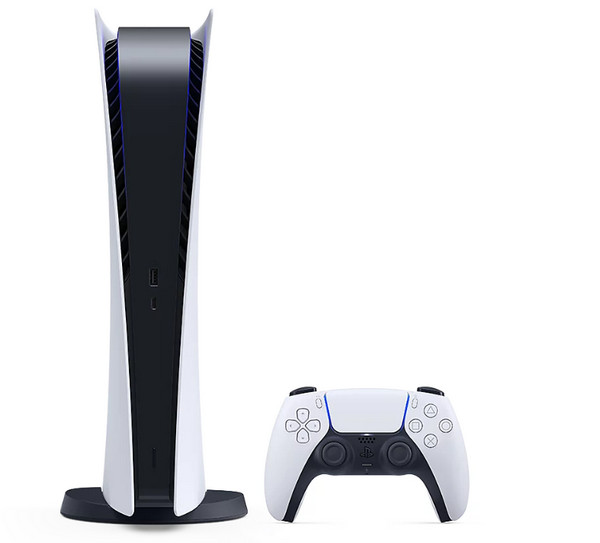
Yes. There are actually two kinds of PS5 that you can choose from. There is this standard edition which has a built-in Ultra HD disc drive that can obviously play Blu-rays. The other type of PS5 you can encounter is the digital one, which works the same as the standard one but distinctly differs in having a disc drive. Yes, a digital PS5 is a disc-less console edition that works with 3D Blu-ray movies as long as they are converted to ISO files. So, does PS5 play 3D Blu-ray? The answer is yes!
Part 3. Can Xbox One Play 3D Blu-rays
Like the PlayStation, Xbox One is a gaming console offering an all-in-one entertainment system. And to directly answer your question, if this console can play your favorite 3D Blu-ray movie, then the answer is a short yes. It is because Xbox One has unique features that can access popular streaming services, apps, and even 3D movie playback. Thus, here are the quick steps to help you use Xbox One to play 3D Blu-ray.
Step 1Open the gaming console and click the Settings tab option on the screen. Then, on the new page shown on the screen, click the Display & Sound menu and select the Calibrate HDTV button.
Step 2When you get to the setup page, follow the guide to succeed. Then, go back to the previous page, look for the Video Fidelity tab, and tick to put a checkmark on the Allow 3D option.
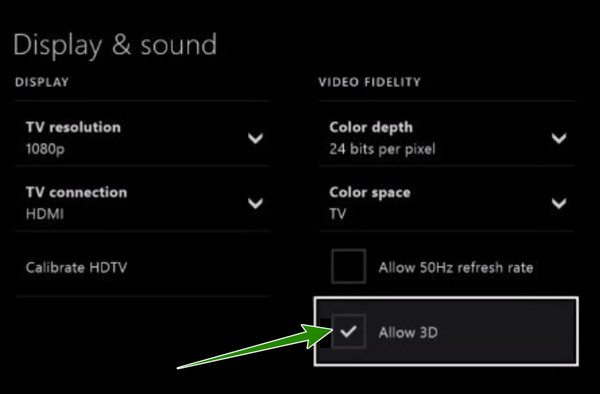
Step 3After all the settings are made, you can now insert the 3D Blu-ray into the disc drive of your Xbox One and enjoy playing it.
Part 4. FAQs about Playing 3D Blu-rays
Can you watch 3D Blu-ray on regular TV?
3D Blu-ray movies can be played on a regular TV. However, you might experience complications in watching since the screen is unsuitable for the content.
Is software more practical than a hardware 3D Blu-ray player?
Yes. A 3D player software is far more practical than hardware when it comes to price and usability independency.
Does Windows Media Player play 3D Blu-rays?
No. Windows Media Player cannot play Blu-rays due to the license policy of Sony on Blu-rays.
Conclusion
After reading this article, you must be convinced that a Blu-ray player can play 3D Blu-ray movies. This post outlined the best players you can use for a high-end playback experience. Thus, if you own any of the gaming consoles presented above, you can grab the Blu-ray and play it whenever. But, if you do not have any of them, it is more practical to use Tipard Blu-ray Player.