

People who enjoy Blu-rays may already have the necessary equipment to play them, such as Blu-ray players or computers with compatible drives. But have you ever considered watching your Blu-rays on a mobile device? That requires a Blu-ray player app.
It's entirely possible to watch Blu-ray on phone. You need to convert your Blu-rays into widely supported video formats that work on smartphones and tablets. This way, you can enjoy your favorite Blu-rays anytime and anywhere. In this article, we'll introduce the top 6 Blu-ray player apps for Android and iPhone in 2026.

Part 1. Can I Watch Blu-ray Video on a Phone?
Thanks to modern technology, you can now convert your Blu-ray discs into digital files, making it easy to enjoy your favorite movies on any device. Converting to MP4 guarantees broad compatibility with almost all media players. While the process might not create a perfect copy, top-quality software can make the difference nearly invisible. Prefer AVI, MKV, or MOV? Just keep in mind that not every player supports these formats.
Looking for a Blu-ray player that works seamlessly with your iPad or other iOS devices? It can be a challenge, since iOS limits third-party apps more strictly than Android. Don't worry; we've collected the top six Blu-ray player apps you can download right to your mobile device, so you can start watching your favorite movies anytime, anywhere.
Part 2. Top 5 Blu-ray Player Apps on Android/iOS
Check 6 Blu-ray Player apps for Android/iOS devices. You can also see the pros and cons of each player to help you determine which one is right for you.
1. VLC
VLC Media Player is a popular mobile application that provides a free and open-source media player for both Android and iOS devices. This free Blu-ray player lets you enjoy your digitized Blu-ray collection without worry, as it supports a variety of formats, such as MP4, AVI, MKV, MOV, WMV, and more. This Blu-ray Player app is helpful for those looking for simplicity as well as essential functionalities.
Compatibility: iOS and Android
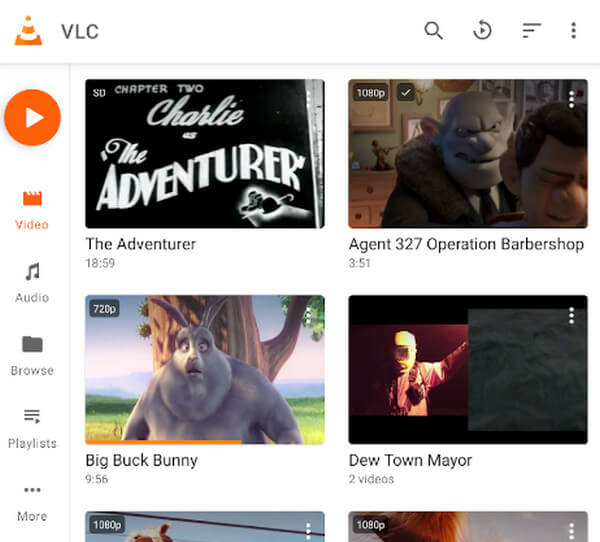
- Offer User-friendly interface, making it easy to navigate and control media playback.
- Support various audio and video formats, ensuring compatibility with different media files.
- Android users can easily manage their media files within the app, such as renaming, deleting, and organizing them into folders.
- VLC for Android may require significant resources, especially on older or less powerful devices, which could lead to lag or slowdowns during playback.
- Due to iOS restrictions, VLC's access to files outside its sandbox environment may be limited, affecting certain functionalities.
2. PlayerXtreme Media Player
PlayerXtreme Media Player is a well-known Blu-ray player app for iPhone and Android devices. It supports various formats and streaming devices such as Chromecast, Roku, and Airplay. Additionally, it is a well-categorized and easy-to-use application.
Compatibility: iOS and Android
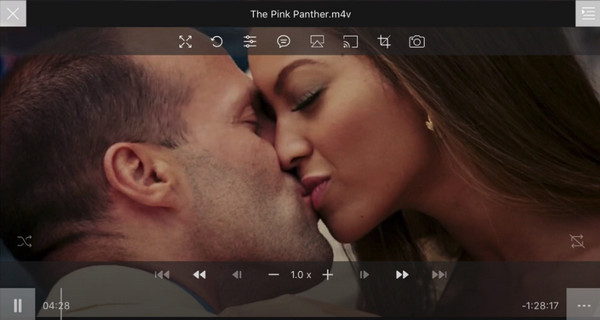
- Supports a range of formats, including Blu-ray.
- Works with streaming gadgets such as Chromecast, Roku, and Airplay.
- User-friendly for iOS users.
- Has fewer advanced features in comparison to some alternative Blu-ray player applications.
- Currently lacks functionality for external displays.
3. Infuse
Infuse is a media player app designed for iOS devices. This Blu-ray player app features an appealing user interface and supports nearly all video formats, eliminating the need for format conversion. Furthermore, users appreciate this Blu-ray player app for its interactive design and seamless playback experience.
Compatibility: iOS
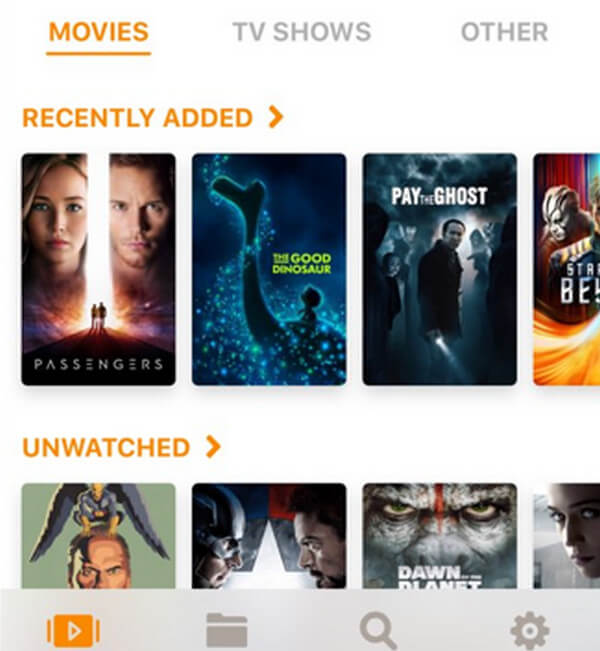
- Attractive and interactive user interface.
- Incorporates Trakt sync, AirPlay functionality, and subtitle support.
- Delivers remarkable subtitles with gesture control.
- May experience occasional issues with metadata.
- Advanced functionalities might be restricted when compared to other media player applications.
4. MX Player
MX Player is a specialized Blu-ray player app for Android and iOS users. It is packed with robust features such as swipe gestures, network streaming, and support for a wide range of formats. Furthermore, this Blu-ray player app can be used to synchronize audio for any delays or additional tracks.
Compatibility: iOS and Android
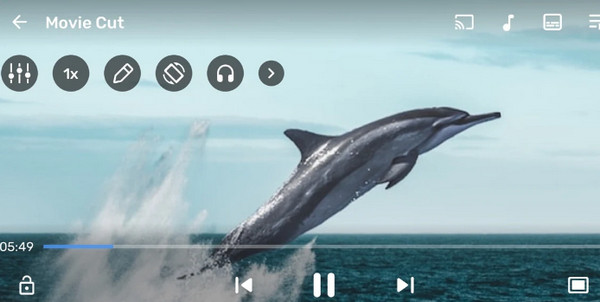
- The app helps improve video playback on slower devices by splitting the work of decoding videos among different parts of the device's processor, making videos play more smoothly.
- You can watch videos directly from the internet or a network storage device without having to download them first.
- It lets you customize subtitles to fit your preferences, making it easier to watch videos in different languages or with subtitles.
- The free version of MX Player shows ads, which can be annoying, but you can upgrade to the premium version to get rid of them.
- Sometimes, MX Player might have problems like bugs or glitches, especially on older devices or with certain types of files.
5. BSPlayer
BSPlayer is a popular media player recognized for its support of multi-core hardware decoding. Additionally, this Blu-ray player app offers a background playback feature, enhancing user experience. Similar to other leading players, BSPlayer can handle various formats and utilizes hardware acceleration for improved performance.
Compatibility: Android
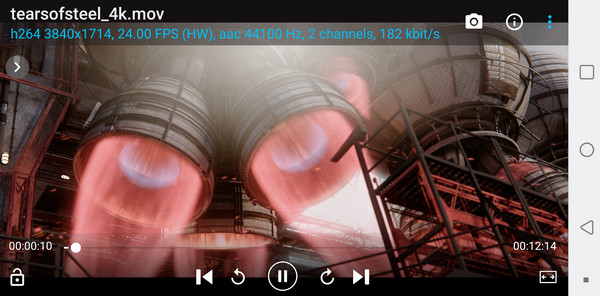
- It can handle many types of audio and video formats.
- It speeds up playback, especially on slower devices, thanks to hardware acceleration.
- It's got a simple interface and easy controls, so you can get around and use it without any trouble.
- The free version of BSPlayer shows ads, which might bother some folks.
- Unlike some other media players, BSPlayer mainly works with files stored on your device and doesn't have a lot of options for streaming content.
6. Plex
Plex is a streaming app and a media player that supports various formats. This Blu-ray player app offers neat features that allow you to organize digitized Blu-ray into libraries. With its premium features, you get access to 50,000 free TV choices.
Compatibility: iOS and Android
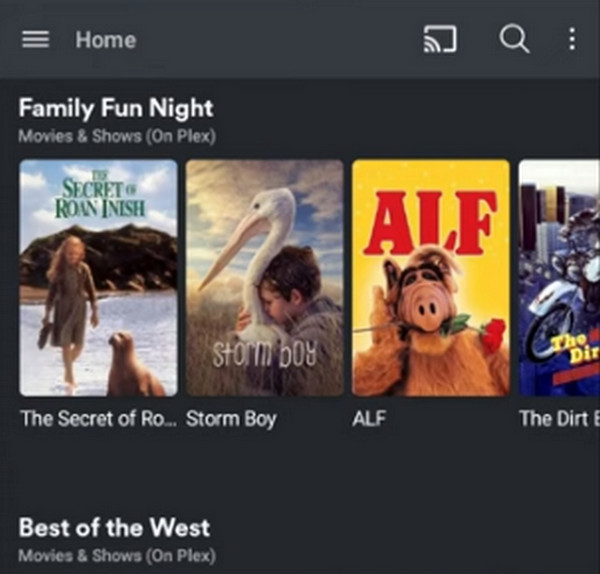
- Plex lets you stream your media to different devices like phones, tablets, smart TVs, and streaming boxes.
- With a Plex Pass, you can access your media from anywhere, not just at home.
- Plex also has features like organizing your media for you and controlling what your kids can watch.
- To watch high-quality videos on Plex, you need a good internet connection.
- You have to set up and take care of a server to use Plex because it stores your media on a central server.
Part 3. Top 3 Blu-ray Player Software on Windows and Mac
1. The Best Blu-ray Player Software on Windows/Mac
For optimal Blu-ray playback, it's essential to use software specifically designed for this task. With that in mind, Tipard Blu-ray Player offer the perfect solution for enjoying your Blu-ray collections on both Windows and Mac devices.
Tipard Blu-ray Player stands out as excellent software for playing Blu-ray discs, ISO files, and digital copies. Its user-friendly interface ensures ease of use for all. Plus, it boasts fantastic features like customizable playlists, screenshot capture, and hardware decoding for reliable, seamless playback.
Even if you've converted your Blu-rays to digital formats, this software has you covered! It can handle nearly every media file type, including MP4, MKV, AVI, WMV, MOV, and others. Don't miss out on this application for an unmatched movie night experience!
Step 1 Click the Free Download button below to get the application. Then, double-click the downloaded file to install it on your device. After installation, launch the application.
Step 2 Click the Open Disc button to load a Blu-ray disc or the Open File button to import Blu-ray ISO or Blu-ray folder you want to play.
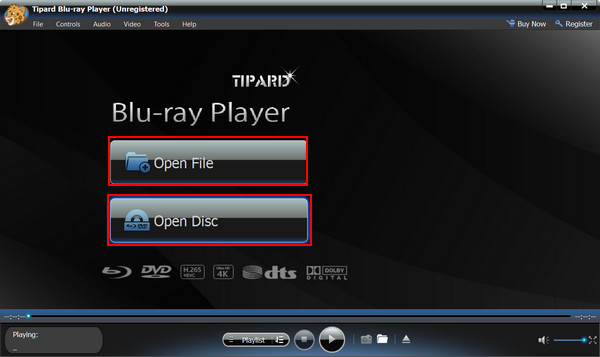
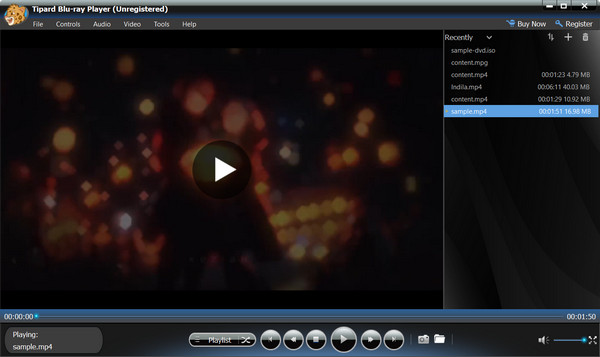
Step 3 Customize your playlist and explore the features of the application. To capture a screenshot of your playing Blu-ray, click the Camera option located below the screen.
2. Leawo Blu-ray Player
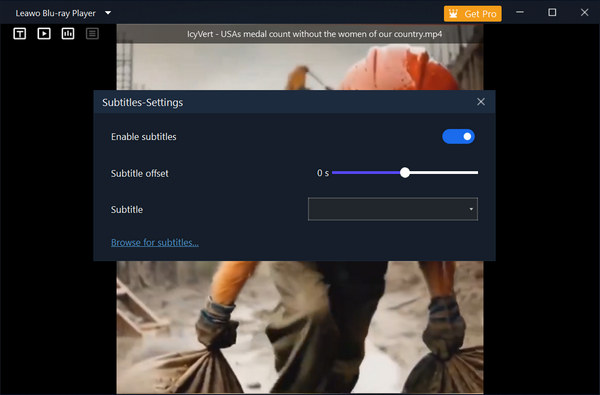
Leawo Blu-ray Player is a versatile media player that supports Blu-ray, DVD, ISO files, and popular video formats like MP4, MKV, and AVI. With high-definition playback, customizable subtitles, and a user-friendly interface, this Blu-ray Player app allows you to enjoy movies in excellent quality on your computer or mobile device.
Compatibility: Windows and Mac
Step 1Launch Leawo Blu-ray Player on your computer. Click the Open File or Play Disc button to load your Blu-ray disc, ISO, or Blu-ray folder.
Step 2Now, you can enjoy your Blu-ray movie with this Blu-ray player app. You can also adjust subtitles in the Blu-ray movie.
3. VLC Media Player
VLC Media Player is a free, open-source media player that can play Blu-ray discs, DVDs, and a wide range of video formats. While it offers reliable playback and customizable settings, some Blu-ray discs with advanced copy protection may require additional configuration or libraries.
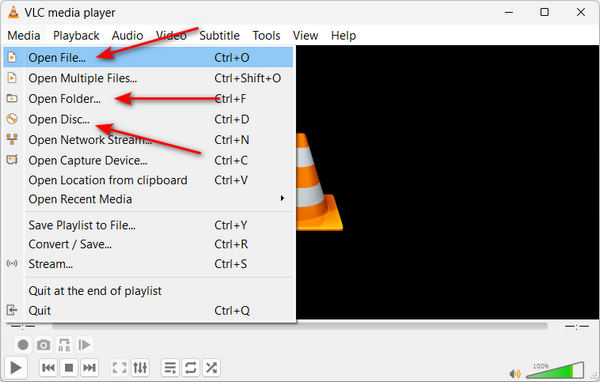
Step 1Launch VLC Media Player on your computer. Click the Media button, and then click Open File, Open Folder, or Open Disc button to load your Blu-ray.
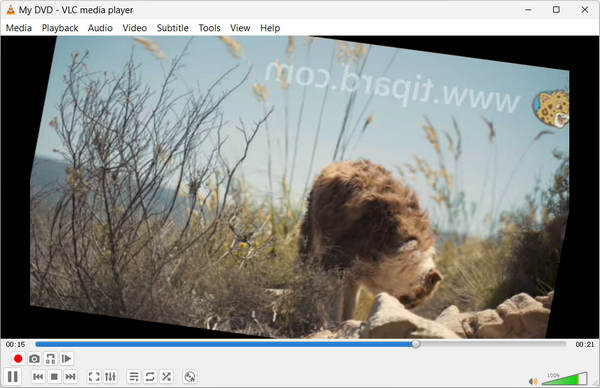
Step 3Now, you can watch your Blu-ray movie in VLC.
Part 4. How We Tested the Blu-ray Player Apps
We made earnest tests on those Blu-ray players on mobile phones and computers, just to offer a reliable review and recommendation. Check how we tested them as follow:
Tested Samples: For the mobile phones, we use a 25 GB and a 51 GB Blu-ray ISO file; for computers, we use an official Blu-ray movie disc and the 51 GB ISO.
Tested Devices: Windows 11 with NVIDIA RTX 4030, a MacBook with Apple M4, an iPhone 16 Pro Max, and a Samsung Galaxy S23.
How We Evaluate: We want the player apps to open large Blu-ray ISO files and play the video without lag or any visual quality loss. For computer players, we need to ensure that the disc and ISO images can be played seamlessly. Moreover, the mounted ISO images can still be played.
Part 5. FAQs About Blu-ray Player Apps
Do Blu-ray player applications need an internet connection?
Blu-ray player applications usually don't need an internet connection to play Blu-ray or media files stored locally on your device.
Do Blu-ray players have apps?
Yes, many high-end smart Blu-ray players often run their own operating systems (like Android TV or proprietary systems) and come with built-in apps for streaming services such as Netflix, YouTube, Hulu, Disney+, and more.
Can you convert Blu-ray to MP4?
Yes, it is possible to convert Blu-ray discs to MP4 format using specialized software or converters. Still, the content has to be extracted from the Blu-ray disc first, then converted to MP4 format using a conversion application.
Conclusion
Simply choose the Blu-ray player app that best suits your needs for enjoying your Blu-ray collection. These apps make it incredibly convenient to watch movies on your phone. If you're using Windows or Mac, consider Tipard Blu-ray Player; it delivers reliable, high-quality performance for a smooth, hassle-free movie experience every time!

Play Blu-rays and multimedia files with the best video and audio quality
100% Clean & Safe
100% Clean & Safe

More Reading

About the Author


 Tipard Blu-ray Player