

Looking for the best audio trimmers? Whether you are a podcaster who needs to clean an interview or a content creator who needs to create a social media clip, a good audio trimmer is a must-have tool. It can help you cut, trim, and split your audio based on your needs, ideal for making your content creative and better. In this post, we will explore the best audio trimmers you can use online, on desktop, and on your mobile phone. Without anything else, read here and learn more about the best trimmers/cutters for you.

Part 1. What is an Audio Trimmer
An audio trimmer is a specialized tool that was created and designed to shorten or cut audio files by removing unwanted sections from the beginning or end. This tool lets you isolate a specific clip from a longer recording, which is ideal for making social media snippets or custom ringtones. The best part here is that almost all audio trimmers can offer a user-friendly layout, offering a waveform that helps you view exactly where a sound starts and ends.
An audio clipper or trimmer is important for content creators to clean up voice recordings or eliminate awkward silences from a podcast. While the tool's basic version can focus on small cuts, more advanced trimmers can offer more features, such as fading in and out to ensure that the sound doesn't sound abrupt.
Part 2. Top 3 Audio Trimmers on Android and iPhone
Want to discover the best audio trimmers for Android and iPhone? Then, you can check all the details from this section.
1. Music Editor: Ringtone and MP3
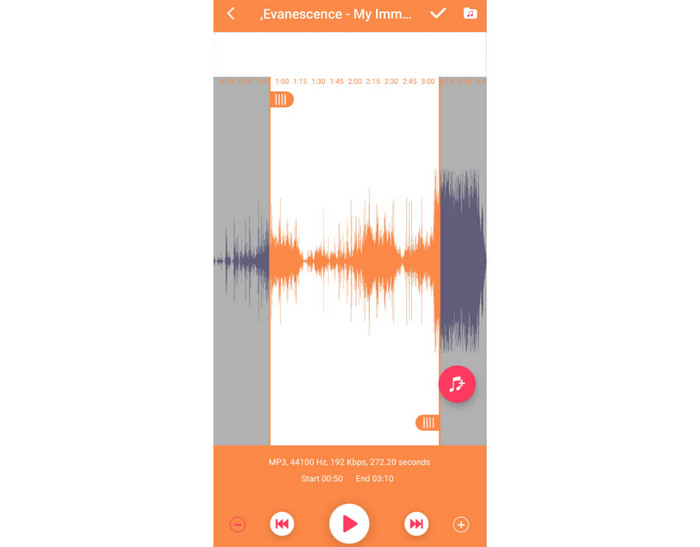
Features:
- It can offer an audio merger.
- It can convert audio to MP3.
- The app has a recorder feature for manual recording.
One of the most reliable audio trimming apps you can access on your Android is Music Editor: Ringtone and MP3. This app is perfect if you want to trim an audio file based on your needs. You can remove the beginning or end part of the track. What we like here is that you can even eliminate the sound from the center part of the track. With that, you can tell that deleting any area from the audio is a simple task to do.
- The app is simple to access.
- It has a comprehensive user interface.
- It can offer various features that can give you the best audio output.
- You must use the subscription plan to access more features.
- Ads are everywhere.
User's Review
The app is ideal when it comes to trimming any audio file. It can also give you a simple layout, making it ideal for beginners. With that, we can say that this app is reliable, thanks to its effective function.
2. Voice Recorder - MP3 Converter
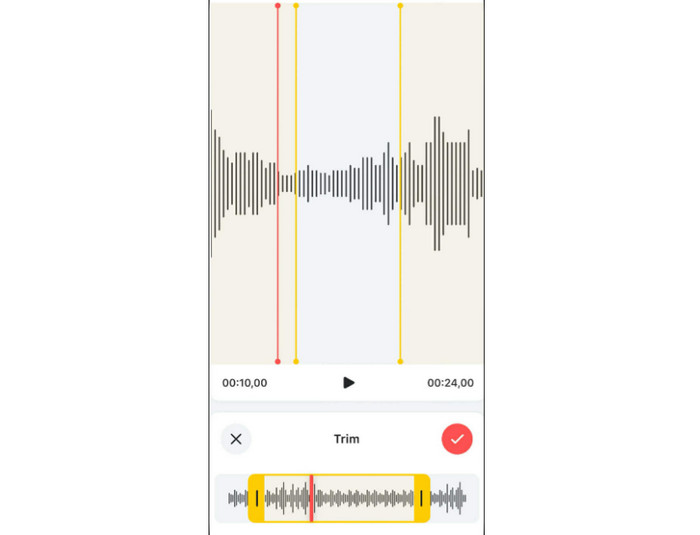
Features:
- The app can offer a smooth trimming process.
- It has a converter that can convert files to various audio formats.
- The recorder feature is available.
If you want an audio file trimmer for iOS, look no further than the Voice Recorder - MP3 Converter app. When it comes to effectiveness, you can get your desired result after the trimming process. The good thing here is that you can remove any unnecessary part from the audio smoothly and instantly.
- The app can enhance your audio for better playback.
- It can automatically denoise the audio for a cleaner result.
- You can boost your volume.
- There are times when the app is not performing well.
User's Review
This Voice Recorder's trimming feature is perfect for cutting unnecessary parts from the audio. It also has a fast trimming process, making it more ideal. In addition to that, you can use more features for a better experience, such as merger, enhancer, converter, and more.
3. Audio Trimmer - Music Editor
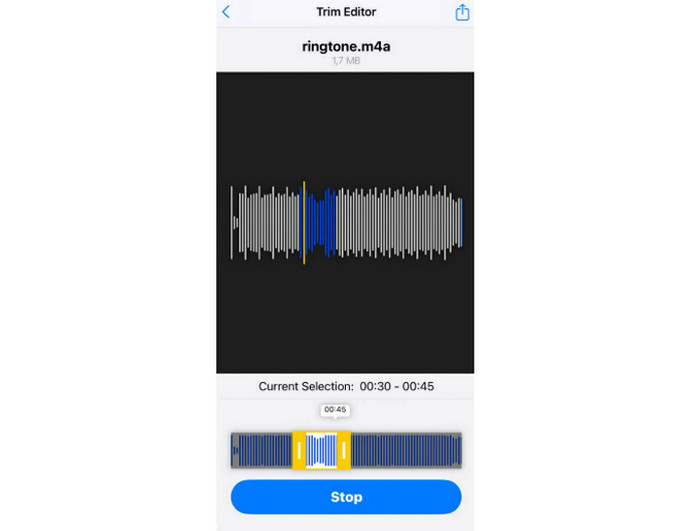
Features:
- The app has a fast and smooth trimming process.
- It can extract audio from video.
If you want a free audio trimmer, you can try using Audio Trimmer - Music Editor. This app is helpful, especially for iOS users, since it can let you cut the unwanted part from the audio track. Plus, with its comprehensive user interface, you can access all the functions you need, making it an ideal app for all users.
- The app has an easy-to-use layout.
- It can let you deal with lengthy audio files.
- The app lacks audio editing functions for better audio enhancement.
User's Review
We can tell that this app is ideal since its trimmer can cut audio anywhere. It can also get the audio file from a video, which makes it more powerful. The only drawback here is that it lacks audio editing functions.
Part 3. Top 3 Audio Trimmers on Desktop
Looking for audio trimmer software? Then, read this section as we introduce the best programs you can use to trim audio on Windows and Mac.
1. Tipard Video Converter Ultimate
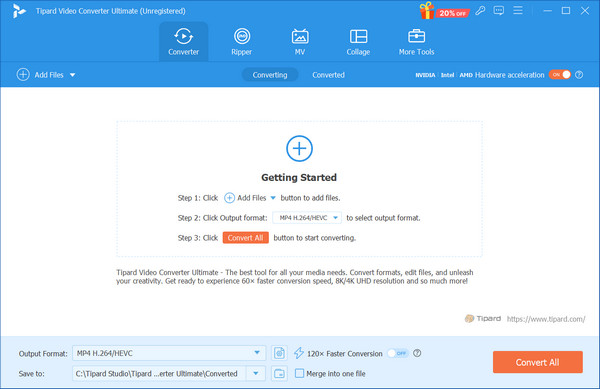
If you are using your desktop, you can access Tipard Video Converter Ultimate as an exceptional audio trimmer. This program allows you to trim an audio track by seconds, making it perfect if you want to save more time during the process. Aside from that, you can even split the audio and merge it based on your needs. Plus, after the trimming process, you can save your audio to various formats, such as MP3, AAC, FLAC, M4A, WAV, and more. It can even offer various audio enhancement tools, like volume booster, denoiser, compressor, and more. Therefore, if you need the best audio trimmer, always rely on Tipard Video Converter Ultimate.
2. Audacity
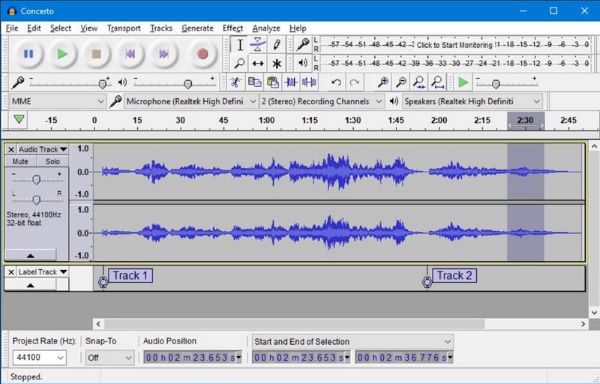
Audacity is not just an excellent audio recorder. It can also offer its audio trimmer feature, ideal for cutting any parts from your audio track. You can even merge the audio if you want to. What makes it more powerful is that you can use various audio enhancement functions. You can change the speed, pitch, tempo, and fade effects. It can also support different audio formats, such as MP3, WAV, FLAC, WMA, OGG, and more. Thus, we can tell that Audacity is another reliable software that can be an excellent free audio clipper or trimmer.
3.Weeny Free Audio Cutter
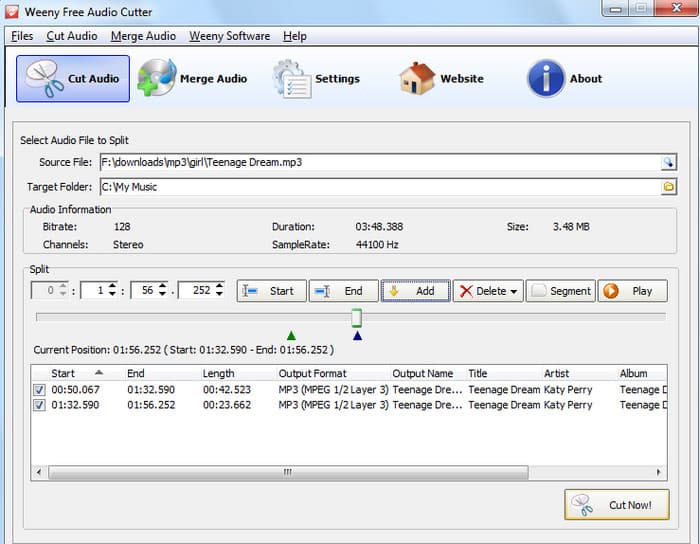
If you need another helpful audio trimmer that can give you the result you need, you can try using Weeny Free Audio Cutter. With this software, you can cut and trim your audio from the beginning and the end. You can even manually trim the audio by inserting the desired time. The only drawback here is that you can only save the audio to 128 kbps, which might not be good for users who want a better audio quality.
Part 4. 3 Best Audio Trimmers Online
Do you want an audio cutter online? Then, we suggest reading all the information in this section, as we recommend various audio trimmers you can access on your browser.
1. AudioTrimmer
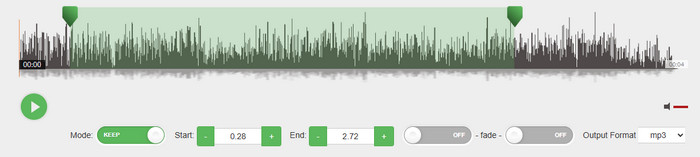
AudioTrimmer is among the best online tools you can use that can cut and trim your audio. Plus, with its simple UI, you can achieve the result you need without encountering any issues. What we like here is that it is free to use. The only drawback here is that there are various pop-up ads on the screen, which can be disturbing.
2. Audio Cutter - 123APPS
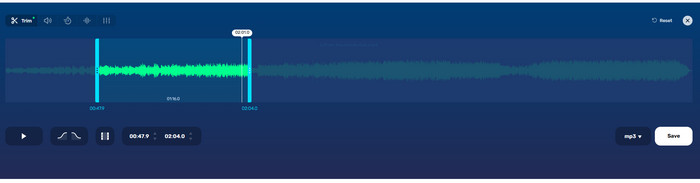
The Audio Cutter by 123APPS is perfect if you want to remove any part from your song. After the trimming process, you can even ensure to get better audio quality for satisfying playback. The tool also lets you change the playback speed of the audio, shift pitch, and change the volume. It also supports various output formats, such as MP4, M4A, M4R, FLAC, and WAV.
3. Clideo
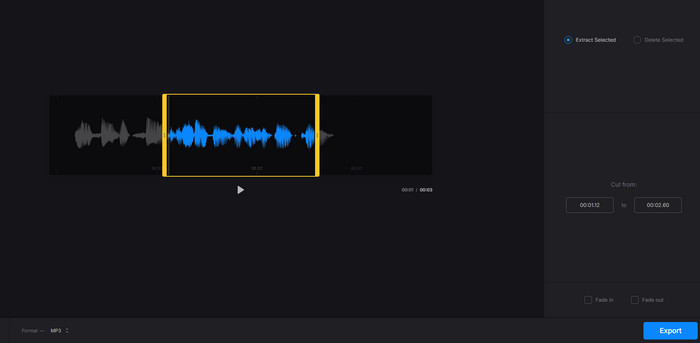
Clideo can also offer its Audio Cutter feature. With this feature, you can delete the audio track that you don't need. Plus, with its simple layout, you can trim your audio easily and smoothly. You can even insert fade-in and fade-out effects to make your trimmed audio better. Lastly, you can save your final audio in various formats, like MP3, AAC, FLAC, WAV, AIFF, AC3, etc.
Part 5. How to Trim Audio Files
Want to learn how to trim your audio files? Check here as we offer the detailed methods to trim audio using Tipard Video Converter Ultimate.
Step 1 Download Tipard Video Converter Ultimate on your desktop. Use the buttons below for instant access.
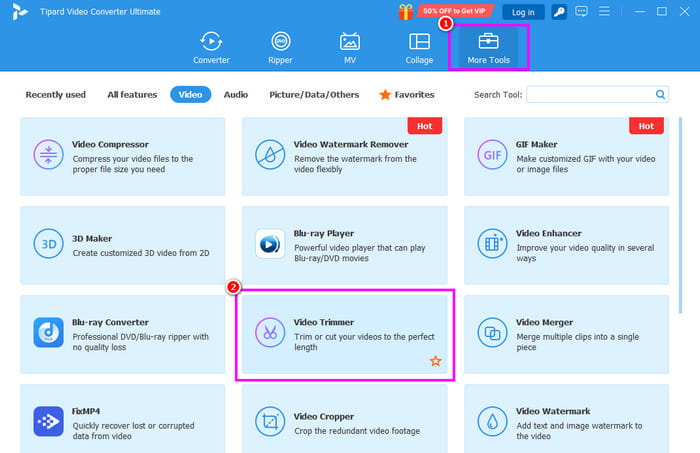
Step 2 From the primary interface, click the More Tools section. Then tap the Video Trimmer feature to add the audio file you want to trim.
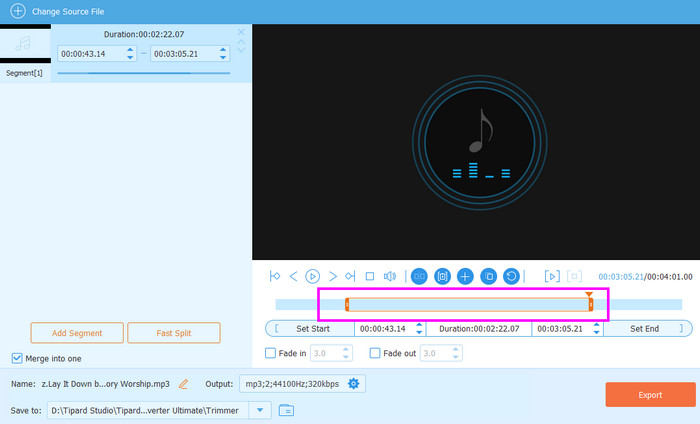
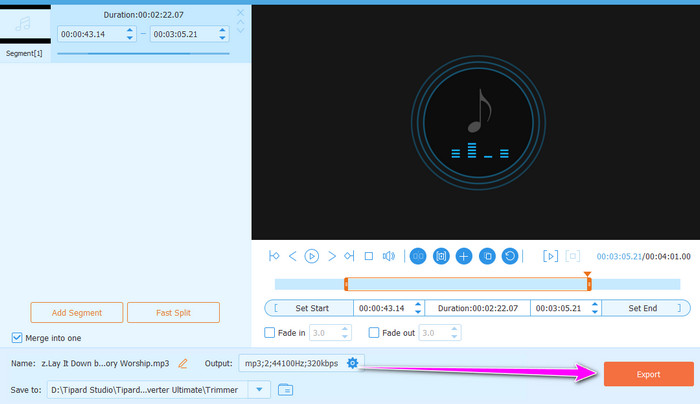
Step 3 You can start trimming the audio. Use the adjustable slider from the interface to trim/cut your audio.
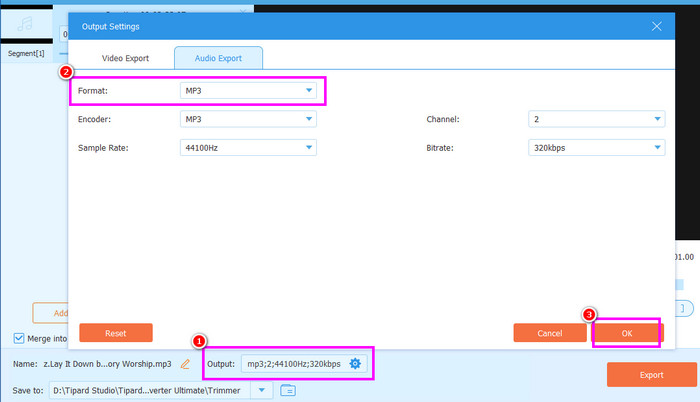
Step 4 Navigate to the Output Settings and start selecting your preferred output format. You can also adjust various parameters, such as encoder, sample rate, bitrate, etc. Hit OK to proceed to the next process.
Step 5 Finally, hit the Export button below to begin saving the trimmed audio on your computer.
Conclusion
What is the sound trimmer you choose? With the recommended tools in this article, you discovered that there are many ways to trim audio, whether you use a PC, Mac, or online. The tools offer different features but are designed to make the workflow smoother and easier. Nonetheless, the best choice you should consider is Tipard Video Converter Ultimate because of its high-grade trimmer, editor, and converter. You should try its free trial version now by downloading it on Windows or Mac.
More Reading



About the Author


 Tipard Video Converter Ultimate