

It is given that some videos often have impressive audio. However, it is hard to use it separately because it is stuck inside the file. But good news, background music, dialogues, or instrumentals can all be extracted using an audio extractor.
In this post, we will cover what to look for in an audio extractor and share the best options, so you do not have to search around. So, please keep reading to explore seven popular audio extractors and get the perfect one for your projects.
Part 1. What to Look for in an Audio Extractor
Choosing the right audio extractor can save time and make your work easier. Not all tools are the same, so it is necessary to know what to look for. Below is a closer look at each key point:
1. Ease of Use: The audio extractor should be simple to operate, even for beginners. Menus, buttons, and options need to be clear and easy to understand. A good audio extractor should not make users struggle with complicated settings. The simpler it is, the easier it is to focus on the task without frustration.
2. Supported Formats: A dependable audio extractor must handle many video and audio file types. Popular video formats include MP4, MOV, MKV, AVI, and WEBM. It should also let you save audio in formats like MP3, WAV, AAC, FLAC, M4A, and more. The wider the format support, the more flexible it is for different projects and devices.
3. Output Quality: High-quality audio matters a lot. The audio extractor should preserve the original sound without distortion or loss. Features like noise removal or volume adjustment can improve the final result. Good audio quality ensures that voices, music, and effects are clear and crisp.
4. Speed: Nobody wants to wait forever for audio extraction. The audio extractor should process files quickly, even if they are large or there are many at once. Tools with batch conversion or hardware acceleration make this faster. Speed saves time and keeps projects moving smoothly.
5. Cost & Limitations: Some audio extractors are free, while others require payment. Free audio extractors may have limits on file size, formats, or features. Paid tools often unlock advanced options like batch conversion, higher quality, or extra editing features. Knowing the costs and limits helps you pick an audio extractor that fits your needs without surprises.
Part 2. Best Free Desktop Audio Extractor Software
These programs are powerful and reliable, designed for anyone who wants a smooth experience working with audio on a computer.
1. Tipard Video Converter Ultimate
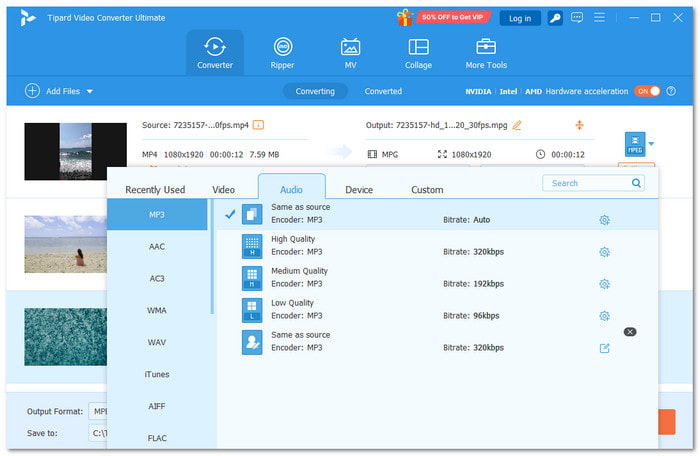
The ultimate choice for desktop audio extraction is clear, and that is Tipard Video Converter Ultimate. This audio extractor makes it simple to pull audio from any video format without stress. Its converter feature ensures the sound comes out perfectly, and the whole process is easy for everyone.
It supports a broad range of audio file formats, including MP3, AAC, AC3, WMA, WAV, AIFF, FLAC, MKA, OGG, M4A, M4R, and more. With batch conversion, many files can be processed at once, saving time and effort. Fast, reliable, and beginner-friendly, it is a top pick for anyone needing clean audio from videos.
Key Features:
- It delivers high-quality audio so every sound is clear and crisp.
- It includes a noise remover to clean unwanted sounds for clearer audio.
- It can adjust the volume of the video up to 200% to make it louder or balanced.
- It allows you to customize audio settings, like encoder, sample rate, channel, and bitrate.
2. Audacity
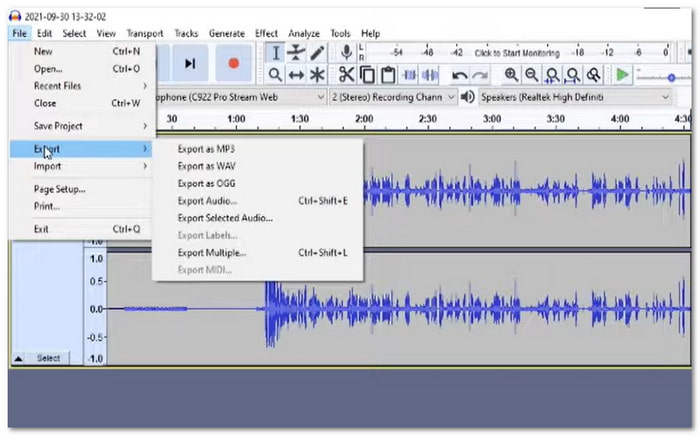
Audacity remains one of the most trusted audio extractors from video. It works on Windows, Mac, and Linux, and many people use it for recording, editing, and mixing. It gives a clean way to remove noise, fix sounds, and export in many formats. It can also handle long files without slowing down. The latest update even improved stability on Mac. It remains a strong choice for people who want simple but powerful audio work.
Key Features:
- It makes cutting, pasting, and mixing tracks easy.
- It gives you multi-track editing tools for bigger audio projects.
- It works with MP3, WAV, FLAC, AIFF, and many other formats.
- It lets you add effects and change the speed or pitch in a simple way.
Part 3. Best Online Audio Extractors
You are done with offline options, now let us proceed to online options. These online audio extractors are perfect for those who want quick and easy access. They run directly in your browser and are always ready whenever needed.
1. Audio Extractor (123APPS)
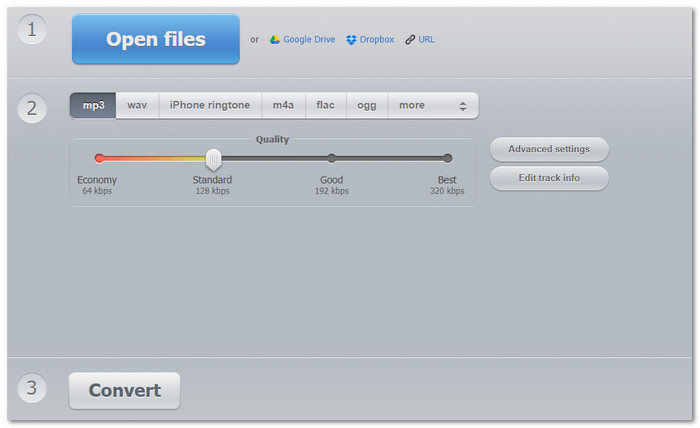
This audio extractor online offers a smooth and fast way to pull sound from a video. It runs in the browser, so nothing needs to be installed. It supports over 300 file types and works well when someone wants the audio right away.
It also runs on most devices and handles simple tasks quickly. Even large videos convert with ease, and recent updates helped improve speed and support. It is a handy pick for quick audio extractions.
Key Features:
- It converts audio into over 300 formats.
- It works on all devices that have a browser.
- It has a simple layout that helps first-time users.
- It gives fast audio extraction inside your browser.
2. Restream
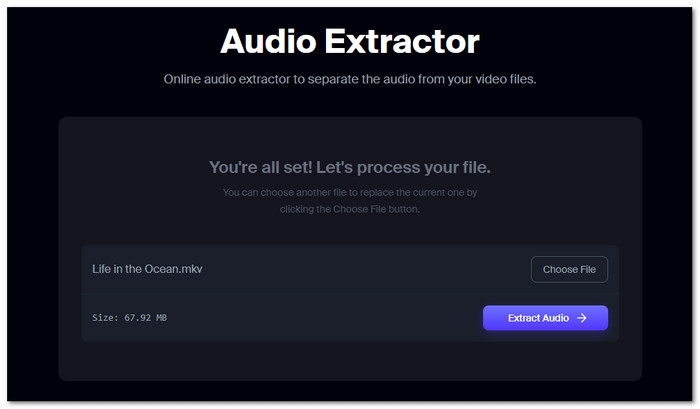
There are times when you want an online platform that feels safe and still extracts audio with good clarity. That is where Restream's audio extractor fits. It supports MP4, MOV, MKV, WEBM, AVI, and more.
Then, it lets you save them as MP3 or WAV and handles files up to 2 gigabytes. Restream deletes uploaded files after a few hours for privacy. It also gives you an option to record new videos or audio using Restream Studio for quick projects.
Key Features:
- It lets you save the audio as MP3 or WAV.
- It handles large uploads up to 2 gigabytes.
- It uses a secure server that deletes your files automatically.
- It extracts audio from many video formats like MP4, MOV, MKV, and more.
3. Biteable
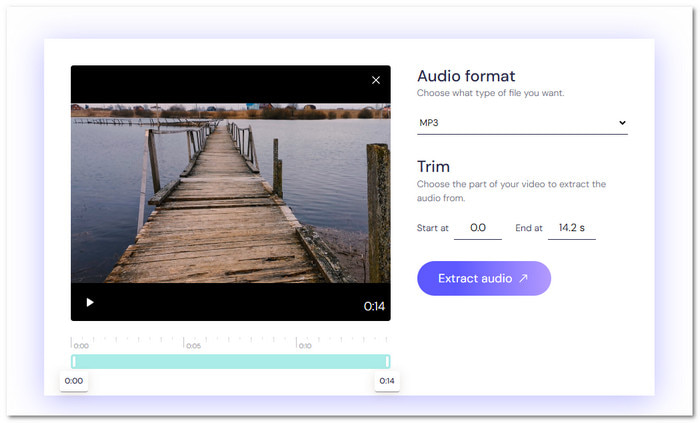
Sometimes, you only want a small part of the audio, and Biteable makes that easy. It lets you extract audio from MP4 and save it as MP3 or WAV, and trim the part you want. It is free, works in a browser, and gives clean files without sign-ups.
You can also pull voiceovers, save narration, or update tutorial audio without recording again. It helps podcasters, teachers, editors, and anyone who wants the sound without complicated tools or long steps.
Key Features:
- It works without making an account.
- It extracts MP3 or WAV from video files.
- It is great for grabbing voiceovers, narration, or spoken lines.
- It includes a trim option that lets you choose the exact part you want.
Part 4. Best Mobile Audio Extractor Apps
If you prefer using your phone, mobile audio extractor apps are convenient and handy. They are designed for people who like to work on the go and handle tasks anytime, anywhere.
1. Media Converter - video to MP3
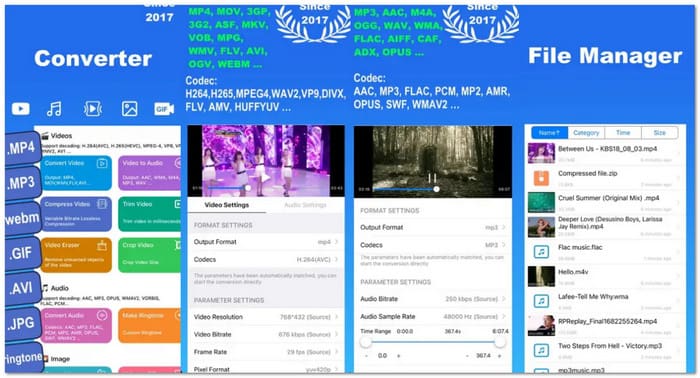
This audio extractor from a video app acts like a toolbox for converting and extracting media. It can change video formats, pull audio, make ringtones, convert images, build animated images, and even manage archives.
It supports many encoders and lets users cut, merge, change speed, compress, and transfer files. It also has a built-in player and works with Wi-Fi sharing. It is a strong pick for people who want many features in one app on their phone.
Key Features:
- It includes trimming tools and ringtone makers.
- It lets you compress, crop, merge, and edit media easily.
- It extracts audio into MP3, WAV, OGG, and other formats.
- It supports Wi-Fi transfer and iCloud backup for faster sharing.
2. Audio Extractor: Video to MP3
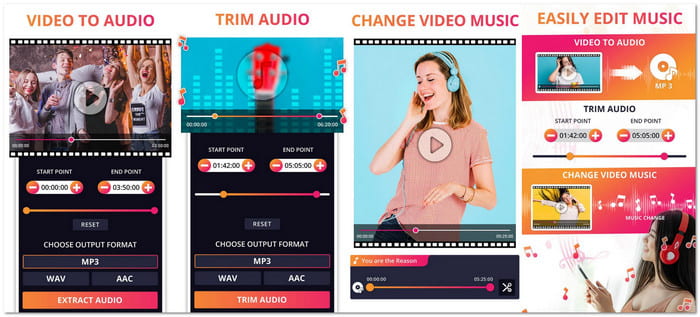
A lot of Android users want a fast way to pull sound from videos, and this app makes the job easy. Audio Extractor: Video to MP3 converts videos into MP3, AAC, or WAV with clear sound clarity.
It also trims audio, makes ringtones, changes audio in videos, and lets you loop tracks. It works fast, gives clean exports with no watermark. Plus, it sends notifications when tasks finish. It is simple to use and trusted by over a million users.
Key Features:
- It gives clean exports with no watermark.
- It offers precise trimming and strong ringtone tools.
- It lets you replace the audio in videos with one tap.
- It processes files in the background and sends alerts when done.
Conclusion
With the help of an audio extractor from a video, you can now use the sound however you want. It might be for podcasts, presentations, music projects, or sharing clips online.
If you are a Windows or Mac user, Tipard Video Converter Ultimate is an excellent choice. It provides many useful features for editing, fine-tuning, and converting audio. It is easy to use, reliable, and truly worth it for anyone who works with sound.
More Reading

About the Author


 Tipard Video Converter Ultimate