
About | Privacy Policy | Terms of Use | Support | Contact Us
Copyright © 2025 Tipard Studio. All Rights Reserved.

Windows

Rip your favorite Blu-ray/DVD movies or videos to popular formats

Powerful software to play Blu-ray/DVD videos and audio

Create Blu-ray disc/folder/ISO file with your own video

Backup/Copy your favorite Blu-ray to disc/folder/iso files
Mac

Rip your favorite Blu-ray/DVD movies or videos to popular formats on Mac

Powerful software to play Blu-ray/DVD videos and audio on Mac
Windows

Rip DVD to any popular video format quickly of full quality

Create DVD from videos and burn video to DVD/Blu-ray freely

Copy DVD to DVD disc/folder/ISO files in a 1:1 ratio
Mac

Rip DVD to any popular video format quickly of full quality on Mac

Create DVD from videos and burn video to DVD/Blu-ray freely on Mac

Copy DVD to DVD disc/folder/ISO files in a 1:1 ratio on Mac
Windows

Rip DVD, convert 4K video, edit, and upscale videos to 5K/8K

Repair broken videos with high accuracy and support many formats

Convert any video to MP3, MP4, MOV, WAV, and other 350 formats

Upscale resolution, optimize brightness and remove video noise

The easiest tool to capture screen, game, audio, etc. with high quality

Convert any 2D video to 3D video and convert 3D to 2D video

Convert 4K video to 4K/1080P and common videos

Convert TS video to various popular video/audio formats
Mac

Rip DVD, convert 4K video, edit, and upscale videos to 5K/8K on Mac

Repair broken videos with high accuracy and support many formats on Mac

Convert any video to MP3, MP4, MOV, WAV, and other 350 formats on Mac

Upscale resolution, optimize brightness and remove video noise on Mac

The easiest tool to capture screen, game, audio, etc. with high quality on Mac

Convert any 2D video to 3D video and convert 3D to 2D video on Mac

Convert 4K video to 4K/1080P and common videos on Mac

Convert TS video to various popular video/audio formats on Mac
Desktop

Rip and convert DVDs to MP3 and support other audio formats

Reset Windows Admin and Standard user account password in seconds

Accurately Convert any PDF file to Word with OCR

Convert PDF to Word, Excel, HTML and Image with OCR
Online

Easily remove watermarks from many image file formats free online
Tipard Creative Zen Video Converter for Mac grants you the ability to convert almost all video formats to your Creative Zen on Mac. So this Mac Creative Zen Video Converter can convert MPG, MPEG, MPEG2, VOB, MP4, M4V, HD videos to Creative Zen MP4, WMV, AVI, MPG video. This Mac Creative Zen Video Converter also can convert audio to audio and extract audio from video to Zen MP3, M4A, WMA and WAV audio formats on Mac.
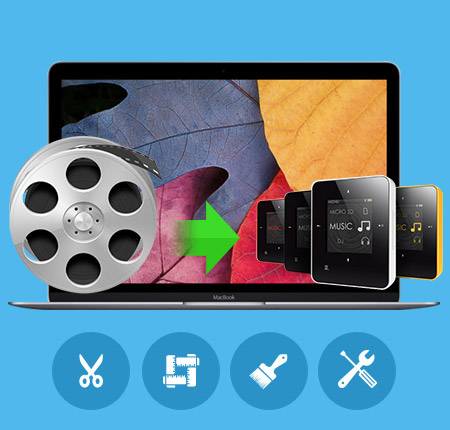
Convert videos to Creative Zen
convert video to Creative Zen on Mac
Convert MPG, MPEG, MPEG2, VOB, MP4, M4V, HD videos to Creative Zen MP4, WMV, AVI, MPG video.
Convert audio to audio
This Mac Creative Zen Video Converter also acts as the Mac Creative Zen Audio Converter, which can convert audio to audio and extract audio from video to Zen MP3, M4A, WMA and WAV audio formats on Mac.
You can own the effects whatever you like
Trim video
The function of trim means that you can clip any segment of the video and choose the starting and ending point.
Crop play region
Also you can cut off the black edges and unwanted video area to beautify your video through the function of cropping.
Watermark your video
You can add pictures or texts for your video according to your own preference.
Merge multiple files into one
With several files merged into one file for output, you'll enjoy a single long movie with a single click.

Adjust settings to get the customized profile
Professional video/audio settings
Set video Encoder, Resolution, Frame Rate, Bitrate and audio Encoder, Sample Rate, Channels, Bitrate then save all the output settings as your preference.
Output multiple formats for one time conversion at the some time
Tipard Creative Zen Video Converter for Mac supports to convert one video to different formats simultaneously.
Personalized profile
In Tipard Creative Zen Video Converter for Mac, classified and powerful profile is sorted by General Video, General Audio, Creative Zen player, Lossless Audio, etc. and any customized profile or settings can be saved as user-defined profile.
Use it with ease
Preview and snapshot
The Creative Zen Video Converter for Mac allows you to preview the original video and output video effect simultaneously. And you are available to capture your favorite pictures when you preview.
Choose subtitle and audio tracks
Tipard Creative Zen Video Converter for Mac provides you with the function to add subtitles and choose audio tracks
High conversion speed and easy to use
The fastest conversion speed will absolutely amaze you. And, by just a few taps of your fingers, the conversion can be done perfectly without losing any files.
Processor: Intel® processor and Apple M2/M3 chip
OS Supported: Mac OS X 10.7 or above (highly support macOS Tahoe)
Hardware Requirements: 512MB RAM, Super VGA (800×600) resolution, 16-bit graphics card or higher
Hint: PowerPC Processor is not supported, but if you need such an application for PowerPC, we can make one for you. Just contact us by email: marketing@tipard.com.
| Supported Interface Languages | |
| Language Types | English, French, German, Japanese |
| Support Input File Formats | |
| Video | MPG, MPEG, MPEG 2, VOB, DAT, MP4, M4V, TS, RM, RMVB, WMV, ASF, MKV, AVI, 3GP, 3G2, FLV, SWF, MPV, MOD, TOD, QT, MOV, DV, DIF, MJPG, MJPEG |
| Audio | MP3, MP2, AAC, AC3, WAV, WMA, M4A, RM, RAM, OGG, AU, AIF, AIFF, APE, FLAC, NUT |
| HD Video | HD TS, HD MTS, HD M2TS, HD MPG, HD MPEG,HD MP4, HD WMV, QuickTime HD MOV, HD H.264, HD RM |
| Support Output File Formats | |
| Video | MPEG-4, H.264/MPEG-4 AVC, AVI, WMV, MPEG-1, MPEG-2 |
| Audio | AAC, AC3, AIFF, AMR, AU, FLAC, MP3, M4V, MP2, OGG, WAV, WMA |
| Snapshot Image | JPEG, GIF, BMP |
| Support Devices | |
Creative Zen |
|
Convert video/DVD to any popular video/audio format, and then you can play the video on portable device./video to wide selection of video/audio formats like MP4, MKV, and MP3.
Tipard Screen Capture is the best screen capturing software. It can record screen, video, game, online chats, audio and more on PC with high quality.


