


About | Privacy Policy | Terms of Use | Support | Contact Us
Copyright © 2026 Tipard Studio. All Rights Reserved.

Windows

Rip your favorite Blu-ray/DVD movies or videos to popular formats

Powerful software to play Blu-ray/DVD videos and audio

Create Blu-ray disc/folder/ISO file with your own video

Backup/Copy your favorite Blu-ray to disc/folder/iso files
Mac

Rip your favorite Blu-ray/DVD movies or videos to popular formats on Mac

Powerful software to play Blu-ray and popular video formats on Mac
Windows

Rip DVD to any popular video format quickly of full quality

Create DVD from videos and burn video to DVD/Blu-ray freely

Copy DVD to DVD disc/folder/ISO files in a 1:1 ratio
Mac

Rip DVD to any popular video format quickly of full quality on Mac

Burn or author a DVD from videos with subtitles and chapters on Mac

Copy DVD to DVD disc/folder/ISO files in a 1:1 ratio on Mac
Windows

Rip DVD, convert 4K video, edit, and upscale videos to 5K/8K

Repair broken videos with high accuracy and support many formats

Convert any video to MP3, MP4, MOV, WAV, and other 350 formats

Upscale resolution, optimize brightness and remove video noise

The easiest tool to capture screen, game, audio, etc. with high quality

Convert any 2D video to 3D video and convert 3D to 2D video

Convert 4K video to 4K/1080P and common videos

Convert TS video to various popular video/audio formats
Mac

Rip DVD, convert 4K video, edit, and upscale videos to 5K/8K on Mac

Repair broken videos with high accuracy and support many formats on Mac

Convert any video to MP3, MP4, MOV, WAV, and other 350 formats on Mac

Upscale resolution, optimize brightness and remove video noise on Mac

The easiest tool to capture screen, game, audio, etc. with high quality on Mac

Convert any 2D video to 3D video and convert 3D to 2D video on Mac

Convert 4K video to 4K/1080P and common videos on Mac

Convert TS video to various popular video/audio formats on Mac
Desktop

Rip and convert DVDs to MP3 and support other audio formats

Reset Windows Admin and Standard user account password in seconds

Accurately Convert any PDF file to Word with OCR

Convert PDF to Word, Excel, HTML and Image with OCR
Online

Easily remove watermarks from many image file formats free online
Tipard AVC Converter for Mac is the best any video converter to seamlessly convert any video to AVC MP4 on Mac. It can convert 3GP, FLV, MP4, VOB, AVI, WMV, MKV, MOD, TOD, TS, MTS, M2TS etc to H.264 AVC video and convert video to MP4, AVI, MOV, M4V etc for portable devices.
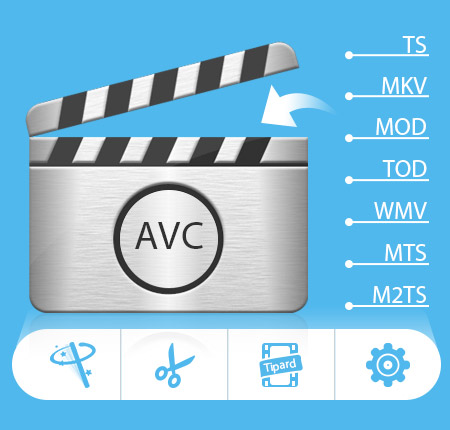
Tipard Mac AVC Converter allows you to convert HD/SD video to AVC format and other main-stream video formats, like AVI, MP4, MKV, etc. You can also use it to extract audio from various videos.
Tipard AVC Converter for Mac impart wonderful conversion function for users to convert various videos. It is capable of converting MKV, MP4, WMV, VOB, 3GP, MOV, TS, MTS, etc to AVC/H.264 and converting these videos to other main-stream video formats for prevailing devices. If you are audio enthusiasm, you can also use this app to extrct audio from any addable video files. It can convert video to MP3, M4V, AAC, FLAC, etc. For users who need to convert many video files at one time, this AVC Video Converter for Mac also works well, as its batch conversion can fulfil it whether your desired output format is the same or not.
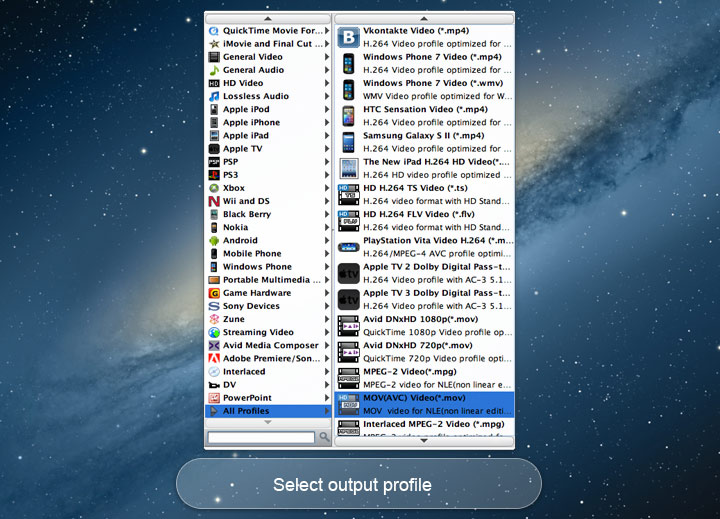
AVC is not the only output format. More that Mac AVC Converter, Tipard AVC Converter for Mac can convert videos to other prevailing or your device needed formats, such as MPEG-4, MOV, M4V, AVI, DivX, XviD, ASF, WMV, MPEG-1, MPEG-2, 3GP, 3GPP, MKV, FLV, SWF, VOB, DV.... You can refer to the Tech spec image to see whether your desired format is included. As for the compatible devices, iPhone, iPad, iPod, Samsung, HTC, Archos, LG, etc are all included. Owing to the wide-range output format, you are allowed to convert videos to your device support format and have an enjoyment of your favarite video on your device anywhere without confusion.
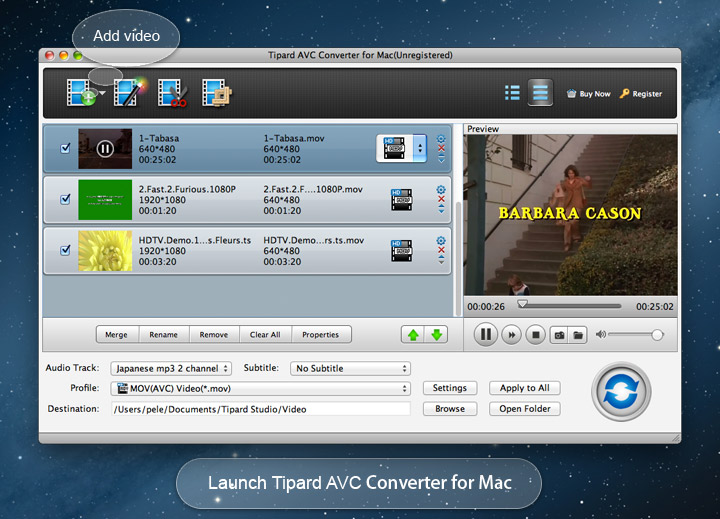
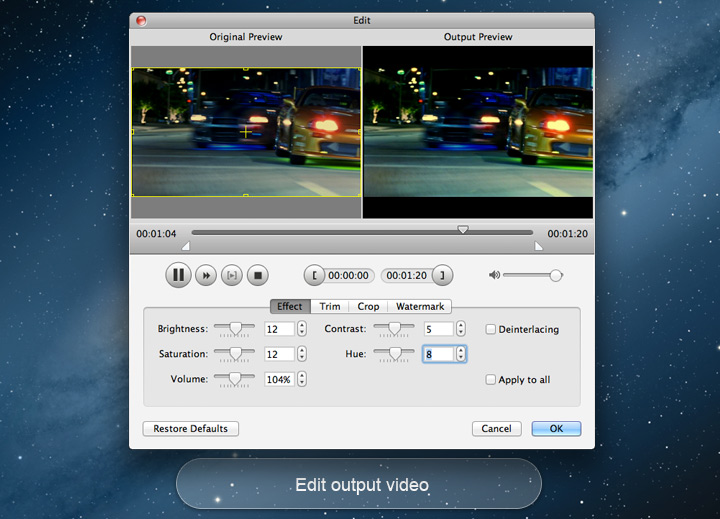
Tipard AVC Converter for Mac is designed with intuitive interface attched with illustrated image guide and detailed help files. With this wonderful Mac AVC Converter, users can edit videos at any preference. You can get rid of the black edge of the video or change the aspect ratio to make it play with full screen. The video effect is adjustable and you can change video brightness, contrast, hue, etc to retouch the video effect. If you wanna get a certain fraction of one video, the trimming function can help fulfil it perfectly. It is also one pretty good choice for users who need to add individual watermark of text/picture. For users who knows the device better, optional output parameters for resolution, frame rate, and aspect ratio, etc will do great help.


Preview & Snapshot
Build-in player gives full opputunity to have a preview of the videos before conversion.

Auto Lifetime Upgrade
Tipard AVC Converter for Mac offers free lifetime time upgrade service to ensure users with the latest version.

Rename & Delete
It provides users rename function and delete button to rename the output file and delete unneeded file.

Selectable function
This software enables users to select video/audio settings with user-friendly interface.
System Requirements
What's New

Arnold:Tipard AVC Converter for Mac is the best AVC converter I met. It helped me a lot in converting MTS video files I shot with my Canon camcorder to AVC format

Claudia: Thanks to all Tipard team and designer. So easy it is for me to operate that I can in the first time operate one software without referring to the help document.

Chasel: Tiptop Mac AVC Converter! I have tried it to convert many videos to AVC before purchase. The output result is extremely good. Now I have used it for 6 months, and I will keep following your step to upgrade it.
Copy DVD, Rip DVD and convert video to various format, transfer iPod files and make iPhone ringtone.