

Need a tool that can convert, edit, compress, and enhance your videos with AI? Want to improve media quality with simple steps? VideoProc Converter AI may have the features you need. In this review, we will explore its tools, benefits, and limits. We also prepared alternatives if you want more choices.

Part 1. Quick Verdict of VideoProc Converter AI
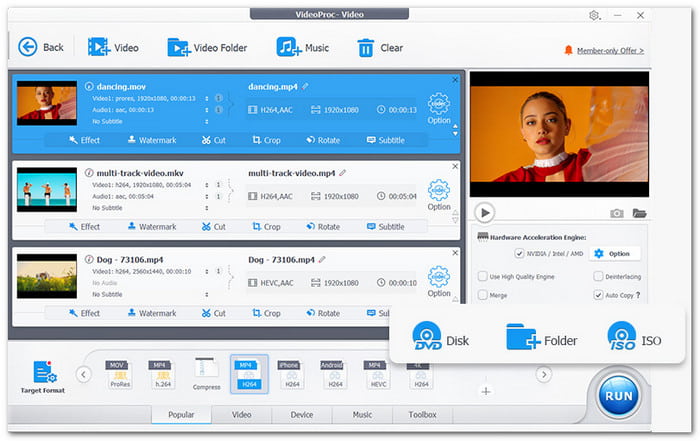
| Category | Verdict |
|---|---|
| Overall Rating | 4/5 |
| Best For | Beginners, vloggers, and content creators |
| Main Strength | AI enhancement and fast video processing |
| Ease of Use | Simple and basic interface |
| Performance | Fast with GPU acceleration |
| Main Weakness | Basic editing tools |
| Value | Good with lifetime pricing |
| Safety | Safe with local processing |
| Show MoreShow Less | |
Quick verdict: It is a useful video toolkit with strong AI features. It improves videos, images, and audio while making conversion and editing easier.
Part 2. Core Features of VideoProc Converter AI
VideoProc Converter AI brings many video tools into one program. It helps users improve quality, fix problems, and prepare videos for sharing.
1. AI Super Resolution
It improves low-quality videos and images by increasing resolution. It can upscale videos to 4K and images up to 10K. It also reduces blur, noise, and compression issues.
2. AI Frame Interpolation
It creates extra frames to make videos smoother. It supports higher frame rates like 120fps, 240fps, and 480fps. It is useful for slow-motion and action videos.
3. AI Video Stabilization
It corrects shaky video from action cameras, drones, and phones. It improves the fluidity and usability of videos.
4. Audio AI
It isolates vocals from music and eliminates background noise. Podcasts, interviews, and recordings all benefit from it.
5. Media Toolkit
It supports 370+ input formats and 420+ output formats. It can convert, compress, edit, record screens, download videos, and back up DVDs.
Part 3. Deep Dive Review of VideoProc Converter AI
We will explore its features, benefits, and drawbacks. We will also cover its pricing, performance tests, user feedback, ratings, and safety.
Pros and Cons
- Fast GPU acceleration.
- Easy for beginners.
- Works offline.
- Supports many formats.
- Lifetime license option.
- Basic editing features.
- Weak results on poor videos.
- No cloud version.
- Not for advanced editing.
- Requires good hardware for AI tools.
Testing Results
| Features | Performance | |
|---|---|---|
| AI Super Resolution | It improves normal low-quality videos by adding sharpness and reducing noise. Very damaged videos may still look grainy. | |
| Frame Interpolation | It makes movement smoother and works well for slow-motion clips. Fast scenes may show small errors. | |
| Video Stabilization | It reduces camera shakes and improves handheld footage. Results depend on how unstable the original video is. | |
| Audio AI | It removes simple background noise and separates vocals from music. Quality depends on the original recording. | |
| Conversion and Compression | It processes videos immediately and keeps good quality while reducing file size. | |
| Show MoreShow Less | ||
VideoProc Converter AI Price
VideoProc Converter AI offers flexible plans. The Premium 365 plan costs $34.95/year for up to 3 PCs. The Lifetime License costs $54.95 for 1 PC. A Family License costs $79.95 for up to 5 PCs. All plans include AI tools, updates, support, and a 30-day money-back guarantee. The lifetime plan offers better value for long-term users.
User Reviews and Ratings
Users often praise VideoProc Converter AI for its speed and simple design. They also like its many useful tools. Some users say the editing features are basic. They compare it with more advanced professional video editors.
Common ratings include:
- Trustpilot: 4.0/5 from 501+ users.
- Zoftware: 4.1/5 from 64 users.
- Capterra: 4.1/5 from 21 users.
- Software Advice: 4.1/5 from 21 users.
Part 4. Top 3 VideoProc Converter AI Alternatives
Now that you know more about VideoProc Converter AI, you may still want to explore other choices. You may need a different workflow or more features. We prepared three alternatives that are worth checking.
1. Tipard Video Converter Ultimate
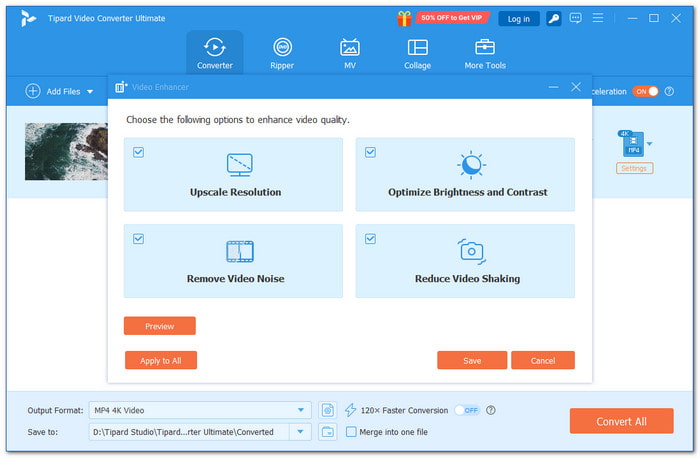
VideoProc Converter AI can handle many media tasks. However, its limited advanced editing tools and higher cost may not suit every user.
A better option is a program that keeps the workflow simple. It also offers powerful features. Tipard Video Converter Ultimate makes converting, editing, and enhancing files easier.
It provides a clear interface with a simple workflow. It supports many input and output formats like MP4, MOV, MKV, and more. Full GPU acceleration helps convert files faster. It also improves video quality with less waiting time.
2. HitPaw Univd
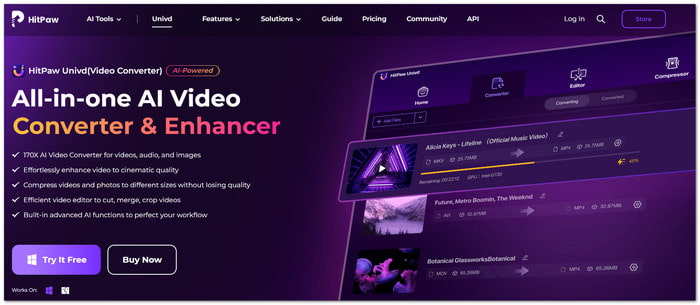
HitPaw Univd makes media processing faster with AI-powered conversion and enhancement tools. It can convert videos, audio, and images across 1,000+ formats. It also keeps the original quality.
It also improves videos with AI upscaling, denoise video, and face enhancement. Users can edit clips and compress files. They can also remove vocals and process many files at once. GPU acceleration helps make these tasks faster.
3. Winxvideo AI
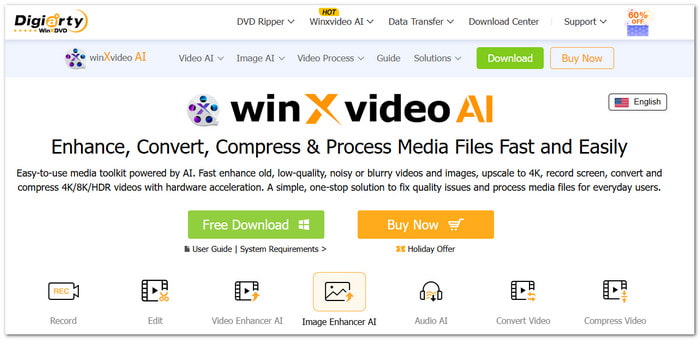
Winxvideo AI focuses on improving video, image, and audio quality. It also supports fast file conversion for different formats.
It can upscale videos up to 4K, reduce noise, stabilize video, and improve frames. It also compresses 4K and 8K videos. It includes simple editing tools for trimming, cutting, and enhancing media.
Top VideoProc Converter AI Alternatives Comparison Table
| Factors | Tipard Video Converter Ultimate | HitPaw Univd | Winxvideo AI |
|---|---|---|---|
| Interface | Clean design with easy workflow. | Simple interface with AI features. | A simple toolkit for managing media files. |
| Video Conversion | Supports many video formats. | Supports 1,000+ formats. | Supports 4K, 8K, and HDR formats. |
| Editing Tools | Cut, crop, merge, rotate, apply effects, add a watermark, etc. | Cut, merge, crop, and adjust videos. | Trim, cut, merge, and add effects. |
| AI Enhancement | Upscale resolution, optimize basic effects, remove video noise, and reduce video shaking. | Upscales videos and removes noise. | Upscales, stabilizes, and restores media. |
| Video Quality | Improves videos up to 8K quality. | Enhances videos up to HD/4K. | Enhances videos up to 4K/8K/10K. |
| GPU Acceleration | Fast conversion with full GPU support. | Uses GPU acceleration for faster processing. | Uses hardware acceleration for speed. |
| Batch Processing | Converts many files at once. | Supports batch conversion. | Supports batch media processing. |
| Show MoreShow Less | |||
Part 5. FAQs of VideoProc Converter AI
Is VideoProc Converter AI safe to use?
The company uses secure payment protection and HTTPS encryption on its website. Also, new users should download it from the official source to avoid unsafe copies.
Can VideoProc Converter AI download online videos?
Yes. VideoProc Converter AI can download online videos from supported platforms. It helps users save videos and watch them offline anytime.
Does VideoProc Converter AI need a powerful computer?
No. VideoProc Converter AI can work on normal computers. However, better hardware can help AI tools run faster.
Conclusion
Download VideoProc Converter AI only from its official website. Avoid unknown websites because they may include unsafe files or unwanted programs.
If you want to try other options, you can also check out Tipard Video Converter Ultimate, HitPaw Univd, or Winxvideo AI. Choose the tool that fits your video editing needs and start making better videos.

All-in-one video toolbox: convert, edit, upscale, enhance, and compress your videos easily
100% Clean & Safe
100% Clean & Safe

More Reading

About the Author


 Tipard Video Converter Ultimate