

Saw a set of photos that move with music and smooth effects? That is a photo slideshow. Are you planning to create one from your travel, events, or holidays? If that is the case, our photo slideshow makers can help you. You can choose from offline and online options!

Part 1. Why You Need a Photo Slideshow Maker
Making a slideshow helps you tell a story with photos. It keeps memories in one place. It also makes pictures more fun to watch. You can share it easily with others. It is good for events, school work, or personal use. It saves time compared to editing one by one.
Part 2. Top 10 Photo Slideshow Makers Online and Offline
Whether you choose online or offline tools, there are options for you to create photo slideshows easily. There are ten tools in total, so there is surely one that will match your needs and give you satisfying results.
1. Tipard Video Converter Ultimate
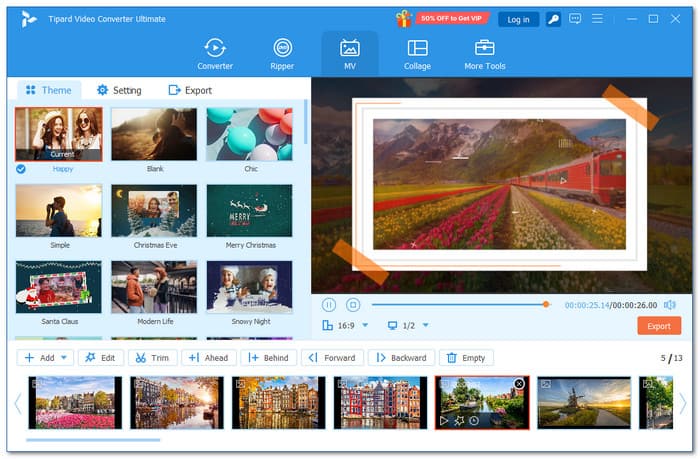
The MV feature in Tipard Video Converter Ultimate lets you create slideshows using images or videos in just a matter of seconds. It offers many free templates for travel, holidays, romantic, or business clips.
Using this photo slideshow maker, you can also add titles, filters, subtitle tracks, and soundtracks to make each scene clear and engaging. On top of that, it offers an easy interface with a fast workflow, so you save time and finish your slideshow without stress.
Compatibility: Windows & Mac
Key Features:
- 51 ready-made themes for different slideshow styles.
- Combine multiple photos and videos in one project.
- 42 built-in filters to enhance visual look.
- Add background audio and adjust volume levels easily.
- Change output format, frame rate, and video resolution.
- Supports image formats (JPG, PNG, BMP)
- Rotate, crop, trim, add effects, and filters.
- Offers a collage maker with many templates.
- Limited themes in the free version.
2. Animoto
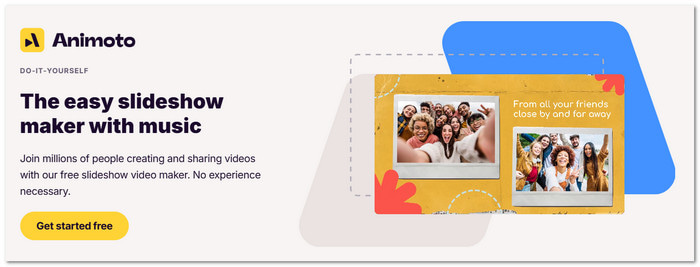
Do you want full control or just quick results? This picture slideshow maker gives both. You can design each scene or let it auto-build your slideshow. It mixes photos, text, and music into a clean video. Everything feels smooth, even if it is your first time.
Compatibility: Web
Key Features:
- Ready-made slideshow themes.
- Built-in stock media.
- License-free music.
- One-click branding tools.
- Easy to use.
- Clean and modern design.
- Flexible editing control.
- Some features need payment.
- Limited deep editing tools.
3. Icecream Slideshow Maker
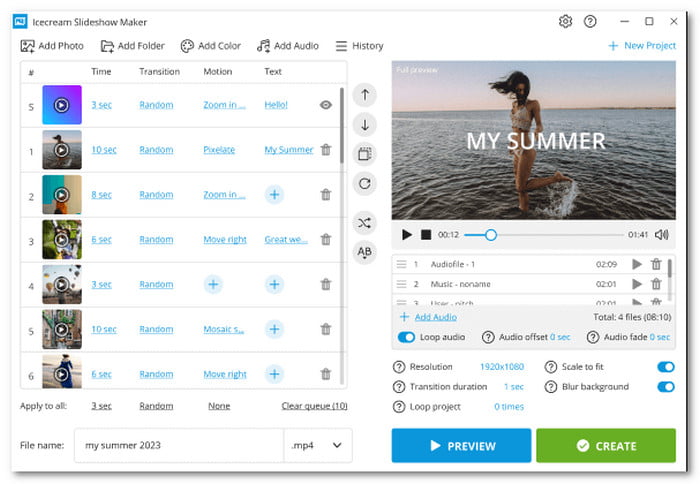
Drag your photos. Drop your music. Then, watch it turn into a video. This image slideshow maker keeps things simple. It helps you build slideshows for events like birthdays or trips. You can also adjust timing and effects without getting confused.
Compatibility: Windows
Key Features:
- Audio playlist support.
- Text editing tools.
- 25+ transitions.
- Built-in file sorter.
- Free with no watermark.
- Supports 4K output.
- Good sharing options.
- Limited advanced tools.
- Windows only.
4. Clideo
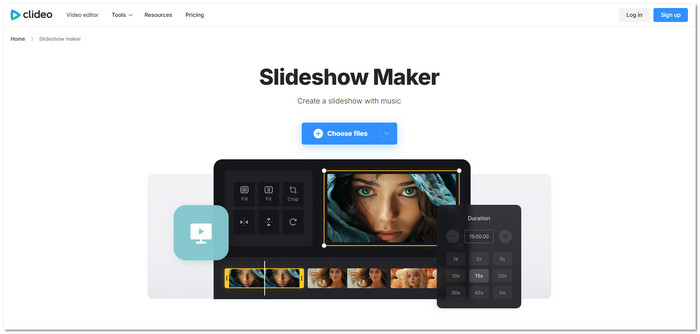
This free online photo slideshow maker tool lets you upload images, arrange them, and add music. It then exports your slideshow as a video file. Everything works online, so you can create slideshows without installing any program.
Compatibility: Web
Key Features:
- Basic trimming tools.
- Music upload support.
- Drag to arrange slides.
- Export in different formats.
- No install needed.
- Easy for beginners.
- Supports many file types.
- Limited effects.
- Upload limits on the free plan.
5. PhotoStage
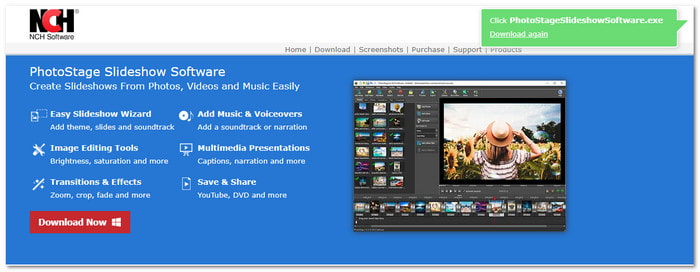
Photos alone can feel plain. Add motion, sound, and voice to bring them alive. Photostage, one of the best photo slideshow maker software, lets you mix images, videos, and narration. You can also edit and export in many formats, all while working offline.
Compatibility: Windows & Mac
Key Features:
- Voiceover recording.
- Real-time preview.
- Many export formats.
- DVD and online sharing.
- Easy drag-and-drop use.
- Supports many media types.
- Many export choices.
- Old-style interface.
- Some limits in the free version.
6. Adobe Express
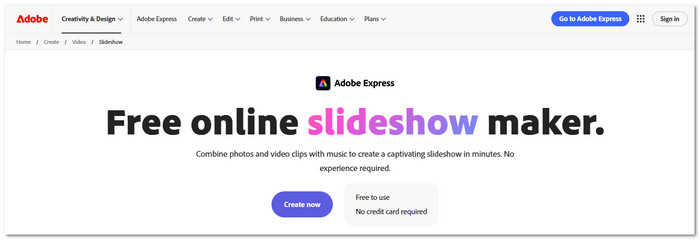
Templates do most of the work here. This photo slideshow creator helps make the process faster and easier. You pick one, add your photos, and adjust the look. It also gives music and visual effects. In just a few steps, your slideshow turns into a clean video ready to share.
Compatibility: Web
Key Features:
- Adobe Stock assets.
- Easy resize tool.
- Text and animation tools.
- Social sharing tools.
- Professional templates.
- Easy to learn.
- Works online.
- Limited timing control.
- Basic audio editing.
7. 4K Slideshow Maker
Focus on quality with this free photo slideshow maker that outputs sharp videos. You can add images, apply motion effects, and include music. It also offers presets for social media. The process is simple so that you can create high-resolution slideshows in just a few steps.
Compatibility: Windows, Mac & Linux
Key Features:
- 4K video export.
- Built-in presets.
- Slide timing control.
- Direct social upload.
Ratings: Earns a 4.5/5 rating on the official 4K Download website.
- Free to use.
- Simple workflow.
- High-quality output.
- Limited features.
- JPG only supports.
8. ClipChamp
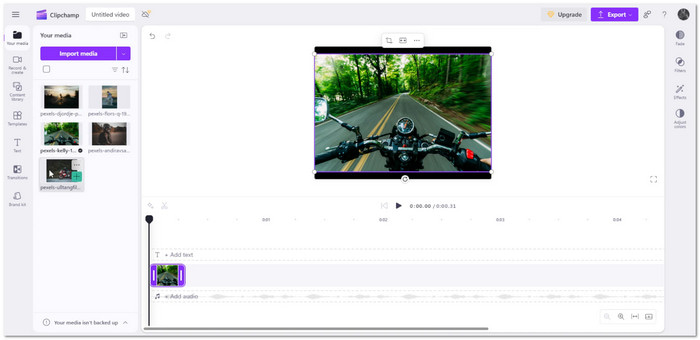
Unlike Clideo, ClipChamp uses a timeline to build slideshows with more control. You can place photos, adjust timing, and add music with precision, making it a better picture slideshow maker with music for detailed editing. It also offers templates and stock files to help create polished slideshow videos.
Compatibility: Windows & Web
Key Features:
- Timeline-based editing.
- Built-in media library.
- Template selection.
- Text overlay tools.
- Better control of slides.
- Useful templates.
- Beginner-friendly.
- Can lag on weak devices.
- Premium features locked.
9. MiniTool MovieMaker
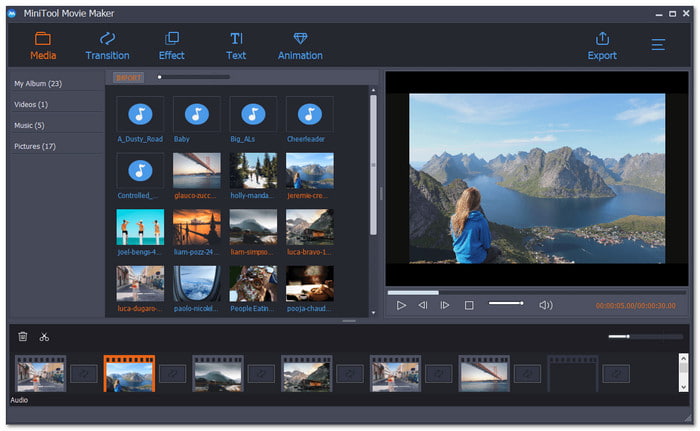
Pick a theme, add your photos, and the slideshow starts to form. MiniTool MovieMaker helps you build videos fast as a photo slideshow software. You can still tweak effects, text, and music before exporting your final file without any watermark.
Compatibility: Windows
Key Features:
- Theme-based templates.
- Motion effects.
- Audio import tool.
- Text animation presets.
- Free with no watermark.
- Easy interface.
- Quick setup process.
- Limited editing tools.
- Windows only.
10. Canva
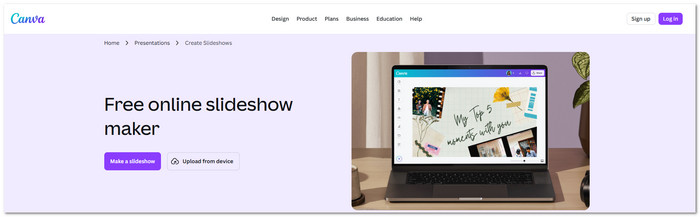
Everything starts with a template using this free online picture slideshow maker. Add photos, change text, and drop in music. You can also use AI tools to speed things up. In minutes, your slideshow becomes a polished video ready for sharing or presenting.
Compatibility: Web
Key Features:
- AI design tools.
- Screen recording option.
- Presenter mode.
- Real-time collaboration.
- Huge template library.
- Easy drag-and-drop use.
- No watermark on free export.
- Internet required.
- Some assets need payment.
Part 3. Key Features to Look for in a Photo Slideshow Maker
To pick the best photo slideshow maker, you need to consider the key features below. Check them before you decide!
1. Easy Templates & Themes
A good tool should offer ready-made themes. These help you start quickly. They also match different styles like travel, birthday, school, or business slideshows.
2. Photo & Video Mixing
The tool should let you combine photos and videos in one project. It makes your slideshow more dynamic and not just still images.
3. Filters & Visual Effects
Look for built-in filters. These improve the look of your slideshow. It helps adjust colors and mood with one click.
4. Audio & Sound Control
A strong slideshow maker should support background music. It should also let you adjust volume. It helps balance sound and visuals better.
5. Simple Editing Tools
It should include basic that allow you to add text, titles, and subtitles. These help explain your slideshow and make it easier to follow.
6. Export & Output Settings
The tool should let you change format, frame rate, and resolution. It is important to share on different platforms like social media or TV.
Conclusion
Consider the key features to look for when picking the best photo slideshow maker for your needs. Tools like Tipard Video Converter Ultimate stand out because they meet all the essential requirements. Feel free to try it and start turning your photos into a slideshow today!
More Reading



About the Author


 Tipard Video Converter Ultimate