

There are many tools you can use for making slideshows. It can make it hard to choose the right one. You want something simple, but also powerful and reliable. This write-up will take a closer look at Movavi Slideshow Maker. We will break down its features, uses, and what you can expect.
To see if it is what you are looking for, please keep reading.
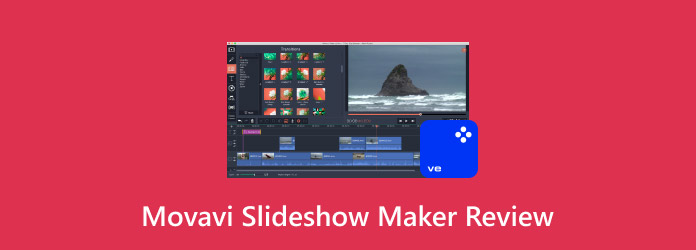
Part 1. Key Features: Why Choose Movavi Slideshow Maker
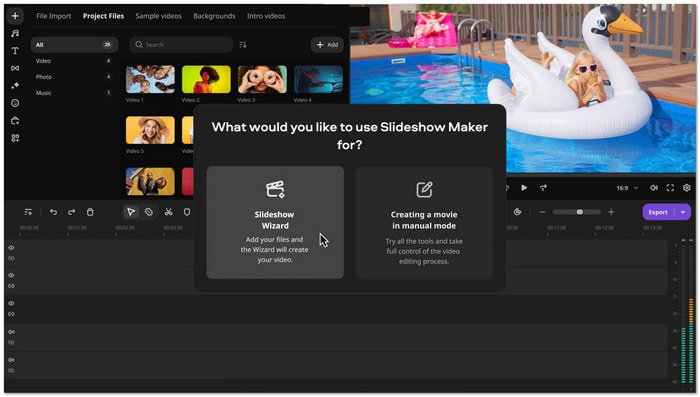
Before you use Movavi Slideshow Maker, it helps to know its key features first. It will show what it can really do and give you a clear idea of what to expect. Why choose it? Below are the reasons!
1. Dual Editing Modes
It has a slideshow wizard for immediate automatic creation using templates, music, and files. It also has a manual mode for full control over the timeline, transitions, and audio editing.
2. Effects & Templates
It includes 150+ filters and 100+ transitions like blur, zoom, fade, and parallax. It also offers ready-made themes for weddings, travel, and birthdays. Moreover, you can add stickers and animated text.
3. Advanced Editing Tools
It supports beat detection to match music with slides. It has pan and zoom effects for photos. It also includes chroma key, noise removal, and color correction tools.
4. Easy Workflow
It uses a drag-and-drop interface for simple editing. You can import files in bulk from different devices. It also gives a real-time preview before exporting.
5. Export & Sharing Options
It supports formats like MP4, AVI, MOV, and MKV. You can upload directly to YouTube, TikTok, and Google Drive. It also supports HD and 4K export quality.
Part 2. Detailed Review of Movavi Slideshow Maker
You already have an idea about its key features; now it is time to understand it better. This section will show its performance, user reviews and ratings, pricing, and why it stands out. These details will help you see how it works in real use!
Why It Is Competitive
It stands out because of its dual workflow. Users can start fast with the slideshow wizard, then switch to manual mode for deeper editing when needed. It is also super easy to use, since the steps are simple and clear.
You just add files, choose a template, add music, preview, and export. It also includes built-in templates, audio tracks, and transitions. Moreover, it runs smoothly on both Windows and Mac operating systems.
Pros & Cons
- Quick rendering and export.
- Simple drag-and-drop interface.
- Works well with photos and videos
- Smooth performance with 4K support.
- Packed with many editing tools, effects, and transitions.
- Some templates feel basic.
- Full features need a paid upgrade.
- Not fully optimized for Apple Silicon.
- Movavi Slideshow Maker free trial has a watermark and limits.
- Can use noticeable system power on some devices.
Performance
Good thing, Movavi Slideshow Maker for Mac and Windows runs smoothly because it uses hardware acceleration for better speed. Simple projects can be edited and exported immediately. A normal slideshow can finish exporting in under 10 minutes.
However, heavy effects or large projects may cause some lag. Even so, CPU usage stays moderate in most cases, which helps keep performance stable.
User Review & Ratings
Most users give positive feedback because it is easy to use and produces fast results. Approximately 4.7 out of 5 is the average rating. Many users like it for personal projects such as family videos, travel memories, and school work.
However, some users mention limits in the free version. Others also report slower performance on older devices.
Pricing
About the plans, Movavi Slideshow Maker offers monthly, yearly, and lifetime plans. The monthly plan starts at around $9.82. Yearly and lifetime options are also available, starting at $24.81 and higher.
The Slideshow Maker Plus lifetime plan costs around $56.44. It also includes effects packs with titles, transitions, stickers, and audio.
So, if you are asking, "Is Movavi Slideshow Maker free?", the answer is no. It only offers a 7-day free trial, and it comes with limits and a watermark. If you want to get rid of the Movawi watermark, you need to purchase a license.
Part 3. Powerful Alternatives to Movavi Slideshow Maker
We have powerful alternatives for you if Movavi Slideshow Maker does not fully match your needs. At the end, you will see a comparison table of the three options to help you choose easily.
1. Tipard Video Converter Ultimate
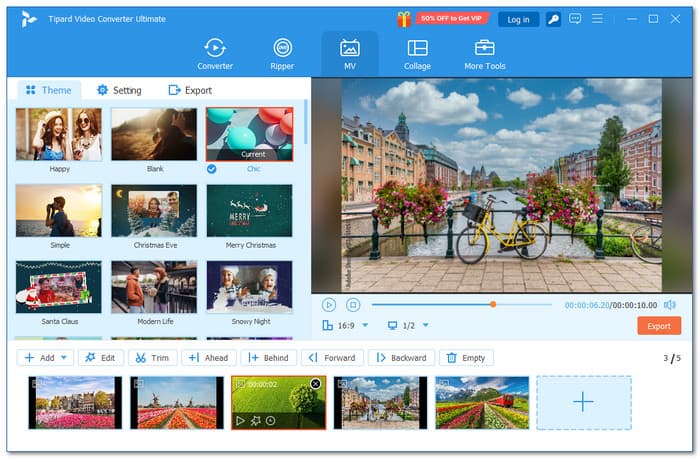
Sitting in the first place among powerful tools for Movavi Slideshow Maker alternatives is Tipard Video Converter Ultimate. It has an MV feature that enables you to create photo and video slideshows. It supports many input and output formats. With that, there is no need to worry about format limits.

- Offers themes like business, holiday, romantic, fashion, travel, and wedding.
- Adds start and end titles for intro and closing scenes.
- Allows adding background soundtracks for a slideshow.
- Supports custom resolution up to 4K.
- Change output format to MP4, MOV, AVI, MKV, and more.

Do you also need editing tools? Then, Tipard Video Converter Ultimate also checks that. It offers many easy-to-use video enhancement and editing features. You can crop, rotate, modify effects, apply a filter, and trim. It has all that, but it remains lightweight and easy to use.
User Review from Trustpilot: Tipard Video Converter Ultimate is fast and easy to use. It delivers good results and works as expected. It also provides a smooth experience with helpful support and simple tools for everyday video tasks.
Why We Selected It:
We selected Tipard Video Converter Ultimate because its built-in MV feature lets you add many pictures and videos together. You can also improve your slideshow by adding music, themes, and filters. You can also refine your clips using simple tools like crop and rotate.
2. SmartSHOW 3D
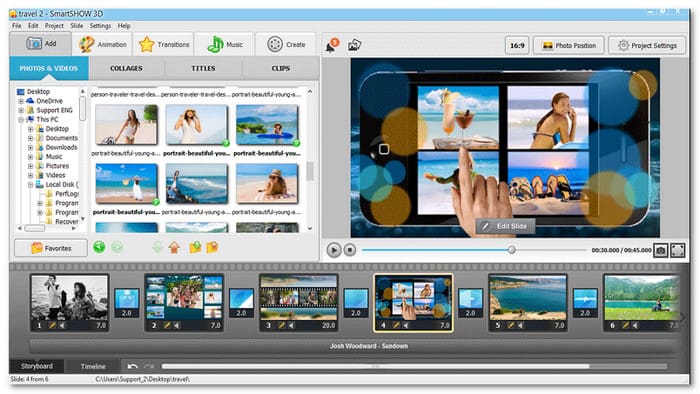
This Movavi Slideshow Creator alternative is recommended for users who want more style and depth in slideshows. It turns photos into animated stories with 3D effects, motion, and transitions. It also allows more control with multi-layer editing and keyframes, while still using simple templates for easy creation.
Key Features:
- 500+ music tracks built into the library.
- 3D effects for photos, text, and transitions.
- 800+ templates and effects for fast design.
- Multi-layer editing with keyframes for control.
- Export to video formats or burn to DVD.
User Review from Trustpilot: SmartSHOW 3D is easy to use despite having powerful tools. The effects and templates help create more dynamic slideshows, while the workflow stays simple enough for quick projects.
3. Animoto
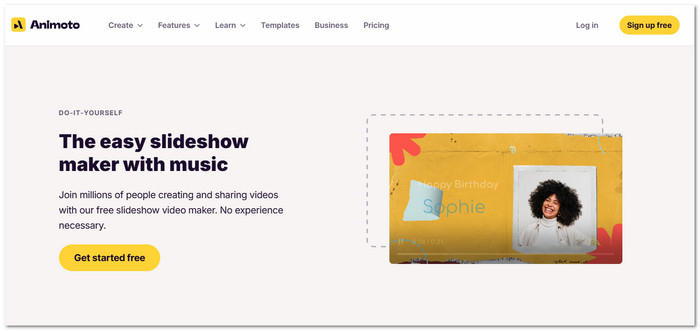
If Movavi Slideshow Maker is for Windows and Mac, Animoto works fully online in a browser. It does not need installation. It builds slideshows using drag-and-drop steps. You choose a template. Then, you add photos, clips, and text. You can use it for school projects, social posts, and simple video needs.
Key Features:
- Drag-and-drop video and photo builder.
- Pre-made templates for a variety of uses.
- Large music library with licensed songs.
- Supports HD video export up to 1080p.
- Easy sharing to social media or via link.
User Review from G2: Animoto provides a fast and simple workflow. It helps create videos in a short time, while templates make the process easier. Though editing options may feel limited for more detailed projects.
Comparison of Powerful Alternatives to Movavi Slideshow Maker
| Features | Tipard Video Converter Ultimate | SmartSHOW 3D | Animoto |
|---|---|---|---|
| Simplicity | Simple | Moderate | Simple |
| Themes & Templates | ✓ | ✓ | ✓ |
| Music Support | ✓ | ✓ | ✓ |
| Format Support | MP4, AVI, MOV, MKV, and more. | Export to video and DVD. | MP4 HD export only. |
| Installation Needed | ✓ | ✓ | ✗ |
| Best For | All-in-one video and slideshow creation. | Professional-style slideshows. | Quick online social videos. |
| Show MoreShow Less | |||
Conclusion
Did you learn a lot from our Movavi Slideshow Creator review? We hope so. We shared all the key details you need to know about it. We also included its powerful alternatives. One of them is Tipard Video Converter Ultimate. Create your slideshow now and share your memories with others!
More Reading



About the Author


 Tipard Video Converter Ultimate