

Grieving is the most hurtful feeling you could ever experience. Some might feel guilt or regret due to the unsaid thoughts or feelings they want to say to their loved one before they pass away. But you can still show your love, appreciation, and reflection through a slideshow during the funeral.
Funeral slideshow makers can help you! These tools allow you to show videos, pictures, and other elements that can be related to your loved one. This article helps you determine the best tool you can use. There are also tips for making a funeral slideshow. Kindly scroll below to know the topic details.

Part 1. Why Use a Funeral Slideshow Maker
Making a funeral slideshow is not only about convenience. Creating it must be meaningful for a tribute. Using the best funeral slideshow maker can help you achieve your goal. Below are some of the reasons why.
1. Simplifies the Making Process
It is indeed hard to make a manual slideshow, especially about a funeral. So, you can use the pre-made templates of the tools.
2. Makes an Emotional Experience
The tools can help you combine different media files. In this case, you can create a powerful visual story for your slideshow.
3. Integrates Timing and Music Quickly
The funeral slideshow makers allow you to add background music to your slideshows. It also offers control of slide timing.
Part 2. 5 Funeral Slideshow Makers You Can Try
Regardless of your reason for using a slideshow maker for a funeral, it is best if you know which tool you will be using. It depends on your needs, such as the elements or media files you need to include. The five best funeral slideshow makers are in this article. Please continue browsing to know them.
1. Tipard Video Converter Ultimate
Tipard Video Converter Ultimate is a third-party tool that contains different tools for your media files. It has an MV feature that allows you to import videos and photos that can be included in the slideshow. Also, it offers different transitions to give a narrative flow. Also, many output profiles are optimized for common displays.
Moreover, it enables you to add music to the slideshows to create an emotional connection with the viewers or listeners. You can also use the other features of the tool related to your media files if you need additional operations. Use this slideshow maker for a funeral below, where the detailed steps are posted.
Step 1 Download Tipard Video Converter Ultimate. Then, set up and install the downloaded file to open it. Click the MV button at the top. Click the Plus or Add button at the bottom left corner. Choose the images or videos you prefer to add to the slideshow.
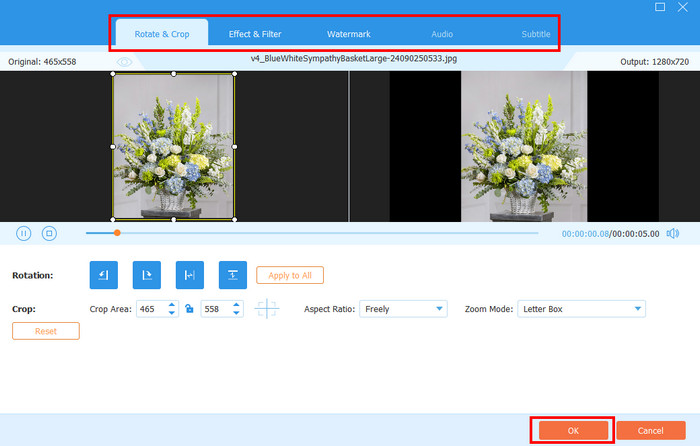
Step 2 To edit the media files individually, click the Edit or Trim button at the top of the files. You can use the Audio, Subtitle, Watermark, Effect & Filter, and Rotate & Crop tabs at the top. Click the OK option to apply all the changes.
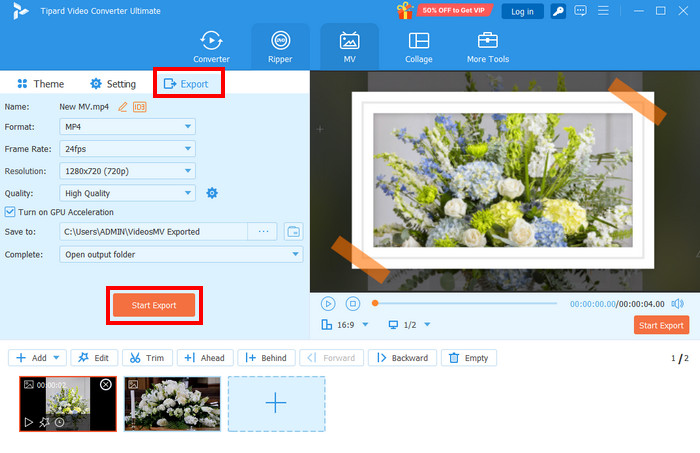
Step 3 Insert your USB where you want to save the slideshow. Then, click the Export button at the top left. Adjust the settings of the file. Then, go to the Save To section. Please select the location of the USB. Finally, click the Start Export button.
2. Canva
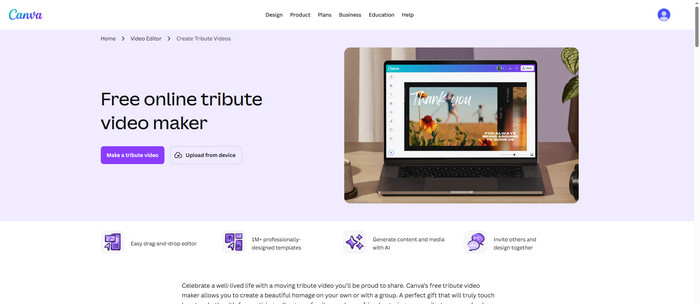
Canva is known for making creating visual content. You can process your videos and pictures using the tool. The best thing about the tool is that it can help you create memorial and funeral slideshows. It can be used with its guided and high-visual workflow. In fact, it is one of the best apps to make a funeral slideshow. Also, it can combine videos and photos to make a slideshow.
Supported Platforms:
- It is a web-based platform that runs in modern browsers.
- It supports a mobile application that is available on Android and iOS.
- It has a desktop version that is available on Windows and macOS.
Key Features:
- Supports template customization system.
- Audio and timing controls are accessible.
- It has media integration tools.
- It supports AI-assisted design tools.
- Motion and visual effects are accessible.
3. Smilebox
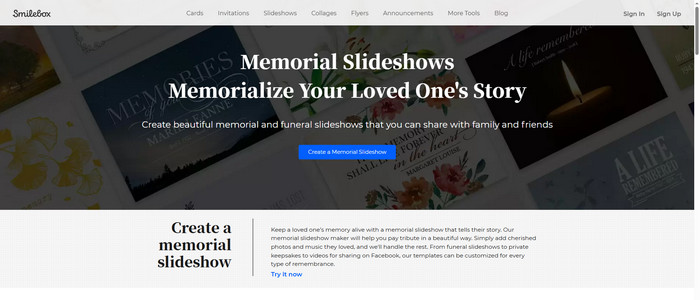
Smilebox is an online tool that can help you make a funeral slideshow. It is mainly designed to make your personal memories into a meaningful visual story. It provides a guided process for creating a memorial tribute video using its pre-made templates. It also supports simple editing tools that are best for novices.
Supported Platforms:
- Web-based platform.
Key Features:
- Supports memorial-specific pre-made templates.
- Auto-arrangement for your photos and videos.
- Music integration for audio files.
- Supports personalized tools.
- Multiple sharing and output options.
4. Animoto
Animoto is a bit different from the previous tools. It is a cloud-based video creation tool that helps you make a funeral slideshow. It allows you to add photos, music, and video clips to the mentioned project. The system of the tool automatically makes the simple inputs into a cinematic slideshow. It can be used as your video crop editor when videos need to be cropped.

Supported Platforms:
- Available on different modern browsers.
- Mobile app for iOS devices.
- Web-based access on Android and Chromebook.
Key Features:
- Templates and styles for professionals.
- Automated workflow for video creation.
- Stock and media library integration.
- Licensed audio or music selection.
5. FlexClip
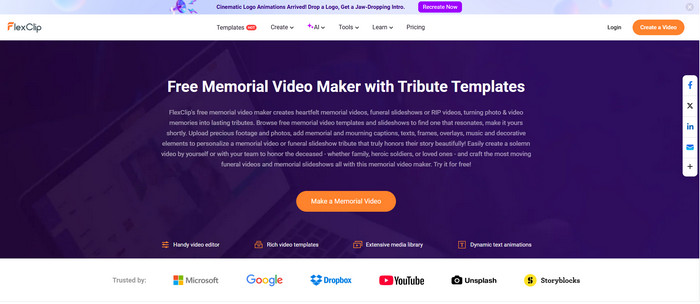
FlexClip is considered a web-based video creation and editing platform. It allows users to create slideshows by combining photos and videos. Aside from them, it also enables you to add music, text, and other video clips.
Supported Platforms:
- Web browsers for Windows, Linux, and Mac.
Key Features:
- Thousands of pre-designed templates.
- Access millions of stock assets.
- Adds background music from the built-in library.
- AI text-to-video, including script generation.
- Supports timeline editing modes, such as storyboard.
Part 3. Decent Tips for Making a Funeral Slideshow
In making funeral slideshows, there are things you need to consider. The slideshow must be decent and heartfelt. Below are some of the tips for making a funeral slideshow.
1. Make It Simple
Do not overload the slideshow with multiple images or videos. It is recommended to be clean and simple.
2. Choose Photos or Videos to Tell a Story
It is suggested not to add videos or photos randomly. You must choose media files related to different stages of life, including childhood and other important milestones.
3. Add Short Text
Included texts that are short but meaningful. This way, the viewers do not need to read long paragraphs to know the message of the slideshow.
4. Keep the Timing
It is recommended to add a three to five-second interval between each slide. In this case, you can avoid making it too long.
Conclusion
All in all, the five best ways to make a slideshow for a funeral are included in this post, including tips on how to make one. Tipard Video Converter Ultimate is one of the leading tools. It offers different transitions and multiple output formats. Do you want to know more about it? Download it now!
More Reading




About the Author


 Tipard Video Converter Ultimate