Review of the 10 Best Places to Get Free Video Clips Online
Videos are critical in gaining attention and making the story stand out. Integrating inspiring videos can enhance its appeal in any project where a content creator, marketer, or even an educator is working. Fortunately, many websites provide free video clips that can be used for personal and business purposes. It ranges from beautiful landscapes to spectacular business clips, so the choice is vast and varied.
To help you with your search, we put together a detailed list that shows not only the plethora of free video clips online but also the top 10 sites for finding those video clips.

Part 1: Can You Get Free Video Clips Online?
There are so many websites on the internet where anyone can download various kinds of free video clips for home, academic and business uses. These video clips fall under multiple genres like nature, business, technology, lifestyle, and others, enabling users to sort through the available videos and find the most suitable ones easily. When it comes to creating videos and presentations, whether you are a content creator, filmmaker, marketer, educator, or any other professional, using free video clips online adds value and effectiveness to your creations.
Part 2. The Top 10 Websites to Get Free Video Clips
1. Pexels
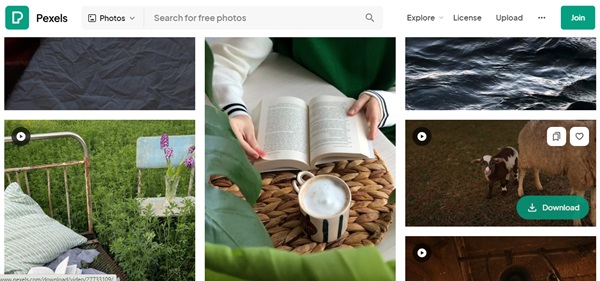
Pexels is one of the best sources for free videos sorted out to provide excellent and diverse footage for any use. Despite being an online platform, the website has an organized structure that does not make it difficult for users to locate the content they want, particularly the best video clips of all time. Every video created and uploaded on Pexels is available to download under the Pexels License, which permits non-commercial and commercial use without crediting the source.
Pros:
- • Large database of free downloadable videos in great quality.
- • Ease of performing searches using the navigational aids provided within the website.
- • Some videos can be downloaded for individual or commercial purposes without the provision of credit.
Cons:
- • Limited advanced search functionality.
- • Fewer popular niche video categories might exist.
2. Pixabay
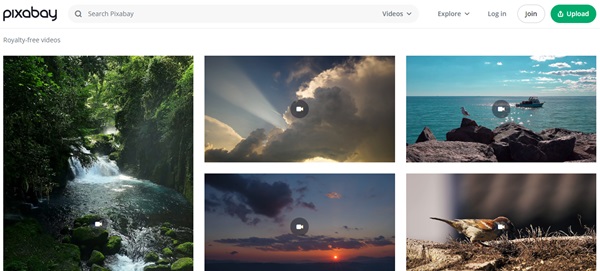
Pixabay is a well-known website that provides more than one million free stock videos which can be downloaded and used. In addition to the comfortable structure and navigation, a wide range of options offer advanced search, so it will be easy to find the best video clip ever. According to the license granted in Pixabay, all the videos are free for use with no restriction on the purpose of use.
Pros:
- • Offers more than 1 million free stock videos.
- • Ease of use and search capabilities.
- • Videos shared fall under the Pixabay License, allowing for its use without restrictions.
Cons:
- • Few numbers of unique video categories.
- • It should also be noted that the quality of some videos placed online may differ.
3. Videvo
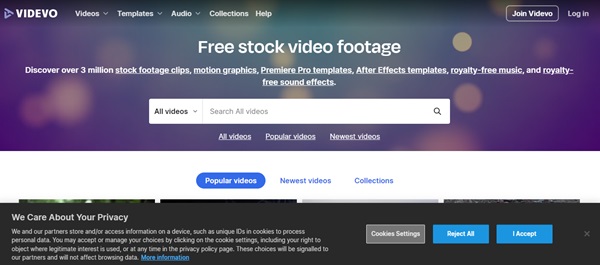
Videvo is a free two-sided platform where users can download a massive collection of video clips, motion graphics, and stock footage provided by other users. The contents are in the form of videos, which are free for commercial use and can be accessed through the website; some of the videos are under the Creative Common license, while others are under the usual royalty-free permit, making it easy for users to choose the license that best suits their project.
Pros:
- • One of the largest collections of royalty-free video clips and motion graphics available online.
- • Many of the videos are royalty-free or licensed under Creative Commons licenses.
- • Other people contribute to a variety of choices.
Cons:
- • Certain videos may need permission for usage.
- • The search could be made easier by filtering results more neatly.
4. Videezy
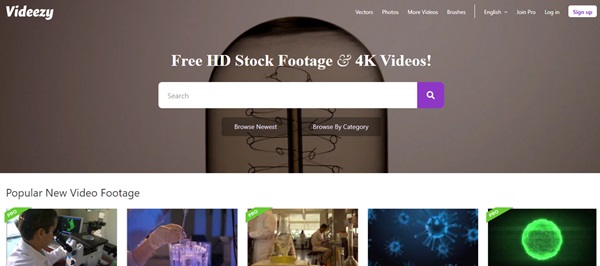
Videezy provides free high-definition stock videos, drone shots, and video backgrounds, suitable for many niches of video production. It also offers advanced video processing features and tutorial materials for those who plan to create video content.
Pros:
- • Free stock videos and HQ aerial videos and clips.
- • Provides mid-level to high-end features and options for video editing services.
- • Suitable for various visual communication requirements.
Cons:
- • Lack of variety of some kinds of video.
- • Some videos have limited usage.
5. Coverr
Coverr is a unique and beautiful source of free video clip music. Its focus is on using them as website backgrounds, which makes this site perfect for web designers and developers. The website offers a collection of high-quality video clips that the authors selected based on their appearance to become interesting inserts for websites and other multimedia projects.
Pros:
- • Committed to giving free stock videos for website backgrounds.
- • A collection of rather stylish and chosen video clips.
- • A perfect place to visit for all web designers and developers.
Cons:
- • Few options for video genres.
- • The frequency of updating the video library might be lesser.
6. Beachfront B-Roll
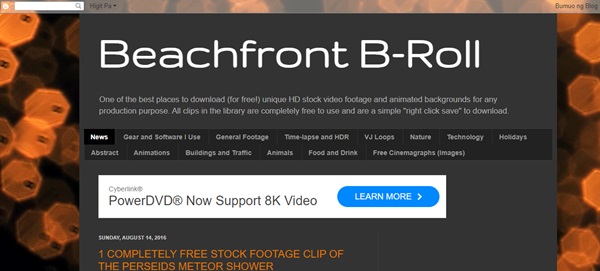
Beachfront B-Roll presents a few of the funniest retro-style free stock footage and video loops that bring personality to any occasion. They also have classic clips in the site's collection but for artistic and creative narrative.
Pros:
- • The website is filled with a cobbled-together array of colorful, nostalgic, free-stock video footage and loops.
- • It complements and enhances the spirit of videos or any filmmaking activity.
- • The collection is a series that has clips suitable for creative storytelling with a vintage feel.
Cons:
- • It has fewer links than other websites.
- • It may not have a large collection of current or conventional types of videos.
7. Mazwai
Mazwai offers a well-organized selection of high-quality free videos focusing on cinematic and visually appealing videos. Mazwai revolves around arts to capture artistic works from filmmakers, cinematographers, and other visual creators in search of awe-inspiring visuals.
Pros:
- • Free and well-organized list of good video clips.
- • Highlights the concrete cinematographic and visually intense sequences.
- • Perfect for directors, directors of photography, and other visual content creators.
Cons:
- • Less number of displayed items than competitors.
- • Fewer changes to the list of the videos in the access of the targeted audience.
8. Life of Vids
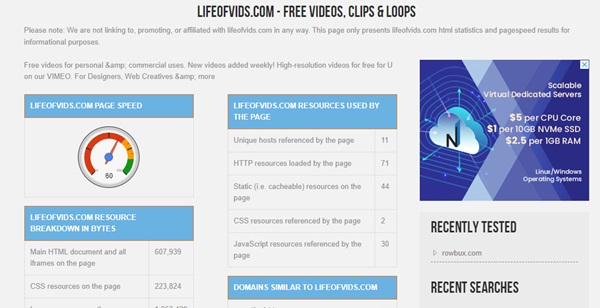
Life of Vids offers free downloadable video clips and loops, primarily focusing on art and style originating from cinematic traditions. The platform frequently adds new and visually engaging content to its collection, making it a great asset for creative pursuits and storytelling.
Pros:
- • Focus on appearance and style in art and cinema.
- • Frequency of updates with fresh and intuitive videos.
- • Great for project-based work and narrative communications.
Cons:
- • There are also a few video categories that exist to select from.
- • Certain videos might not fit into project requirements.
9. Splitshire
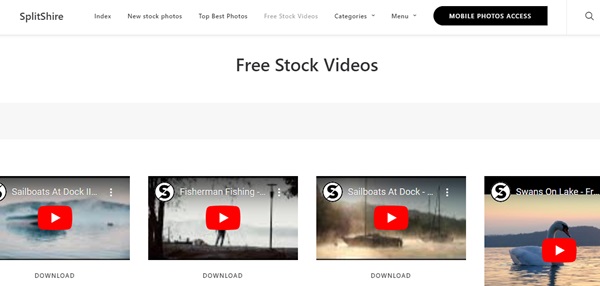
It offers visitors a spectacular collection of free stock videos and video backgrounds, emphasizing strong storytelling and colors. The videos delivered are interesting and engaging short videos ideal for a variety of purposes in creative and marketing contexts.
Pros:
- • Unique source of free stock media and YouTube video clips.
- • Emphasis on narrative and color associations.
- • High-quality and interesting video clips which may be useful for different purposes.
Cons:
- • Less collection than the other platforms.
- • There are only a few ways to search and filter the videos.
10. Distill
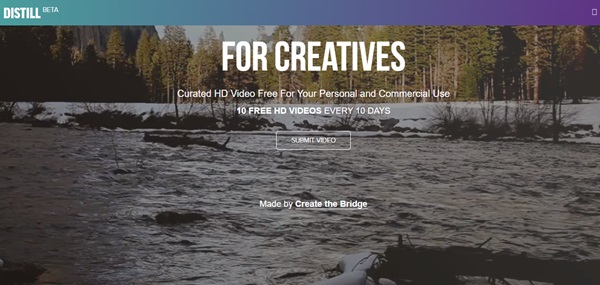
Distill provides a selection of free clip videos online, curated HD videos that convey a feeling of genuineness and narrative. Moderation is still present in the website design, which leads to a selection of properly fine-looking clips for those who need some material to improve their digital products and creative work.
Pros:
- • A list of free, curated, high-quality videos providing the feeling of genuineness and narrative.
- • Selective attitude helps to create visually compelling shots.
- • Great to improve digital presentations and creative processes.
Cons:
- • It has a much more limited selection than many larger sites.
- • It may include a variety of specialized video requirements.
Part 3: The Best Way to Create Your Video Art with Video Clips
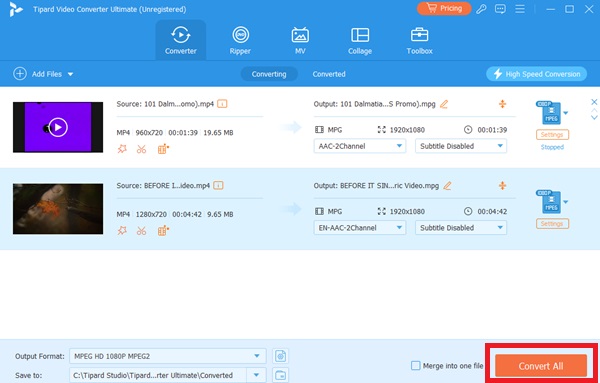
When creating your video art using free video clips, considering a reliable video editing and conversion tool is crucial. Tipard Video Converter Ultimate is a highly recommended software that offers comprehensive features for editing, converting, and creating video content. With Tipard Video Converter Ultimate, you can easily combine, trim, enhance, and customize your downloaded video clips to create stunning visual content. Plus, the tool offers a wide range of video formats. It offers efficient conversion capabilities, making it suitable for beginners and experienced users.
Follow this guide on how to create your video art with video clips with ease:
Step 1Install the Video Creator
Initially, download the software and launch it on your available computer. To do that, hit the corresponding Download button that matches your operating system. Once you have the file installer, follow the instructions to complete the installation and launch it successfully.
Step 2Import the Video Clips
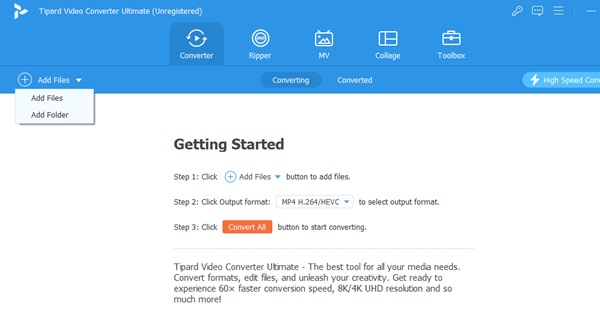
Once you access the main interface, go to the option to Add files. Import the downloaded video clips you will edit in the program. Drag all the video clips to the box if you want another option.
Step 3Move to the Video Edit Screen
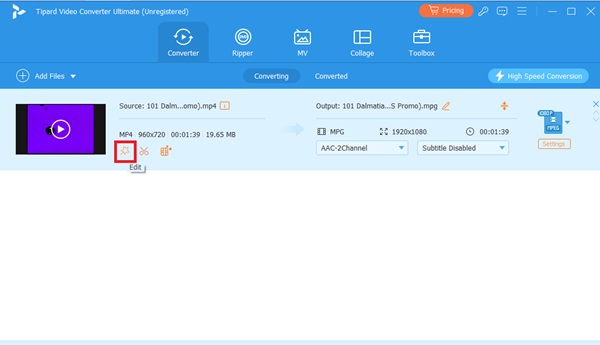
In the next step, you need to enter the video editing screen, where all the videos that you have uploaded are displayed. Find the video you need to edit, and hit the Edit key next to the video thumbnail.
Step 4Rotate and Crop Video
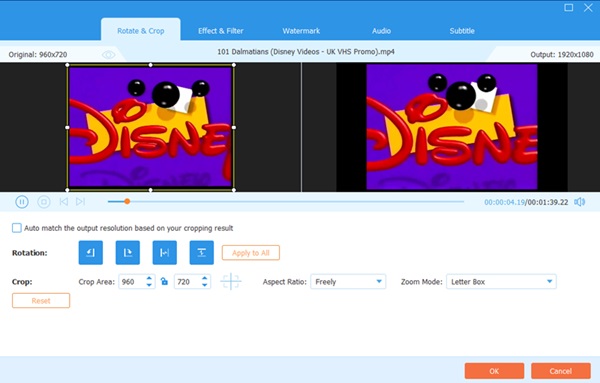
On the Rotate and Crop tab, you can rotate and crop your video as you wish. Other important editing tools include the aspect ratio and zoom mode.
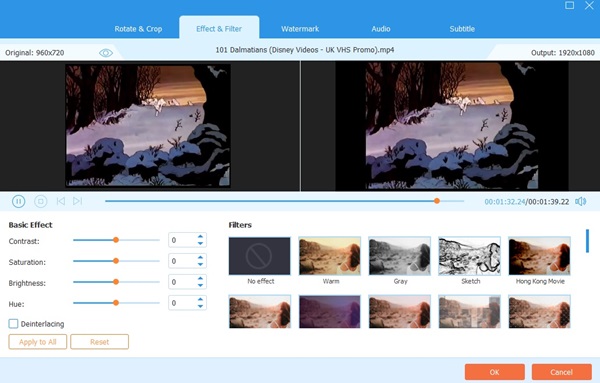
Step 5Add Effects and Filters
On the next tab, the Effect & Filter tab, you will find options to adjust different features such as the videos' Contrast, Saturation, Brightness, and hue. You can also use this video to create your preferred filter; select the Filters option.
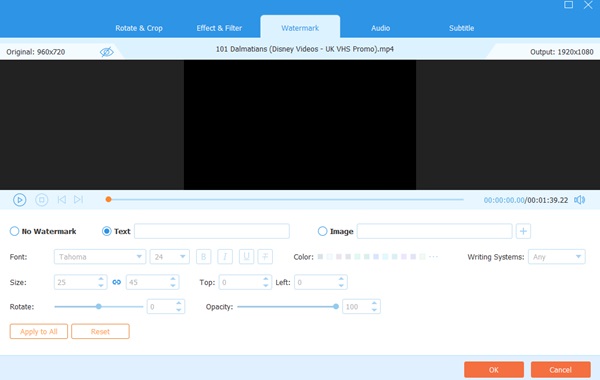
Step 6Edit Video Watermarks
Click on the Watermarks option to add the watermarks to the video you want to make. You can add watermarks either in text format or in image format. You could also modify the Font, Size, Top, Color, and Opacity of your watermark texts to your preference.
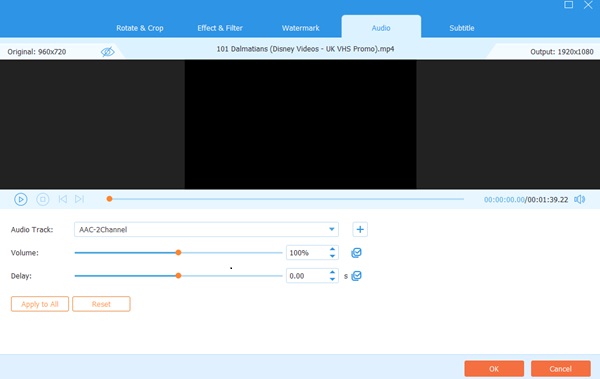
Step 7Edit Audio
On the Audio tab, you can add, delete, or modify the video's sound. Slide the Volume control to adjust the sound's volume. Adjust the Delay slider to add an audio delay effect.
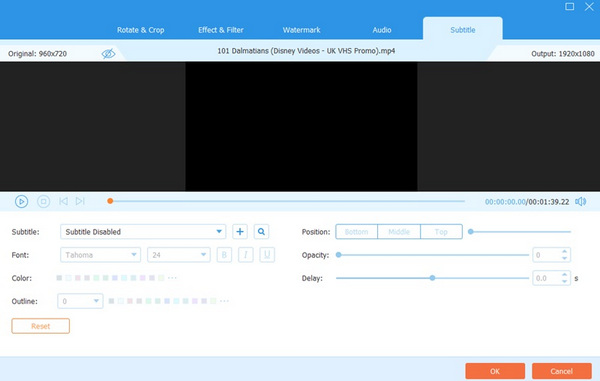
Step 8Edit Subtitles
Next to last, click on Subtitle to view or modify the settings for the video subtitles. Remember to press the OK button to store all your video editing.
Step 9Export Your Video
Return to the home screen. Select the folder where you want to store your video and click on the Convert All button to export it. That's it. You can watch the video you created on your computer anytime.
Further Reading:
Add Free Subtitles to Your Video & Top Websites to Download
In-Detailed ClipConverter Review That You Must Know Before Visiting
Conclusion
It is now possible to find a large number of free videos available on websites that contain a vast array of high-quality videos. This article lists ten websites offering free clip videos. Whether you are a content creator, marketer, teacher, or just a person who wants to improve your projects, these free tools can bring a lot of value. Once you find the best video clips, you should try making great videos using one of the best video editors, such as Tipard Video Converter Ultimate. Due to the tools for clipping, converting, and optimizing video, it suits any user who wants to create attractive videos. Use these sources and instruments to enhance your videos and engage your viewers.