

When listening to songs by your favorite singer, you'll naturally want the best possible audio experience on your Android device. Sound spans a wide range of frequencies, from deep bass to crisp treble. To fine-tune these sound waves and achieve your preferred audio balance, a music equalizer is essential. Read on to learn more about the top 10 best Android audio equalizer apps and discover how they can enhance your listening experience.
Part 1. Why You Need an Android Audio Equalizer
An Android audio equalizer enables you to customize and enhance sound quality according to your preferences and listening environment. Since music and audio contain different frequency ranges, from bass to treble, an equalizer lets you adjust these frequencies for a better listening experience.
Improve sound quality: Enhance bass, clarify vocals, or reduce harsh highs for cleaner audio.
Match different headphones or speakers: Not all audio devices sound the same; an equalizer helps balance their output.
Adapt to different content: Optimize sound for music, movies, podcasts, or games.
Part 2. Top 10 Best Android Audio Equalizer Apps
When enjoying the songs of your favorite singer, you would like to get the best out of Android audio. Sound is produced across a board spectrum of frequencies ranging from Bass (the lowest) to Treble (the highest). In order to adjust the sound wave, you can use the music equalizer to get the desired audio. Just learn more detail about the Top 10 Best Android Audio Equalizer Apps from the article.
Top 1: Music Volume EQ
Powered By: K&K Design
Price: Free
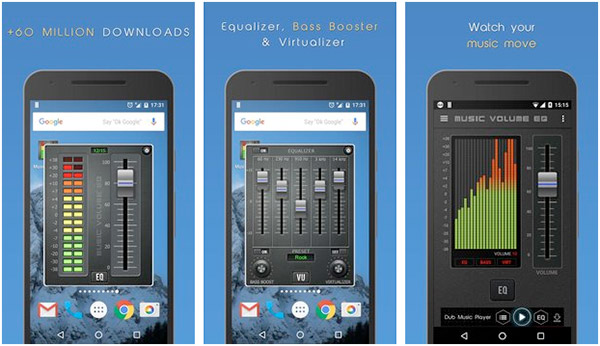
Music Volume EQ is one of the most popular music equalizer apps for Android. It features a standard 5-band equalizer, nine built-in presets, bass boost, virtualization effects, and precise volume controls. The Android audio equalizer app also allows you to place widgets on your home screen, giving you quick and convenient access to its core functions.
What truly sets Music Volume EQ apart is that it is completely free, with no ads or premium upgrades, one of the main reasons for its popularity. In addition, it is compatible with many popular Android music players, including Android Music Player, Winamp, Google Music, MixZing, Poweramp, and more.
Top 2: Equalizer Music Player Booster
Price: Free
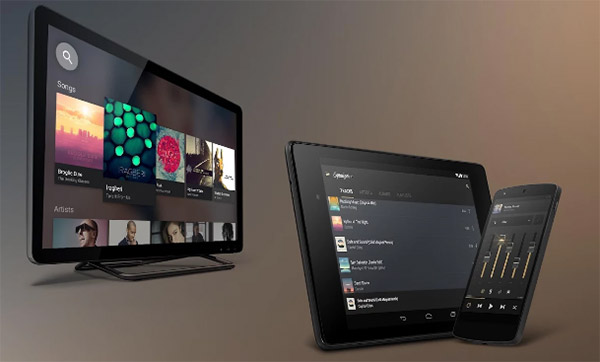
Equalizer Music Player Booster (also known as Equalizer+) is also a very popular and excellent audio equalizer for Android. Unlike other music equalizers, Equalizer Music Player Booster is an all-in-one solution, combining an MP3 player, music equalizer, and bass booster in a single app. It offers a 5-band equalizer, 10 genre-based presets, a local music sharing network, background playback, Android TV compatibility, and many other features. With Equalizer+, you can enhance the sound of your songs and playlists like never before!
Top 3: Equalizer & Bass Booster Fx
Price: Free /US$2.49
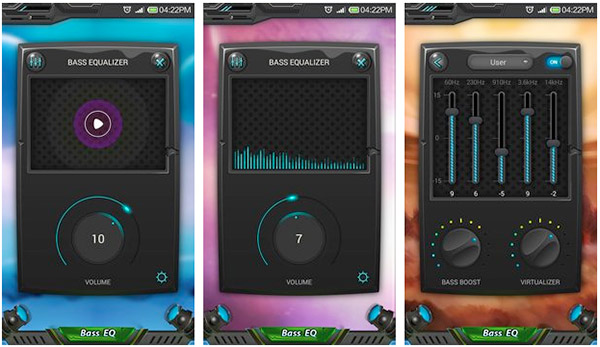
Equalizer & Bass Booster Fx features a volume slider, a live stereo LED VU meter, and a 5-band music equalizer with Bass Booster and Virtualizer effects. The app works seamlessly with most music players, video players, and FM radio apps. It offers 10 equalizer presets and 3D surround sound to help enhance the audio quality on your Android device. Simply adjust the sound effect levels to get the best possible experience from the music and audio playing on your phone.
Top 4: Bass Booster
Price: Free
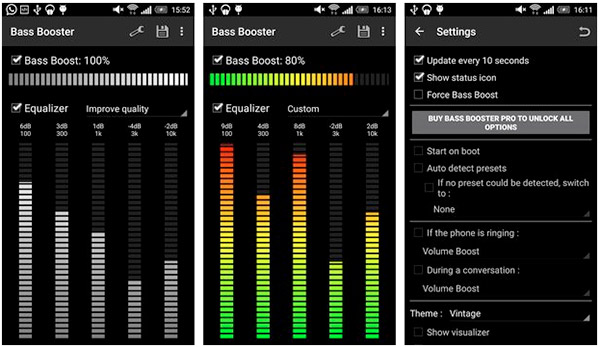
Bass Booster, as the name suggests, is a music equalizer app designed to enhance your audio experience by boosting volume by up to +10dB and improving sound quality. Bass Booster is also compatible with all devices and works seamlessly with Google Play Music and Spotify. This free Android audio equalizer offers 5 brand equalizers and over 20 presets to choose from, and you can also create your own custom presets. Additionally, the app features a 2×1 on-screen widget, plugin support, and a music visualizer for an immersive listening experience.
You May Also Like:
Top 5: Equalizer
Price: Free / US$1.69
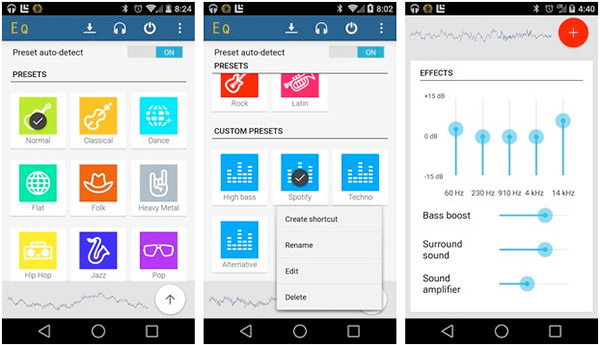
Equalizer helps you adjust sound levels to get the most out of your music or audio. This Android equalizer app features a 5-band equalizer, bass boost, surround sound (stereo width), and a volume booster. It also includes an auto-detect feature that scans the ID3 tags of songs in your playlist and automatically applies the optimal equalizer preset for each track. The paid version removes ads and lets you save custom presets for a personalized listening experience.
Top 6: Equalizer Music Player
Price: Free
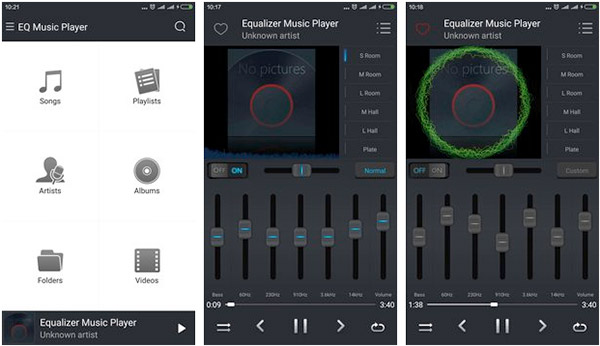
Like other music equalizers, Equalizer Music Player includes an Equalizer, Bass Booster, Virtualizer, and Visualizer. This Android audio equalizer app perfectly supports both music and video playback, delivering high-fidelity sound for over 20 file formats. Two standout features make it even more exciting: the SHAKE IT feature lets you shake your phone to play the next song, and headset support allows you to use single- or multi-button headsets to enjoy 3D surround sound and 17 preset equalizer modes. For the best experience, use it with headphones on your Android device.
Top 7: Music Equalizer
Price: Free
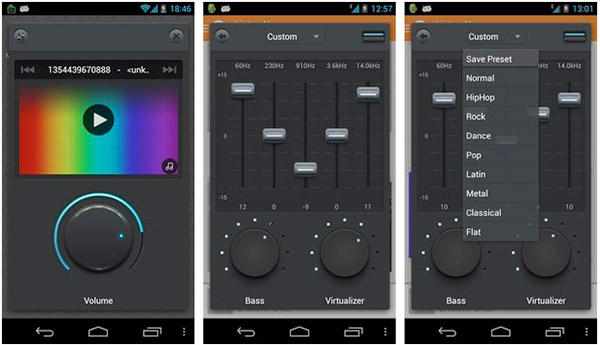
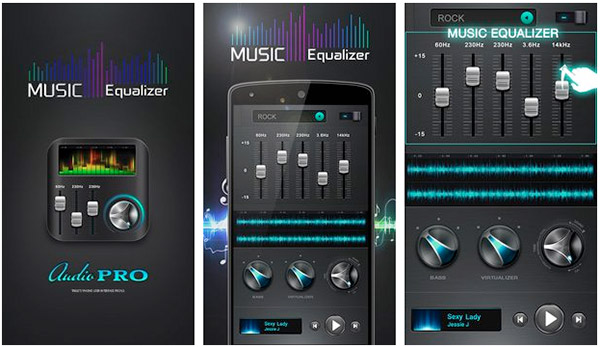
Music Equalizer is one of the first Android equalizers to feature a volume slider with slide control for its 5-band equalizer, bass booster, and virtualizer. It comes with nine preset equalizer profiles covering the most popular music genres, and you can also create and save your own custom presets while locking the music volume. Music Equalizer is a simple, reliable app that delivers exactly what it promises. While a slim ad appears at the bottom of the app, there is no premium version to remove it.
Top 8: Equalizer FX
Price: Free/ US$1.48
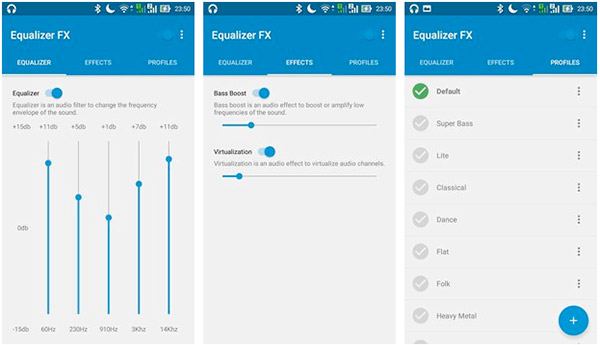
Equalizer FX enhances sound quality on Android, letting you enjoy your music even more. The Android music equalizer app features a 6-band equalizer, bass boost, virtualization, loudness enhancer, multiple presets, and home screen Equalizer Widgets. Its standout feature is the ability to create and save your own presets, even in the free version. If you want an ad-free experience, you can upgrade to the paid version for just $1.00.
Top 9: Music Equalizer EQ
Price: Free
Music Equalizer EQ is an all-in-one app that combines a music equalizer, bass booster, and music player. It features a 5-band equalizer to fine-tune your tracks and 10 preset equalizer profiles based on popular music genres. You can adjust the equalizer, boost the bass, and control the surround virtualizer to achieve the best audio quality. This audio equalizer for Androoid phone is a music lover's paradise, letting you enjoy rich, immersive sound. Simply download it from Google Play to experience the ultimate Android music experience.
Top 10: AUVIO EQ
Price: Free
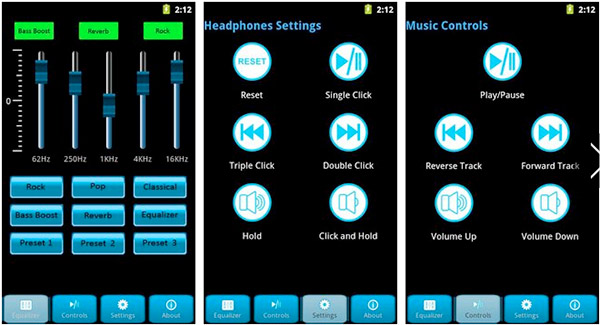
AUVIO EQ is an Android music equalizer app designed for AUVIO headphones and any standard music device like Android phones and tablets. This Android audio equalizer features a simple, intuitive interface that lets you customize your sound and save up to three favorite presets. With a compatible device, you can control playback using the in-line remote or set up custom key sequences to manage music functions effortlessly.
Part 3. Convert Your Songs to High Quality and Clear Audio
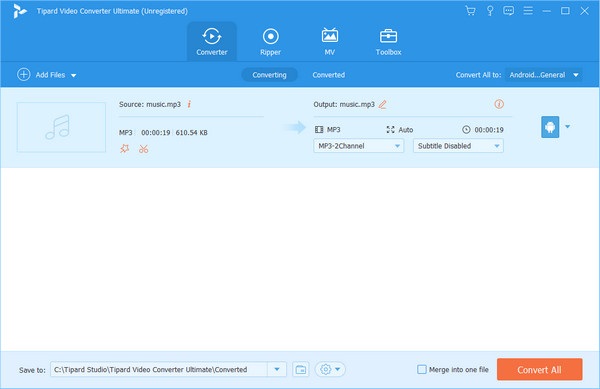
To increase your songs, what you need is not just a music equalizer. If you want to turn your music files to crisp and clear audio files, Tipard Video Converter Ultimate is a good choice. It can convert music files to high bitrate and sample rate, greatly increasing the sound quality. It also supports Dolby and DTS audio formats, making low-quality songs standard and high-quality music.

- Extract any audio track from MP4 or online video stream.
- Convert audio files or songs to FLAC, ALAC, OGG, and more high-quality sound codecs.
- Adjust audio codec, sample rate, and bitrate to highly increase the sound quality.
- Offer a clear interface and simple workflow to enhance your songs.
Conclusion
This article collects 10 excellent audio equalizers for Android devices. You can check them and find your favorite one to highly increase your sound experience. By the way, if you want to increase your songs' quality, Tipard Video Converter Ultimate is your best solution. Change the audio codec to high-quality FLAC, ALAC, and more, or increase the audio sample rate, bitrate, and channels to get the best audio quality.
More Reading

About the Author


 Tipard Video Converter Ultimate