

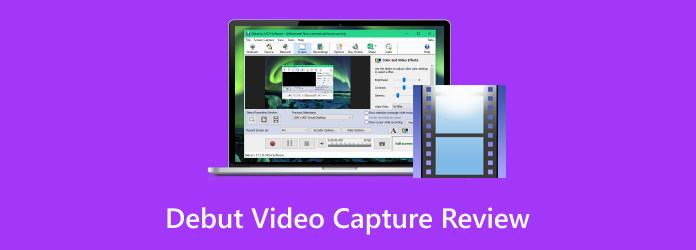
Debut Video Capture is a lightweight and versatile screen recording software. It is designed for users who need a simple method to capture video, audio, and even webcam footage. Plus, it has a straightforward user interface, making it more accessible to all users. So, if you are interested in discovering more about the recorder, visit this review. We will provide all the information you need, including its definition, what it can do, advantages, cons, and more. Thus, read here and learn everything about the recorder.
Part 1. What is Debut Video Capture
NCH Debut Video Capture is an excellent screen recorder designed by NCH Software. Its core feature is to record multiple sources, including your desktop screen, webcam, audio, and other external devices. This program is perfect for making tutorials, capturing gameplay, lectures, and recording video. Additionally, it has a simple UI, making it more accessible to all users, especially non-beginners. It is also available on both Mac and Windows computers, so there is no need to encounter any compatibility issues. Thus, when it comes to recording, Debut Video Capture is among the options you can have.
Required Specification
To access the software, you must meet the required computer specifications.
For Windows OS
- OS: Windows 10 or Windows 11
- RAM: Minimum 2 GB (4 GB recommended for HD recording)
- Storage: Need at least 100 MB of free disk space for installation
- Processor: Intel or AMD with at least 1 GHz speed
For Mac OS
- OS: macOS 10.15 (Catalina) or later, optimized for Apple Silicon (M1/M2 chips)
- RAM: Minimum 2 GB (4 GB recommended for HD recording)
- Storage: Need at least 100 MB of free disk space for installation
- Processor: Intel-based Mac or Apple Silicon
Part 2. What Debut Video Capture Can Do
NCH Debut Video Capture software can record video from a wide range of sources. You can capture your webcam, computer screen, and external devices (like IP cameras or IP cameras). Plus, it lets users record the entire screen or just a selected screen area, making it more versatile for recording gameplay, making tutorials, or showing presentations.
Besides recording, the program can also offer customizations, such as the capability to insert overlays, text captions, timestamps, and more to enhance recording. You can also adjust the quality of the recording by changing and modifying the resolution, color settings, and frame rate. Lastly, Debut Video Capture helps collect timed events or live streams without human touch since it offers options for planned/scheduled recordings.
Part 3. Detailed Review of Debut Video Capture
Want to explore more about the recorder? Then, you can visit this part as we provide all the information you need, such as pros, cons, ratings, performance, and more.
Features
Record Screen
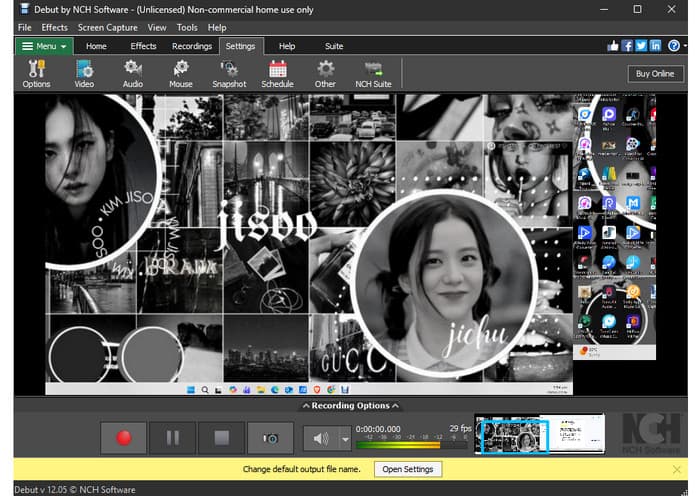
The core feature of the program is to record everything on your screen. You can record a Google meeting, tutorials, gameplay, webcam, and other external devices. The good thing here is that it can give you a simple recording process, making it more ideal for users.
Add Captions to Video
Another good thing about the recorder is that you can add captions to your recordings. It is an excellent feature if you want to make your video engaging and appealing.
Video Color Adjustments
This feature is ideal if you want to make your recordings better and more satisfying. You can adjust everything, including the video's brightness, gamma, contrast, hue, saturation, and more. This is perfect if you want to change the video color based on the given theme. You can even add a watermark, filters, and more elements if you want to.
Offer Screenshot
Besides recording and editing features, Debut Video Capture can also offer its Screenshot function. This is helpful if you want to capture and take a screenshot of specific content on your screen. With this function, you can ensure obtaining both video and images during the process while saving more time.
Support Various Output Formats
After the recording process, the software can let you save the video to your preferred output formats. You can export the recordings as MP4, AVI, WMV, MKV, MOV, and more. Since the software supports a wide range of output formats, it ensures that you won't encounter any compatibility issues when playing your recordings.
Good Things about Debut Video Capture
- The video/screen recorder can offer a smooth recording process.
- Thanks to its simplicity, both skilled and beginner users can easily utilize the recorder.
- The software can offer various editing functions to improve the recording and video playback.
- What we like about the recorder is that it can offer a smooth export/saving process.
Drawbacks of Debut Video Capture
- Even though the user interface is simple, it still looks outdated, which may not satisfy users.
- When using the commercial or free version, there are various limitations you might encounter.
- There are times when the recorder is not performing well.
- Some of the basic editing tools are not available. To fully edit the recorded video, you have to access a separate editing program.
Users Review (from Software Advice)
'It is a great option for beginners who are looking to create simple, professional-looking videos. Its user-friendly interface, video capture, editing features, effects, and sharing options make it a better choice for those who need basic video editing capabilities. However, its limited features, compatibility issues, and watermark on exported videos may be drawbacks for some users.'
Performance
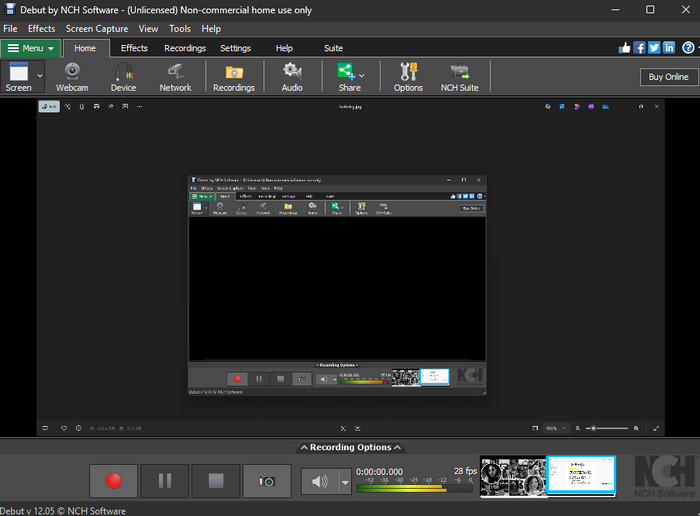
After using the recorder, we can tell that it is one of the best recorders you can use since it can give you all the necessary features. You can even capture various contents. You can record gameplay on PC, take a screenshot, capture webinars/meetings, and more. The only drawback here is that there are various restrictions when using the free version. It is best to access its premium version for more advanced features.
Part 4. Modern Alternative to Debut Video Capture
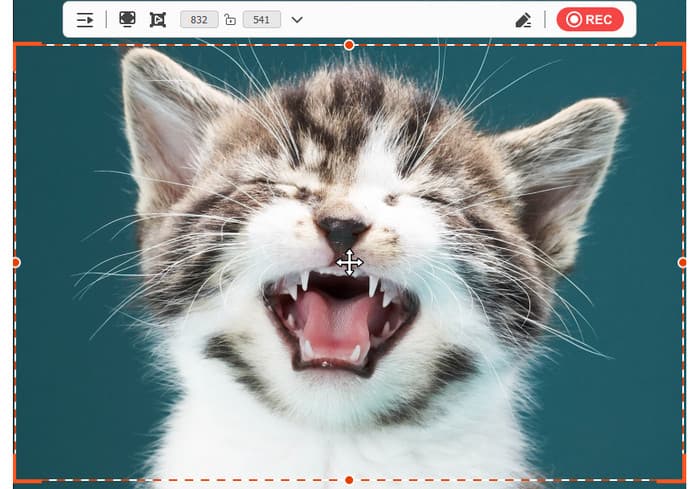
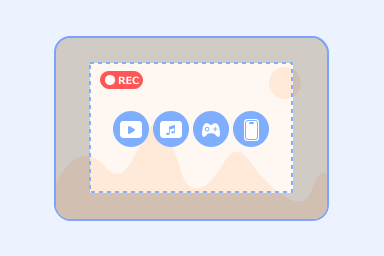
Do you need an alternative to Debut Video Capture? Well, we can't hide the fact that there are various limitations when using its free version. In that case, we recommend using Tipard Screen Capture. It is an ideal recorder for modern devices and OS. It is lightweight, easy to operate, and more effective. The best part here is that it can record long videos without any lag while keeping a small file size. Plus, it can manage your recordings since it has a built-in library. Thus, if you need the best replacement for Debut Video Capture, feel free to access Tipard Screen Capture.
- It can record various content, like gameplay, video, webinars, instructional videos, and more.
- It can export recordings with the best quality for up to 4K.
- The program can save recordings in various formats, such as MP4, MKV, AVI, FLV, MOV, etc.
- The software can offer its Preview feature to check the recorded video.
To get more insights about the two recorders, you can check the table below.
| Tipard Screen Capture | vs. | Debut Video Capture |
|---|---|---|
| Up to 4K | Video Quality | Supports HD |
| Windows and Mac | Platform | Windows and Mac |
| Modern and intuitive user interface. | Ease of Use | Straightforward yet outdated interface. |
| Preview before saving, cursor highlighting, and audio mixing. | Extra Features | Captions, timestamps, color adjustments, and scheduled recordings. |
| • Users who want a smooth recording. • Suitable for modern devices and Operating Systems. |
Perfect for | Ideal for simple recording on older devices. |
Conclusion
With this review of NCH Debut Video Capture software, you have learned its capabilities as a recorder. You even discovered its advantages, limitations, performance, and other information. Plus, if you need a better recorder that is far superior to Debut Video Capture, we suggest using Tipard Screen Capture. This recorder can give you a smooth recording, modern UI, engaging editing features, and more, making it the most powerful recorder.
More Reading
About the Author


 Tipard Screen Capture