

Frame-by-Frame video editors are necessary tools for creators who need precise control over every detail of the clips. Compared with traditional editors, these tools let users manipulate individual frames, making them ideal for visual effects, animation, and meticulous video polishing. These tools can even provide advanced features, such as timeline scrubbing, onion-skinning, and customizable frame adjustments for better results. In this guide, we will recommend various frame-by-frame video editors you can use for editing your videos. Thus, read here and learn more about the best editors for you.
Part 1. What Can You Do with Frame-by-Frame Video Editing Tools
Video frame editors can do a lot of things for you. It lets you fine-tune every single frame of your clips for maximum precision. They are the ideal tools for creating smooth animations, correcting visual glitches, and adding detailed effects that standard editors might miss. The best part here is that the editors can let you sync audio perfectly, enhance motion sequence with pixel-level accuracy, and polish transitions for better playback. Therefore, we can tell that these video frame editors help creators to achieve professional-quality output in animation, visual effects, and better video refinement.
Part 2. 6 Best Frame-by-Frame Video Editors
Want to start exploring the best frame-by-frame video editors? Then, read everything in this section.
1. Tipard Video Converter Ultimate
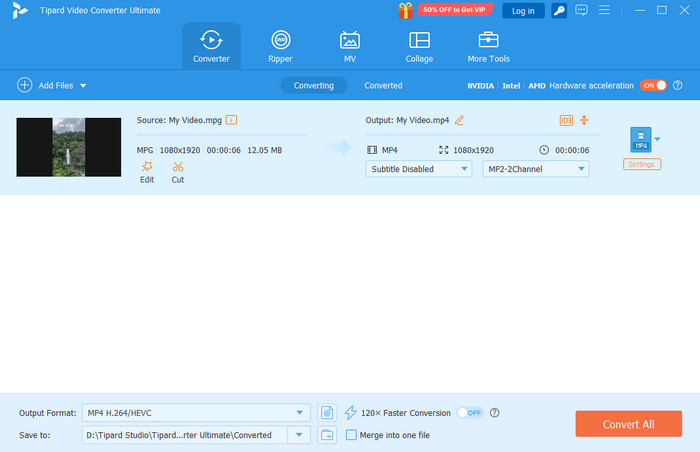
Best for: Users who need precise editing and conversion.
Features:
- It can offer AI enhancement.
- The editor supports frame-by-frame editing.
- It can save the video up to 4K quality.
Tipard Video Converter Ultimate is among the best video frame editors you can rely on. With this program, you can tweak every frame of your videos. The best part here is that it supports all types of input video formats and configurations, ensuring that you won't encounter any compatibility issues. It can also offer easy-to-use frame editing features, ideal for beginners. Lastly, it can offer an AI enhancer, MV, and Collage templates, allowing you to get the result you need after the editing process.
- The UI of the editor is simple and neat.
- Its conversion and editing process is fast.
- The program can offer both basic and advanced editing tools.
- If you want to get the overall potential of the program, use the paid version.
2. LumaFusion
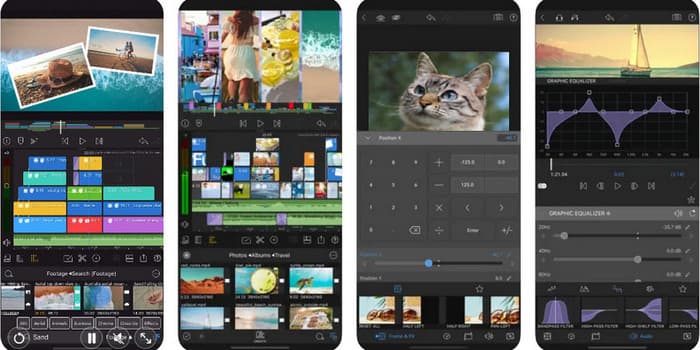
Best for: Mobile users/creators and professionals needing portable precision.
Features:
- The editor can support multi-track editing.
- The frame-by-Frame trimmer is available.
- It can offer advanced effects for better editing.
Another accurate video frame editor you can use is LumaFusion. It is a professional-grade video editor designed for iOS, offering frame-level precision. The good thing here is that it can offer a simple layout for an easier and smoother editing process.
- The user interface is comprehensive.
- It has strong export options.
- It is only available on iOS.
- It is not completely free.
3. LiveLink AI
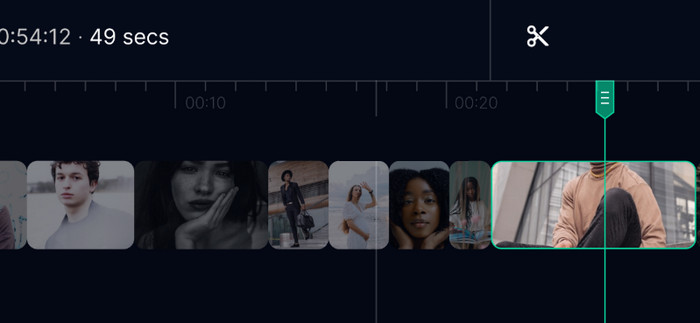
Best for: Users balancing manual precision with AI-driven efficiency.
Features:
- The video frame editor is powered by AI.
- It supports the motion tracing feature.
- The auto-enhancement feature is available.
LiveLink AI is among the modern editors that integrate AI with frame-by-frame control. It is an ideal video editor for users who want fast editing without compromising the quality.
- It ensures an accurate result, thanks to its artificial intelligence.
- Using the tool during editing is simple.
- It requires a high-end computer for better performance.
- The editor is subscription-based.
4. VirtualDub
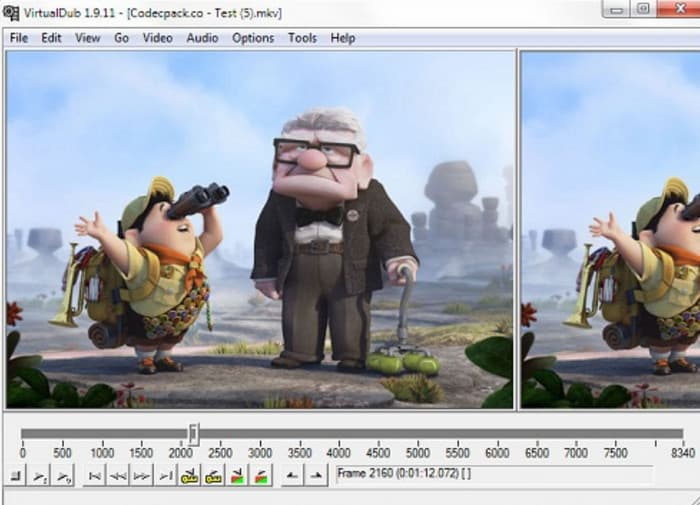
Best for: Non-professional users who need straightforward frame editing.
Features:
- It supports batch processing.
- The video editor can compress the video to maintain the quality and file size.
One of the top free video editors you can use to edit video frames is VirtualDub. This open-source editor is known for its lightweight video frame editing. This is also perfect for beginners who want to edit footage without any hassle.
- It is a free frame-by-frame video editor.
- This is perfect for simple edits.
- Advanced features are not available.
- The interface might look outdated.
5. Adobe Premiere Pro
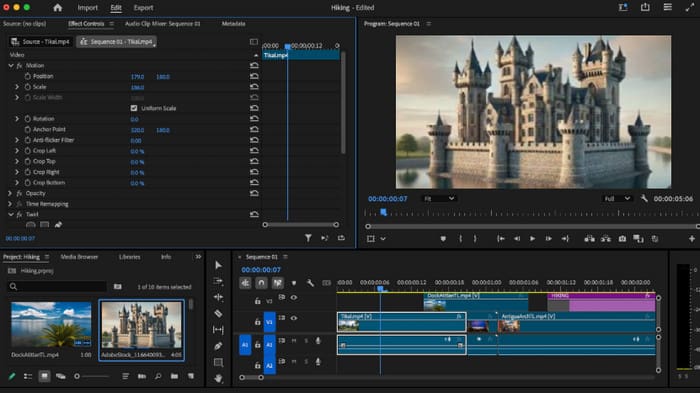
Best for: Professional users who need various advanced features for editing.
Features:
- It supports batch processing.
- The video editor can compress the video to maintain the quality and file size.
Adobe Premiere Pro is a professional-grade video editing software you can use to edit the frames of your videos. It can also offer various features you can access. It includes a video enhancer, cropper, color grading, and more.
- It can offer various advanced video editing features.
- It supports various plugins.
- The program is unsuitable for non-professionals.
- Its subscription plan is expensive.
6. DaVinci Resolve
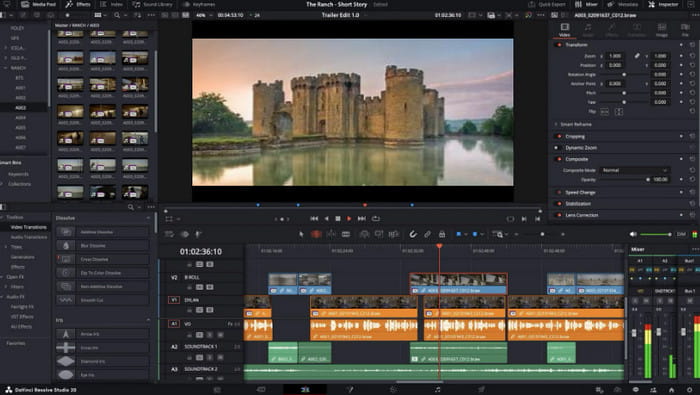
Best for: Skilled users who want professional precision without spending a penny.
Features:
- It supports advanced color grading.
- The frame-by-frame editor is available.
- It is integrated with various VFX.
If you need a free frame-to-frame video editor with powerful features, look no further than DaVinci Resolve. It stands out in color correction, effects, and detailed video refinement. We can even tell that its free version can already rival other paid competitors.
- The free version is available for editing video frames.
- It can offer various professional tools.
- It demands high-end hardware.
- It has a little bit of a steep learning curve.
Part 3. How We Test the Best Frame-by-Frame Video Editors
Before recommending the best frame-by-frame video editors, we consider various factors.
- We ensure that the tools can offer a smooth and powerful performance for better results.
- We also check the user interface to check whether the editors are for professionals or beginners.
- While using the editors, we check if they can download/export videos with the best quality.
- We also check the overall features of the editors, so users can enhance videos in many ways.
Part 4. FAQs about Frame-by-Frame Video Editors
Who should use frame-by-frame video editors?
These kinds of editors are perfect for animators, video professionals, and creators who need pixel-level control over timing, transitions, or effects.
Are frame-by-frame video editors beginner-friendly?
It depends on the video editors you use. If you want a beginner-friendly video editor, you can use Tipard Video Converter Ultimate, LumaFusion, and VirtualDub. For a more complex editor, you can access Premiere Pro, DaVinci, and other professional-grade editors.
What is the best frame-by-frame video editor for mobile?
If you want to edit the frame of your videos on mobile, you can access LumaFusion. It is an iOS-based video editor, allowing you to tweak each frame of the videos on mobile effectively.
Conclusion
If you need the best frame-by-frame video editors, you can access all the editors we have provided in this article. We even offer their pros, cons, best for, and features, so you can check and find the best tool that suits you. Also, if you want the best video editor that can offer smoother video editing and conversion, we suggest using Tipard Video Converter Ultimate. This program ensures to edit your program and export it with the best quality for a better viewing experience.

All-in-one video toolbox: convert, edit, upscale, enhance, and compress your videos easily
100% Clean & Safe
100% Clean & Safe

More Reading


About the Author


 Tipard Video Converter Ultimate