

Remember when DVDs made movie nights special? Even though most things are digital now, many of us still have DVDs we love. If you want to back them up or make a copy for personal use, you can do it easily. We have picked the top software you can try to copy a DVD on a Mac. See which one you like most for your DVD copying process!

Part 1. The Built-in Mac Method (What You Can Do for Free)
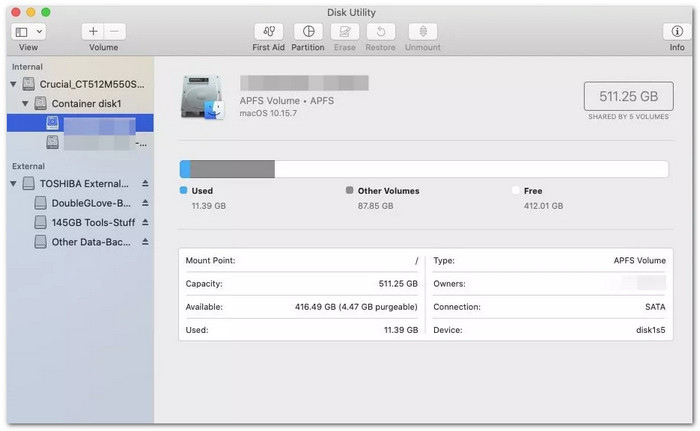
If you want to copy a DVD on a Mac, you already have a free way. It is because the Mac operating system comes with a built-in program called Disk Utility. It is simple and works fine for non-protected DVDs. Meaning, it will not work on DVDs that have copyright or region locks. Fortunately, for your home videos or unprotected discs, it is a good and safe choice.
Part 2. Top DVD Copy Software for Mac (The Core Reviews)
Below are six top-rated DVD copy programs tested for their ease of use, performance, and perks.
1. Tipard DVD Cloner for Mac
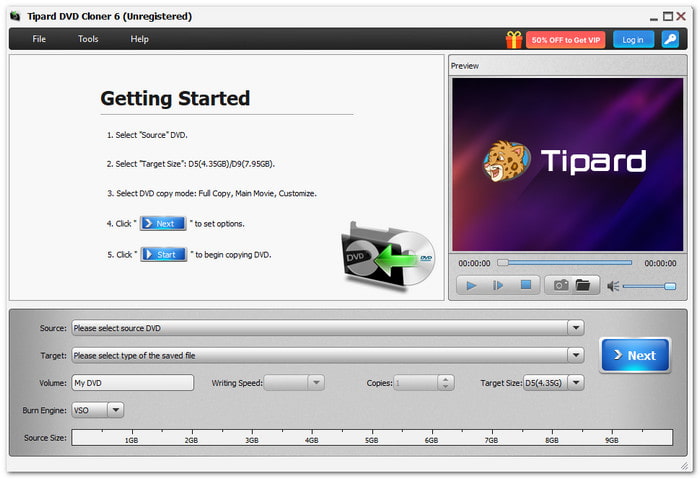
A top DVD copy tool should be simple, fast, and give perfect results. Tipard DVD Cloner for Mac does all that. It allows you to copy a DVD on a Mac to another disc, or save it as a DVD folder or ISO image for backup. It gives you three copy modes, which are full copy, main movie, and customize. You can pick how you want your DVD copied and even make many copies at once.
Moreover, it can also remove region code locks, so your copied DVD works on any device. Plus, you can preview your DVD movie before copying and check its size to choose between DVD-5 or DVD-9. Indeed, Tipard DVD Cloner for Mac makes the whole process clear, smooth, and easy for everyone.
Below is a beginner's guide on how to copy a DVD on a Mac:
Step 1 Click the Download button above, specifically for Mac, to get Tipard DVD Cloner for Mac.
Step 2 Insert your source DVD and a blank DVD into two different DVD drives.
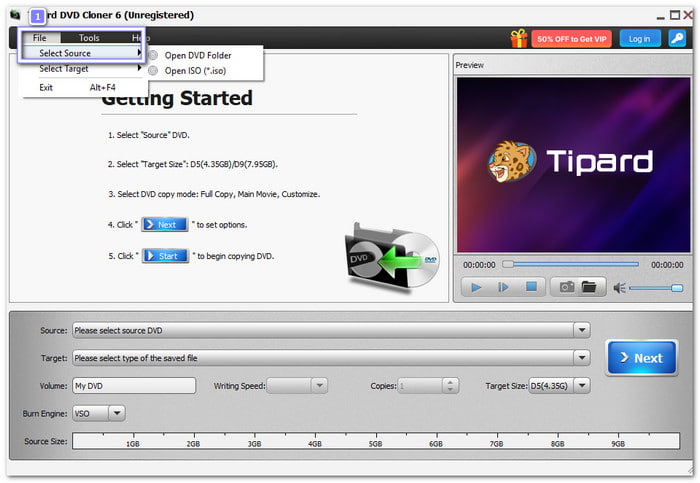
Step 3 Click the File button and choose Select Source to load your source DVD.
Step 4 Now, choose your copy mode: Full Copy, Main Movie, or Customize. It helps you copy only what matters most. Once decided, click the Next button.
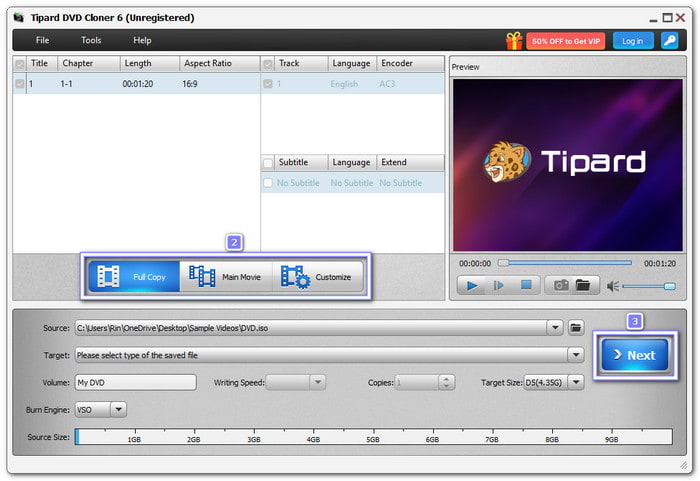
Step 5 After setting everything, click the Start button to begin the DVD copy process. Once it is done, you will have a perfect copy of your DVD ready to play or keep as a backup.
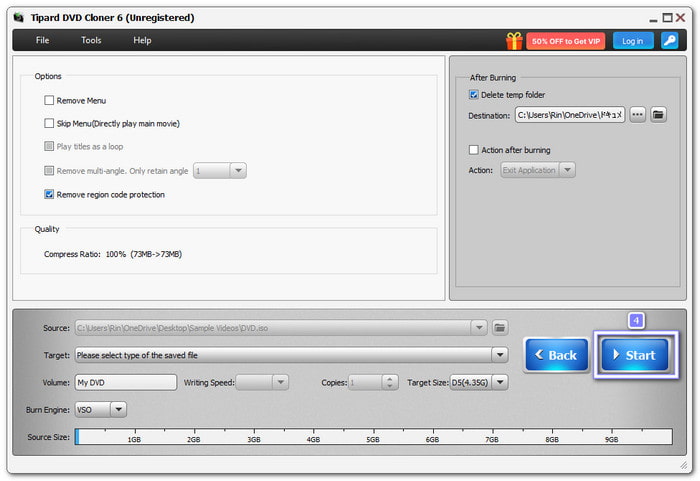
Ease of Use: Tipard DVD Cloner for Mac has a clean and friendly layout. Each step is clear and simple, even for beginners.
Speed & Quality: It works fast and keeps the original video and sound quality. You can even adjust the writing speed to make the process quicker. It uses GPU acceleration and has three strong burning engines, VSO, CdrTool, and IMAPT, for stable and smooth performance.
Price: $15 for a one-month license and $45 for lifetime access.
Benefits
- It copies DVDs with no quality loss.
- It clones DVD-9 to DVD-9 or DVD-5 to DVD-5 perfectly in a 1:1 ratio.
- It supports DVD-R (W), DVD+R (W), DVD-R DL, DVD+R DL, and ISO files.
- It compresses DVD-9 to DVD-5 to save space.
Drawbacks
- The free version has limited features, so upgrading is needed for full access.
2. WinX DVD Copy Pro
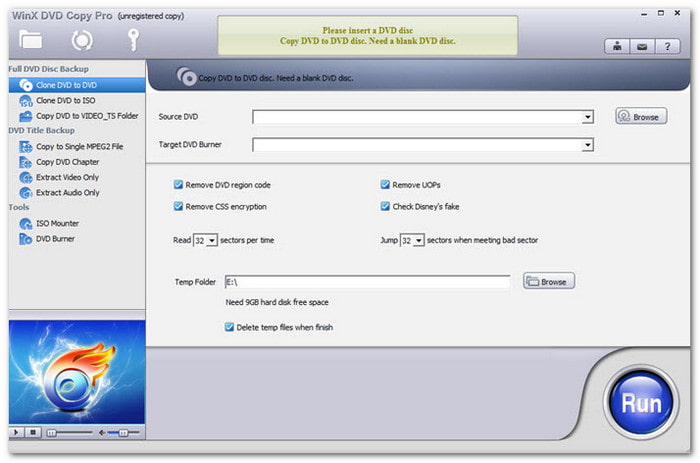
If you want an all-in-one DVD copier that is fast and simple, WinX DVD Copy Pro is a great option. It has a clean design, supports old and damaged DVDs, and can remove copy protections. How to copy a DVD on a Mac computer using it? You have nine copy modes! It gives you full control over how you want your DVDs to be copied.
Ease of Use: Its layout is simple, with clear labels for each copy mode.
Speed & Quality: It works fast and produces copies with no loss in video or audio clarity. Copying a full DVD5 only takes about 12 minutes, even when reading scratched discs.
Price: $34.95 for a one-year license and $42.95 for a lifetime license.
Benefits
- It has great customer support.
- It is fast and has reliable performance.
- It removes many types of copy protection.
Drawbacks
- It has a small built-in video player.
- The interface size cannot be changed.
- There is no option to compress DVD9 to DVD5.
3. DVD Cloner
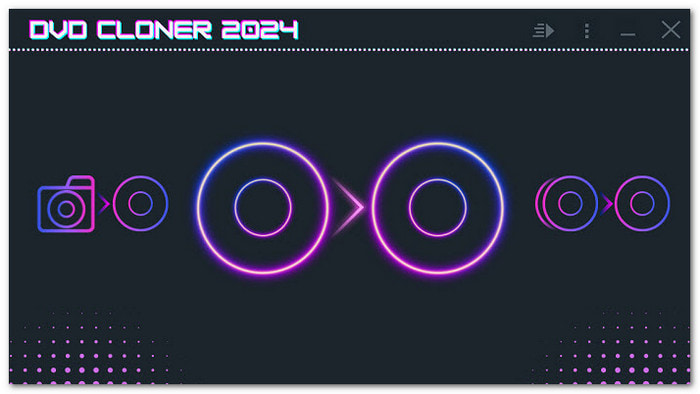
When you need more control over your DVD backups, DVD Cloner stands out. It has two main modes: Express and Expert, to serve both beginners and experienced users. It also supports Blu-rays and UHD, making it more than just a DVD copier.
Ease of Use: Some settings take time to find, and you might need to read the guide first.
Speed & Quality: Copying a full DVD takes around 45 minutes. The compressed copies are a bit faster, but the image quality drops slightly.
Price: $59.99 for a standard license and $299.99 for a lifetime license.
Benefits
- It offers two copy modes for different users.
- It supports DVDs, Blu-rays, and UHD copies.
- It has a built-in burner, allowing you to burn a DVD to DVD on a Mac.
Drawbacks
- It takes longer to copy DVDs.
- The interface is not easy for beginners.
- The process of saving ISO files can be tricky.
4. DVD Shrink
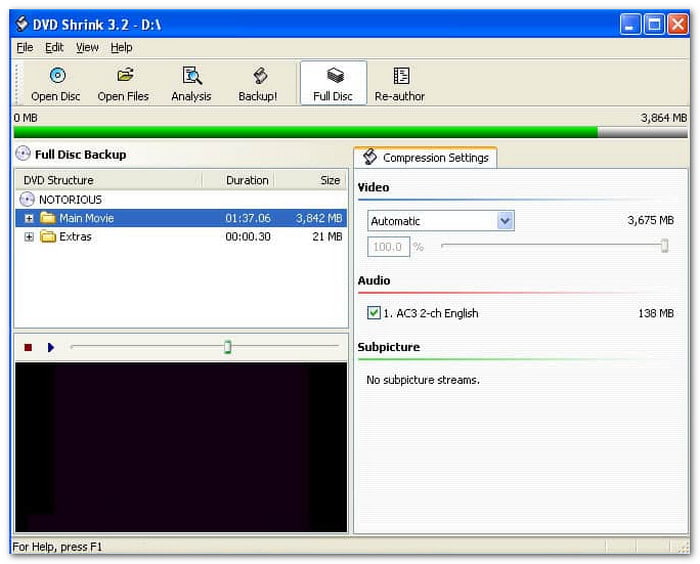
This old but still useful program helps shrink DVD files to fit on smaller discs. Though discontinued, it remains a free program that many people use to make backups. It is simple and works well with older DVDs, but it cannot handle newer protections.
Ease of Use: The interface is basic and simple to understand. You can compress and copy DVDs without needing much setup.
Speed & Quality: It is slow compared to newer tools, taking over 50 minutes to copy a DVD. When compression is used, video quality drops a bit.
Price: Free
Benefits
- It is completely free to use.
- It works with older DVD protections.
- It can compress DVDs to save space.
Drawbacks
- It is no longer updated or supported.
- It needs another program to burn discs.
- It loses quality when shrinking the content.
5. MakeMKV
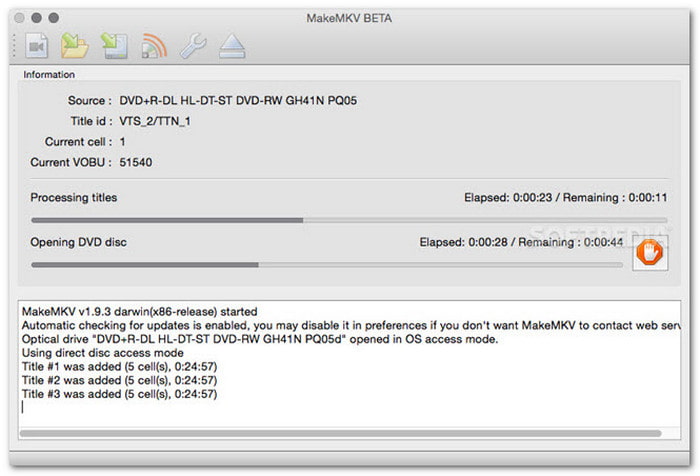
If you want to save your DVDs as MKV files without losing quality, MakeMKV is the right program. It can read encrypted discs and convert them to MKV format. It keeps the full clarity of the video, audio, and subtitles.
Ease of Use: It is simple enough, and the process is clear and direct.
Speed & Quality: It can rip a 3.8GB DVD in about 10 minutes. The output keeps full clarity since it does not compress the file.
Price: Free
Benefits
- There are no ads or complicated setups.
- It works on Windows, Mac, and Linux.
- It keeps full quality with no compression.
Drawbacks
- The output file size is large.
- It can only export MKV files.
- Some protected DVDs do not work.
6.DVDFab DVD Copy
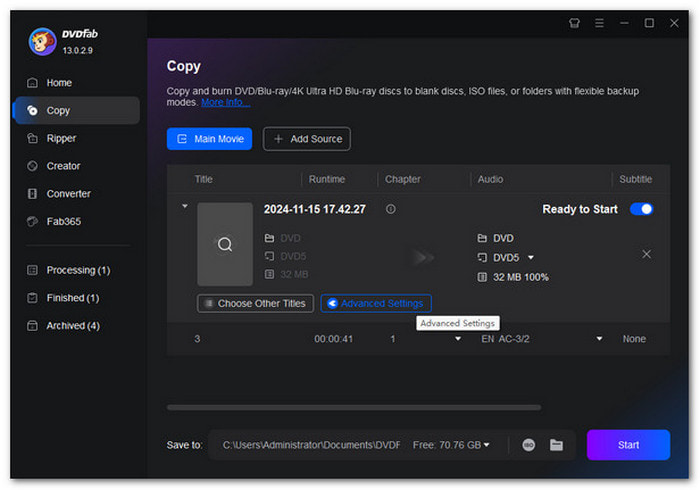
DVDFab DVD Copy is a trusted part of the DVDFab suite, known for its power and flexibility. It supports both Windows and Mac users and gives you tools to copy, clone, split, or merge DVDs with ease. Whether you need to back up a movie or make a personal copy, it delivers fast and clear results, which is the best if you want to learn how to copy a DVD on a Mac.
Ease of Use: DVDFab DVD Copy is beginner-friendly with a clear interface.
Speed & Quality: It can copy a full DVD in about 28 minutes. The output video quality remained clean, with no noticeable loss.
Price: $59.99 for a one-year license and $84.99 for a lifetime license.
Benefits
- It works on both Windows and Mac.
- It offers six copy modes for flexible use.
- It has regular updates to fix protection issues.
Drawbacks
- The free version has limited functions.
- It needs an HD Decrypter for some discs.
- The full suite is expensive for casual users.
Part 3. How to Choose the Right Method
Choosing the right DVD copy method depends on what you need most: speed, quality, or flexibility. The table below will help you see which option fits your needs best.
| DVD Copy Software | Copy DVD to DVD | Copy DVD to ISO | Copy DVD to Folder | Other Features |
|---|---|---|---|---|
| Tipard DVD Cloner for Mac |  |
|
|
Removes the region code, offers three copy modes, makes multiple copies, and previews before copying. |
| WinX DVD Copy Pro | |
|
|
Copies to MPEG2, copy chapters, extracts video or audio, burns a DVD, or mounts an ISO. |
| DVD Cloner | |
|
|
Converts DVD/Blu-ray/UHD to MKV, splits or merges discs, and custom movie copy. |
| DVD Shrink | |
|
|
Compress DVDs and back up as an ISO or folder. |
| MakeMKV |  |
|
(MKV only) |
Copy DVD or Blu-ray to MKV with protection removal. |
| DVDFab DVD Copy | |
|
|
Rip, burn, and edit DVD videos easily. |
Conclusion
DVDs may be old-fashioned, but you do not have to forget them. Learning how to copy a DVD on a Mac with Tipard DVD Cloner for Mac, you can now save, copy, and back up your favorite movies anytime. Just open your computer, insert your DVD, and start copying it like a pro!
More Reading

About the Author


 Tipard DVD Cloner for Mac