

Key Takeaways
The built-in QuickTime Player is convenient, but it struggles with common formats and advanced controls.
Among the 10 best Mac video player alternatives, choose based on your needs:
- native Mac feel - IINA
- format compatibility – VLC
- casting on TV – Elmedia
- picture quality - Movist Pro
- smooth 4K video and Blu-ray support - Tipard Blu-ray Player
Many people find QuickTime limited. It supports only a few formats and lacks advanced features such as subtitles, playlists, and shortcuts. That's why we look for a more powerful video player for Mac. This article lists the top 10 video players for Mac that work better than QuickTime.

Part 1. How We Selected These Video Players for Mac
What We Need for a Mac Video Player
1. Play common video formats
QuickTime doesn't support some common video formats, such as MP4, MOV, and MKV. A good alternative should open these popular formats without effort.
2. Smooth performance on 4K videos
QuickTime often fails to play high-quality 4K videos. We look for video players that can handle HD/4K/8K videos smoothly.
3. Support subtitles better
A good video player for Mac should easily load external subtitles in SRT, ASS, etc., so that users can watch foreign movies.
4. More control over the playback
We hope the video player lets users control the playback freely: adjust video speed, view playlists, use shortcuts, and more.
How We Tested
We installed them on macOS Sequoia 15 and tested each tool using the following materials:
- A 1080p video clip in MKV H.264 to test its capability for regular videos, with an SRT and an ASS subtitle file.
- A 4K HEVC in MKV (10-bit), which is often reported to fail on QuickTime.
Part 2. Quick Comparison of the Best macOS Video Players
| Player | Best For | Price | Format Support | 4K/HDR Performance | Mac-like UI |
|---|---|---|---|---|---|
| Tipard Blu-ray Player | 4K/8K movies, Blu-ray & DVD | Free / Paid | Excellent | Excellent | Excellent |
| IINA | Everyday use, natural Mac-style interface | Free | Excellent | Very Good | Excellent |
| VLC | Rare formats & problem files | Free | Best | Good | Poor |
| Vidi | Enjoyable Mac UX | Free / Pro | Excellent | Excellent | Excellent |
| Elmedia Player | Casting to TVs | Free / Pro | Excellent | Excellent | Good |
| Movist Pro | Highest picture quality | Paid | Good | Best | Excellent |
| Infuse | Multi-device media library | Free / Pro | Excellent | Excellent | Excellent |
| Optimus Player | Color accuracy & dual subtitles | Paid | Good | Good | Excellent |
| 5KPlayer | Free all-in-one tool | Free | Excellent | Good | Fair |
| mpv | Power users & customization | Free | Excellent | Excellent | Poor |
| Show MoreShow Less | |||||
The best video player depends on what you need.
- Best efficiency with large 4K files: Tipard Blu-ray Player, Elmedia
- Best picture quality: Movist Pro
- Best HDR compatibility: Infuse
- Best free option: IINA or VLC
Part 3. Review of the 10 Best Free Video Players for Mac
1. Tipard Blu-ray Player (Rating: 4.8/5)
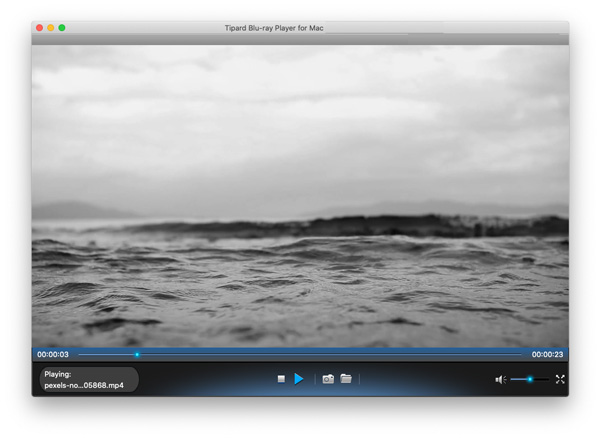
Tipard Blu-ray Player was originally designed for Blu-ray and DVDs, but it has grown into an all-in-one media player on Mac that can handle all types of videos. It can play high-quality videos up to 4K UHD and 8K with little CPU usage. During playback, you can view a playlist, adjust video size and ratio, select an audio track, add subtitles, and take snapshots – feel free to make the experience more enjoyable.
In our test, it played the sample clips and loaded the subtitles without error. If you're a serious movie lover, this player is a top choice: large high-quality video files and Blu-ray discs are where it rules.
Best for: large 4K/8K movies, Blu-ray discs and DVDs
- Plays 4K/8K/Dolby videos without loss
- Strong support for NVIDIA, AMD, and Intel graphics cards
- Uses hardware acceleration to improve performance
- Offers advanced control over the video, audio, and subtitles
- Modern-looking UI that feels natural on Mac
- Also handles physical Blu-rays and DVDs very well
- Some advanced features are limited in the free version
2. IINA Video Player for Mac (Rating: 4.8/5)
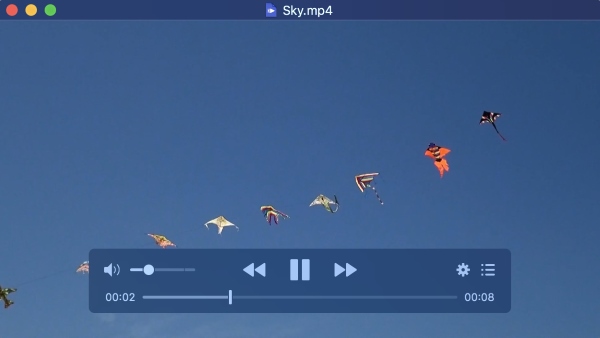
IINA is a free video player for Mac specifically. It uses the powerful mpv engine while wrapping it in a clean, native-feeling Mac UI. It supports almost every popular format, and has excellent subtitle tools, Picture-in-Picture, trackpad gestures, and Touch Bar support. For most Mac users, IINA feels like a natural upgrade from QuickTime.
Best for: Everyday use, native Mac experience
- Natural macOS-style interface
- Excellent format and codec support
- Picture-in-Picture, gestures, and Touch Bar
- Lightweight and efficient on Apple Silicon
- Completely free and open-source
- HDR performance is fine but not the best
3. VLC Media Player for Mac (Rating: 4.7/5)

VLC is an old hand at video playback. It can open almost any file you throw at it, even unusual formats. Apart from regular playback, VLC is capable of many other things: convert videos, play DVDs, repair slightly corrupted video files, etc. While its interface is functional rather than beautiful, it's still a go-to for its compatibility.
Best for: Casual playback, rare formats, problematic files
- Can play almost any video or audio format
- Free and no ads
- Offers conversion tools and network streaming
- Highly customizable for techy users
- Interface feels dated
- Uses more resources than other dedicated Mac players, especially with 4K videos
4. Vidi (Rating: 4.5/5)
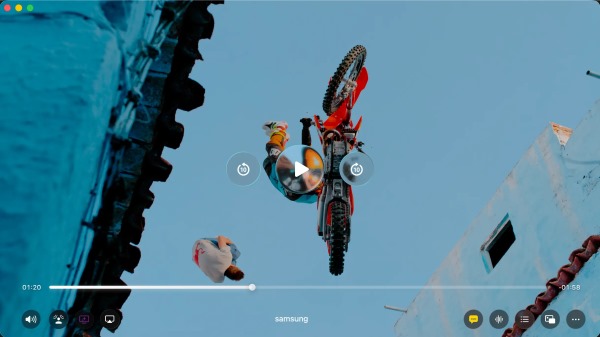
Vidi is a promising video player built from the ground up for macOS and Apple Silicon. It understands that the devil's in the details: many of its advanced features are polished to the best user experience. Take the Picture-in-Picture video feature as an example: Vidi lets you drag the PiP timeline, see the real-time thumbnail, and jump forward or backward, directly on the floating window, without going to the main video.
Best for: Enjoyable Mac experience, high-quality HDR on Apple Silicon
- Polished design for smooth user experience
- Advanced Picture-in-picture playback
- Fancy audio suite, including Spatial Audio, Cinema Effect, and Voice Boost
- Clean and Mac-like interface
- First released in late 2025, the community and ecosystem are limited for now
- Some advanced features require an upgrade
5. Elmedia Player (Rating:4.4/5)

Elmedia is one of the best video players on Mac. It supports a wide range of common formats and plays high-quality 4K/8K videos smoothly with hardware acceleration, making it a competent daily player. What makes it special is that it supports casting, including AirPlay, Chromecast, and DLNA, turning your TV into a home cinema.
Best for: Users who want to cast videos on TVs
- Supports AirPlay, Chromecast, and DLNA
- Clean and easy-to-follow interface
- Smooth 4K / 8K playback
- Customizable subtitle settings
- Casting and advanced features require Pro
6. Movist Pro (Rating: 4.2/5)

Movist has been a veteran in first-class picture quality. The HDR support is excellent. It delivers great HDR10 and Dolby Vision rendering on macOS, and efficient 4K playback with low CPU usage. If you seek the highest picture quality, Movist Pro is worth a try.
Best for: Top picture quality with best HDR support
- Excellent HRD/Dolby support and color accuracy
- Plays 4K with low resource usage
- Optimized hardware acceleration for Mac
- Multiple subtitles in different languages
- Paid only, no free version
- Lacks extensive controls compared to alternatives
7. Infuse (Rating: 4.1/5)
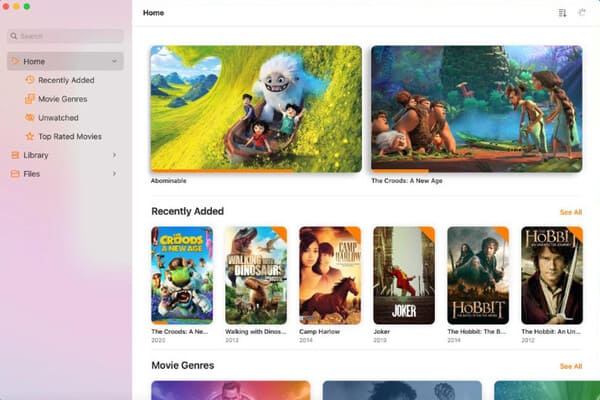
Infuse works not only as a high-quality player but also as a media center. It automatically fetches metadata and artwork. It supports network shares and media servers, and syncs via iCloud across Mac, iPhone, iPad, and Apple TV.
Best for: Building an organized and cross-device media library on Apple devices
- Elegant interface with metadata, artwork, and collections
- Does extremely well on 4K HDR/HDR10+ and Dolby Vision
- Supports network/NAS/cloud streaming and iCloud sync
- Full features require Pro
- May be overkill if you want a plain media player
8. Optimus Player (Rating: 4.0/5)
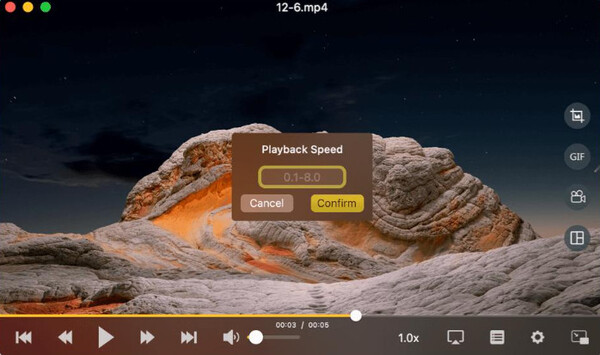
Optimus uses FFmpeg to cover a broad range of formats while keeping a simple interface. As a dedicated Mac app, it supports AirPlay 2 audio, so you can play audio tracks across devices or rooms. What I especially appreciate is that it keeps every user's experience in mind: the dual-subtitle feature and VoiceOver make it convenient for anyone to use.
Best for: Wireless audio playback, multi-language scenarios, and low-vision users
- Uses AirPlay 2 to play audio across rooms or devices
- Displays colors accurately
- Broad format support based on FFmpeg
- Advanced controls are limited compared to other players
9. 5Kplayer for Mac (Rating: 3.8/5)
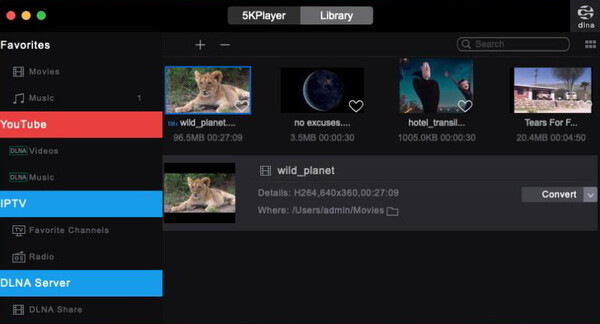
5Kplayer manages to remain completely free while doing almost any task you can imagine for a media player. It plays 4K videos, streams and mirrors screen via AirPlay, downloads videos from URLs, and builds playlists. It can even play FM radio from stations like BBC, NBC, and more. But despite its ambition, the Mac version's performance is inconsistent sometimes. And it frequently pops up ads, which can be annoying; but the good news is you can work around it by downloading the older versions that are ad-free.
Best for: Free all-in-one use
- Completely free
- Very versatile
- Dedicated AirPlay and DLNA support
- Downloads online videos using URLs.
- Choppy sometimes
- Interface feels cluttered and not naturally Mac-like
- Displays advertisements in newer versions
10. mpv player (3.7/5)
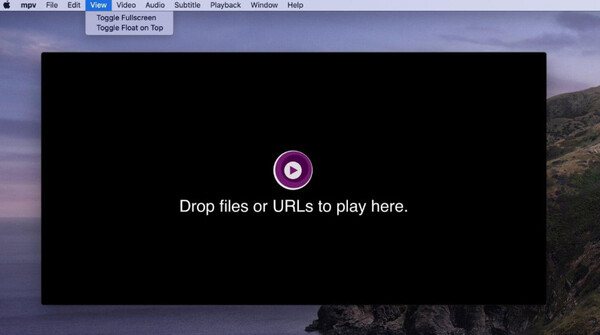
mpv is the engine behind powerful players like IINA. It is favored by many advanced users for its stable performance and flexibility. It is ranked last mainly because it's not very beginner-friendly: it relies on command lines and has no graphical interface, so you'll need to work with code. If you like its powerful features but don't know much about command lines, try IINA instead.
Best for: Power users who want to customize their playback
- Extremely efficient and high-quality
- Very flexible and customizable
- Low resource usage
- Free and open-source
- No graphical UI
- Not beginner-friendly
Part 4. Do Macs Still Need QuickTime Player?
QuickTime is no longer the best daily video player for Mac. Apple hasn't featured it for years, and its format support is rather limited. But it's still useful for things other than playback, like screen recording, quick editing, and audio extraction. Not to mention it's pre-installed, saving you the trouble of downloading and setting up.
In brief, QuickTime is still a good built-in screen recorder and quick editor, but you don't need it as your main player. Other modern alternatives are more feature-rich and smooth. I suggest keeping QuickTime as a backup option, but choosing another video player software for Mac as the default.
Part 5. How to change Mac default video player
Step 1 Open the Finder app, and right-click on a video file to open the context menu.
Step 2 Select Get Info, then Open With. In the dropdown, choose the app you want to play videos with. If you can't find the one you want, click Other to show more apps.
Step 3 Click Change All to make sure every video of this format will open on the selected player.
Part 6. FAQs of Video Player for Mac
Can I play Blu-ray discs on a Mac with a video player?
Yes. Tipard Blu-ray Player can play Blu-rays on Mac or PC just like regular video files. You just need to connect an external disc drive, since modern Macs no longer have one built in.
Does Mac have other pre-installed media players?
Not really – QuickTime is the only dedicated video & audio player for local files. Apple TV and Safari also play videos, but only for streaming content or web videos.
For a free media player on Mac, is IINA better than VLC?
It depends on what you care about most. IINA outshines VLC with its modern-looking Mac-style UI and Touch Bar support, but VLC has more features and a larger community.
If you're already using one of them and are satisfied with it, you don't necessarily have to switch to the other. If you are a newcomer who wants to choose between them, just take a few minutes to try both and keep the one you prefer.
Conclusion
Any of the top options in the list can give you a better experience than QuickTime. The best media player for Mac depends on your needs. If you want one clear recommendation, IINA and VLC are free to start with. For large 4K/8K files or Blu-ray discs, Tipard Blu-ray Player is hard to beat. If you would love a cross- device media library at home, try Infuse.

Play Blu-rays and multimedia files with the best video and audio quality
100% Clean & Safe
100% Clean & Safe

More Reading



About the Author


 Tipard Blu-ray Player