

If you are looking for a flexible video player for Mac, you may have come across Elmedia Player. It is a media player designed mainly for macOS and supports a wide range of video and audio formats. It also offers subtitle controls, playback speed adjustment, video tuning, playlists, picture-in-picture mode, and streaming to devices such as Apple TV, Chromecast, Roku, and more.
But is Elmedia Player really a good choice in 2026? Is it suitable for everyday video playback? Does it work well with high-quality videos? We tested Elmedia Player from the perspective of format support, interface, playback controls, subtitles, streaming, and physical media compatibility. This review also looks at real user feedback and compares Elmedia with a dedicated Blu-ray player.

Part 1. Quick Verdict of Elmedia Player
Elmedia Player at a Glance: Our Ratings
- Overall Experience: 4.3/5
- Input Format Support: 4.7/5
- Playback Controls: 4.5/5
- Interface: 4.4/5
- Streaming: 4.5/5
- Overall: 4.3/5
Best for: Mac users who need a versatile player for local video and audio files.
Our verdict: Elmedia Player is a strong video player for Mac, especially for users who play many different file formats. However, it is not an all-purpose disc player, and users looking for a Windows or Android version should consider other software.
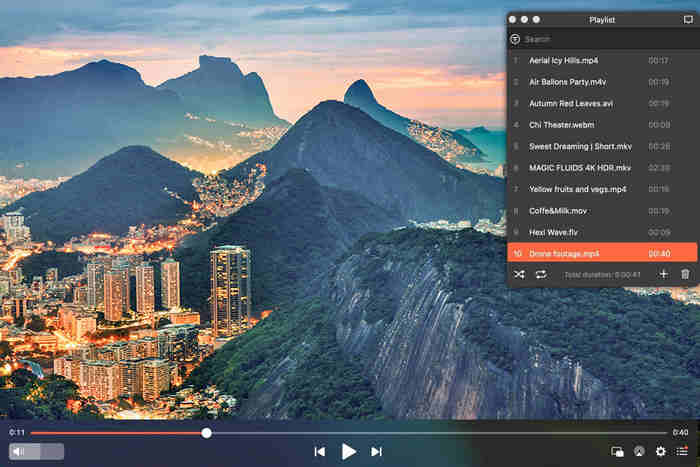
Elmedia Player is developed as a Mac-focused media player rather than a cross-platform application. Its official requirements currently list macOS 10.13 or later, and the latest version shown by the developer is version 8.24. Its biggest advantage is format compatibility. The official supported-format list includes a large selection of video formats, and it can also handle BDMV sources when the Blu-ray content is unencrypted.
Pros and Cons of Elmedia Player:
- It supports many popular video and audio formats, like MKV, MP4, MP3, FLAC, etc.
- It is designed specifically for Mac with stable performance.
- It supports external and embedded subtitles.
- It offers playback speed controls and video adjustment tools.
- You can have playlists and use the picture-in-picture feature.
- It can stream local media to compatible TVs and streaming devices.
- No native Elmedia Player for Windows or Android.
- Encrypted Blu-ray discs are not supported.
- Some advanced features require the PRO version.
- Streaming performance can depend on the target device and network.
- Some users have reported issues with AirPlay and other streaming features.
Part 2. Elmedia Player Review: Testing Experience
How We Evaluated Elmedia Player
For this Elmedia Player review, we focused on the parts that matter most to normal users
- Interface and ease of use
- Input format compatibility
- Playback controls
- Subtitle handling
- Video and audio adjustment
- High-resolution playback
- Playlist management
- External-device streaming
1. Interface: Clean and Mac-Friendly
The first thing you notice about Elmedia video player for Mac is its relatively clean interface. The main purpose is clear: open media, control playback, adjust settings, and enjoy the content.

The interface also provides access to playlists and playback controls without making the basic player feel too complicated. For everyday viewing, the learning curve is fairly low.
2. Format Support: One of Elmedia's Strongest Features
Format compatibility is probably one of the biggest reasons to choose Elmedia. The official format list covers a broad range of video files, including MKV, MP4, AVI, MOV, MPEG, FLV, WMV, WebM, M4V, and several less common formats. It also supports many audio formats such as MP3, FLAC, WAV, AAC, and others.
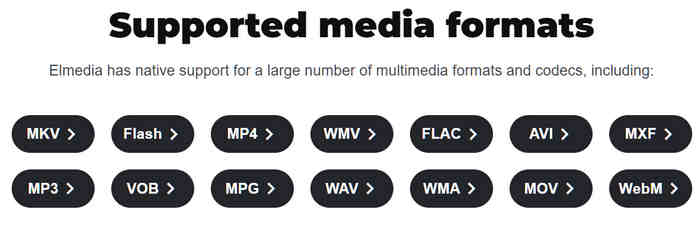
This is important for Mac users because not every video format is handled equally well by Apple's built-in media applications. For example, if your media library contains a mixture of downloaded videos, camera videos, FLAC songs, and external subtitle files, the default QuickTime Player may not open them. But Elemedia Player for Mac can directly open them without needing codec downloads.
3. Playback Controls: More Than Basic Play and Pause
Elmedia provides more playback controls than a simple media player.
Elmedia Player lets you change playback speed, select audio tracks, adjust subtitle settings, and control the video position. The player also supports picture-in-picture mode, which allows the video to remain visible while you work with other applications.
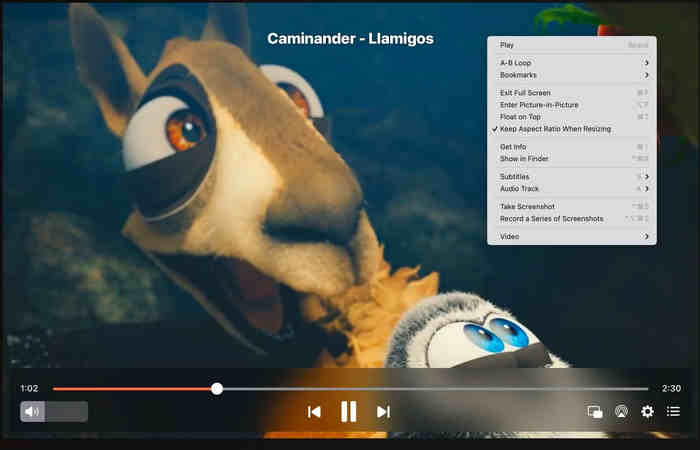
Video adjustment is another useful feature. Elmedia Player provides a video tuner that can be used to adjust settings such as brightness and contrast during playback. It also supports video rotation, flipping, and mirroring.
These features are not necessary for everyone, but they make Elmedia Player more flexible than a basic player.
4. Subtitle Support: A Strong Point for Movie Watching
Subtitle support is another area where Elmedia Player performs well. It can work with embedded subtitles in media videos as well as external subtitle files. The player also provides subtitle customization and delay controls, which can be useful when subtitles do not match the audio perfectly. Instead of permanently editing a video to fix subtitle timing, you can adjust the subtitle delay during playback.
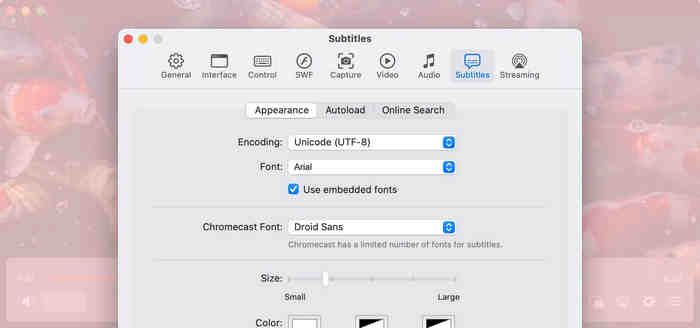
Moreover, if you want to watch movies, TV shows, language-learning videos, or foreign-language content, Elmedia Player can help you search for and download subtitles on the internet, which can make a noticeable difference.
5. Streaming: Useful, but Device Compatibility Matters
Elmedia is not limited to playing files directly on your Mac. Its Pro features support streaming to Apple TV and AirPlay 2-compatible TVs, Chromecast and Android TV devices, Roku, and DLNA-compatible smart TVs. The software can also stream 4K content when the Mac, network, and receiving device can handle it.
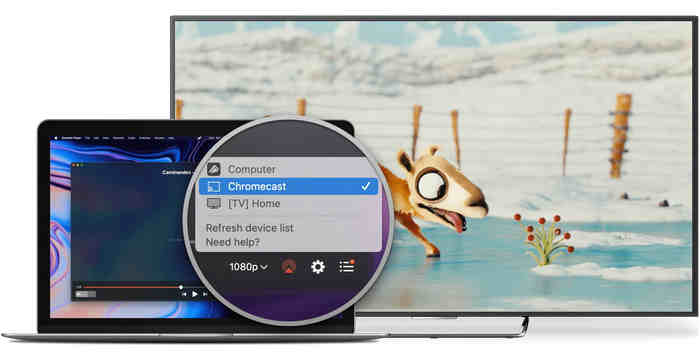
However, streaming is more complicated than local playback. Your experience on Elmedia Player can depend on the network, receiving device, video format, and transcoding requirements.
This is also reflected in user reviews. Some users report a good streaming experience, while others have reported problems with AirPlay or audio synchronization. Therefore, we would rate local playback higher than device streaming when judging Elmedia Player.
6. High-Res Sources and Physical Media Support
Elmedia supports high-resolution video playback and can stream 4K content to compatible devices. However, resolution alone does not guarantee perfect playback. In our tests, 1080p and 4K videos with high bitrates, like 30 Mbps, Elmedia Player can play them smoothly. However, if you want to play videos with higher bitrates, the playback will become laggy.
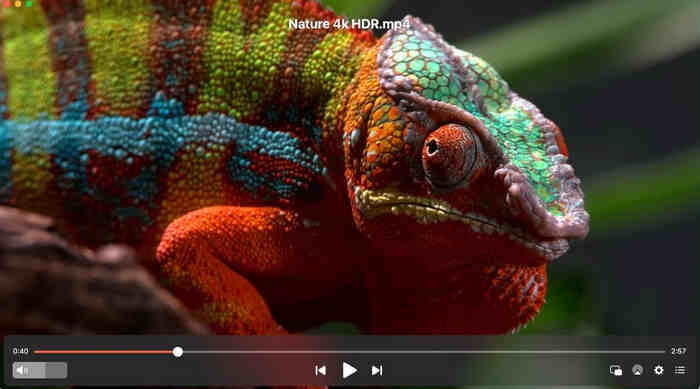
What about physical media support? From our tests, Elmedia can open Blu-ray/DVD ISO images and BDMV and VIDEO_TS folders. However, Elmedia cannot open encrypted Blu-rays or DVDs.
Part 3. User Reviews of Elmedia Player
User feedback provides a useful second perspective because real users often focus on problems that are difficult to see from a feature list.
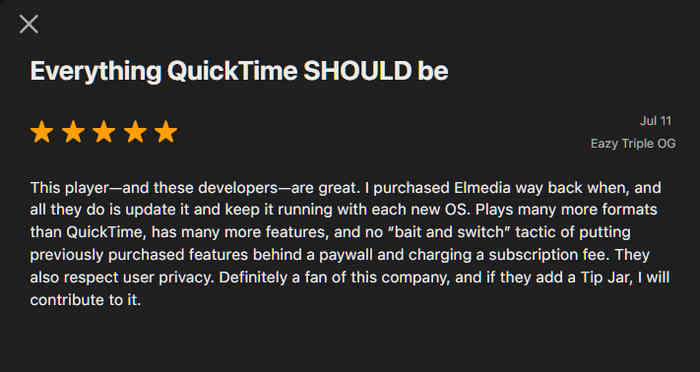
On the US Mac App Store, Elmedia Video Player currently has a 4.5/5 rating from about 29,000 ratings. That is a strong overall score, although individual experiences vary. A recent review compares Elmedia Player with QuickTime, and Elmedia wins due to its wider compatibility and strong stability.
What Users Do Not Like
The negative feedback is also worth reading. Some users have reported problems with AirPlay, streaming, or audio synchronization. One reviewer reported connection problems when trying to AirPlay from a Mac to a Samsung TV. Another user reported audio problems during AirPlay, although the developer suggested changing a playback setting to address the issue.
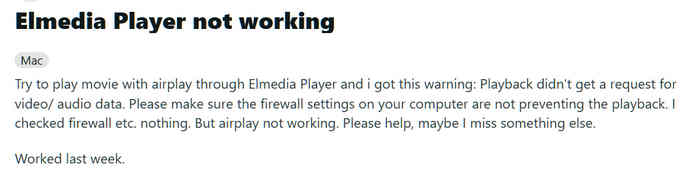
These reviews do not mean that Elmedia Player is unreliable for everyone. Instead, they suggest that local playback is the safer reason to choose Elmedia than advanced streaming.
Is Elmedia Player Safe?
Elmedia Player is safe if you download and install it from the official developer website or the Mac App Store rather than unknown third-party download sites. However, it is also important to distinguish "safe to install" from "perfectly reliable on every Mac". A legitimate application can still have bugs, compatibility issues, or streaming problems.
Is Elmedia Player Free?
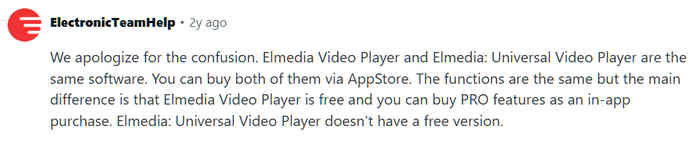
Yes. Elmedia has a free version, while the Pro version adds advanced functions.
The official website currently lists the player as free to download and identifies Pro features such as advanced streaming and additional playback functions. Therefore, users who only need basic local playback can start with the free version.
From feedback on Reddit, we can also find that Elemdia Player has in-app purchases. But for simple multimedia file playback, Elmedia is free to use.
Part 4. Best Alternative to Elmedia Player
If your main requirement is a general Mac video player, Elmedia is a strong choice. However, if you frequently watch DVDs or Blu-rays, especially commercial discs, you may need a more specialized application.
One alternative worth considering is Tipard Blu-ray Player. Unlike a general Mac media player, Tipard Blu-ray Player focuses heavily on physical media as well as digital video playback. It supports Blu-ray discs, Blu-ray folders, Blu-ray ISO files, DVDs, and common digital video formats. The Mac version also supports high-resolution video playback and Dolby/DTS audio.
Moreover, Tipard Blu-ray Player has both Windows and macOS versions, so it is also a good alternative to Elmedia Player for Windows 10, 11, and 7. The biggest difference is Blu-ray compatibility. Tipard Blu-ray Player can handle Blu-ray encryption, like AACS, BD+, Cinavia, and region locks. With the strong GPU acceleration and Blu-ray decryption, you can enjoy all types of physical and digital multimedia files without effort.

- Support full GPU acceleration to decode large 4K high-bitrate videos.
- Bypass region locks and legacy and new encryptions on Blu-rays.
- Support input digital formats like MP4, MOV, WebM, WMV, MP3, FLAC, AAC, and more.
- Available on all modern versions of Windows and macOS.

Part 5. FAQs of Elmedia Player
Is Elmedia Player Pro worth it?
If you need to stream videos from your Mac to Apple TV, Chromecast, Roku, or compatible TVs, Elmedia Player Pro is a good choice. But if you just need to play local video files, like MP4, MOV, and MKV, the free version is enough.
How to make Elmedia Player default on Mac?
Right-click a video file, such as an MP4 or MKV, in Finder, and select Get Info. Then, choose the Open with selection. Then, select Elmedia Player and click Change All… to make Elmedia Player your default media player on Mac.
Can Elmedia Player play Blu-ray discs?
Elmedia can work with BDMV content, but its official format documentation specifies support for unencrypted Blu-ray discs. It is therefore not the best choice for commercial encrypted Blu-ray movies.
Conclusion
Elmedia Player for Mac is a very good Mac media player, but not an all-purpose disc player. Choose Elmedia if flexible local media playback is your priority. Choose a dedicated Blu-ray solution such as Tipard Blu-ray Player if encrypted Blu-ray discs, DVDs, ISO files, and region-restricted discs are important to you.

Play Blu-rays and multimedia files with the best video and audio quality
100% Clean & Safe
100% Clean & Safe

More Reading




About the Author


 Tipard Blu-ray Player