

Key Takeaways
This article reviews the best M4A players for mobile and desktop devices and covers the following key points:
- M4A format: M4A is a container format that commonly uses AAC or ALAC codecs.
- Players for mobile phones: Poweramp, VLC for Mobile, and Equalizer Music Player work great.
- Players for desktops: Tipard Blu-ray Player, MusicBee, Foobar2000, and 5KPlayer are capable of M4A file playback.
Finding an effective M4A format player may be quite difficult, especially in cases where audio files do not open or work on various gadgets. The following review is devoted to a comparison of the best M4A players for Android, iPhone, Windows, and Mac.

Part 1. What Is M4A?
M4A is the audio file extension using the MPEG-4 container format. It is essential to state that M4A is a container but not the audio codec itself. The most popular codecs utilized by M4A are AAC and ALAC. This format is widely spread in music, podcasts, and audiobooks, especially on Apple devices.
The main features of the M4A format include:
- high-quality audio with efficient compression;
- AAC and ALAC audio codecs support
- storing metadata containing information about the track and album;
- compatibility with various modern media players;
- smaller size compared to other high-quality audio formats.
Part 2. Top 5 M4A Players on iPhone and Android
1. Equalizer Music Player
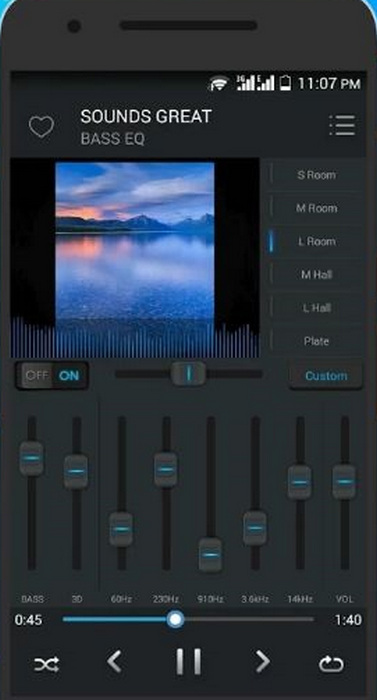
Equalizer Music Player is an M4A player with built-in tools to enhance the audio. With the help of its modern interface, sound settings, and playlists, it becomes a convenient M4A player to use in everyday life despite the absence of advanced library features.
Key Features:
- Multi-band equalizer.
- Bass boost and virtualizer effects.
- Playlist creation and management.
- Supports numerous audio formats.
- Strong audio enhancement tools.
- Easy-to-use interface.
- Supports both music and video playback.
- Ads in the free version.
- The music library can be better.
2. PowerAMP
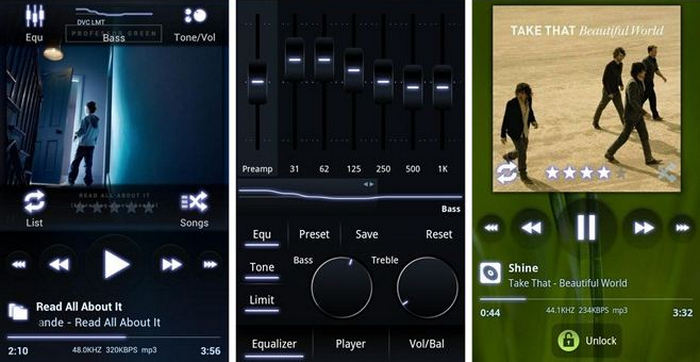
PowerAMP is one of the best M4A players, offering top-notch sound quality and many customization features. With such features as high-resolution audio playback, powerful equalizers, and various playback settings, it allows users to enjoy their music in a premium way on mobile phones.
Key Features:
- High-resolution audio playback.
- Advanced equalizer controls.
- Gapless playback support.
- Great audio quality.
- Many customization features.
- Supports many formats.
- Some features require payment.
- Hard for beginners to use.
3. MortPlayer Music
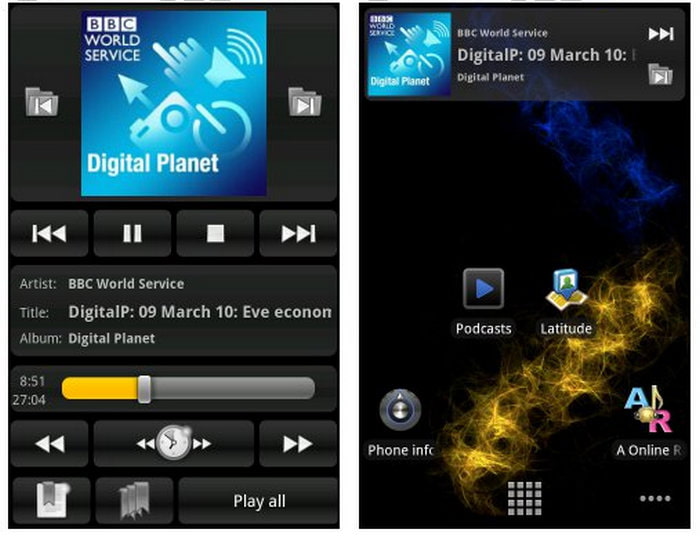
MortPlayer Music is made specifically for those who care about music organization and functionality. Due to the folder structure and other features, it allows users to manage large audio collections without any problems, even if the interface seems old-fashioned.
Key Features:
- Folder-based music management.
- Gesture controls.
- Support for playlists.
- Customizable user interface.
- Great tools for organization.
- Excellent performance.
- It is free.
- Outdated user interface.
- Does not suit beginners.
4. VLC for Mobile
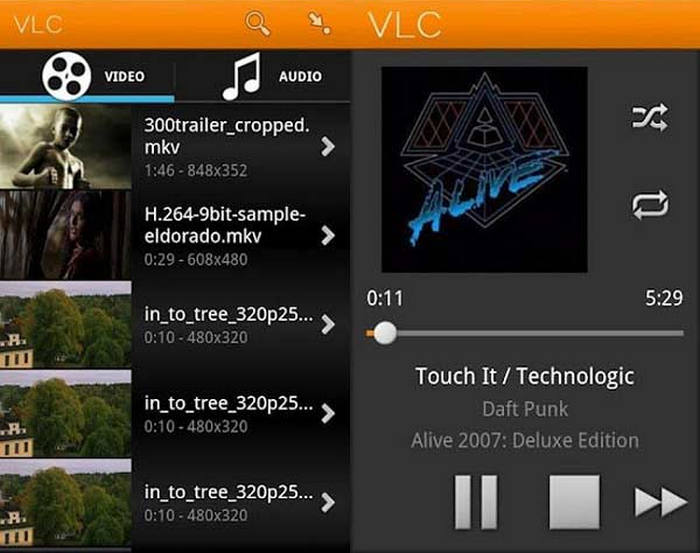
The VLC for Mobile application stands out as one of the most reliable media players across different operating systems. Its ability to play M4A audio format files and various other formats means there is no issue of compatibility. Moreover, the absence of ads and any need to subscribe makes the app even more attractive, even if it does not offer extensive audio optimization features.
Key Features:
- Library management of media and tools to compress audio files.
- Stream audio from networks.
- It is both free and open-source.
- It is entirely free.
- Format support is extensive.
- Reliable and stable playback.
- Basic and simple interface.
- Limited audio customization.
5. Player Dreams
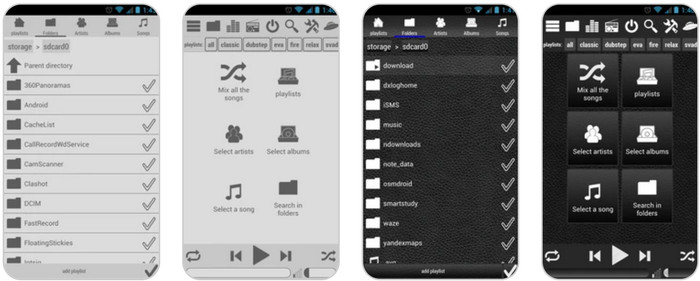
Player Dreams is meant for people who want full control over organizing their music and playing it. The app plays M4A audio format files and many others while also providing playlist options and even the capability of gesture control. It provides an extensively featured platform ideal for bigger music collections.
Key Features:
- Extensive audio format support.
- Playlist creation capabilities.
- Ability to edit tags.
- Flexible music management.
- The performance of the playback is smooth.
- Suitable for big libraries.
- Complex interfaces.
- Not as polished as others.
Part 3. Top 4 M4A Players on Windows and Mac
1. Tipard Blu-ray Player
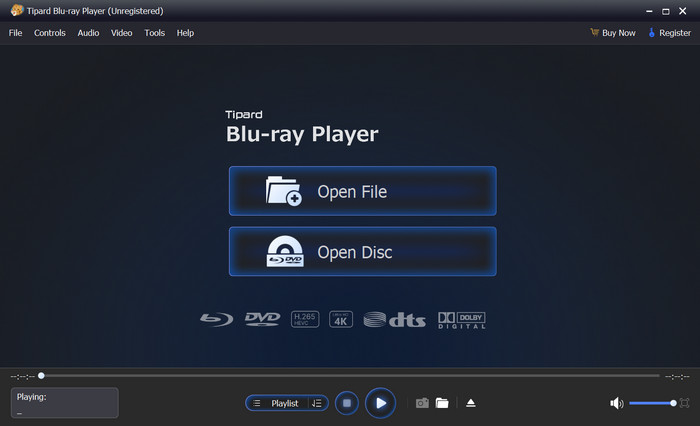
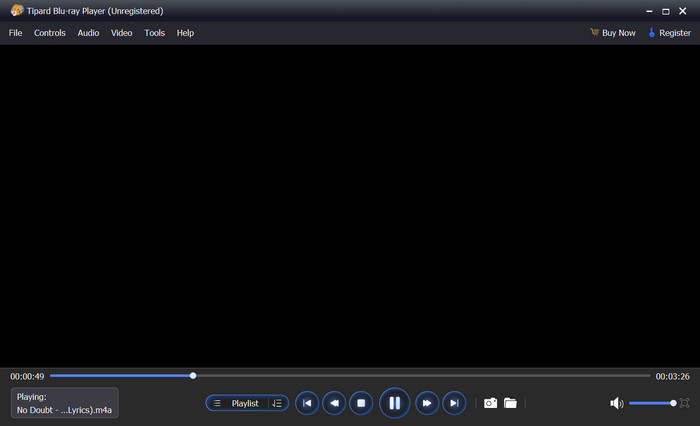
Tipard Blu-ray Player is a universal media player capable of playing M4A files and other types of audio on Windows and Mac OS. Besides good audio playback, it provides support for Dolby and DTS technologies to improve audio quality.
Key Features:
- Plays M4A files compressed by different audio codecs.
- Provides easy-to-use playlist creation for managing audio files.
- Does not reduce the initial audio quality.
- Supports a wide range of audio formats, such as MP3, AAC, FLAC, and WAV.
- Supports Dolby and DTS audio for a better listening experience.
- High audio playback quality.
- Supports lots of audio and video formats.
- Clean and user-friendly interface.
- Hardware acceleration is provided.
- Works both as an audio and a video player.
- Some functions can be accessed only in the paid version.
2. MusicBee
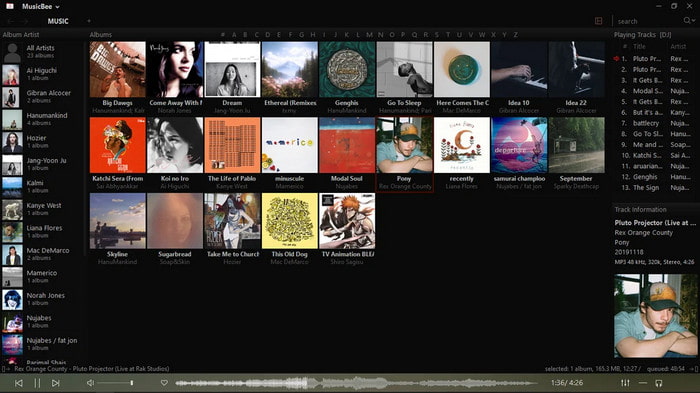
MusicBee is a multi-functional media player that works flawlessly with M4A files. It has great organizational tools and the ability to manage a music library, edit metadata, and create playlists; therefore, it is perfect for handling a large audio library.
Key Features:
- Support for M4A, MP3, FLAC, WAV, and AAC.
- Possibility to create smart playlists.
- Plugins to enhance your audio.
- Tools for organizing a music library.
- Great tool to manage your music library.
- User-friendly interface.
- Wide range of audio formats supported.
- Works only on Windows.
- Uses more system resources when working with large libraries.
3. Foobar2000
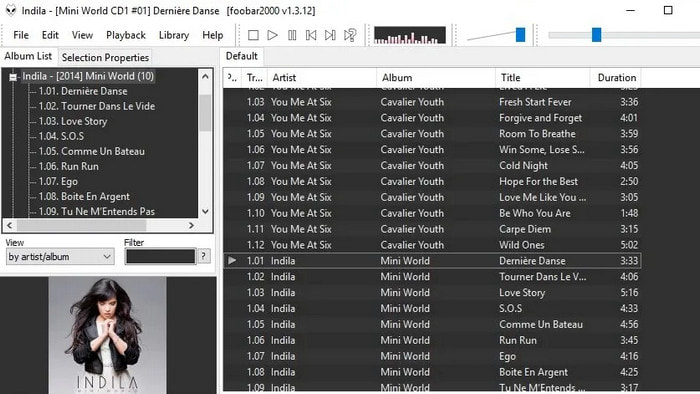
Foobar2000 is a simple but powerful media player. It plays M4A files without any problems and allows you to use plugins to have more options for playing audio.
Key Features:
- Supports M4A files and many other formats.
- Supports plugins.
- Playback and library tools.
- Very lightweight media player.
- Great format compatibility.
- Extensive customization options.
- Outdated interface.
- Some functionality requires additional configuration.
4. 5KPlayer
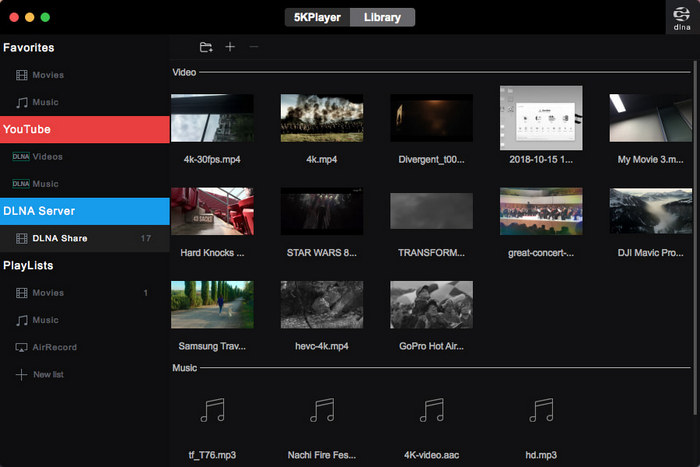
5KPlayer is a media player for both Windows and Mac, which allows you to play M4A files without additional codecs. Apart from audio playback, it provides AirPlay and DLNA functionalities, thus being an appropriate option for those who regularly stream and exchange media files.
Key Features:
- Support for M4A, AAC, MP3, FLAC, and others.
- Quality audio playback.
- Wireless media streaming.
- Windows and Mac compatibility.
- Media format diversity.
- Beneficial wireless streaming.
- Free download and usage.
- Possibly overwhelming interfaces.
- Unnecessary tools for audio playback only.
Part 4. How We Tested the M4A Players
In order to determine the most suitable M4A players, testing of each application according to identical criteria has been conducted on Windows, Mac, Android, and iPhone devices.
Testing Criteria:
- Compatibility with M4A Format: Compatibility of the player with the M4A format without the need to install any codecs.
- Sound Quality: Sound quality and the capacity of the player to support high-quality audio.
- Other Formats Compatibility: Other audio formats supported by the player, e.g., MP3, AAC, FLAC, WAV, and so forth.
- Usability: User interface and usability.
- Performance: Stability, volume boost, speed, and efficiency of the player.
- Features: Equalizer and Media Library Management.
Part 5. Side-by-Side Comparison of M4A Players
| M4A Player | Category | Stability | System Impact | Audio Processing Depth | Library Handling | Offline Reliability |
|---|---|---|---|---|---|---|
| Equalizer Music Player | Mobile | ✔ | ✔ | ✔ | ✖ | ✔ |
| Poweramp | Mobile | ✔ | ✖ | ✔ | ✔ | ✔ |
| MortPlayer Music | Mobile | ✖ | ✔ | ✖ | ✔ | ✔ |
| VLC for Mobile | Mobile | ✔ | ✔ | ✖ | ✔ | ✔ |
| Player Dreams | Mobile | ✖ | ✔ | ✖ | ✔ | ✔ |
| Tipard Blu-ray Player | Desktop | ✔ | ✔ | ✔ | ✔ | ✔ |
| MusicBee | Desktop | ✔ | ✖ | ✔ | ✔ | ✔ |
| Foobar2000 | Desktop | ✔ | ✔ | ✔ | ✖ | ✔ |
| 5KPlayer | Desktop | ✔ | ✖ | ✔ | ✔ | ✔ |
| Show MoreShow Less | ||||||
Part 6. FAQs of M4A Players
Can M4A files be played without installing special codecs?
Certainly, modern M4A players decode files in this format natively. VLC, Tipard Blu-ray Player, and MusicBee can run M4A files without any need for codec installation and additional configuration.
Do M4A players offer higher sound quality than MP3 players?
No, they do not improve sound quality. They provide an opportunity to save the original sound quality of AAC and ALAC files, which is why the playback of such files sounds better than the playback of highly compressed MP3 files.
Why are there playback problems with M4A files?
Such problems arise because of the lack of a supported codec in M4A files or because of old media players used for playback. Updating the software or switching to a more compatible player typically resolves the issue.
Conclusion
There are various options for M4A players. Considering all reviewed programs, Tipard Blu-ray Player is one of the best options since it offers good compatibility, high audio quality, and good playback of M4A files.

Play Blu-rays and multimedia files with the best video and audio quality
100% Clean & Safe
100% Clean & Safe

More Reading
About the Author


 Tipard Blu-ray Player