Blu-ray is the latest optical disc technology. Compared to a DVD, it offers much higher resolution, greater storage capacity, and better video and audio quality. Therefore, more and more studios distribute movies and shows using Blu-ray discs. A Blu-ray ripper is a software program that copies data from a Blu-ray disc and converts it into a digital file that can be stored on a computer or mobile device. This article shares the top 10 list.

Key Takeaways
The best freeware Blu-ray ripper is MakeMKV. It can rip video and audio without quality. It focuses on disc-to-MKV ripping with ISO creation support. If the output file is too large, compress it with HandBrake.
The best commercial option is Tipard Blu-ray Converter. It offers everything for Blu-ray ripping, including decryption, ripping, and compression, hardware acceleration, and more.
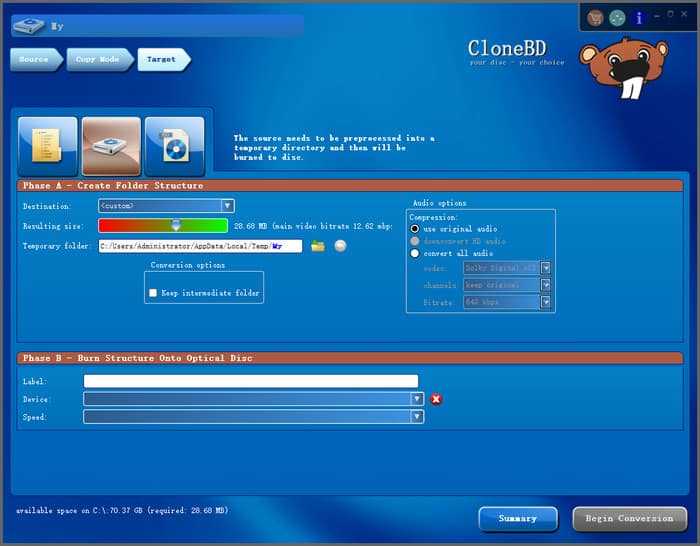
For full Blu-ray disc backup, CloneBD is the best option. It can clone discs 1:1. It keeps chapter markers and all tracks together in a disc-to-file workflow. That reduces manual reassembly after ripping.
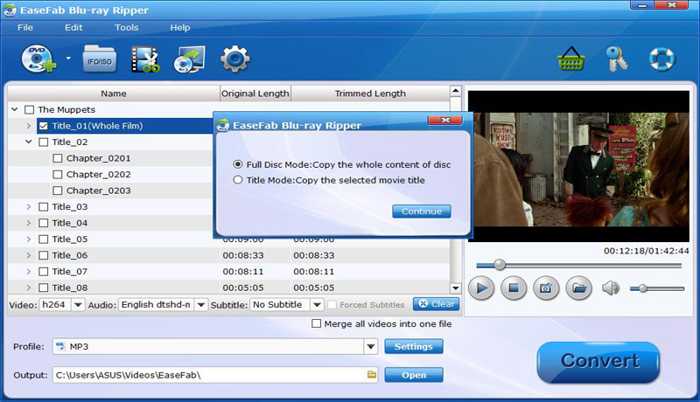
Leawo Blu-ray Ripper integrates ISO image creation and BDMV folder backup into the same workflow. It stands out for its UHD-ready conversion workflows.
Part 1: How We Tested the Blu-ray Ripper Software
A fair comparison of the best Blu-ray ripper software requires identical conditions across all tools. To get reliable results, the controlled environment is crucial.
The Test Hardware and Software
- CPU: Intel Core i5-12400, a standard and modern processor today
- GPU: NVIDIA GeForce RTX 4060 Ti to test NVENC hardware acceleration
- Drive: ASUS BW-16D1HT Blu-ray drive, which allows 4K UHD ripping
- Storage: An SSD with over 50 GB of free space
- Operating System: Windows 11 64-bit
The Source Material
We used two commercial Blu-ray discs and a homemade Blu-ray disc
| Despicable Me 4 | Tom and Jerry | Home-made Blu-ray | |
|---|---|---|---|
| Resolution | 4K UHD | 1080p | 1080p |
| Protection | AACS 2.0 and Region code | Structure Encryption | No |
| Series | One main movie | Multiple episodes | One main title |
| Length | 94 minutes | 6-8 minutes per episode and 20 episodes | 20 minutes |
| Target Video | 4K MP4 | HD H.265 | HD H.265 |
The Testing Phases
Phase 1: Hardware preparation
Prepare the hardware, connect the Blu-ray drive to our computer, and remove the test disc from its box.
Phase 2: Software preparation
Install the top 10 Blu-ray rippers one by one to check how long it takes from downloading the installer to starting the first task. Another important thing is checking if the installer tries to bundle third-party widgets, malware, or adware.
Phase 3: The Remux Test
Extract the main movie or all titles from the Blu-ray disc without re-encoding. MakeMKV, for example, copies all content, from main titles to chapter structure, from video and audio tracks to subtitles. Tipard Blu-ray Converter also integrates lossless ripping capability. We confirmed that the video bitrate, audio codec, and subtitle tracks are 100% identical to the source disc.
Phase 4: The Compression Test
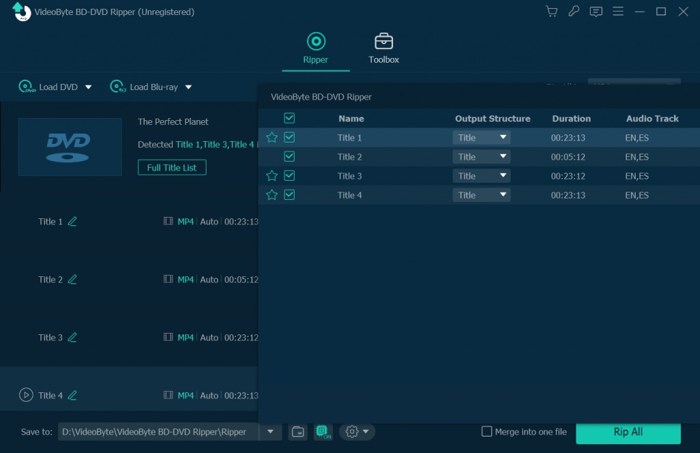
To produce smaller output files, most commercial Blu-ray ripper software automatically compresses Blu-ray videos after ripping discs, such as EaseFab Blu-ray Ripper, VideoByte BD-DVD Ripper, and more. They balance the output quality and file size.
Phase 5: The Stress Test
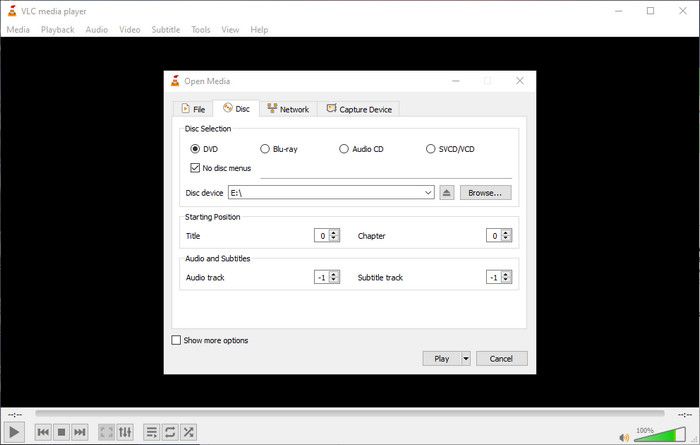
Play back the output in VLC or Plex to verify audio sync, subtitle display, missing chapters, and other failures.
The Test Software and Version
- Tipard Blu-ray Converter 10.1.68
- MakeMKV 1.18.4
- DVDFab Blu-ray Ripper 13.0.6.4
- Leawo Blu-ray Ripper 13.0.0.7
- VLC Media Player 3.0.23
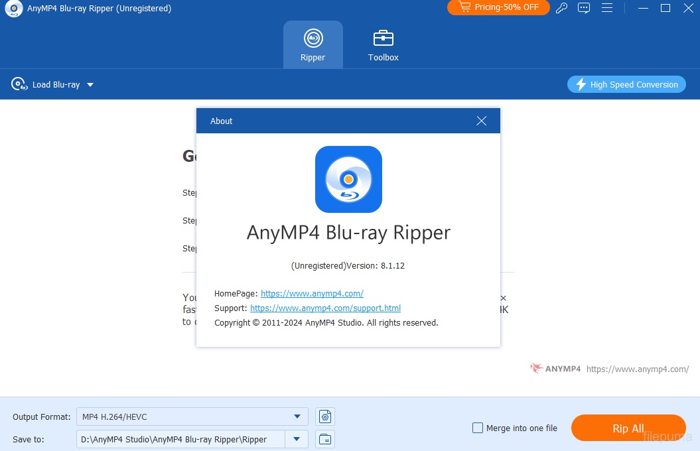
- AnyMP4 Blu-ray Ripper 8.0.99
- EaseFab Blu-ray Ripper 5.9.2
- VideoByte BD-DVD Ripper 2.1.50
- CloneBD 1.3.2.1a
- DumboFab Blu-ray Ripper V7.3.2
Part 2: Blu-ray Ripper Performance Benchmarks
Disc Loading Benchmark
| Load Disc | Typical Loading Time | Support Disc Types | Note | |
|---|---|---|---|---|
| Tipard Blu-ray Converter | success | 5-10 seconds | 3D Blu-ray, 4K Disc, ISO, and BDMV Folder | Identify the correct playlist instantly |
| DVDFab Blu-ray Ripper | success | 10-20 seconds | 3D Blu-ray, 4K Disc, ISO, and BDMV Folder | Successfully mark the correct main title |
| CloneBD | success | 10-20 seconds | 3D Blu-ray, ISO, and BDMV Folder | Require a separate step to load via AnyDVD |
| Leawo Blu-ray Ripper | success | 20-45 seconds | 3D Blu-ray, partial 4K Disc, ISO, and BDMV Folder | May display Disc not supported when loading the UHD disc |
| EaseFab Blu-ray Ripper | success | 15-30 seconds | 3D Blu-ray, ISO, and BDMV Folder | Cannot bypass the UHD protection layer sometimes |
| DumboFab Blu-ray Ripper | success | 15-35 seoncds | 3D Blu-ray, 4K Disc, ISO, and BDMV Folder | Take a long time to load the full structure |
| AnyMP4 Blu-ray Ripper | Success | 15-40 seconds | 3D Blu-ray, 4K Disc, ISO, and BDMV Folder | |
| VideoByte BD-DVD Ripper | success | 20-40 seconds | 3D Blu-ray, limited 4K Disc, ISO, and BDMV Folder | Load the disc but display 3 different main titles |
| MakeMKV | success | 30-60 seconds | 3D Blu-ray, 4K Disc, ISO, and BDMV Folder | Fail to identify the main title sometimes |
| VLC Media Player | Fail on commercial Blu-rays | 5-15 seconds | BD-25/50, ISO, and BDMV Folder | |
| Show MoreShow Less | ||||
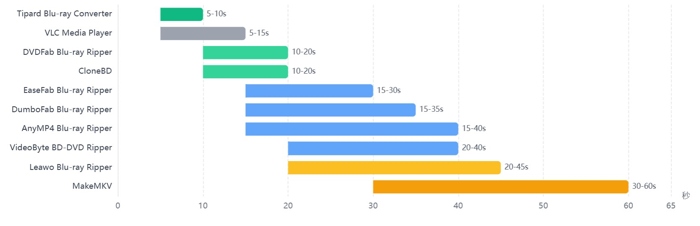
Key Findings
1. Performance Tiers
Tier 1: Fastest: Tipard Blu-ray Converter, DVDFab Blu-ray Ripper, and CloneBD use cloud-based and lightweight structure parsing.
Tier 2: Moderate: Leawo Blu-ray Ripper, EaseFab Blu-ray Ripper, DumboFab Blu-ray Ripper, AnyMP4 Blu-ray Ripper, and VideoByte BD-DVD Ripper can load encrypted Blu-ray discs, but the loading time is slow.
Tier 3: Slow: MakeMKV reads the entire disc structure, which is excellent for complex discs, but it is the slowest to load Blu-rays.
Tier 4: Fail: VLC cannot rip commercial Blu-ray discs.
2. Drive matters more than software when it comes to loading time. In fact, the loading times are not very different if the 4K Blu-ray ripper can successfully load a disc.
3. In addition to loading time, correctly detecting the main title is crucial, too. Obviously, only a portion of Blu-ray ripper software can correctly analyze the disc structure and load titles and chapters properly.
Blu-ray Encryption Bypassing Benchmark
Compared to DVDs, Blu-rays apply more encryption technologies. AACS is used for most commercial Blu-rays. AACS 2.0/2.1 is updated for 4K UHD discs. BD+ is a virtual machine that runs code to verify authenticity. BD-J is a Java-based interactive layer for faking titles. Cinavia is an audio watermark to mute the audio of Blu-rays. Region Code locks discs to specific regions.
To find your best Blu-ray ripper, the most important factor should be the BD decryption abilities.
| AACS | AACS 2.0/21 | BD+ | BD-J | Cinavia | Region Code | |
|---|---|---|---|---|---|---|
| Tipard Blu-ray Converter | Success | Success | Success | Success | Success | Success |
| DVDFab Blu-ray Ripper | Success | Success | Success | Success | Partial | Success |
| MakeMKV | Success | Success | Success | Partial | Failed | Success |
| EaseFab Blu-ray Ripper | Success | Partial | Success | Success | Failed | Success |
| DumboFab Blu-ray Ripper | Success | Success | Success | Partial | Failed | Success |
| Leawo Blu-ray Ripper | Success | Success | Success | Failed | Failed | Success |
| AnyMP4 Blu-ray Ripper | Success | Success | Success | Failed | Failed | Success |
| VideoByte BD-DVD Ripper | Success | Limited | Success | Failed | Failed | Success |
| CloneBD | Manual | Failed | Success | Failed | Failed | Success |
| VLC Media Player | Failed | Failed | Failed | Failed | Failed | Failed |
| Show MoreShow Less | ||||||
Key Findings
1. Only Tipard Blu-ray Converter and DVDFab Blu-ray Ripper work for most Blu-ray encryptions. If your discs are protected by Cinavia and you want clear audio, they are available.
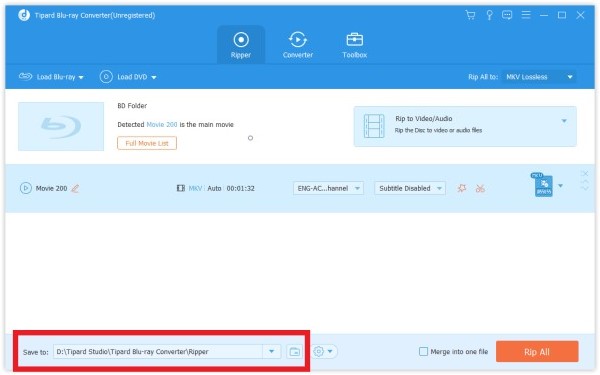
2. All top 10 Blu-ray rippers except VLC can remove region codes. VLC is primarily working as a media player. The Blu-ray ripping is a bonus feature.
3. Tipard Blu-ray Converter and AnyMP4 Blu-ray Ripper claim weekly updates are best for brand-new discs, while MakeMKV relies on community key updates.
Blu-ray Video Quality Benchmark
| Remux Support | Transcode Support | Enhance to 4K | H.265 Support | |
|---|---|---|---|---|
| Tipard Blu-ray Converter | MKV Lossless preset | Yes | AI Enhancement | Yes, 10-bit |
| DVDFab Blu-ray Ripper | 1:1 Lossless | Yes | AI Upscaling | Yes, 8-bit |
| MakeMKV | 1:1 Copy | No | No | No |
| EaseFab Blu-ray Ripper | MP4/MKV Lossless Preset | Yes | Upscale to 4K without AI | Yes, 8-bit |
| DumboFab Blu-ray Ripper | MKV Lossless | Yes | Upscale to 4K without AI | Yes, 8-bit |
| Leawo Blu-ray Ripper | MKV Lossless | Yes | Yes | Yes, 8-bit |
| AnyMP4 Blu-ray Ripper | MKV Lossless | Yes | Yes | Yes, 8-bit |
| VideoByte BD-DVD Ripper | 1:1 Copy | Yes | Partial | Yes, 8-bit |
| CloneBD | MKV Lossless | Yes | No | Yes, 8-bit |
| VLC Media Player | No | Yes | No | Yes, 8-bit |
| Show MoreShow Less | ||||
Key Findings
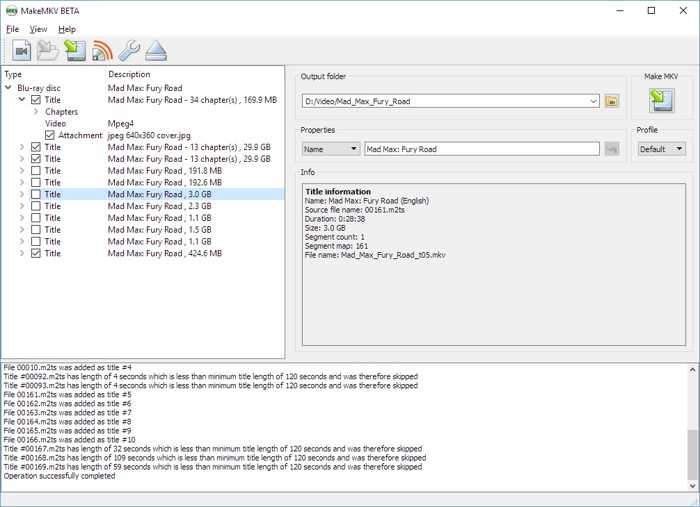
1. MakeMKV is the only Blu-ray ripper that is exclusively a remuxer. It never re-encodes Blu-ray videos. It can pass through an H.265 stream from a 4K UHD BD untouched, but cannot encode to H.265.
2. Tipard Blu-ray Converter, EaseFab Blu-ray Ripper, and DumboFab Blu-ray Ripper are equipped with AI to enhance Blu-ray videos from 1080p to 4K. Others only enable you to set 4K as the output resolution without AI.
3. CloneBD doesn't support H.265 encoding. According to the developer, this function is still under development.
4. VLC is fundamentally a player with Blu-ray conversion. It lacks any remux or enhancement capability.
4K UHD Blu-ray Ripping Benchmark
| 4K UHD Support | Note | |
|---|---|---|
| Tipard Blu-ray Converter | Yes | Rip commercial 4K UHD BD discs with built-in decryption and preserve 4K HDR10 |
| DVDFab Blu-ray Ripper | Yes | Integrate UHD ripper module and cloud-based decryption |
| MakeMKV | Yes(with conditions) | Lossless remux 4K UHD to MKV |
| EaseFab Blu-ray Ripper | Partial | Cannot handle newer AACS 2.X on recent 4K UHD BD |
| DumboFab Blu-ray Ripper | Yes | Support lossless passthrough encrypted 4K UHD |
| Leawo Blu-ray Ripper | Yes | Integrate UHD Converter module handling AACS 2.0 protected 4K UHD BD |
| AnyMP4 Blu-ray Ripper | Yes | Preserve 4K HDR10+ and metadata |
| VideoByte BD-DVD Ripper | No | Output 4K from 1080p, but cannot decrypt commercial 4K UHD |
| CloneBD | Partial | Copy 4K UHD discs for 1:1 backup, but require AnyDVD HD for decryption |
| VLC Media Player | No | Cannot decrypt commercial 4K UHD BD |
Key Findings
- 1. Tipard Blu-ray Converter, DVDFab Blu-ray Ripper, DumboFab Blu-ray Ripper, Leawo Blu-ray Ripper, and AnyMP4 Blu-ray Ripper can both read encrypted 4K UHD BD discs and output 4K videos.
- 2. MakeMKV supports 4K UHD, but is hardware-locked. Your computer must be equipped with a LibreDrive-flashed drive.
- 3. EaseFab Blu-ray Ripper claims 4K UHD support but struggles with newer encryption technologies. CloneBD can copy UHD BD 1:1, but it must work with an extra decrypter.
Blu-ray Audio Preservation Benchmark
| Audio Preserve | Object Audio | Audio Track Retention | Note | |
|---|---|---|---|---|
| Tipard Blu-ray Converter | Excellent | Yes(Atmos) | Yes | Preserve lossless audio and subtitle tracks |
| DVDFab Blu-ray Ripper | Excellent | Yes (TrueHD Atmos + DTS:X) | Yes | Preserve DTS-HD Master Audio、Dolby TrueHD |
| MakeMKV | Excellent | Yes (Atmos in TrueHD) | Yes | Copy TrueHD, DTS-HD MA, PCM bit-for-bit |
| AnyMP4 Blu-ray Ripper | Excellent | Yes (Atmos in TrueHD) | Yes | Audio passthrough setting for TrueHD / DTS-HD MA |
| DumboFab Blu-ray Ripper | Good | Yes | Yes | Preserve multiple audio tracks |
| Leawo Blu-ray Ripper | Good | Yes | Yes | Retain all audio tracks |
| EaseFab Blu-ray Ripper | Moderate | Partial | Partial | Extract audio |
| VideoByte BD-DVD Ripper | Moderate | Partial | Yes | No TrueHD/DTS-HD MA output |
| CloneBD | Moderate | No | Partial(1:1 copy only) | 1:1 disc-to-disc retains HD audio tracks |
| VLC Media Player | Poor | No | No | Won't preserve 5.1 or 7.1 channels |
| Show MoreShow Less | ||||
Key Findings
1. Top Tier: MakeMKV, DVDFab, Tipard, and AnyMP4 support TrueHD / DTS-HD MA passthrough and maintain Atmos/DTS:X metadata. MakeMKV is the purist's gold standard (zero re-encoding). The others support transcoding flexibility alongside passthrough.
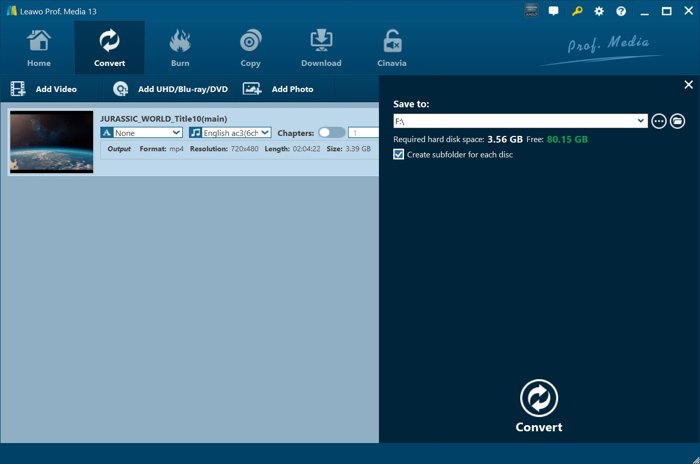
2. DumboFab Blu-ray Ripper and Leawo Blu-ray Ripper can preserve multi-tracks, including audio tracks, when ripping discs with the lossless MKV preset.
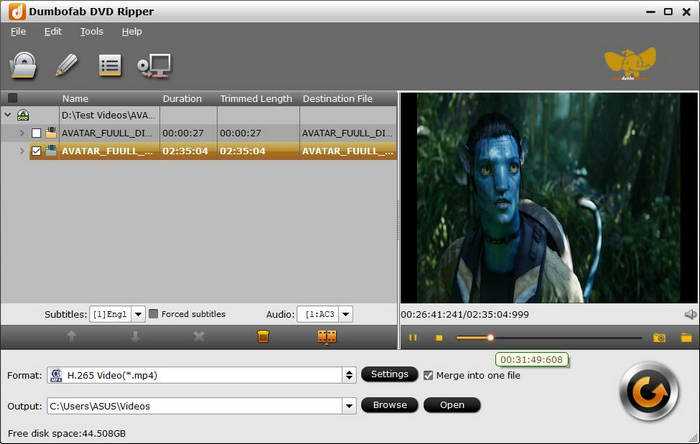
3. EaseFab Blu-ray Ripper and VideoByte BD-DVD Ripper support lossless MKV, but lack lossy audio. HD audio retention requires manual profile selection.
Blu-ray Ripping Speed Benchmark
| Hardware Acceleration | Typical Remux | Typical Transcode | |
|---|---|---|---|
| Tipard Blu-ray Converter | Level-3 GPU (NVIDIA NVENC/AMD AMF/Intel QSV) | 5-8 minutes | 7-10 minutes |
| DVDFab Blu-ray Ripper | NVIDIA CUDA/AMD APP/Intel QSV | 7-10 minutes | 8-13 minutes |
| MakeMKV | No | 6-8 minutes | |
| AnyMP4 Blu-ray Ripper | NVIDIA/AMD/Intel (full GPU) | 8-12 minutes | 7-12 minutes |
| DumboFab Blu-ray Ripper | Intel QSV/NVIDIA CUDA/AMD APP | 10-14 minutes | 10-16 minutes |
| Leawo Blu-ray Ripper | NVIDIA CUDA/AMD APP/Intel QSV (6X claim) | 10-15 minutes | 12-25 minutes |
| EaseFab Blu-ray Ripper | GPU (basic) | 12-18 minutes | 15-30 minutes |
| VideoByte BD-DVD Ripper | Intel QSV/NVIDIA NVENC/AMD APP (6X claim) | 15-20 minutes | 25-40 minutes |
| CloneBD | Multi-core CPU + basic GPU | 10-15 minutes | 20-35 minutes |
| VLC Media Player | No | Depend the length of the BD video |
Key Findings
- Tipard Blu-ray Converter took only a few minutes to rip a 90-minute Blu-ray movie to MP4 in our test with only 15-21% CPU usage, indicating efficient GPU offload.
- MakeMKV is fast for lossless backups, although it doesn't support hardware acceleration. That is because it does zero video processing.
Output Option Benchmark
| Output Formats | Custom Options | Audio and Subtitle Tracks Selection | Compression Codecs | |
|---|---|---|---|---|
| Tipard Blu-ray Converter | 500+ video and audio formats and portable devices | Yes | Yes | H.264/H.265/AV1 |
| DVDFab Blu-ray Ripper | 300+ formats | Yes | Yes | H.264/H.265 |
| MakeMKV | MKV | No | Yes | No |
| AnyMP4 Blu-ray Ripper | 400+ formats | Yes | Yes, add new audio and subtitles | H.264/H.265 |
| DumboFab Blu-ray Ripper | 300+ formats | Yes | Yes | H.264/H.265/VP9 |
| Leawo Blu-ray Ripper | 180+ formats | Yes | Yes | H.264 |
| EaseFab Blu-ray Ripper | 300+ formats | Yes | Yes | H.264/H.265 |
| VideoByte BD-DVD Ripper | 300+ formats | Limited | Yes | H.264/H.265 |
| CloneBD | 180+ formats | Limited | No | H.264/H.265 |
| VLC Media Player | Popular formats | Limited | No | H.264/H.265/VP8/9 |
| Show MoreShow Less | ||||
Key Findings
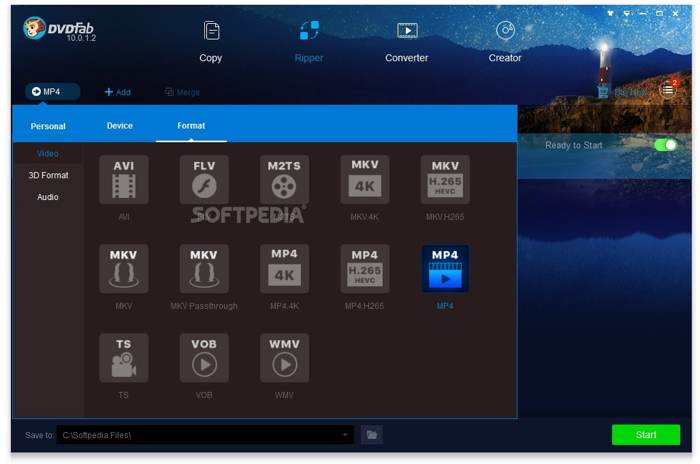
- Most professional DVD rippers offer hundreds of output formats and enable you to select audio and subtitle tracks, such as Tipard Blu-ray Converter, DVDFab Blu-ray Ripper, AnyMP4 Blu-ray Ripper, and more.
- Tipard Blu-ray Converter and AnyMP4 Blu-ray Ripper lead in H.265/AV1 compression with GPU acceleration. They are the best options for generating excellent output quality quickly.
- MakeMKV is a freeware Blu-ray ripper that offers lossless results and a flexible selection of audio and subtitle tracks.
Part 3: Blu-ray Ripper Benchmark Results
Benchmark Category Weight Distribution
| Category | Weight | Source Benchmark |
|---|---|---|
| Decryption | 20% | Blu-ray Encryption Bypassing Benchmark |
| Output Quality | 15% | Blu-ray Video Quality Benchmark |
| Audio Preservation | 20% | Blu-ray Audio Preservation Benchmark |
| Ripping Speed | 30% | Blu-ray Ripping Speed Benchmark |
| Compression Codec | 15% | Output Option Benchmark |
Top 10 Blu-ray Rippers Quantitative Master Scoreboard(on a scale of 1.0-10.0)
| Rank | Software | Decryption | Output Quality | Audio Preservation | Ripping Speed | Compression Codec | Final |
|---|---|---|---|---|---|---|---|
| 1 | Tipard Blu-ray Converter | 10 | 10 | 10 | 9.6 | 10 | 9.88 |
| 2 | DVDFab Blu-ray Ripper | 10 | 9.7 | 10 | 9 | 10 | 9.66 |
| 3 | MakeMKV | 9.6 | 10 | 9 | 8.2 | 3.4 | 9.00 |
| 4 | AnyMP4 Blu-ray Ripper | 9.5 | 8 | 9.6 | 8.5 | 9.5 | 8.25 |
| 5 | DumboFab Blu-ray Ripper | 5.6 | 8.8 | 8.5 | 9.2 | 9 | 8.19 |
| 6 | Leawo Blu-ray Ripper | 6.5 | 6.8 | 9 | 8 | 5.5 | 7.94 |
| 7 | EaseFab Blu-ray Ripper | 9 | 9.2 | 9 | 5.6 | 8.5 | 7.46 |
| 8 | VideoByte BD-DVD Ripper | 8.8 | 9.1 | 9 | 3.5 | 8.2 | 7.35 |
| 9 | CloneBD | 6.8 | 7 | 8 | 6.5 | 10 | 7.21 |
| 10 | VLC Media Player | 4.5 | 6 | 3 | 8.5 | 3.5 | 5.48 |
| Show MoreShow Less | |||||||
Part 4: FAQs of Blu-ray Ripper Benchmark
Is ripping Blu-rays illegal?
If you rip commercial Blu-ray discs for backup, it is legal. If you want to distribute Blu-ray movies after ripping them, it is illegal.
Is there anything better than MakeMKV?
Yes, you can learn the Blu-ray rippers better than MakeMKV from our sharing above.
Can HandBrake rip Blu-ray discs?
No. HandBrake doesn't support Blu-ray decryption. Therefore, it is usually not used for ripping Blu-ray discs.
Conclusion
This article reviewed the 10 best Blu-ray rippers on Windows, macOS, and Linux. Some of them are free to download and use, like MakeMKV. Others require a license but offer more advanced features, such as Tipard Blu-ray Converter. You can pick an appropriate tool according to our test and your situation.

Rip Blu-ray to Digital Format with the Best Quality
100% Clean & Safe
100% Clean & Safe

More Reading



About the Author